A Guide to Document Translation Software
You've got a document—say, a 100-page business proposal packed with charts, tables, and specific branding—that needs to be in Japanese by tomorrow. The old way? A soul-crushing cycle of copy-pasting text into a web translator, then spending days trying to piece the formatting back together.
Document translation software was built to kill that exact nightmare.
What Is Document Translation Software?
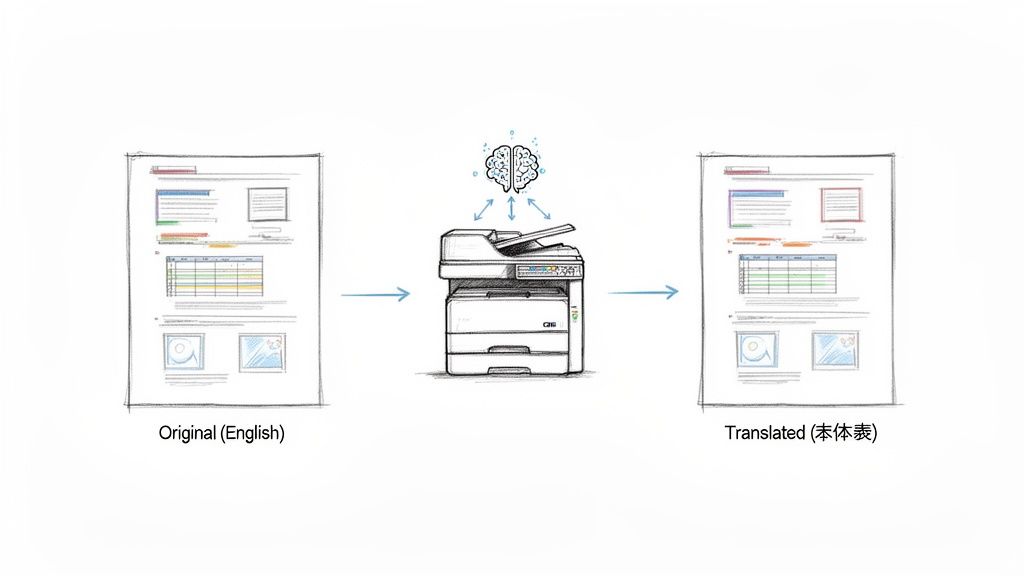
Think of it less like a simple text translator and more like a smart, multilingual photocopier. You feed it a complex file—a polished PDF, an intricate InDesign layout, or a hefty Word document—and it does more than just swap out words. It understands the entire structure.
The software sees the headers, the footers, the tables, the image captions, and the specific font you used. It then carefully preserves that entire framework while translating the content within it.
It's More Than Just Swapping Words
This is a huge leap from the basic translation tools we're all familiar with. Instead of just a one-step text conversion, it's a sophisticated, multi-stage process that happens behind the scenes.
- First, it maps everything out. The software scans the document to identify the layout, separating the text from images, graphs, and other non-text elements.
- Then, it translates with context. The extracted text is run through a powerful neural machine translation engine that understands nuance and context far better than older technologies.
- Finally, it puts it all back together. The software meticulously rebuilds the document in the new language, slotting the translated text back into its original spot while keeping all the formatting perfectly intact.
What used to be a week-long manual slog becomes a task you can knock out in a few minutes. The real value isn't just the speed; it's getting a file back that's ready to use immediately, looking just as professional as the original.
The goal here is simple: produce a translated document that is visually identical to the source file. It’s about ensuring both the linguistic meaning and the visual integrity hold up across languages.
A Market That's Exploding
It's no surprise that the demand for these tools is through the roof. The AI-powered document translation market was valued at USD 2.17 billion in 2024 and is on track to hit USD 5.95 billion by 2029.
What’s fueling this? Businesses are going global, compliance rules for legal and medical files are getting stricter, and the sheer amount of content companies have to manage is staggering. If you want to explore more insights on this market shift, it’s clear that companies are moving fast toward smarter, automated ways to handle multilingual documents at scale.
What Makes a Great Document Translation Tool?
Not all translation tools are built the same. There's a world of difference between a free web translator and the kind of professional software businesses rely on. The best tools are defined by a handful of core features that make them indispensable for any company working across different languages.
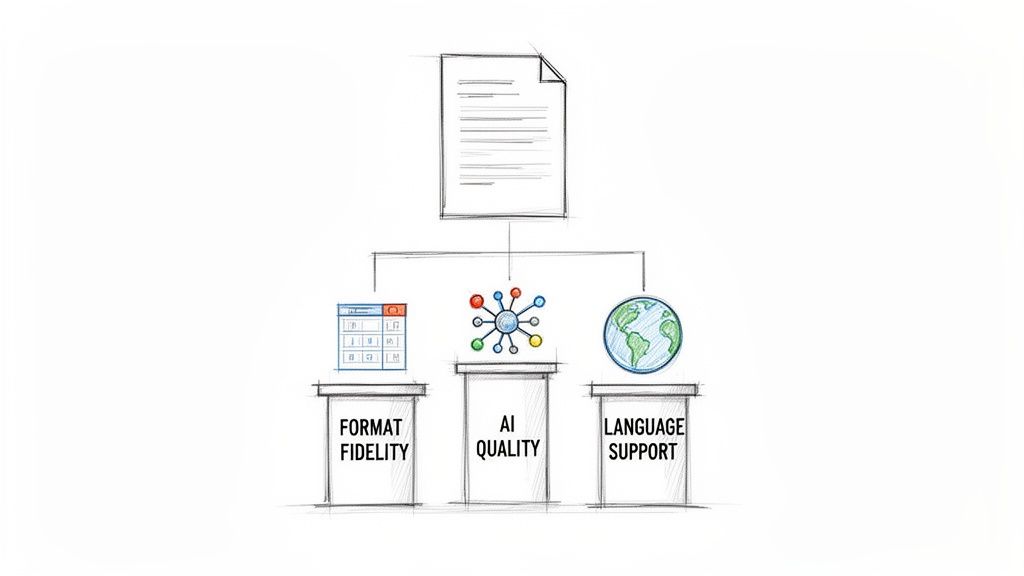
First and foremost is format fidelity. Think about the last time you tried to copy and paste text from a PDF. Now imagine doing that for a 50-page report packed with complex tables, charts, and carefully designed layouts. A basic tool will give you back a jumbled mess of text, leaving your team with hours of painstaking work to fix it.
Professional software, on the other hand, is designed to preserve your document's original structure.
This means your translated Word document still has its headers and footnotes, and your PDF looks just as it did in the original language. This single feature is often the biggest time-saver, delivering a file that's ready to go. If you're curious about how this works behind the scenes, our guide on how to translate a PDF dives into the technology.
AI Quality, Language Coverage, and Handling Big Files
Beyond formatting, the quality of the AI engine is a massive factor. Leading platforms don't just offer a one-size-fits-all solution; they provide different tiers of translation quality. It's a bit like choosing between standard definition and 4K video—each has its place.
- Standard AI Quality: Perfect for internal communications, quick summaries, or when you just need to understand the gist of a document. It's fast, efficient, and gets the job done.
- Advanced AI Quality: This is what you need for the important stuff. These models are trained on vast, specialized datasets, enabling them to understand industry-specific jargon, subtle nuances, and the complex sentence structures common in legal contracts or technical manuals.
This flexibility allows you to align the AI's power with the document's importance, which is a smart way to manage both cost and accuracy.
The real power of a professional tool lies in its ability to adapt. It should offer the right AI model for the job, whether you're translating a simple email or a complex engineering manual.
Finally, a couple of other features really separate the pros from the amateurs: language selection and file size limits. A truly global tool supports a massive range of languages and even handles regional dialects, like the difference between Brazilian and European Portuguese.
Just as important is the ability to process huge files—think entire books, lengthy legal discovery documents, or massive technical reports—without choking. This is made possible by a clever process called file chunking, where the software breaks large documents into smaller, manageable pieces to translate them. It's the secret sauce that ensures reliability, no matter how big the file is.
Key Features of Modern Document Translation Software
To make it easier to see what really counts, this table breaks down the essential capabilities you should look for when evaluating different software solutions.
| Feature | What It Means | Why It Matters for Your Business |
|---|---|---|
| File-Format Fidelity | The software preserves the original layout, formatting, images, tables, and structure of the document after translation. | It eliminates countless hours of manual rework, ensuring that translated documents are professional and ready for immediate use. |
| AI Quality Tiers | You can choose between different AI models (e.g., standard vs. advanced) based on the document's complexity. | This allows you to balance cost and accuracy, using more powerful AI for critical documents and faster AI for internal content. |
| Broad Language Support | The tool supports a wide range of languages and regional dialects, not just the most common ones. | It ensures you can communicate effectively with all your global markets, partners, and customers without needing multiple tools. |
| Large-File Handling | The software can process very large files (e.g., 100+ MB) without crashing or timing out, often using chunking. | It gives you the confidence to translate any document, from a one-page memo to a 500-page manual, without technical issues. |
These four pillars are what transform a simple translation app into a genuine business asset, capable of supporting complex, high-stakes communication across the globe.
Why Security Is Not an Optional Feature
When you upload a sensitive contract, a confidential business plan, or a private medical record, where does it actually go? For any serious organization, security isn't just a nice-to-have feature in a document translation tool; it's the absolute foundation. Choosing a platform without robust security protocols is like sending your most valuable secrets through the mail in a clear envelope.
The risk of a data breach is simply too high to ignore. That’s why trustworthy platforms build their entire service around protecting your information from the very moment you upload it.
The Non-Negotiable Security Pillars
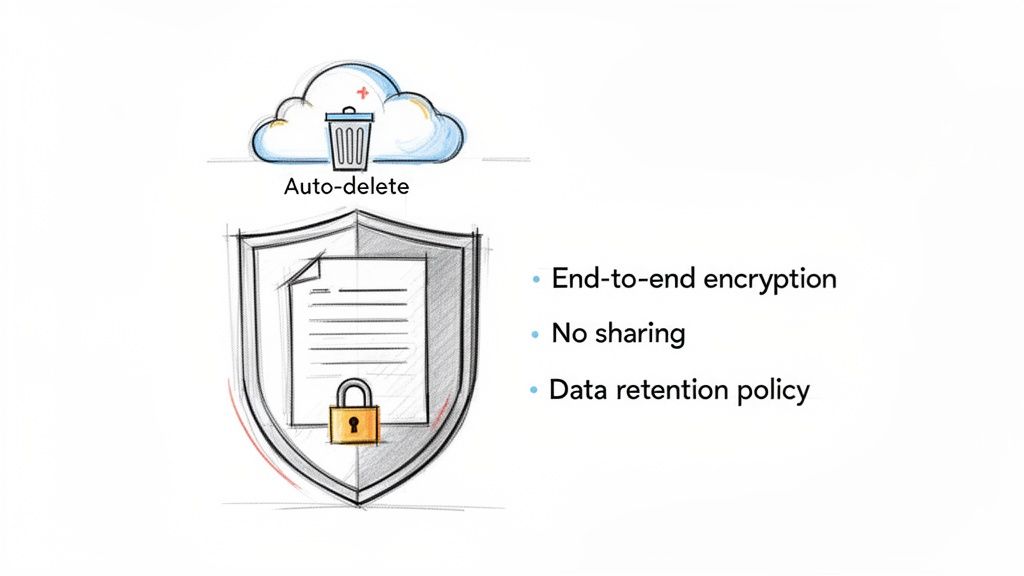
Real security in a translation service isn't just one feature—it's a system built on three critical pillars. Each one addresses a different point of vulnerability, and together, they create a safe harbor for your data.
End-to-End Encryption: Think of this as the digital equivalent of an armored truck. It scrambles your file into an unreadable format the moment it leaves your computer, keeping it locked down while it's being processed and while it rests on the server.
Strict Data Retention Policies: How long does the service hold onto your file? The best answer is "as little time as possible." Top-tier services have automatic deletion protocols that permanently wipe your files from their servers within a set window, like 24 hours, to minimize any chance of exposure.
A No-Sharing Guarantee: This is a firm, contractual promise that your proprietary information will never be used to train third-party AI models. Your business data should be used for your translation and nothing else.
These features are no longer just nice to have; they are major deciding factors for businesses, especially in tightly regulated fields like law and healthcare. A service offering a 24-hour automatic file deletion window and an ironclad non-sharing guarantee is quickly becoming the industry standard, especially with the steep penalties for data breaches.
A secure platform doesn’t just translate your documents; it protects your business. It’s an investment in risk management, safeguarding your intellectual property, client data, and professional reputation from potentially devastating consequences.
For the highest level of protection, particularly for sensitive translated content, it's worth understanding what DRM encryption can do. This technology adds another layer of control over who can access, copy, or distribute your translated files after the fact, ensuring they stay in the right hands. Ultimately, treating security as an afterthought is a gamble most businesses simply can't afford to take.
Real-World Applications Across Industries
Document translation software isn't just a nifty tech tool; it’s a problem-solver for real businesses in the real world. Its value isn't some abstract concept—it’s measured in tangible results like breaking into new markets, speeding up legal cases, or accelerating scientific research. The magic is in how it handles both the words and the visual layout of a document with equal care.
For small and medium-sized businesses, this technology is a game-changer for growth. It gives them the power to compete on a global stage by quickly translating marketing materials, product manuals, and business proposals. Imagine taking a beautifully designed brochure for your local audience and, in minutes, having a print-ready version for a new market in Japan.
That kind of speed removes one of the biggest roadblocks to international expansion.
Powering Professional and Academic Workflows
In high-stakes fields, the pressure for fast, reliable translation is constant. Take the legal world, for example. Law firms and corporate legal teams depend on this software to sift through mountains of documents for e-discovery, international lawsuits, and contract reviews. In this context, preserving the original format isn't just nice to have—it's essential. The exact placement of a sentence or a footnote can make or break a case. Our guide to legal document translation dives much deeper into these specific challenges.
Academia and research see huge benefits, too. Scholars and students use these tools to tap into a global library of knowledge. A researcher in Brazil can instantly translate and absorb a breakthrough study published in a German science journal, sparking new ideas and speeding up innovation across borders.
The common thread here is the need for speed without sacrificing professionalism. Whether it's a legal brief or a technical schematic, the translated document has to be just as usable and trustworthy as the original.
Why Document-Centric Work Is King
The numbers back this up. When you look at where the money is spent on language technology, document translation consistently comes out on top. In fact, it's estimated that text-based document workflows make up about 65% of all translation demand.
A few key sectors are leading the charge:
- Finance: This industry is a powerhouse, projected to hold nearly 29% of the market share. Think of all the reports, compliance paperwork, and financial statements that need perfect translation.
- Legal: Driven by a constant need to manage cross-border contracts and litigation.
- Technical and Healthcare: Both fields rely heavily on the accurate translation of manuals, patents, and patient records where keeping the original layout intact is critical.
This data really highlights the vital role specialized software plays in how modern business gets done. You can see more in the full market analysis on translation management systems.
How to Choose the Right Translation Software
Picking the right document translation software goes way beyond just looking at a list of supported languages. To make a smart choice, you need a practical game plan that focuses on what truly matters: translation quality, layout preservation, speed, and honest pricing.
The best way to see what a platform is made of is to give it a real-world challenge. Don't just toss it a simple text file. Grab a document with complex formatting—think a business proposal loaded with charts, a technical manual with multi-column tables, or a research paper dense with footnotes and images.
This kind of "stress test" is incredibly revealing. Run that same tricky file through your top two or three contenders and put the results side-by-side. Did one tool keep the table structure perfectly while another scrambled the columns? This hands-on comparison will tell you more than any marketing pitch ever could.
Evaluating Accuracy and User Experience
Once you have the translated file, look past the formatting and judge the translation quality itself. Many platforms, including DocuGlot, give you options for different AI quality tiers. An advanced model trained on specific industry jargon will always outperform a generic engine when translating something like a legal contract.
Don't forget to consider the user experience. The best tools feel intuitive. You should be able to upload files, pick your languages, and see your progress without needing to consult a help guide. A clean, simple process saves a ton of time and hassle, especially when you're up against a deadline with a stack of documents.
A great tool doesn't just deliver a high-quality translation; it makes the entire process feel effortless. The best software combines powerful technology with a simple, user-friendly design that lets you focus on your work, not on figuring out the tool.
Scrutinizing Security and Pricing
Security isn't just a feature; it's a deal-breaker. Before you sign up for anything, dig into the platform’s security policies. Look for must-haves like end-to-end encryption to protect your files as they travel and automatic data deletion protocols that wipe your sensitive info from their servers, usually within 24 hours. A rock-solid non-sharing policy is also critical to ensure your data isn't being fed to third-party AI models.
Finally, the price should be crystal clear. Steer clear of services with confusing credit systems or surprise fees. A reputable provider will show you the exact cost before you hit "translate." To get a clearer picture of market rates, it helps to understand the key factors that determine document translation cost.
Making a smart decision means knowing what to look for and what to run from. This checklist breaks down the key evaluation points to help guide your choice.
Software Evaluation Checklist
| Evaluation Criteria | What to Look For (Green Flags) | What to Avoid (Red Flags) |
|---|---|---|
| Translation Accuracy | Multiple AI quality tiers; industry-specific models. | Single, generic AI engine for all document types. |
| Formatting Fidelity | Consistently preserves complex layouts, tables, and images. | Jumbles or breaks formatting in non-text elements. |
| Security & Privacy | End-to-end encryption, auto-deletion within 24 hrs, no data sharing. | Vague security policies; no clear data deletion promise. |
| Pricing Model | Transparent, upfront pricing per document. | Complex credit systems or hidden per-word fees. |
| User Experience | Intuitive drag-and-drop interface; easy to use. | Clunky, confusing process that requires a tutorial. |
| Speed & Capacity | Fast processing for large files; no chunking needed. | Slow performance on big documents; file size limits. |
| Customer Support | Responsive, helpful support via chat, email, or phone. | Hard-to-find contact info; slow or automated replies. |
Ultimately, a thorough evaluation protects you from future headaches and ensures the tool you choose is a genuine asset, not just another subscription.
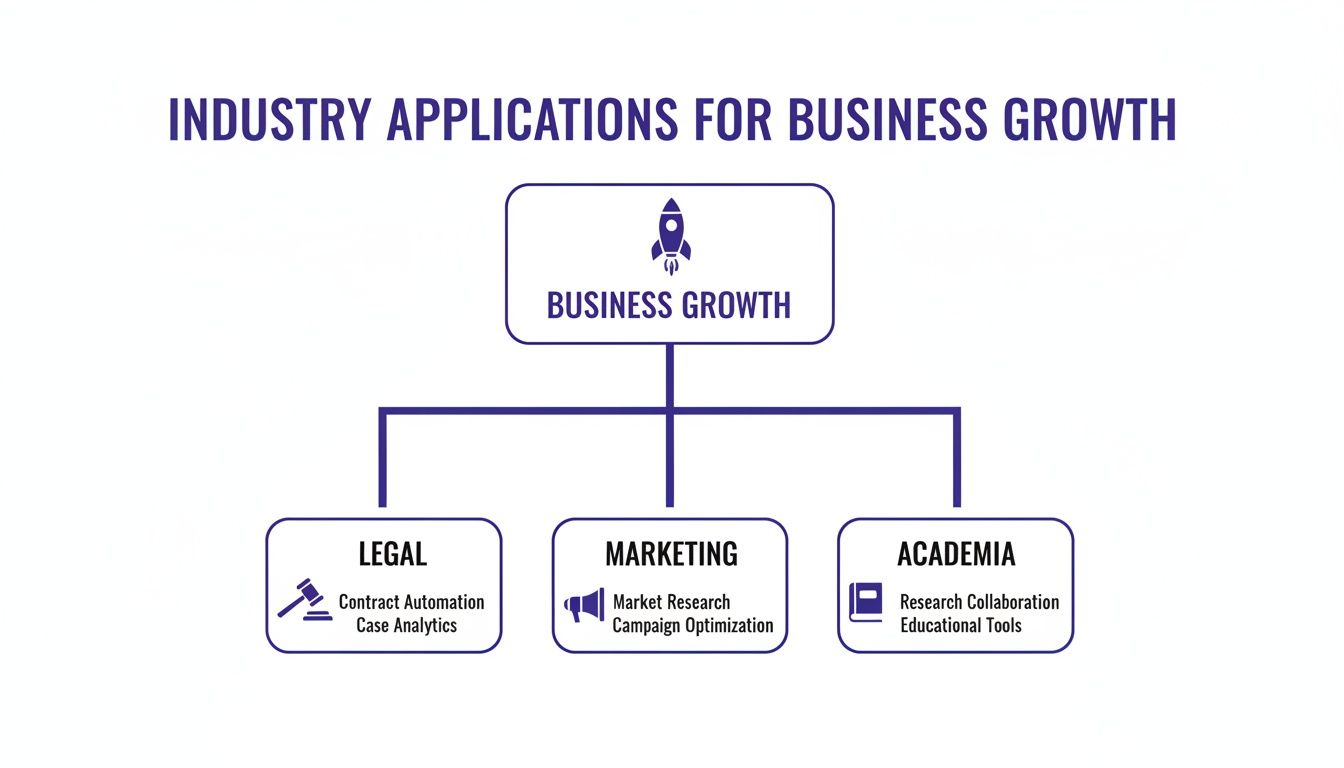
The right software is a versatile tool that can be adapted to the unique documentation needs of different professional fields. When making your choice, think about how it will slot into your existing workflow. Aligning the tool with your company's overall document management best practices will create a much smoother and more organized system from beginning to end.
Knowing When to Add a Human Review
AI-powered translation is a game-changer, no doubt about it. But it's not magic, and it certainly isn't infallible. The real trick to a smart translation strategy isn't just about having great software; it's about knowing when to let the machine run and when to call in a human expert.
After all, not every document has the same level of importance. The level of review you need should always match the stakes.
For a lot of day-to-day internal work, a solid machine translation is often all you need. Think about first drafts of reports, quick internal emails, or sifting through research documents just to get the gist. In these low-risk scenarios, the raw speed of AI is exactly what you want.
For High-Stakes Content, a Human Is Your Safety Net
But the moment a document is public-facing, legally binding, or has serious consequences, the game changes. For these critical pieces, a final once-over by a human professional isn't just a nice-to-have—it's an absolute must. This hybrid approach gives you the best of both worlds: the speed of AI for the initial heavy lifting, and the irreplaceable nuance of a human expert for the final polish.
Think about these situations where skipping a human review is just not an option:
- Binding Legal Contracts: The smallest mistranslation or ambiguous phrase in a contract can open the door to massive legal headaches and financial loss.
- Public Marketing Campaigns: A slogan that's perfectly fine in one language can be a PR disaster in another if it misses a cultural cue. A machine won't catch that, but a person will.
- Patient Medical Instructions: When health and safety are on the line, there is zero room for error. Accuracy is everything.
This two-step process isn't about a lack of faith in the AI. It's about playing to its strengths. The software does the grunt work—translating thousands of words and preserving the layout in seconds. This frees up your human experts to do what they do best: catch the subtle meaning, tone, and cultural context that machines still struggle with.
Ultimately, this blended strategy is the smartest way to operate. You get the incredible speed of AI for the bulk of the translation, but with the peace of mind that comes from knowing a human expert has signed off on the final version, ensuring it's accurate, appropriate, and ready for its intended audience.
Frequently Asked Questions
Got questions about how document translation software actually performs on the job? Here are some straightforward answers to the questions we hear most often.
How Accurate Is AI Document Translation Software?
Modern AI has gotten incredibly good, especially with the kind of factual, straightforward content you find in business, technical, or academic documents. For most day-to-day professional needs, the quality is definitely up to snuff.
That said, if you're working with content that's heavy on cultural nuance, creative marketing slogans, or has serious legal weight, you'll still want a native speaker to review the final output. Think of the AI as a highly skilled assistant that gets you 95% of the way there. Many platforms also offer different quality tiers, so you can bring in the more powerful AI models for your most important projects.
Can The Software Handle PDFs With Images And Tables?
Absolutely. In fact, this is one of the biggest things that sets professional document translation software apart from the free, copy-paste tools online. These platforms are built to see and understand the entire document, not just the words.
They're smart enough to identify text tucked away in tables, headers, footers, and even captions under images. Once the translation is done, the software painstakingly puts everything back together, preserving the original layout. It’s a massive time-saver that lets you skip hours of tedious manual reformatting.
Is My Data Safe When I Upload A Document?
Any provider worth your time puts security first. When you're looking at different options, there are a few non-negotiable security features you should check for to make sure your confidential information stays that way.
Here’s what to look for:
- End-to-end encryption: This ensures your file is scrambled and unreadable from the moment you upload it until you download the translation.
- A crystal-clear privacy policy: You need a guarantee that your data won’t be sold, shared, or used to train some other company's AI models.
- Strict data deletion: The best services automatically and permanently delete your files from their servers after a short window, often just 24 hours. This ensures your information isn't just sitting around.
Insisting on a platform with these protections is the only way to feel confident that your sensitive documents are in safe hands.
Ready to translate your documents without the usual headaches? Try DocuGlot today and get fast, accurate translations that keep your formatting perfectly intact. Get started at DocuGlot.com.
Tags
Ready to translate your documents?
DocuGlot uses advanced AI to translate your documents while preserving formatting perfectly.
Start Translating