How to Translate a PDF and Perfectly Preserve Its Formatting
Translating a PDF can feel like a high-stakes game. You start with a meticulously crafted document, but what you get back is often a chaotic mess of broken tables, jumbled text, and fonts that have gone completely haywire. Forget the old, unreliable copy-paste methods. I'm going to walk you through a modern, AI-driven approach that creates a translated PDF that’s a perfect mirror of your original.
Why Most PDF Translations Wreck Your Formatting
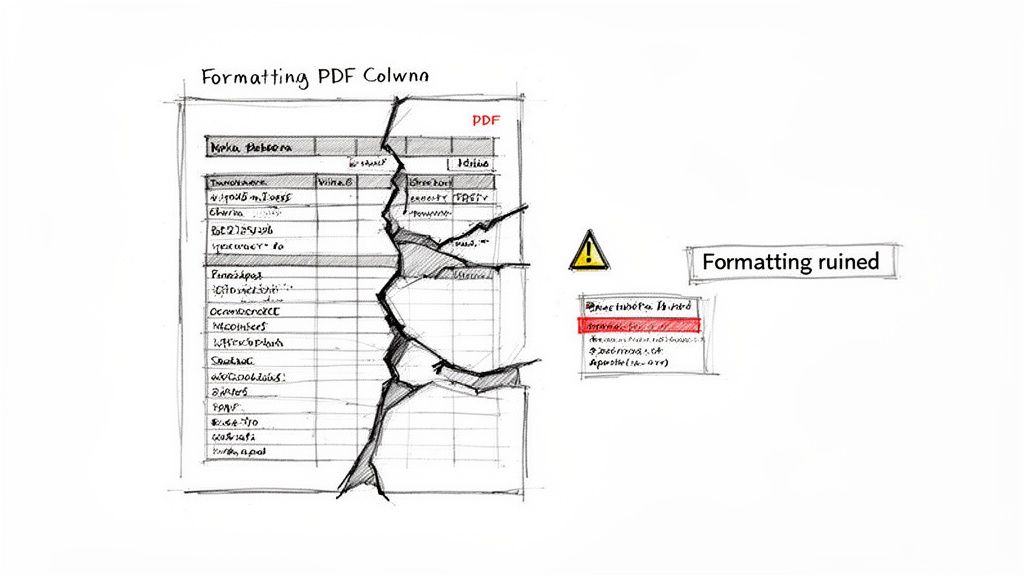
The heart of the problem is the PDF format itself. It’s not like a Word document, which is designed for easy editing. A PDF is more like a digital snapshot, a complex container locking in text, images, custom fonts, tables, and graphics into a precise visual layout. It was built for presentation, not modification.
When you run a PDF through a basic translation tool, it usually just rips out the raw text, completely ignoring the complex structure that makes the document look professional. This "text scraping" is the main reason your formatting gets destroyed. The tool translates the words, but it has no blueprint for putting them back in the right place.
The Text Expansion Trap
Another huge hurdle is something we call text expansion. When you translate from a compact language like English into a more descriptive one like German or Spanish, the resulting text can easily be up to 30% longer. This extra word count is a nightmare for a fixed layout.
I’ve seen this happen countless times in the real world:
- Shattered Tables: A single translated phrase that’s too long for its cell can get cut off or spill over, completely breaking the grid.
- Misaligned Columns: Longer sentences can shove content down the page, throwing columns and entire sections out of whack.
- Overlapping Elements: Suddenly, headers, footers, and image captions start crashing into the main body text, making it a jumbled, unreadable mess.
This is exactly why just copying and pasting text into a free online translator is a recipe for disaster for any document more complex than a single paragraph. That tool is a word-replacer, not a graphic designer.
The real challenge isn’t just translating words; it’s rebuilding the entire document structure in a new language while accommodating for changes in text length and flow.
The Growing Demand for a Better Way
The need for high-quality, format-preserving translation isn't just a "nice-to-have"—it's a critical business requirement. The global translation services market was valued at USD 41.78 billion and is expected to hit USD 50.02 billion by 2033. This growth is fueled by businesses in legal, technical, and compliance fields who live and breathe multilingual PDFs. You can dive deeper into these translation service market trends on straitsresearch.com.
This is where modern, AI-powered solutions like DocuGlot come in. They were built from the ground up to tackle this specific problem. Instead of just scraping text, they analyze the document’s deep structure. By understanding the spatial relationships between all the different elements, these tools can translate the content and then intelligently reconstruct the layout, preserving your original design and ensuring the final PDF looks just as polished as the original.
2. Preparing Your PDF for a Flawless Translation
The secret to a great translation isn't just about the software you pick. It's about the quality of the file you start with. A few minutes of prep work up front can be the difference between a smooth, one-click process and a headache-inducing session of manual corrections.
Think of it this way: you're trying to give the translation engine the cleanest, most legible version of your document possible. This helps it accurately grab the text, make sense of the layout, and put it all back together perfectly in the new language.
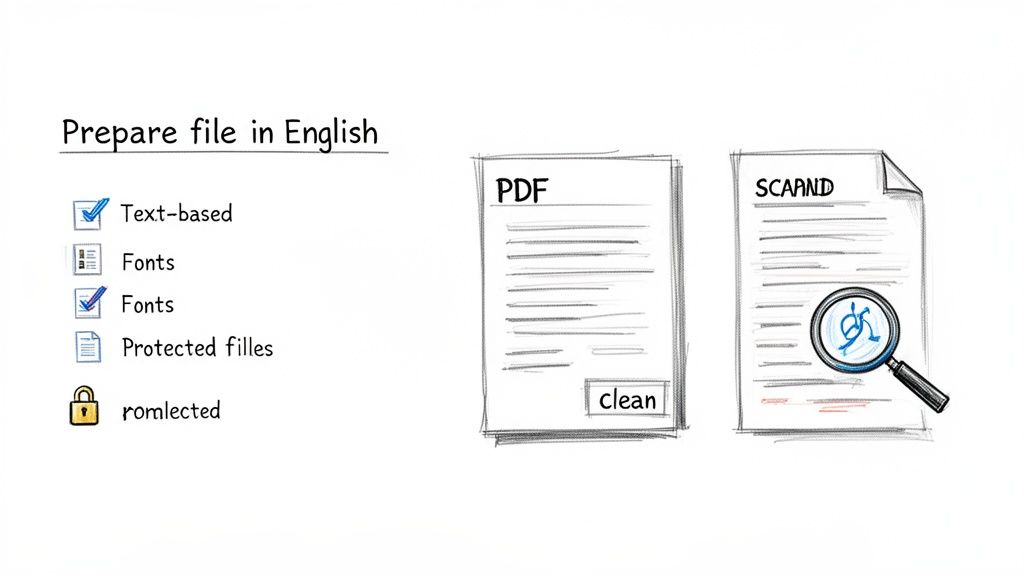
Is Your PDF Text-Based or a Scan?
This is the single most important question you need to answer. Do you have a text-based PDF (sometimes called a "true" or "native" PDF) or an image-based one, like a scanned document?
Here’s a quick way to tell: try to click and drag your cursor over a sentence. If you can highlight the individual words, congratulations—you have a text-based PDF and you're good to go.
But if you can only draw a box around the text as if it's one big picture, you're working with a scanned document. Translation software can't read words in an image, which will almost always result in a failed or completely blank translation.
This is a common hurdle, but it's easily solved with Optical Character Recognition (OCR). OCR technology essentially "reads" the image of your document and converts the pictures of letters into actual, editable text. Most modern translation tools have OCR built-in, but I've found that running a scan through a dedicated OCR program first often gives you a much cleaner file to work with.
Pro Tip: If you're scanning a physical document, always use a high resolution—at least 300 DPI. Make sure the page is flat and the lighting is even. This one step dramatically improves OCR accuracy and prevents the software from misreading characters.
A Few Quick Clean-Up Steps
Even with a perfect text-based PDF, a few final checks can save you from common glitches. Things like complex layouts with overlapping text boxes, fancy watermarks, or dense multi-column designs can sometimes trip up the translation algorithms.
Before you upload your file, run through this quick checklist:
- Remove Password Protection: Translation tools can't open locked files. Make sure to remove any passwords that prevent editing or content extraction.
- Check for Funky Fonts: Custom or non-standard fonts that aren't properly embedded in the PDF can turn into gibberish after translation. When in doubt, stick with common fonts for the best results.
- Flatten Complex Graphics: If you have charts or diagrams with text layered on top, you might want to simplify them. Text that lives inside an image is often a major source of translation errors.
For anyone dealing with a high volume of complex PDFs, it's worth looking into Intelligent Document Processing (IDP). This is a more advanced, AI-driven approach that automates how data is extracted and validated, which can be a massive help on larger projects.
Taking these prep steps is absolutely vital for specialized content. For example, when you're working on something like a user manual or engineering plans, having a well-prepared source file is non-negotiable. As we cover in our guide to https://docuglot.com/solutions/technical-document-translation, getting the source file right ensures that critical terms and formatting are preserved with total precision.
Ultimately, by optimizing your PDF first, you're setting your translation tool up for success.
2. Choosing Your Translation Engine: AI vs. Human Expertise
Once your PDF is prepped and ready to go, you’ve hit the most important fork in the road: choosing the right translation engine. This isn't just about picking software. It's about matching your document's purpose, audience, and complexity with the right kind of translation power. Your choice really comes down to a spectrum between pure artificial intelligence and human expertise, and knowing where your project falls is the key to success.
For a lot of day-to-day business needs, a fully automated AI translation is a fantastic fit. Think about internal documents, first drafts of reports, or quick informational memos. In these cases, the main goal is just to understand the content, not to publish a literary masterpiece. These tools are incredibly fast and budget-friendly, often turning around translations in just minutes.
When to Rely on Pure AI Translation
Pure AI is your best bet when speed and efficiency are the top priorities. It really shines in scenarios where the content is pretty straightforward and the stakes are relatively low. You’re not looking for perfection; you just need a clear, understandable version of the original text.
Consider these common situations where automated AI is the perfect tool:
- Internal Communications: Translating company-wide announcements or team updates where getting the gist is more important than perfect phrasing.
- Initial Research: Quickly translating foreign-language articles or source materials to figure out if they're relevant to your work.
- Draft Reviews: Getting a multilingual version of a document ready so an international team can give their initial feedback.
The machine translation market is absolutely booming for this reason. Its current size is estimated at USD 668.3 million and is expected to hit USD 1,012.2 million by 2032. This explosive growth is all about the demand for getting content localized quickly while keeping the PDF formatting intact. Cloud-based solutions are leading the charge, holding 65% of the market share because they’re scalable and can securely handle over 100 languages. You can find more details in this machine translation market report on coherentmarketinsights.com.
The Critical Role of Human Expertise
But let’s be real—not all documents are created equal. When your PDF contains nuanced language, creative marketing copy, or legally binding terms, just throwing it at an AI can be a big mistake. This is where human expertise is absolutely essential. For a deeper dive into this, it’s worth exploring the debate between machine translation vs. human translation.
A human translator, often using AI tools to work more efficiently (a model sometimes called "human-in-the-loop"), brings a level of understanding that machines are still years away from replicating. They get the cultural context, the idiomatic expressions, and the brand voice in a way that makes sure the final document doesn't just say the right words—it carries the right meaning and emotional impact.
Key Takeaway: For any high-stakes document, human review is non-negotiable. An AI might translate a legal clause literally, but a human expert ensures it's legally sound and culturally appropriate in the target country.
Think about these high-value scenarios where you can't afford to get it wrong:
- Legal Contracts and Agreements: A single misplaced word here could have huge financial or legal consequences.
- Marketing and Advertising Materials: Slogans, taglines, and brand messaging often need creative adaptation (transcreation) to really connect with a new audience.
- Medical and Technical Manuals: Precision is everything. There is absolutely zero room for ambiguity or error.
Making the Right Choice for Your PDF
Often, the best approach is a hybrid one. Modern platforms like DocuGlot let you decide how much AI you want in the mix. You can use a standard engine for simple tasks, switch to a premium, context-aware AI for more complex material, and then bring in a human for that final, crucial polish.
To make a smart decision, just ask yourself these three simple questions:
- Who is the audience? Is this for an internal team, or is it going to a high-value potential client?
- What is the purpose? Is it just for gathering information, or is it the final version going to publication?
- What are the consequences of an error? Is a small mistake a minor hiccup, or could it become a major liability?
By answering these, you can confidently strike the right balance between speed, cost, and quality. For more guidance on using these technologies effectively, you can read our complete https://docuglot.com/blog/ai-document-translation-guide. This will help you translate your PDF with the right approach, every single time.
A Practical Workflow to Translate Your PDF in Minutes
Alright, now that we've covered the prep work, let's get into the actual translation process. It might sound complicated, but with the right tools, you can turn a multi-day project into a task you knock out in minutes. We'll use a platform like DocuGlot as our example to walk through how it's done.
The whole point is to make this effortless. You upload your PDF, set your preferences, and get back a perfectly translated file that looks just like the original, ready to go.
Getting Started: The Upload and Language Selection
The first step is usually the simplest. Most modern translation services are built to be dead simple, so you can often just drag and drop your file right into your browser window. No fuss.
Once the system has your PDF, it'll ask for the language details. This is usually just two quick things:
- Confirm the Source Language: The platform will likely auto-detect the original language, but it's always a good idea to double-check that it got it right.
- Choose the Target Language(s): This is where you pick the language you're translating to. A good service will offer a huge range, often over 100 languages and dialects, so you can be really specific.
This whole setup takes less than a minute. From there, the system scans your file to figure out its size and complexity, getting it ready for the next stage.
Choosing Your Translation Tier and Seeing the Cost
This next part is where you have some control over the outcome. You'll need to choose the translation engine that makes the most sense for your document. It's a classic trade-off between speed, cost, and how much nuance you need.
Most professional platforms give you a couple of tiers to choose from:
- Standard Tier: Think of this as the workhorse. It's fast, affordable, and perfect for internal documents, rough drafts, or anything where you just need to understand the core message.
- Premium/Advanced Tier: This is for when accuracy and tone are critical. It uses a much more sophisticated AI model that's been trained on technical jargon, marketing copy, and complex sentence structures. This is your go-to for client-facing reports, legal documents, or polished marketing materials.
One of the best things about using a dedicated service is the upfront pricing. Before you click "translate," the platform will show you the exact cost based on your document's word count and the tier you selected. No hidden fees, no surprise invoices. That’s a massive improvement over the old agency model.
This flowchart gives a good visual breakdown of how to decide which path to take.
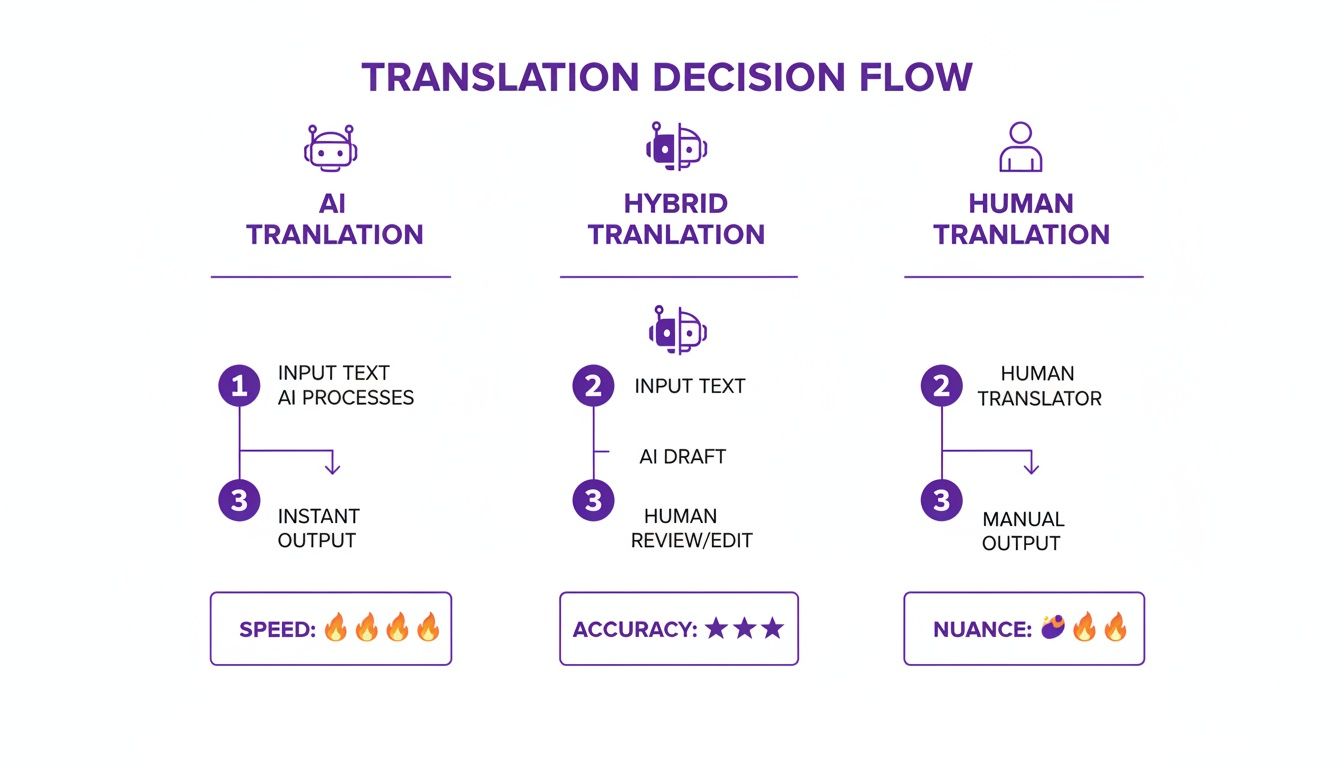
As you can see, the right choice really comes down to your project's specific needs for speed, contextual accuracy, and budget.
Translation and Download: The Final Steps
Once you've made your selections, you just hit the button and let the system do its thing. This is where the real magic happens. The AI doesn't just swap words; it meticulously rebuilds the document's layout. It analyzes headers, footers, tables, images, and font styles, making sure the translated version is a true mirror of the original.
For a really big file—like a 200-page technical manual—this can take a bit of time. The good news is you don't have to sit there watching a progress bar. Go grab a coffee. The platform will just email you when it's done.
Here’s a real-world scenario: You're translating a 50-page product manual from English to German for a fast-approaching launch. German text is often longer than English, which can wreck your formatting. A premium AI engine understands this. It will not only translate the technical terms correctly but also subtly adjust font sizes or line spacing to make sure the German text fits perfectly within the original tables and diagrams.
When you get that "complete" notification, all that's left is to download your file. It will be a fully formatted PDF, ready for you to open and use immediately.
The whole process transforms what used to be a week-long, back-and-forth headache into a streamlined task you can finish in a single afternoon. You get the quality and layout consistency you need without any of the manual reformatting nightmares.
How to Review and Quality Check Your Translated PDF
Once your document comes back translated, it’s so tempting to tick the box and call it a day. But hold on—the final quality check is easily the most important part of the whole process. A translated PDF is only as good as its accuracy and professionalism.
This isn’t just about catching a few typos. It's about making sure the layout still works, the key terms are right, and the cultural nuances haven’t been lost in translation. Skipping this step can lead to some seriously embarrassing mistakes, from broken tables that make your data unreadable to awkward phrases that just kill your credibility.
Your Post-Translation Quality Checklist
Before you even think about sending that file out, you need to run through a methodical review. Here’s a pro tip: pull up the original and the translated documents side-by-side. It’s the easiest way to catch subtle shifts in formatting or meaning you’d otherwise miss completely.
First, just do a quick visual scan. Does the new document feel like the original?
- Headers and Footers: Are the page numbers, dates, and titles all in the right place on every single page?
- Tables and Charts: Make sure all the data is there, lined up correctly, and that no text is getting cut off. Text expansion is a common culprit here.
- Images and Captions: Have any images jumped around? Are the captions paired with the right pictures and translated correctly?
- Font and Character Integrity: Be on the lookout for any garbled text or those little empty boxes (☐), which are a dead giveaway that a font or special character didn't make the jump.
This first pass is your frontline defense. It quickly flags any major layout disasters that need to be fixed right away.
A great translation maintains the visual rhythm of the original. If your eyes have to hunt for information that was once easy to find, the layout integrity has been compromised, even if the words are correct.
Diving Deeper into Content and Consistency
Okay, once you’re confident the layout is solid, it's time to get into the weeds of the content itself. You don't have to be a fluent speaker to do a surprisingly effective check, especially when it comes to consistency.
Here's what I always focus on:
- Key Terminology: Pull together a short list of your most important terms—product names, industry jargon, branded phrases. Use the search function (Ctrl+F or Cmd+F) to see how they were handled. Are they consistent every time?
- Numbers and Dates: This is a classic "gotcha." Double-check every single statistic, dollar amount, and date. And don't forget to confirm that date formats (like DD/MM/YYYY vs. MM/DD/YYYY) have been localized for the target audience.
- Hyperlinks: Click every single link. Seriously. A broken link in a final document is a totally avoidable error that can derail the reader's experience.
Behind the scenes, this kind of meticulous work is powered by some impressive tech. Modern Translation Management Systems (TMS) are what make these complex PDF workflows possible. The TMS market is already valued at USD 2.48 billion and is expected to hit USD 5.47 billion by 2030, which shows you just how critical this technology has become. Good platforms can cut project costs by up to 90% by automating tedious tasks and preventing manual formatting errors. You can learn more about the growth of these translation systems at grandviewresearch.com.
The Indispensable Human Review
For any document where the stakes are high—think legal contracts, medical reports, or a big marketing campaign—an AI translation is only the starting point. The final, non-negotiable step is a review by a native speaker.
AI is getting incredibly good, but it still misses the subtle context, humor, or persuasive tone that a human expert just gets. If you’re dealing with anything that needs to be legally binding or officially recognized, it's worth looking into the specific requirements for https://docuglot.com/services/certified-document-translation to make sure you're compliant.
That human touch is what separates a translation that's merely "correct" from one that truly connects with the reader.
Working Through Common PDF Translation Hiccups
Even with the best tools in your arsenal, translating a PDF isn't always a straight shot. You're bound to hit a few bumps in the road. But don't worry—most of these issues are surprisingly easy to fix once you know what you're looking for.
More often than not, the problem isn't with the translation software itself. It's usually hiding in the original PDF. A little prep work on the source file can save you a massive headache later.
Why Is Some Text Still in English?
One of the most common complaints I hear is about text stuck inside images. You run a translation, and the main paragraphs look great, but the words inside a crucial chart or diagram are completely untouched. This happens because that text is essentially part of a flat picture, and the software can't "read" it.
The fix here is a technology called Optical Character Recognition (OCR).
- Look for built-in OCR: Some translation platforms are smart enough to spot text in images and run OCR automatically. It's worth checking if your tool has this feature.
- Pre-process it yourself: For the most reliable results, I always recommend running your PDF through a good OCR program before you even start the translation. This turns all that trapped, unreadable text into actual characters the software can work with.
Taking this extra step ensures every single word gets translated, from the main body copy to the fine print on an infographic.
My Layout Looks… Off
Ever get a translated document back and notice the formatting is just a little wonky? Maybe the spacing is weird, a line break is in the wrong place, or a table cell is bulging. This is almost always caused by text expansion.
It’s a simple concept: some languages just use more words (or longer words) to say the same thing. German, for example, can be significantly longer than English.
A translated phrase that's 25% longer than the original can easily throw off a meticulously designed layout, especially in tight spaces like tables or columns.
A good translation tool anticipates this and adjusts the layout on the fly. Advanced platforms like DocuGlot are built to manage this, subtly resizing fonts and tweaking spacing to keep everything looking clean. If you have control over the source file, try adding a little extra whitespace in crowded areas—it gives the new text some room to breathe.
Hitting a Wall with Protected Files and Weird Fonts
Two other classic showstoppers are locked files and funky fonts. They can stop a translation dead in its tracks.
- Password-Protected PDFs: If a PDF is locked, the translation tool can't get in to access the content. It’s that simple. You’ll need to remove any passwords that prevent editing or text extraction before you upload the file.
- Gibberish Text from Custom Fonts: Using a rare or custom font that isn't properly embedded in the PDF is asking for trouble. If the translation engine doesn’t recognize the characters, it might spit out nonsense. Stick with common, web-safe fonts to be safe.
Thinking about these potential pitfalls ahead of time makes the whole process smoother. Trust me, spending five minutes fixing the source file is a whole lot faster than manually correcting a dozen formatting errors in your final translated document.
Common Questions About PDF Translation
When you're trying to translate a PDF for the first time, a few questions always seem to pop up. Let's tackle the most common ones people run into when trying to get a perfect translation that keeps the original layout.
What About Scanned PDFs? Can They Be Translated?
Absolutely, but there's a crucial step you can't skip. A scanned PDF isn't actually text—it's just a picture of text. Your translation software can't read a picture, so you need to convert it first.
This is where Optical Character Recognition (OCR) comes in. OCR technology scans the image and turns it into real, editable text that a translation engine can work with. Many modern tools handle this automatically, but the quality of your original scan makes a huge difference. A clear, high-resolution scan will always give you a better result.
Will My Tables and Charts Look Right After Translation?
This is a big one. The good news is that sophisticated AI translation services are now built to handle complex layouts, including tables and charts. The AI analyzes the structure, translates the text in each cell or on each axis, and then puts it all back together in the new language.
The real trick, though, is when text is part of an image within your document—like a custom chart saved as a JPEG. If the translation tool doesn't have powerful, built-in OCR, it will likely miss that text completely.
How Safe Is It to Upload Sensitive Documents?
It's smart to be cautious with confidential information. Any professional translation platform worth its salt will prioritize security. They should be using strong encryption to protect your files when you upload them and while they're stored on their servers.
Before you upload anything sensitive, do a quick check for a clear privacy policy. You're looking for two key promises:
- A guarantee that your documents are never shared with anyone else.
- A commitment that your files are automatically and permanently deleted from their system after a set time, like 24 hours.
Taking a minute to confirm these security measures is non-negotiable for any business, legal, or personal documents. It’s the only way to ensure your information stays private.
Ready to translate your documents without losing the formatting? DocuGlot uses advanced AI to give you fast, secure translations that keep your original layout intact. See how it works at https://docuglot.com.
Tags
Ready to translate your documents?
DocuGlot uses advanced AI to translate your documents while preserving formatting perfectly.
Start Translating