How to Translate Text Files Online in Minutes—No Software Needed
- A text file ready to translate (TXT, DOCX, PDF, or similar format)
- Access to a web browser and internet connection
- Basic understanding of file uploads and downloads
Introduction: Why translating text files online matters
Translating text files online has shifted from a niche technical task to an everyday business necessity. Whether you're localizing a product manual, sharing research across borders, or adapting marketing copy for a new market, the ability to convert documents accurately and quickly is no longer optional. It's a competitive advantage.
The demand for document translation is accelerating
The numbers tell a clear story. According to the 2025 Enterprise Content & AI Translation Benchmark Report (2025), the AI-powered document translation market grew from $2.17 billion in 2024 to $2.66 billion in 2025, with document translation alone accounting for 38% of all AI-enabled translation services. Businesses of every size are moving multilingual content faster than ever before.
Why browser-based tools have replaced desktop software
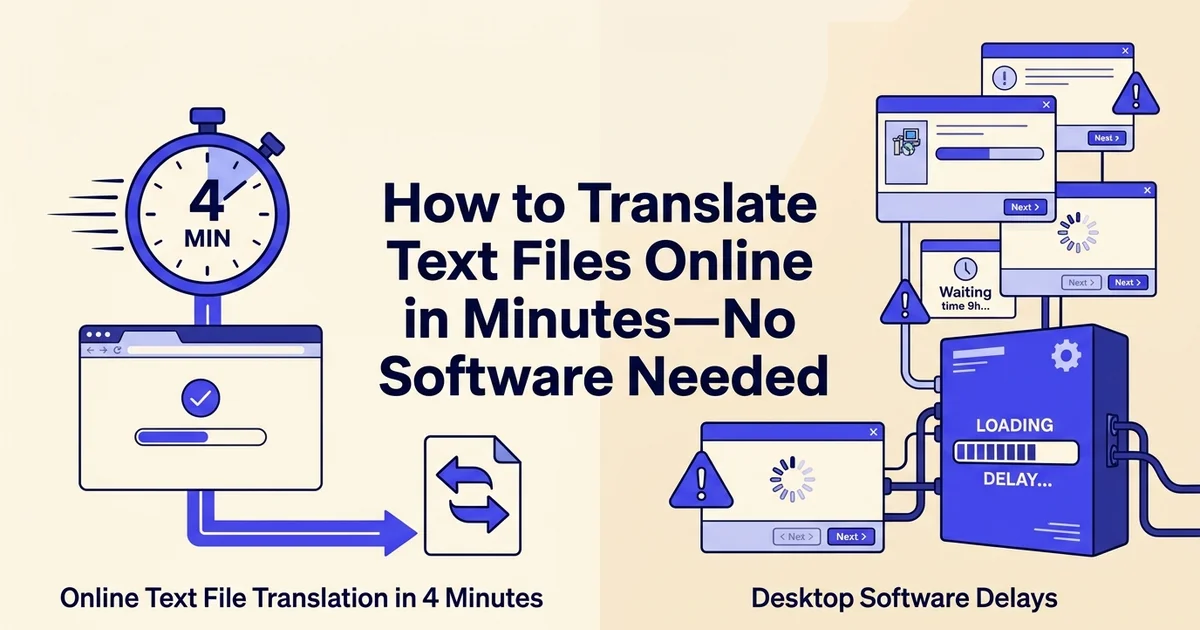
Installing, licensing, and maintaining desktop translation software used to be the only option. Today, browser-based tools handle the same workload without setup headaches. You upload a file, select your target language, and receive a translated document within minutes. No installation. No compatibility issues. No IT ticket required.
At DocuGlot, our analysis shows that one of the biggest pain points users face is formatting loss during translation. Paragraphs collapse, tables break, and bullet points disappear. AI-powered format preservation addresses this directly, and research suggests it can reduce manual reformatting work by 65 to 78%, saving hours on every project.
For business professionals, content creators, and everyday users alike, that combination of speed, accuracy, and clean output is exactly what modern document translation should deliver. 🌐
What you'll need: Prerequisites and preparation
Before you translate text files online, gathering a few essentials upfront will save you time and prevent frustrating mid-process interruptions. Most online translation tools have specific requirements around file formats, size limits, and language settings, so a quick preparation checklist goes a long way.
Compatible file formats
Most platforms accept common formats like TXT, DOCX, and PDF. Tools like DocuGlot extend that support further, handling TXT, Markdown, DOCX, PDF, PowerPoint, Excel, JPEG, and PNG files within a single workflow. Knowing your file type before you start means no last-minute conversions.
File size and upload limits
Upload limits vary substantially across platforms, from a few megabytes on free tools to 500 MB on more capable services. Check your platform's limit before uploading large documents to avoid failed transfers.
Preparing your file for best results
Clean up your source file where possible. Remove tracked changes, comment annotations, and unnecessary formatting. Well-structured source text consistently produces cleaner translated output.
Privacy and security considerations
According to the 2025 Enterprise Content & AI Translation Benchmark Report (2025), privacy and governance are increasingly important selection criteria for translation tools. If your document contains sensitive business data, confirm the platform's data handling and retention policies before uploading.
Target language details
Identify your target language and, where relevant, the specific dialect or regional variant. For example, if you need to translate Portuguese to English, clarify whether the source is Brazilian or European Portuguese. This single step meaningfully improves translation accuracy. 🎯
Step 1: Choose the right online translation tool for your needs
Not every translation tool is built for the same job. Before uploading a single file, spend a few minutes matching the tool's capabilities to your specific content type, language pair, and privacy requirements. The right choice here saves significant rework later.
Assess your content type and complexity
Identify whether you're translating simple text, formatted documents, or specialized content. Consider factors like industry terminology, formatting requirements, and whether you need layout preservation. Tools optimized for business documents may differ from those designed for casual text.
Evaluate language pair support
Confirm that your chosen tool supports both your source and target languages. While most platforms cover major languages, less common language pairs may have limited availability or lower quality. Check the tool's language list before committing.
Review privacy and data handling policies
Examine how the platform handles your uploaded files. Determine whether files are encrypted, how long they're retained, and whether they're used for model training. For sensitive business documents, prioritize tools with strict data protection guarantees.
Test with a sample file first
Upload a small, non-critical document to evaluate output quality, turnaround time, and user interface. This trial run reveals whether the tool meets your expectations before you commit to translating important files.
Compare free versus premium services
Free tools work well for quick, informal translations, but they often impose character limits, strip document formatting, and offer limited file format support. Premium services typically handle larger files, preserve layout, and deliver more consistent output across technical or specialized content.
For most business use cases, a pay-per-document model (rather than a monthly subscription) offers the best value. DocuGlot's Basic Plan starts at $6.99 per document with no subscription required, which suits professionals who need reliable translation occasionally rather than daily.
Evaluate language coverage and supported file formats
Language support varies considerably across platforms. According to 10 Best Document Translation Software Features (2025), tools range from 27 to more than 130 supported languages, so always verify your target language is included before committing to a platform. If you work with less common language pairs, such as needing to translate Google Translate English to Myanmar, confirm dialect-level support as well.
DocuGlot supports 100+ languages and accepts PDF, DOCX, TXT, Markdown, PowerPoint, Excel, JPEG, and PNG files up to 500 MB, making it a practical single-tool solution for mixed document workflows.
Assess AI model quality for your content type
Consider what kind of content you are translating. Marketing copy, legal documents, and technical manuals each demand different levels of precision. Look for platforms that offer tiered AI models or human review options. Hybrid workflows are increasingly common: AI handles the first-pass translation, while a human reviewer checks terminology and tone afterward.
Review privacy and data handling
Confirm how the platform stores uploaded files and for how long. For sensitive business documents, prioritize services that clearly state their data retention and deletion policies. 🔒
Step 2: Prepare and format your text file correctly
Before you upload anything, spend a few minutes cleaning up your source file. Small formatting issues that seem harmless in English can cause real problems after translation, from broken sentences to garbled output that requires manual correction.
Clean up your source document
Remove unnecessary formatting, extra spaces, and inconsistent line breaks. Fix spelling errors and standardize punctuation. A clean source file reduces translation errors and ensures the output is professional and readable.
Verify file format compatibility
Confirm your file format is supported by your chosen tool. Common formats like DOCX, PDF, and TXT are widely accepted, but some platforms have limitations. Check the tool's documentation for supported file types and size limits.
Preserve formatting markers and special elements
Keep placeholders, variable names, and code snippets intact. If your document contains tables, headers, or special formatting, ensure these elements are clearly marked so the translation tool can preserve them accurately.
Check file size and segment length
Verify your file doesn't exceed the platform's size limits. If it does, split it into smaller segments. Ensure individual sentences and paragraphs are reasonably sized—extremely long paragraphs can confuse translation algorithms.
Clean up line breaks and special characters
Open your text file and scan for unnecessary line breaks, stray symbols, or decorative characters that serve no linguistic purpose. Hard line breaks inserted mid-sentence are a common culprit: translation engines often treat each line as a separate segment, which can split sentences awkwardly and disrupt meaning. Remove them so your paragraphs flow as continuous text.
Also watch for:
- Non-standard quotation marks or apostrophes copied from word processors
- Repeated blank lines used for visual spacing
- Control characters or invisible formatting symbols that can corrupt output
Verify your character encoding
Save your file in UTF-8 encoding before uploading. UTF-8 is the universal standard that supports virtually every language, including complex scripts you might encounter when you translate Chinese to English or work with Arabic, Japanese, or Cyrillic text. Most plain-text editors let you set encoding under "Save As."
Back up your original file
Always keep a copy of the unedited source file in a separate folder. If the translated output needs adjustment, you will want the clean original to re-upload rather than working backward from a modified version.
Check file size limits
Different platforms cap file sizes differently. DocuGlot's Basic Plan accepts files up to 500 MB, which comfortably covers most business documents and long-form content. According to Doculator (2025), AI-powered format preservation can reduce manual formatting work by 65 to 78 percent, so a well-prepared file combined with a capable tool dramatically cuts post-translation cleanup time. ✅
Step 3: Upload your file and select source and target languages
With your file prepared and sized correctly, you are ready to bring it into your translation tool. Navigate to the upload area, drop in your file, confirm your language pair, and let the platform run its initial analysis before any translation begins.
Navigate to the upload interface
Log into your translation platform and locate the file upload area. This is typically a prominent button or drag-and-drop zone on the dashboard. Some platforms offer multiple upload methods—choose the one that works best for your workflow.
Upload your prepared file
Either click to browse and select your file or drag it directly into the upload zone. Wait for the upload to complete—most platforms show a progress indicator. Avoid closing the browser or navigating away until the upload finishes.
Select your source language
Choose the language your document is currently written in. Most tools auto-detect the source language, but manually confirming ensures accuracy, especially if your document contains mixed languages or ambiguous text.
Select your target language
Choose the language you want the document translated into. If you need multiple translations, check whether your platform allows batch processing or if you'll need to upload the file separately for each target language.
Navigate to the upload area and add your file
Open DocuGlot's translation page and locate the upload panel in the centre of the screen. Click "Choose File" or drag your TXT file directly onto the drop zone. You should see a progress bar fill and then a green confirmation indicator showing your filename and file size. That confirmation means the platform has received your file intact.
Select your source language accurately
Once the file is uploaded, set the source language manually rather than relying on auto-detection. Auto-detection works well for common languages but can misidentify shorter files or documents that mix scripts. Choosing the correct source language yourself gives the AI a precise starting point and reduces translation errors downstream.
Choose your target language and regional dialect
Next, select your target language from DocuGlot's library of 100+ supported languages. Where regional variants matter, such as Brazilian Portuguese versus European Portuguese, or Simplified versus Traditional Chinese, pick the specific dialect. If your project involves translating English to Vietnamese, for example, selecting the correct regional standard ensures terminology feels natural to your audience rather than generic.
Review pre-translation warnings and analysis
After you confirm your language pair, DocuGlot displays a brief pre-translation summary showing word count, estimated processing time, and any flagged formatting issues. According to Doculator (2025), language coverage and format support remain key differentiators among AI translation tools, so take a moment to verify that your target language is fully supported before proceeding. Address any warnings now to avoid surprises in the output. ✅
Step 4: Configure translation settings and quality options
With your file uploaded and language pair confirmed, take a moment to review the available settings before triggering the translation. The right configuration here directly affects output quality, especially for technical, legal, or industry-specific content.
Select the right AI model for your content
DocuGlot offers two AI model tiers. The faster AI model (available on the Basic Plan) handles everyday documents, straightforward prose, and general business content efficiently. For context-heavy material such as contracts, academic papers, or nuanced marketing copy, upgrading to the advanced model gives the engine more capacity to interpret meaning across longer passages. According to The 2025 Enterprise Content & AI Translation Benchmark Report (2025), model selection is one of the most significant variables in translation accuracy for complex documents.

Enable format preservation
Toggle on format preservation before submitting. DocuGlot's structure-retention feature keeps your original layout intact, including paragraph spacing, line breaks, and indentation. This is particularly useful for TXT and Markdown files where manual reformatting is tedious.
Set tone and terminology preferences
If you are translating content for a specific industry, such as legal, medical, or technical fields, review any tone or style options available. For example, if you regularly translate Arabic to English for formal business documents, selecting a formal tone setting helps maintain register consistency throughout the output.
Once your settings are confirmed, you are ready to initiate the translation. ✅
Step 5: Review and download your translated file
Once DocuGlot completes processing, you will receive an email notification and can return to your dashboard to access the output. Before downloading, take a few minutes to review the translated file directly in the preview panel. A quick check now saves significant rework later.
Examine the output for accuracy and completeness
Read through the translated content, paying particular attention to sentences that carry technical meaning or nuanced phrasing. According to Bluente's 2025 Enterprise Content & AI Translation Benchmark Report (2025), hybrid workflows that combine AI translation with human review of terminology, names, and numbers are increasingly standard practice, especially for business-critical content.
Verify numbers, names, and proper nouns
Scan specifically for:
- Numbers and figures: Dates, prices, measurements, and statistics should remain unchanged
- Proper nouns: Brand names, personal names, and place names should carry over without alteration
- Industry-specific terms: Confirm that technical vocabulary was handled consistently throughout
Confirm formatting and structure were preserved
DocuGlot returns TXT files in their original format, preserving paragraph breaks, spacing, and structural elements. What you should see is a translated file that mirrors the layout of your source document without any scrambled sections or missing line breaks.
Download and archive both versions
Click the download button to save your translated file. Store both the original and translated versions together in a clearly labelled folder. This practice supports version control, future reference, and any compliance requirements your organisation may have.
For a broader look at tools that complement this workflow, explore the best online translation tools for every need in 2026. ✅
Common mistakes to avoid when translating text files online
Even with a straightforward workflow, a few missteps can undermine the quality of your translated file. Knowing what to watch for saves time, protects sensitive data, and ensures your final output is actually usable.
Try DocuGlot - Basic Plan today to streamline your translate text files online workflow DocuGlot - Basic Plan.
Uploading complex files without testing first
Start with a small sample before committing a large, heavily formatted document. Complex layouts can occasionally produce unexpected spacing or structural shifts. Run a test page through your chosen tool and confirm the output looks correct before uploading the full file.
Ignoring privacy policies for sensitive content
According to the 2025 Enterprise Content & AI Translation Benchmark Report (2025), privacy and governance are increasingly important selection criteria when choosing an online translation platform. Before uploading contracts, financial records, or personal data, read the platform's data handling policy carefully. In our experience at DocuGlot, users often overlook this step until a compliance question arises later.
Skipping the review step for professional documents
Machine translation handles everyday content well, but specialized terminology in legal, medical, or technical documents still requires human review. Never skip proofreading for documents where accuracy carries real consequences. For guidance on language-specific nuances, see The Essential Checklist for Accurate Spanish.
Assuming 100% accuracy for technical terminology
AI translation is powerful, not perfect. Industry-specific jargon, acronyms, and proper nouns can be mistranslated without context. Always verify key terms against a glossary or subject-matter expert before distributing the final file.
Exceeding platform file size limits
Check the upload limit before you begin. DocuGlot's Basic Plan supports files up to 500 MB, which covers the vast majority of TXT and document files. Extremely large files pushed beyond a platform's limit may fail silently or produce incomplete translations. 🚫
Why this method works: Understanding AI document translation
Modern AI translation works because it does far more than swap words between languages. It analyzes sentence structure, interprets context, and increasingly preserves the visual layout of your original document, making online tools genuinely reliable for professional use.
How AI preserves structure and formatting
Early machine translation treated every document as a stream of raw text, stripping out formatting in the process. Today's tools use layout-aware workflows that recognize headings, paragraphs, line breaks, and spacing before a single word is translated. According to Doculator (2025), the best document translation software now prioritizes structure preservation as a core feature, not an afterthought.
DocuGlot's approach reflects this shift directly. When you upload a TXT or Markdown file, the output returns in the same format with the original structure intact, so you never spend time reformatting after translation.
Simple text translation versus layout-aware workflows
Not all translation is equal. A basic copy-paste into a browser translator discards context and ignores document hierarchy. A layout-aware workflow, by contrast, treats your file as a structured document, preserving the relationship between sections and maintaining meaning across longer passages. For a deeper look at the terminology involved, the Document Translation Glossary is a useful reference.
When machine translation is enough and when it isn't
For internal communications, general content, and straightforward business documents, AI translation is typically sufficient. High-stakes legal contracts, medical records, or highly localized marketing copy benefit from a human review pass after the AI completes its work.
Speed, cost, and context advantages
According to Bluente (2025), the AI-enabled translation services market was valued at $2.1 billion in 2024 and is forecast to reach $8.9 billion by 2034, driven largely by the speed and cost advantages that online tools deliver over traditional agencies. AI also handles cultural nuance better than earlier systems, drawing on vast multilingual datasets to choose phrasing that feels natural to native speakers rather than mechanically correct. 🌐
Alternative methods for translating text files online
Not every translation task calls for the same tool. Browser-based platforms handle most everyday business formats without requiring any software installation, but understanding your full range of options helps you choose the right approach for each project.

Browser-based tools versus desktop software
Browser-based tools win on convenience. You upload, translate, and download without touching your operating system's settings. According to Doculator (2025), the best document translation tools support common business formats while preserving original formatting. Desktop software can offer offline access, but it typically requires licensing fees, manual updates, and a steeper learning curve.
Manual and hybrid translation approaches
For legally sensitive contracts, medical records, or marketing copy where tone is critical, human translators remain the gold standard. A practical middle ground is the hybrid approach: use an AI tool to produce a fast first draft, then have a specialist review it. This cuts turnaround time significantly while maintaining accuracy. Brushing up on hidden techniques for better English can also sharpen your ability to spot awkward phrasing in AI output.
Specialized tools for specific file types
Some projects demand format-aware translation. DocuGlot's dedicated PDF Translator, PowerPoint Translator, and Excel Translator each preserve the original layout, so slides stay formatted and spreadsheet cells stay aligned after translation.
Free tools versus premium services
Free tools suit occasional, low-stakes translations. Premium services like DocuGlot's Basic Plan make sense when formatting integrity, 100+ language support, and pay-per-document pricing matter more than saving a few dollars upfront. 💡
Real-world example: Translating a business document from English to Spanish
Let's walk through a complete, practical scenario: a marketing manager needs to translate a supplier agreement from English into Spanish for a Latin American partner. The document is a DOCX file, 12 pages long, with tables, headers, and branded section titles.
Uploading and configuring the translation
Open DocuGlot's Basic Plan and drag your DOCX file into the upload area. Select English as the source language and Spanish as the target. Because the document contains structured formatting, DocuGlot's formatting preservation feature automatically retains table layouts, heading hierarchy, and font styling. You should see a word count estimate and pricing confirmation before you commit.
Reviewing the translated output
Once the translation completes, download the file and open it alongside the original. Focus your review on three areas:
- Terminology accuracy: Legal and commercial terms like "liability," "indemnification," and "force majeure" carry precise meanings. Verify these against your preferred glossary or have a bilingual colleague spot-check them.
- Table and header alignment: Confirm that no cells have merged or shifted. DocuGlot returns DOCX files in their original format, so structural drift is rare but worth confirming.
- Tone consistency: Business Spanish varies by region. Review whether the register suits your Latin American audience specifically.
According to The 2025 Enterprise Content & AI Translation Benchmark Report (2025), hybrid workflows combining AI translation with human review of terminology are becoming standard practice for publication-critical content. This step is where that human layer adds real value.
Managing multiple language versions
If you need the same agreement in Portuguese or French, repeat the upload with the same source file. Keeping a clearly named folder structure, such as supplier-agreement-ES.docx and supplier-agreement-PT.docx, prevents version confusion downstream. Understanding why document translation fails often comes down to poor version control rather than translation quality itself.
Once approved, drop the translated file directly into your document management system or share it via your existing workflow. No reformatting required. 📄
Troubleshooting: Solutions to common translation issues
Even the smoothest workflows hit occasional snags. Most translation problems fall into a handful of predictable categories, and knowing the fix in advance saves significant time when deadlines are tight.
Fix upload errors and file format problems
Check that your file is saved in a supported format before uploading. DocuGlot accepts TXT, DOCX, PDF, Markdown, PowerPoint, Excel, JPEG, and PNG files up to 500 MB. If an upload fails, the most common culprits are corrupted files, unsupported legacy formats (such as .doc rather than .docx), or files that exceed the platform's size limit. Re-save the file in a current format and retry.
Resolve language detection errors
If the translated output reads strangely, your source language may have been misidentified. Always set the source language manually rather than relying on auto-detection, particularly for documents that mix languages or use technical terminology. Selecting the correct source language before submitting is the single fastest fix for garbled output.
Address formatting problems in downloaded files
When a downloaded file looks misaligned, check whether you downloaded in the original format. DocuGlot returns TXT and Markdown files in the same format uploaded, preserving structure automatically. If spacing looks off, open the file in the correct application rather than a plain text viewer.
Handle special characters and encoding errors
Encoding mismatches typically appear as question marks or strange symbols replacing accented characters. Save your source file as UTF-8 before uploading. Most modern word processors offer this under "Save As" encoding options.
Manage large file timeouts
Large files occasionally time out during processing. According to 10 Best Document Translation Software Features (2025), upload limits and processing times vary considerably across platforms. If a large document stalls, split it into smaller sections, translate each part separately, then reassemble the output. DocuGlot sends an email notification when translation completes, so you never need to watch a progress bar. 📧
Time and cost breakdown for online text file translation
Online text file translation costs vary based on file size, language pair, and service type. Professional translation typically ranges from $0.10-$0.25 per word, taking 1-5 business days. Machine translation costs less but may require editing. Understanding these factors helps you budget accurately and select the most cost-effective solution for your specific translation needs.
How long does translation take?
Most AI-powered platforms process standard text files almost instantly. A 1,000-word document typically completes in under 60 seconds. Larger files (10,000+ words) may take several minutes depending on server load and language complexity. Technical content with dense terminology generally takes longer than plain prose, regardless of word count.
Free versus premium service costs
Free tiers cover basic needs but impose strict word or character limits, often capping at 500 words per request. Premium services charge per word, per document, or via subscription. DocuGlot's Basic Plan starts at $6.99 for approximately 99,834 words with no page-count limit, making it highly cost-effective for business documents compared to per-word subscription models that accumulate quickly.
AI versus human translation: calculating ROI
According to The 2025 Enterprise Content & AI Translation Benchmark Report (2025), AI translation delivers significant cost reductions over human translation for high-volume content. The language localization AI market was valued at $4.8 billion in 2025 and is projected to reach $16.3 billion by 2033, reflecting growing confidence in AI quality.
For most business documents, internal reports, and product content, AI translation offers strong ROI. Reserve human translators for legally binding contracts or highly nuanced creative work where precision carries financial or reputational stakes. 💡
Conclusion: Start translating your text files online today
Translating text files online no longer requires expensive software, specialist knowledge, or lengthy turnaround times. With the right tool, you can upload a file, select your target language, and receive an accurate, properly formatted translation in minutes.
The steps are straightforward: choose a tool that supports your file format, verify language coverage, upload your document, and review the output before distributing it. According to the 2025 Enterprise Content & AI Translation Benchmark Report (2025), AI-powered translation is rapidly becoming the standard for business content, and adoption is accelerating across industries.
For most business documents, reports, and product content, a tool like DocuGlot delivers the speed, formatting preservation, and language coverage you need without subscription lock-in. The Basic Plan covers everyday TXT, DOCX, and Markdown files across 100+ languages, starting at $6.99 per document.
Your next step is simple: gather the files you need translated, identify your target languages, and run your first document today. Build from there into a repeatable workflow that scales with your content needs. 🚀
Frequently asked questions
How can I translate a text file online?
Upload your TXT file to an online translation tool, select your target language, and download the translated output. Tools like DocuGlot handle this entirely in your browser, no software installation required.
What is the best free online text translator?
Most reliable tools offer paid tiers for document uploads. DocuGlot's Basic Plan starts at $6.99 per document with no subscription, making it a cost-effective option for translating text files online accurately.
Can I translate a TXT file without downloading software?
Yes. Browser-based tools process your file on their servers and return the translated version directly. You never install anything locally.
How do I translate a large text file?
Choose a tool that supports large uploads. DocuGlot accepts files up to 500 MB with no page-count limit.
How do I translate a text file and keep the original formatting?
Use a tool with dedicated format preservation. According to Doculator (2025), formatting retention is a defining feature separating professional document translators from basic text tools.
Can Google Translate translate a TXT or DOCX file?
Google Translate supports basic document uploads, but formatting preservation is inconsistent, particularly with structured files.
Is it safe to upload a text file to an online translator?
Reputable services use encrypted transfers and delete files after processing. Always review a provider's privacy policy before uploading sensitive content.
What file types can online document translators translate?
Common formats include TXT, DOCX, PDF, Markdown, PowerPoint, and Excel. DocuGlot supports all of these plus image formats like JPEG and PNG.
Based on our work at DocuGlot, the questions users ask most often come down to three things: will my formatting survive, how much will it cost, and is my data safe. Those concerns shaped every feature we built.
Tags
Ready to translate your documents?
DocuGlot uses advanced AI to translate your documents while preserving formatting perfectly.
Start Translating