Why Document Translation Fails—And How DocuGlot Fixes It
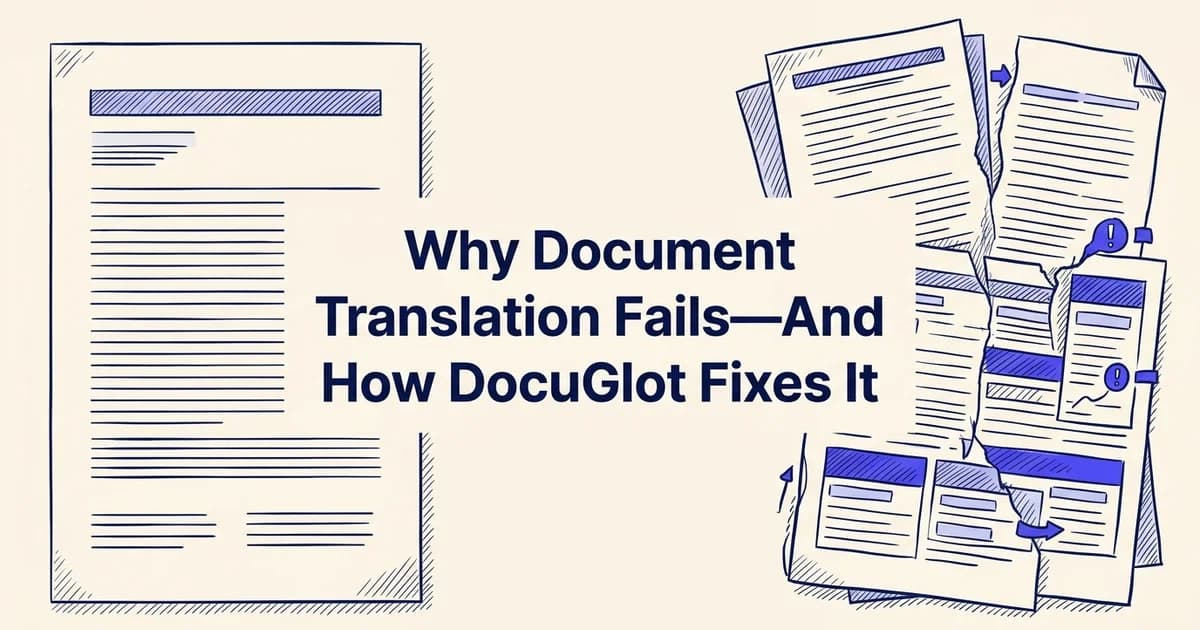
Introduction: Understanding DocuGlot translation challenges
Document translation sounds simple until it isn't. Formatting collapses, technical terms get mangled, and a carefully structured report comes back looking like a jumbled wall of text. If you've run into these frustrations, you're far from alone.
According to AI in Translation Services Trends and Stats for 2025 (2025), between 90% and 98% of users still perform post-editing on AI translation output, which tells you something important: most translation failures aren't random. They follow predictable patterns with predictable fixes.
At DocuGlot, our analysis shows that the vast majority of translation problems fall into a handful of root causes: formatting loss, unsupported file types, language gaps, and mismatched tools for document complexity. Once you understand those causes, solving them becomes much more straightforward.
This article walks through each failure point clearly, from quick wins you can apply right now to more comprehensive strategies for complex documents. Whether you're translating a PDF contract, a PowerPoint deck, or an Excel report, you'll leave with a clear picture of what went wrong and exactly how to fix it. 🎯
The good news: most DocuGlot issues have simple, actionable solutions that take minutes, not days.
Quick fix: Immediate solutions for common DocuGlot problems
Before diving into root causes, here are the fastest fixes for the most common translation headaches. If you're in a hurry, this checklist alone may solve your problem immediately.
Check your file format
Verify that your document is in a supported format (PDF, DOCX, XLSX, PPTX, or TXT). Unsupported formats are a leading cause of upload failures. If your file is in an uncommon format, convert it to one of these standard types before uploading.
Review file size limits
Ensure your file doesn't exceed the platform's size restrictions. DocuGlot's Basic Plan supports approximately 99,834 words with no page-count limit. If your document is larger, consider splitting it into smaller sections.
Clear your browser cache
Upload issues sometimes stem from cached data. Clear your browser's cache and cookies, then try uploading again. This resolves temporary glitches that prevent successful file transmission.
Disable browser extensions
Security or ad-blocking extensions can interfere with file uploads. Temporarily disable them, attempt the upload, then re-enable them once complete.
Test with a smaller document
If you're experiencing persistent upload errors, try uploading a small test file first. This isolates whether the problem is with your specific document or a broader platform issue.
TL;DR quick-fix checklist
Most DocuGlot translation issues resolve within minutes by addressing one of these five areas:
- Wrong file format uploaded. Convert your file to a supported format (PDF, DOCX, PPTX, XLSX, JPEG, PNG) before uploading.
- File size too large. Compress or split files exceeding 500 MB.
- Incorrect target language selected. Double-check your language pair before submitting, especially for less common languages.
- Formatting looks broken in output. Confirm you're downloading the correct output format. DocuGlot preserves original structure, so a DOCX goes back as a DOCX.
- Translation seems inaccurate for technical content. Consider upgrading to the DocuGlot Premium Plan for more complex documents requiring deeper contextual understanding.
Each fix above is explored in detail in the sections below. For a broader overview of how AI translation tools work, see our guide on AI document translators. 🛠️
Why DocuGlot translation problems happen: Root causes explained
Understanding why translation issues occur is the fastest path to resolving them. Most problems trace back to a handful of predictable causes: document structure, language complexity, file characteristics, and plan-level capabilities. Once you know the root cause, the fix becomes obvious.
How document format shapes translation output
Not all file types are created equal from a translation standpoint. A plain TXT file is straightforward. A multi-column PDF with embedded tables, headers, and footnotes is a completely different challenge. Complex formatting creates layers of structural data that the translation engine must interpret alongside the actual text.
PDFs are particularly tricky because they encode content as visual positions rather than logical reading order. PowerPoint files contain text scattered across slides, master layouts, and speaker notes. Excel spreadsheets mix translatable text with formulas that should never be touched. Each format introduces its own set of variables that can affect output quality.
Language complexity and AI model limitations
Some language pairs are inherently harder to translate. Languages with fundamentally different grammatical structures, such as Japanese to English or Arabic to German, require more contextual reasoning than closely related European languages. According to AI in Translation Services Trends and Stats for 2025 (2025), 90-98% of AI-translated content still requires some degree of human post-editing, which reflects how much linguistic nuance even strong AI models can miss.
This is where the difference between DocuGlot's Basic and Premium plans matters. The Basic Plan uses a faster AI model optimized for everyday documents and straightforward content. The Premium Plan applies a more capable model with deeper contextual understanding, better suited to technical, legal, or highly nuanced material.
File size, structure, and processing complexity
Larger files with dense or irregular structures take more processing and introduce more opportunities for errors. A 400-page legal contract behaves very differently from a 10-page marketing brochure, even at the same file size. Deeply nested tables, merged cells, and embedded images (including text within images, which you can learn more about in our guide on translating text in images) all add complexity that affects how cleanly the output is produced.
Knowing which of these factors applies to your document helps you choose the right approach before you even upload. 🎯
Solution 1: Fixing formatting and layout issues in translated documents
Formatting loss is one of the most frustrating translation outcomes, and it almost always stems from the same core issue: most translation tools process text in isolation, stripping it away from the structural data that tells a document how to look. The good news is that this problem is highly preventable with the right approach.
Prepare your source document
Before uploading, simplify your document structure. Remove unnecessary nested tables, complex headers, and embedded objects. Use consistent formatting throughout—single font families, standard margins, and clear paragraph breaks.
Use native file formats
Upload documents in their native format (DOCX for Word, XLSX for Excel, PPTX for PowerPoint) rather than converted formats. Native formats preserve structural metadata that translation tools use to maintain layout integrity.
Review and adjust the translated output
After translation, check the formatting in the output file. Most formatting issues are minor and can be quickly corrected by adjusting margins, re-aligning tables, or resizing text boxes. This post-translation review is standard practice—90–98% of professionals using machine translation perform some level of post-editing.
Export to PDF if needed
If you need a finalized version with guaranteed formatting consistency, export the translated document to PDF. This locks the layout and prevents accidental formatting shifts during sharing or further editing.
Why formatting disappears in the first place
When a translator, human or AI, extracts text from a file, it often discards the underlying markup, style definitions, and layout instructions alongside it. The translated text gets reinserted, but the original structure is gone. Tables collapse, bullet points become plain paragraphs, font hierarchies flatten, and columns shift out of alignment. For business professionals presenting polished reports or content creators distributing branded materials, this kind of output is simply unusable.
How DocuGlot preserves your document structure
DocuGlot is built around a core principle: the translated file should look like the original, just in a different language. Its formatting preservation engine works by keeping structural elements intact throughout the translation process, rather than treating text as a raw string to be swapped out.
Here is how to get the best results:
- Upload in your native format. DOCX, PDF, PowerPoint, and Excel files all retain their formatting data when processed natively. Avoid converting to plain text before uploading.
- Check your file size. Files up to 500 MB are supported, which covers the vast majority of business documents.
- Review the output format. TXT and Markdown files return in their uploaded format, while DOCX files preserve heading styles, bold, italics, and paragraph spacing.
Choosing between Basic and Premium for complex documents
For most everyday documents, including standard reports, letters, and straightforward presentations, the DocuGlot Basic Plan handles formatting preservation reliably at a starting price of $6.99. You can read a full breakdown of what it includes in Your Complete Guide to DocuGlot's Basic Plan.
For documents with deeply nested tables, merged cells, or multi-column layouts, the Premium plan applies a more capable AI model that handles structural complexity with greater precision.
Tips for tables, lists, and image-heavy files
- Tables: Keep merged cells to a minimum where possible. If your table structure is critical, always preview the output before distributing.
- Bullet points and numbered lists: These are preserved automatically in DOCX and PowerPoint formats. PDF outputs may require a quick visual check.
- Embedded images with text: DocuGlot's Image Translator handles text within images separately, so captions and infographic labels are not lost in translation. 🖼️
According to AI in Translation Services Trends and Stats for 2025 (2025), formatting and layout consistency ranks among the top concerns businesses cite when evaluating AI translation tools, which is precisely why structure-aware processing is no longer optional for professional use.
Solution 2: Improving translation accuracy and quality
Translation accuracy is where most AI tools stumble, and where the gap between a usable result and a professional one becomes most visible. Choosing the right approach from the start, whether that means selecting the appropriate plan, building a review workflow, or knowing when human expertise is essential, can save significant rework time.

Choosing between Basic and Premium plans
Not every document demands the same level of precision. DocuGlot's Basic Plan is well suited for everyday content: internal memos, product descriptions, general correspondence, and straightforward reports where the primary goal is clear communication rather than legal exactness. Its faster AI model delivers reliable results at a lower cost, making it practical for high-volume, lower-stakes translation work.
For technical manuals, financial reports, or content with dense industry-specific terminology, a higher-tier approach with more contextual processing is worth the additional investment. Matching document complexity to the right tool is the single most effective first step toward better accuracy.
Building a post-editing workflow
Even strong AI translation benefits from a structured review pass. According to AI in Translation Services Trends and Stats for 2025 (2025), professional translators report that post-editing AI output can reduce their overall effort by 90 to 98 percent compared to translating from scratch, which means the human review step becomes faster, not redundant.
A practical post-editing workflow looks like this:
- Run the initial translation using DocuGlot and download the output in its original format.
- Compare bilingual versions side by side, checking for terminology drift, missing nuance, or awkward phrasing.
- Flag domain-specific terms that may need manual correction, particularly technical jargon or brand-specific language.
- Revise and finalize before distribution.
When to involve human reviewers
AI translation, including DocuGlot, is not a substitute for certified human translation in legal, medical, or official immigration contexts. DocuGlot does not produce certified translations, so documents requiring court submission or government acceptance should always go through a qualified human translator for final sign-off. This is a limitation worth understanding early. For everything else, the combination of AI speed and a focused human review pass produces results that are both fast and dependable.
It is also worth noting that context matters enormously for accuracy. If you have ever wondered why Google Translate struggles with nuanced English content, the core issue is the same: without sufficient context, even capable AI systems make predictable errors. Providing clean, well-formatted source documents to DocuGlot gives the model the best possible foundation to work from. 🎯
Solution 3: Resolving file compatibility and upload errors
Upload failures are one of the most frustrating translation roadblocks, and they almost always come down to three things: an unsupported file format, a file that exceeds the platform's size limit, or a corrupted source document. Knowing exactly what your tool accepts before you upload saves significant time.
See how this platform handles document uploads with the basic plan.
Supported file formats
This service accepts a broad range of document types, covering the formats that business professionals and content creators encounter most often:
- Documents: PDF, DOCX, TXT, Markdown
- Spreadsheets: Excel (XLSX)
- Presentations: PowerPoint (PPTX)
- Images: JPEG, PNG
According to AI in Translation Services Trends and Stats for 2025 (2025), multimodal translation capabilities, including image and scanned document processing, are among the fastest-growing expectations from business users. Image translation features directly address this shift, making it possible to translate text embedded in screenshots, scanned pages, and photographs.
File size limits and practical workarounds
The platform supports files up to 500 MB, which comfortably handles most real-world documents. If your file exceeds this limit, try these approaches:
- Split large PDFs into smaller chapters or sections using a free tool like Adobe Acrobat or Smallpdf before uploading.
- Compress images within DOCX files using your word processor's built-in compression settings.
- Export presentations as individual slides if a PowerPoint file is unusually large.
Converting unsupported formats before upload
If your file is in a format this service does not yet support, conversion is straightforward. Google Docs, LibreOffice, and Microsoft Word all export reliably to DOCX or PDF. For HTML pages, copying the content into a TXT file preserves the core text without formatting noise.
Tips for PDF and image translation
In practice, the single biggest factor in successful PDF and image translation is source quality. Blurry scans, low-contrast text, and heavily stylised fonts all reduce accuracy. For best results:
- Use scans at 300 DPI or higher
- Ensure strong contrast between text and background
- Avoid uploading PDFs with password protection, as these block text extraction entirely
Once your file is clean and correctly formatted, uploading to the basic plan takes seconds, and the translated output is returned in the same format you uploaded. 📄
Solution 4: Addressing security and privacy concerns
For many business professionals, the biggest barrier to using an online translation tool is not accuracy or formatting. It is trust. Sending a confidential contract, financial report, or internal strategy document to an external service raises legitimate questions about where that data goes and who can access it.
How DocuGlot handles your documents
DocuGlot processes uploaded files solely for the purpose of translation. Documents are not retained indefinitely or used to train AI models. Once translation is complete and the output is delivered, files are not stored in a way that exposes them to third-party access. This matters particularly for business users handling sensitive materials under confidentiality obligations.
Privacy as a genuine purchase decision
This concern is not niche. According to AI in Translation Services Trends and Stats for 2025 (2025), data privacy and security rank among the top considerations when businesses evaluate AI translation tools. Many competitors in the market offer little transparency about retention policies or model training practices, leaving users to guess.
Guidance for compliance-conscious users
If your organisation operates under GDPR, HIPAA, or sector-specific data regulations, consider the following before uploading any document:
- Remove personally identifiable information where possible before translation
- Use document-level translations rather than pasting raw sensitive text into open interfaces
- Check your internal data governance policies to confirm that cloud-based processing is permitted for the document type in question
DocuGlot's pay-per-document model also means there is no persistent account profile accumulating your document history over time, which reduces exposure compared to subscription platforms that store usage data continuously. 🔒
Prevention: How to avoid DocuGlot problems in the future
Getting the most from any translation tool starts well before you click "translate." A few deliberate habits at the preparation, selection, and review stages can eliminate the most common friction points and help you build a reliable, repeatable workflow.
Establish a pre-translation checklist
Before every translation, verify file format, check file size, confirm language pair availability, and review document structure. A 30-second checklist prevents 90% of common issues.
Standardize your document templates
Create and use consistent document templates for recurring translation needs. Standardized formatting, fonts, and structure make translations more predictable and reduce post-editing time.
Build post-editing into your workflow
Treat translation output as a draft, not a final product. Allocate time for review and refinement. This aligns with industry best practices—79% of professional translators now use AI tools, with most performing automated or manual post-editing.
Document your settings and preferences
Keep a record of which DocuGlot settings work best for your document types. Note language pairs, formatting preferences, and any custom configurations. This institutional knowledge speeds up future translations.
Test with non-critical documents first
When translating a new document type or language pair for the first time, start with a non-critical version. This lets you identify and resolve issues before translating high-stakes materials.
Preparing your documents for translation
Clean source documents produce cleaner translations. Before uploading to DocuGlot, take a few minutes to:
- Remove tracked changes and comments from Word files, as these can confuse AI parsing
- Flatten complex nested tables in Excel files where possible, keeping data structures simple and consistent
- Use high-contrast, clearly scanned images when submitting files through the Image Translator, since low-resolution inputs directly affect output accuracy
- Break very large projects into logical sections rather than uploading a single unwieldy file

Choosing the right plan for your needs
Matching your plan to your workload prevents both overspending and underperformance. The DocuGlot Basic Plan suits everyday documents: straightforward reports, standard PDFs, TXT files, and routine PowerPoint decks. It covers 100+ languages, supports files up to 500 MB, and starts at $6.99 per document with no subscription commitment. According to AI in Translation Services Trends and Stats for 2025, integrated, on-demand translation workflows are increasingly preferred by business teams over rigid subscription models, precisely because they scale with actual usage.
Building a post-editing workflow
Translation output improves significantly when you treat it as a first draft rather than a finished product. A lightweight post-editing routine helps:
- Review terminology consistency across the full document before distributing
- Cross-check any numerical data in Excel or financial PDFs, where formatting conventions vary by locale
- Assign a native speaker or subject-matter expert for a final read on high-stakes content
Managing multiple language translations
When translating one document into several languages simultaneously, organize outputs into clearly labeled folders by language code (for example, report_FR, report_DE, report_ES). DocuGlot returns files in their original format, so your folder structure stays clean without manual reformatting. 🗂️ Batch your submissions by document type, grouping all PowerPoint files together and all PDFs together, to make version tracking straightforward as projects scale.
When to seek help: Escalation and support guidance
Even the best AI translation tools have limits. Knowing when to step back from DIY troubleshooting and reach out for expert support can save hours of frustration and protect the integrity of your documents.
When DIY fixes aren't enough
If you've worked through formatting adjustments, language settings, and file optimizations without success, it's time to contact DocuGlot support directly. Persistent issues with specific file types, unexpected output errors, or billing questions are best resolved by the support team rather than further self-troubleshooting.
Legal and certified translation requirements
AI translation is not a substitute for certified human translation in legal, medical, or immigration contexts. For contracts, court documents, or official filings, hire an accredited translator recognized by bodies such as the American Translators Association. DocuGlot's Basic Plan handles everyday business documents efficiently, but high-stakes legal content warrants professional human review alongside any AI-assisted draft. 📋
Conclusion: Solving DocuGlot issues and moving forward
Most document translation problems have straightforward fixes. Whether you encountered formatting loss, language gaps, or file compatibility issues, the solutions covered here follow a clear progression: start simple, verify your settings, and escalate only when necessary.
A few principles to carry forward:
- Try solutions in order, from basic troubleshooting to support escalation
- Always post-edit your translated output before sharing or publishing
- Match your plan to your workload: the basic plan handles everyday documents across 100+ languages while preserving your original formatting
Consistent habits, not one-time fixes, produce reliable translation results. 🎯
Frequently asked questions
What is this service?
This AI-powered document translation service is designed to translate files accurately while preserving their original formatting and structure. It supports business professionals, content creators, and general users who need fast, reliable translations without committing to a subscription.
How does the platform translate documents?
The service uses advanced AI models to process your uploaded file and return a translated version in the same format. It handles everything from PDF and DOCX files to presentations, spreadsheets, images, TXT, and Markdown.
Does it preserve formatting?
Yes. Preserving document structure is a core feature. Your translated file returns in its original format with layouts, headings, and styling intact.
How many languages are supported?
The platform supports 100+ languages, including less common ones that many translation tools overlook.
Is there a free option?
This service uses pay-per-document pricing starting at $6.99, with no subscription required. The basic plan includes approximately 99,834 words and no page-count limit.
Is it safe for confidential documents?
The platform processes files securely with careful file handling practices. For highly sensitive documents, review the privacy policy before uploading.
Can it translate PDF, DOCX, TXT, and Markdown files?
Yes. The service supports PDF, DOCX, TXT, Markdown, PowerPoint, Excel, JPEG, and PNG files up to 500 MB.
Is it accurate enough for legal or official documents?
As noted in the FAQ, the output is AI machine translation and is not a sworn, certified, or notarized translation. Always verify whether your authority requires an accredited human translator before submitting.
Based on industry experience, the most reliable results come from combining strong AI output with careful human post-editing, particularly for formal or high-stakes documents.
Tags
Ready to translate your documents?
DocuGlot uses advanced AI to translate your documents while preserving formatting perfectly.
Start Translating