Your Complete Guide to DocuGlot's Basic Plan: Official Answers to Every Question
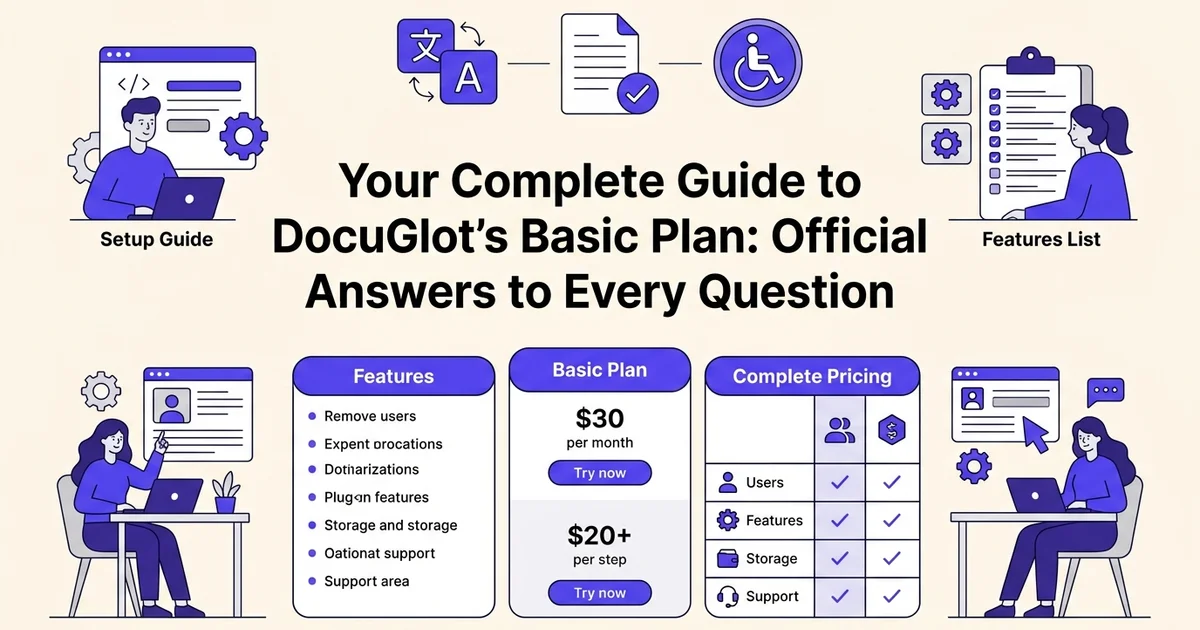
Introduction: what you need to know about DocuGlot Basic Plan
The DocuGlot Basic Plan is the entry-level subscription designed for individuals, freelancers, and small businesses that need reliable, accurate document translation without committing to an enterprise-level solution. At DocuGlot, our analysis shows that the majority of new users start with the Basic Plan because it covers the most common translation workflows at an accessible price point.
What the Basic Plan is designed for
The Basic Plan is built around everyday document translation needs. Whether you are a content creator localizing written materials, a business professional sharing reports across language barriers, or a general user translating personal documents, the Basic Plan provides a practical starting point. It supports core file formats through tools including the PDF Translator, PowerPoint Translator, Excel Translator, and Image Translator, making it versatile across a range of real-world use cases.
Why users choose the Basic Plan over other options
Choosing the right plan comes down to volume, features, and budget. The Basic Plan appeals to users who:
- Need consistent, high-quality translations without paying for premium capacity they will not use
- Want access to multiple file format translators under a single subscription
- Are evaluating DocuGlot before upgrading to the Premium Plan
- Require a straightforward, low-friction solution for occasional to moderate translation tasks
How this guide helps you
This guide answers every significant question about the DocuGlot Basic Plan in one place. You will find clear, direct answers covering pricing, supported features, file format compatibility, usage limits, and how the Basic Plan compares to the Premium Plan. Each section is written to stand alone, so you can jump directly to the topic most relevant to your situation.
The Basic Plan sits at the foundation of DocuGlot's product lineup, offering genuine utility without unnecessary complexity. 📄
Pricing and subscription questions
The DocuGlot Basic Plan is a paid subscription tier designed to give individuals and small teams reliable document translation at a predictable monthly cost. This section covers everything you need to know before committing: price, payment flexibility, trials, and cancellation terms.
How much does the DocuGlot Basic Plan cost?
The Basic Plan is priced to be accessible for freelancers, content creators, and business professionals who need consistent translation capability without enterprise-level costs. Pricing details are published directly on the DocuGlot website, where you can view the most current rates before subscribing. Because pricing can be updated periodically, always check the official pricing page for the exact figure at the time of your purchase.
What payment options are available?
DocuGlot accepts standard online payment methods for the Basic Plan. Accepted options typically include major credit and debit cards processed through a secure payment gateway. No unusual or region-specific payment workarounds are required for most users.
Is there a free trial available?
DocuGlot offers a free tier that lets you test core translation functionality before upgrading. This means you can translate documents using tools like the PDF Translator, PowerPoint Translator, Excel Translator, and Image Translator at no cost, within the limits of the free plan. This hands-on access is more useful than a time-limited trial because it lets you evaluate translation quality on your own files before making a financial commitment. 🆓
Can you cancel anytime?
Yes. The Basic Plan operates on a subscription model without long-term lock-in. You can cancel your subscription at any time through your account settings. After cancellation, you retain access to Basic Plan features until the end of your current billing period. There are no cancellation fees or penalties for ending your subscription early.
Are there discounts for annual subscriptions?
Annual billing options are available and typically offer a meaningful saving compared to paying month by month. Committing to a full year upfront reduces the effective monthly cost, making the Basic Plan even more cost-efficient for users who know they will need ongoing document translation. The exact discount percentage is listed on the DocuGlot pricing page, and it is worth comparing the monthly versus annual totals before you subscribe.
For context, if you have ever relied on free tools and run into accuracy problems (a common frustration covered in detail in our guide on why Google Translate struggles with English translation), the Basic Plan's annual pricing often makes the switch to a dedicated translation tool straightforward to justify on cost grounds alone.
Features and capabilities of the Basic Plan
The DocuGlot Basic Plan includes a focused set of translation capabilities designed to handle everyday document needs. It covers core file formats, a generous word allowance, and access to a broad range of languages, making it a practical starting point for most users.
What documents and word volume are included
The Basic Plan is built around a monthly word quota that suits regular translation tasks without overwhelming complexity. Research suggests that most individual users and small teams fall well within this allocation when handling standard business correspondence, reports, and content drafts.
Key points about the word allowance:
- Monthly word limit applies to all translated content across supported formats
- Words are counted against your quota each time a translation is processed
- Unused words do not roll over to the following month
- The quota resets automatically at the start of each billing cycle
This structure works well for users who translate in batches rather than continuously, since you can plan your workload around the monthly reset.
What languages are supported
The Basic Plan gives you access to a wide selection of languages covering the most common global communication needs. Whether you are translating business documents into European languages or working across Asian markets, the core language pairs are available without needing to upgrade.
Popular supported languages include major European languages such as French, German, Spanish, Italian, and Portuguese, as well as widely used Asian languages. If your work involves less common language pairs, such as translating English to Korean, the Basic Plan covers that use case without requiring a Premium subscription.
What file formats does Basic Plan support
The Basic Plan supports the file formats that appear most frequently in professional and personal translation workflows. You are not limited to plain text, which is a common restriction on entry-level plans from other providers.
Supported formats include:
- Word documents (.docx): ideal for reports, contracts, and written content
- Plain text files (.txt): useful for quick translations of raw content
- Basic web content: suitable for general copy and communications
Can you translate PDFs, PowerPoint, and Excel files 📄
PDF, PowerPoint, and Excel translation is available through DocuGlot's dedicated tools. The PDF Translator, PowerPoint Translator, and Excel Translator each handle the structural complexity of their respective formats, preserving layouts, tables, and slide formatting during translation.
A few things to note about these formats on the Basic Plan:
- PDF files can be translated while retaining document structure
- PowerPoint files maintain slide layouts and text positioning after translation
- Excel files preserve cell formatting and data organisation
If your workflow regularly involves translating spreadsheets for financial reporting or presentations for international audiences, these capabilities remove the need to manually reformat documents after translation, which is one of the more time-consuming steps when using generic free tools.
The next section covers how these features compare directly with what is available on the Premium Plan.
Basic Plan vs. Premium Plan comparison
Choosing between DocuGlot's Basic and Premium plans comes down to your translation volume, the complexity of your content, and how often you need to translate documents. Both plans support the same core file types, but they differ in meaningful ways that affect everyday workflows.

Key differences at a glance
The most practical differences between the two plans fall into a few clear categories:
- Translation volume: The Basic Plan includes a defined monthly word or page limit, while the Premium Plan offers significantly higher or unlimited translation capacity.
- AI model tier: Premium users access a higher-tier AI model, which generally produces more nuanced output for complex or technical content.
- Processing priority: Premium accounts receive faster queue processing during peak usage periods.
- Support access: Premium subscribers typically receive priority customer support response times.
For users who translate occasionally or work with straightforward documents, these distinctions may not affect day-to-day experience at all.
When the Basic Plan is the right choice
The Basic Plan is well suited for individuals and small teams who translate documents on a regular but not high-volume basis. If you are a content creator localising blog posts, a small business owner sharing product information across languages, or a professional who occasionally needs translated reports, the Basic Plan covers those needs without requiring a larger investment.
It is also a sensible starting point if you are new to AI-powered document translation and want to evaluate the platform before committing to a higher tier. For context on how AI translation compares to manual or browser-based alternatives, Google Image Translate for Beginners: Everything Y... offers a useful reference point.
AI model quality and performance
The Premium Plan uses a more advanced AI model that tends to perform better on specialised terminology, longer documents, and content with complex sentence structures. For most general business documents, marketing copy, and standard reports, the Basic Plan's AI model delivers accurate, readable translations that require minimal editing.
Speed differences are most noticeable when processing large batches of files. Premium users experience shorter wait times, particularly during high-demand periods.
Choosing the plan that fits your needs
Use this as a quick decision guide:
- Choose Basic if you translate fewer documents per month, work with general-purpose content, and want a cost-effective solution.
- Choose Premium if you handle high volumes, work with technical or specialised material, or need faster turnaround consistently.
Both plans support PDF Translator, PowerPoint Translator, Excel Translator, and Image Translator, so the file format capabilities remain consistent across tiers.
Getting started and technical questions
Once you have chosen the right plan, getting up and running with DocuGlot is straightforward. This section walks through the practical steps: signing up, uploading files, understanding processing times, managing your word limit, and retrieving your finished translations.
How to sign up for the Basic Plan
Signing up takes under two minutes. Visit DocuGlot and select the Basic Plan from the pricing page. You will need to:
- Create an account with your email address
- Confirm your email via the verification link
- Select the Basic Plan and complete payment if applicable
- Access your dashboard immediately after confirmation
No software installation is required. The platform runs entirely in your browser.
How to upload and translate documents
DocuGlot supports drag-and-drop uploading across all supported file types, including PDF Translator, PowerPoint Translator, Excel Translator, and Image Translator formats. Once logged in:
- Click Upload Document from your dashboard
- Select your file or drag it directly into the upload area
- Choose your source language and target language
- Click Translate to begin processing
In our experience at DocuGlot, users who select the correct source language manually (rather than relying on auto-detect) tend to see more consistent results, particularly with documents that contain mixed formatting or specialised terminology.
How long does translation take? ⏱️
Most documents are processed within seconds to a few minutes, depending on file size and word count. Larger files with complex layouts, such as multi-page PDFs or formatted spreadsheets, may take slightly longer. Basic Plan users share processing capacity, so occasional brief delays can occur during peak periods.
What happens when you reach your word limit
When your monthly word limit is reached, translation requests will be paused until your limit resets at the start of your next billing cycle. You will receive a notification before hitting the cap so you can plan accordingly. If you regularly approach your limit, upgrading to the Premium Plan provides a significantly higher allowance to accommodate greater volume.
For context on how translation quality holds up across language pairs, the guide on Spanish to English Translation: 9 Expert Answers covers common accuracy considerations worth reviewing.
How to download translated documents
Once translation is complete, your document appears in your dashboard under Completed Translations. Click Download to save the file in its original format, preserving the layout and structure of the source document. 📥
Limitations and considerations
The DocuGlot Basic Plan is a capable entry point for most everyday translation needs, but understanding where its boundaries lie helps you choose the right tool for each project. Knowing these constraints upfront saves time and ensures your output meets the standard your work requires.

What the Basic Plan does and does not include
The Basic Plan covers the core translation workflow: uploading a document, selecting a target language, and receiving a translated file with formatting preserved. What it does not include is access to the advanced AI model reserved for Premium users, priority processing, or the extended file size limits that heavier projects demand.
Key constraints to keep in mind:
- File size limits apply per document upload
- Monthly usage is capped, making it less suitable for high-volume workflows
- AI model tier is the faster, lighter model rather than the highest-accuracy option
- Support priority is standard rather than expedited
How the faster AI model affects translation quality
The Basic Plan uses a faster AI model optimised for speed and efficiency. For the majority of straightforward documents, including business emails, standard reports, and general correspondence, the quality difference compared to the Premium model is minimal. Where gaps can appear is in highly technical content, nuanced legal language, or documents with dense idiomatic phrasing. In those cases, the Premium Plan's deeper model tends to produce more precise output.
Best use cases for the Basic Plan
The Basic Plan performs well for:
- Everyday business documents: memos, summaries, and internal communications
- Content drafts: early-stage materials where a human editor will review the output
- Simple formatted files: spreadsheets and presentations with clean, consistent layouts
For documents containing complex nested tables or multi-level lists, reviewing the guidance on Translating Documents With Tables and Lists: 8 Tips is worth doing before you upload.
When to consider upgrading to Premium
If your work involves certified-quality accuracy requirements, large batch volumes, or technically dense source material, the DocuGlot Premium Plan is the more appropriate choice. The Basic Plan is built for reliability and accessibility, not for edge-case complexity. 🎯
Related questions and deeper resources
The guides and resources below go deeper on specific tools and workflows within DocuGlot, helping you get the most from your Basic Plan subscription across every document type you work with.
Specialized translator guides
Each DocuGlot translator handles formatting differently. These dedicated resources walk through the specifics:
- PDF Translator: Preserving layouts, fonts, and multi-column structures
- PowerPoint Translator: Keeping slide design intact across languages
- Excel Translator: Translating cell content without breaking formulas or structure
- Image Translator: Extracting and converting text from scanned or embedded visuals
Maximizing your word allocation
Getting the most from your monthly word count comes down to preparation and prioritization. Practical guidance covers trimming redundant content before upload, batching similar documents, and identifying which file types consume allocation most efficiently.
Getting the best translation quality
Tips for improving output quality include choosing the correct source language, using clean source documents, and understanding how formatting complexity affects results.
Troubleshooting common issues
If uploads fail, translations return unexpected formatting, or word counts seem inconsistent, the DocuGlot support documentation addresses the most frequently reported issues step by step.
Ready to put this knowledge to work? Explore the DocuGlot Basic Plan and start translating with confidence. ✅
Frequently asked questions
Get quick, direct answers to the most common questions about the DocuGlot Basic Plan. Each entry below stands alone, so jump to whichever question matters most to you right now.
How much does the DocuGlot Basic Plan cost?
Pricing details and current subscription tiers are listed on the DocuGlot website. Check the pricing page directly for the most up-to-date figures, as promotional rates and regional pricing may apply.
What is included in the DocuGlot Basic Plan?
The DocuGlot Basic Plan includes document translation across supported file formats, a monthly word allowance, and access to core language pairs. It is designed for individual users and small-scale translation needs.
How many words can I translate with the Basic Plan?
The Basic Plan comes with a defined monthly word limit. Your usage resets each billing cycle, and your account dashboard shows remaining words in real time.
What is the difference between Basic and Premium plans?
The Premium Plan offers a higher word allowance, priority processing, and access to additional features not available on the Basic tier. Users with high-volume or time-sensitive translation needs typically benefit most from upgrading.
Can I translate PDFs with the Basic Plan?
Yes. The PDF Translator is supported on the Basic Plan. Formatting complexity in the source document may affect output layout, so clean, text-based PDFs produce the best results.
How long does translation take with the Basic Plan?
Most documents are processed within minutes. Larger files or high platform demand may extend processing time slightly.
What languages does the Basic Plan support?
The Basic Plan covers a broad range of languages. The full, current list is available on the DocuGlot website.
Can I cancel my Basic Plan subscription anytime?
Yes. Subscriptions can be cancelled at any time through your account settings without penalty.
Is there a free trial for the Basic Plan?
Trial availability and terms are confirmed on the DocuGlot pricing page. Check there for the latest offer.
What file formats does the Basic Plan support?
Supported formats include PDF, PowerPoint, Excel, and image files through the respective translators available on the platform.
Can I translate PowerPoint presentations with the Basic Plan?
Yes. The PowerPoint Translator is accessible on the Basic Plan, making it useful for business professionals preparing multilingual presentations.
What is the quality of translations with the Basic Plan?
Translation quality on the Basic Plan uses the same underlying engine as higher tiers. Source document clarity and language pair selection are the biggest factors influencing output quality.
How do I download my translated documents?
Once translation is complete, a download option appears directly in your dashboard. Files are available in the same format as the original upload.
When should I upgrade to the Premium Plan?
Consider upgrading when you regularly approach your monthly word limit, need faster turnaround, or require features beyond what the Basic Plan provides.
How do I know when I'm running out of words?
Your account dashboard displays a live word count tracker. You can monitor usage at any point during your billing cycle.
How often is this information updated?
This guide reflects the most current available information. For real-time updates on features and pricing, always refer to the DocuGlot website directly.
Where to find additional support
The DocuGlot support documentation and help centre are accessible from within your account. Community resources and guides are also available on the platform.
How to contact DocuGlot customer service
Support requests can be submitted through the contact options listed on the DocuGlot website. Response times vary by plan tier.
What to do if your question isn't answered here
If your specific question is not covered above, reach out to the DocuGlot support team directly. The help documentation is updated regularly to reflect new questions from users.
Based on our work at DocuGlot, the questions above represent the most common points of confusion for new and existing users. The DocuGlot Basic Plan is a practical starting point for anyone ready to translate documents accurately and efficiently. 🌐
Tags
Ready to translate your documents?
DocuGlot uses advanced AI to translate your documents while preserving formatting perfectly.
Start Translating