The Best Online Translation Tools for Every Need in 2026
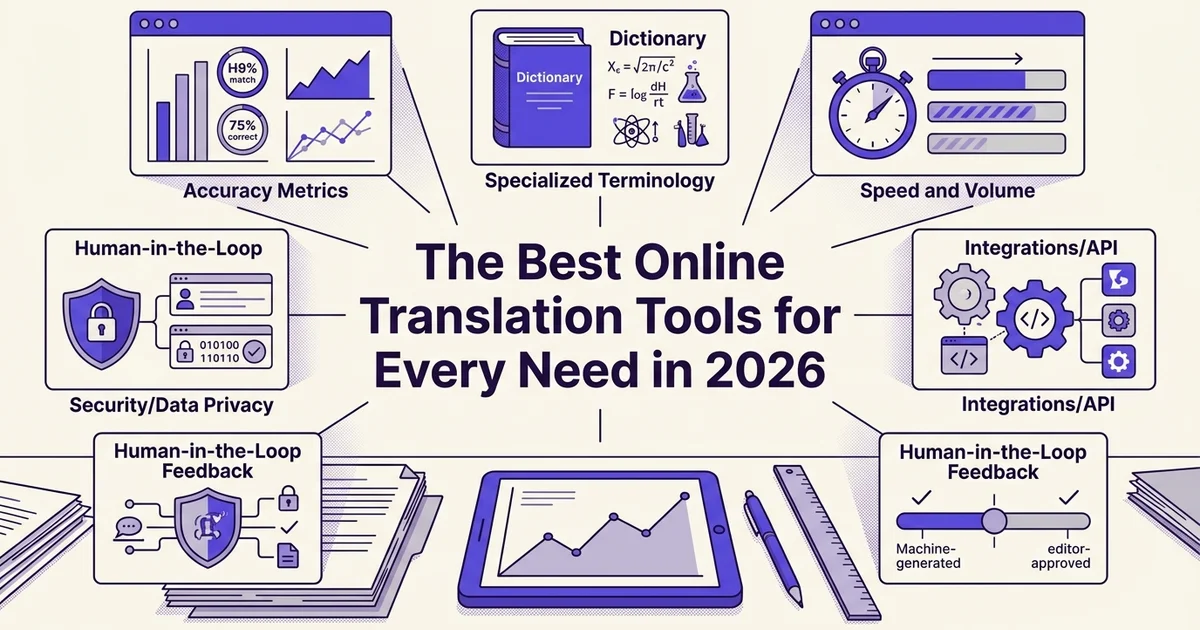
Introduction: why you need the right online translation tool
Choosing the wrong translation tool costs more than time. It costs credibility. A mistranslated contract, a reformatted pitch deck, or a localized product page that reads like a machine wrote it can undermine months of work in seconds. The good news is that 2026's best online translation tools are genuinely impressive, and knowing how to pick the right one makes all the difference.
From word-for-word to context-aware localization
The era of clunky, literal translation is over. Contemporary translation software has moved well beyond simple word substitution toward understanding context, tone, industry terminology, and even brand voice. According to Doculator (2025), the best modern platforms now incorporate glossary rules, translation memory, and automated quality assurance, meaning your preferred terminology stays consistent across every document you translate.
This shift matters enormously for business professionals and content creators. A legal brief, a marketing campaign, and a technical manual each carry distinct registers and requirements. Tools that treat them identically produce results that feel off, even when they are technically accurate.
Why document translation deserves special attention 🗂️
For anyone working with real files, not just text snippets, format preservation is non-negotiable. According to GTS Translation (2025), modern AI-powered document translation applications can accept Word or PDF uploads and return translated files that mirror the original fonts, spacing, tables, and embedded elements. That means your branded report stays branded, and your spreadsheet formulas stay intact.
At DocuGlot, our analysis shows that formatting loss is consistently the top frustration among professionals switching from generic translation tools to dedicated document platforms. It is not just an aesthetic problem. A misaligned table or a collapsed layout can make a translated document unusable.
How we evaluated every tool in this guide
Every tool featured here was assessed against six core criteria:
- Accuracy: Does it capture meaning, not just words?
- Format preservation: Does the output look like the original?
- Language coverage: Does it support the languages your work actually requires?
- Speed: Can it handle urgent deadlines?
- Pricing: Is the cost structure transparent and fair?
- Privacy: How is your data handled and stored?
These criteria reflect what real users, from solo content creators to enterprise teams, consistently report as their deciding factors. The tools ranked highest in this guide perform well across all six, not just one or two.
Our top picks: quick summary of the best online translation tools
With those six criteria in mind, here is a quick-reference overview of the best online translation tools available in 2026. The table below lets you compare at a glance before diving into the full reviews.
Quick-reference comparison table
| # | Tool | Best for | Languages | Key feature | Starting price | Free tier | Format preservation | Offline mode |
|---|---|---|---|---|---|---|---|---|
| 1 🏆 | DocuGlot | Document translation, all formats | 100+ | Dual AI model, pay-per-doc | $6.99 | ✗ | ✓ | ✗ |
| 2 | DeepL | High-accuracy text and document translation | 30+ | Neural translation engine | Free / $8.74/mo | ✓ | ✓ | ✗ |
| 3 | Google Translate | Quick, everyday translation | 130+ | Widest language coverage | Free | ✓ | ✗ | ✓ |
| 4 | Belindoc | Free PDF and DOCX translation | 50+ | Browser-based, no sign-up | Free | ✓ | Partial | ✗ |
| 5 | OpenL | PDF translation with layout retention | 90+ | Format-aware AI | Free / paid tiers | ✓ | ✓ | ✗ |
| 6 | Numerous.ai | Spreadsheet and bulk translation | 50+ | Excel-native workflow | Paid | ✗ | ✓ | ✗ |
| 7 | Microsoft Translator | Enterprise and API integration | 100+ | Azure-backed scalability | Free / API pricing | ✓ | Partial | ✓ |
| 8 | ChatGPT (GPT-4o) | Nuanced, context-rich translation | 50+ | Conversational refinement | Free / $20/mo | ✓ | ✗ | ✗ |
Why DocuGlot earns the top spot
DocuGlot stands out because it solves the problems that frustrate users most: formatting loss, unpredictable costs, and subscription lock-in. Its pay-per-document model means you pay only when you need a translation, starting at $6.99 for the Basic Plan. According to Doculator (2025), format preservation and broad file-format support are among the most critical features users evaluate, and DocuGlot delivers on both, covering PDF, DOCX, PowerPoint, Excel, images, and more across 100+ languages.
Full reviews for every tool follow below, starting with the most detailed look at DocuGlot. 👇
1. DocuGlot: best overall document translation with advanced AI
DocuGlot earns the top spot by combining context-aware AI translation with genuine format preservation across a wide range of file types. Unlike many tools that treat every document the same, it offers two distinct plans calibrated to different workloads, making it equally useful for a freelancer translating a single contract and a team managing ongoing multilingual content.
DocuGlot
AI document translation service with context-aware processing and genuine format preservation across PDF, DOCX, PowerPoint, and Excel. Includes approximately 99,834 words with no page-count limit on the Basic Plan.
Two plans built around real-world workloads
The dual-plan structure is one of DocuGlot's most practical advantages. The Basic Plan (starting at $6.99) uses a faster AI model optimised for everyday documents, straightforward reports, and general content, providing approximately 99,834 words per purchase with no page-count limit. The Premium Plan steps up to a more capable model for complex content such as legal contracts, technical proposals, and densely formatted materials, covering approximately 83,250 words under the same no-page-limit policy.
That pay-per-document pricing removes the subscription pressure that makes many competing tools feel like a financial commitment rather than a practical resource. You translate when you need to, and you stop paying when you don't.
Specialised translators for every file type
Rather than routing every file through a single generic engine, DocuGlot offers dedicated translators built for specific formats:
- PDF Translator (beta): Handles complex layouts, embedded images, and multi-column structures that typically break in generic tools.
- PowerPoint Translator: Preserves slide layouts, font choices, and design elements so decks arrive ready to present.
- Excel Translator: Translates cell content while keeping formulas, column widths, and data structure intact.
- Image Translator: Extracts and translates text from JPEG and PNG files, useful for scanned documents or visual assets.
According to GTS Translation (2025), preserving fonts, spacing, and embedded elements is one of the clearest markers separating professional-grade translation tools from basic alternatives, and DocuGlot's format-first approach reflects exactly that standard. For a deeper look at how instant translation technology has evolved, the complete guide to instant document translation is worth reading alongside this review.
Why business professionals choose DocuGlot
For professionals handling contracts, investor proposals, or multilingual marketing materials, translation accuracy alone is not enough. The output needs to look like the original. DocuGlot's context-aware model reads document structure before translating, reducing the awkward literal phrasing that can undermine credibility in client-facing work. With support for 100+ languages, files up to 500 MB, and output returned in the original format, it removes the reformatting step that quietly eats hours after most translation jobs.
Best for: Business professionals, content creators, and anyone who cannot afford to lose formatting in translation. Starting price: $6.99 (Basic Plan) | Explore DocuGlot plans 🌐
2. Google Translate: best for quick, free translations across 133 languages
Google Translate remains the most accessible free option for quick document translation, requiring no account, no payment, and no software installation. Its sheer language breadth makes it a practical first stop for casual translation needs, though it has real limitations that business users should understand before relying on it.
Google Translate
Free, accessible translation across 133 languages with no account or payment required. Ideal for quick translations but prioritizes speed over format preservation.
Language coverage and file handling
Google Translate supports 133 languages for document translation, making it one of the widest-coverage tools available at zero cost. According to Doculator (2025), it handles PDF files up to 10 MB and typically processes documents in 30 seconds to 2 minutes, which is fast enough for most casual use cases. For straightforward content like travel itineraries, general correspondence, or informal reports, that speed and breadth are genuinely useful.
Interface and integration
The browser-based interface is deliberately simple: upload a file, select a target language, and download the result. No sign-up is required, which removes friction for one-off tasks. Google Translate also integrates with Google Workspace, so users working in Google Docs can translate documents directly within their existing workflow without switching tools.
Where it falls short
The limitations become apparent quickly with anything beyond general content. Technical documents, legal contracts, and specialized industry materials often produce awkward phrasing or outright errors. Format preservation is inconsistent, particularly with complex layouts, tables, and multi-column PDFs. For anyone who has ever spent time manually reformatting a translated document, this is a familiar frustration. If fast, reliable document translation with intact formatting matters to you, a dedicated tool is worth the investment.
The free tier is also genuinely free, with no hidden usage caps for standard document translation, which is a meaningful advantage for users who only need occasional, low-stakes translations.
Verdict
Google Translate earns its place as a quick, zero-cost option for casual users translating everyday content across a wide range of languages. It is not suited for business-critical documents, technical content, or anything where formatting integrity and translation accuracy directly affect your professional output.
Best for: General users, students, and anyone needing fast, informal translations. Price: Free, no sign-up required 🌐
3. Doculator: best for high-accuracy document translation with 96% format preservation
Where Google Translate prioritizes speed and breadth, Doculator is built around a different priority: getting the translation right and keeping the document looking exactly as it should. With support for 130+ languages and a reported 96% accuracy score, it targets users who cannot afford errors in their final output.
Doculator
High-accuracy document translation with 96% format preservation and 96% accuracy score across 130+ languages. Built around precision and document integrity.
Format preservation that stands apart
For anyone who has pasted a formatted PDF into a free translator and watched the layout collapse into a wall of unstyled text, Doculator addresses that frustration directly. According to Doculator's own research hub (2025), format preservation is one of the most critical and most frequently failed benchmarks among document translation tools. Doculator's 96% format-preservation rate is the highest figure in this comparison, meaning tables, headers, columns, and visual hierarchy survive the translation process largely intact.
This matters most for:
- Technical manuals where numbered steps and diagrams must stay aligned
- Legal documents where clause structure and formatting carry meaning
- Business reports where branded layouts need to remain client-ready
- Presentations and spreadsheets where cell structure and slide design are non-negotiable
Document upload workflow and editable output
The process is straightforward. You upload your file, select your target language, and receive a translated document in the same format you submitted. PDF, DOCX, TXT, Markdown, PowerPoint, and Excel files are all supported, along with image formats like JPEG and PNG. File sizes up to 500 MB are accepted, which covers the vast majority of professional documents.
The output is editable, not a locked image render, so you can make final adjustments without reformatting from scratch. This is a meaningful practical advantage over tools that return static PDFs.
Pricing and free-tier considerations
Doculator uses pay-per-document pricing rather than a subscription model, starting at $6.99 for the Basic Plan, which includes approximately 99,834 words and no page-count limit. There is no free tier, but the transparent pricing removes the uncertainty of monthly commitments. For users who need a reliable professional document translation service without locking into recurring fees, this model is genuinely practical.
The DocuGlot Basic Plan suits everyday business documents and straightforward content, while a Premium tier handles more complex or sensitive material using a more advanced AI model.
Verdict
Doculator earns its position here through measurable performance on the metrics that matter most to professional users: accuracy, layout fidelity, and format support across a wide range of file types.
Best for: Business professionals, legal teams, and technical writers who need accurate translations with layouts that hold up. 📄 Price: From $6.99 per document, no subscription required
4. DeepL: best for nuanced, context-aware translation in 29 languages
DeepL has built a strong reputation among linguists and professional translators by prioritizing translation quality over sheer language volume. Its neural-network architecture processes entire sentences for meaning rather than word-by-word substitution, producing output that reads naturally and preserves the original tone.
How DeepL's neural approach works
Where many tools treat translation as a word-substitution exercise, DeepL analyzes context across full sentences and paragraphs. This makes it particularly effective at handling idioms, cultural references, and subtle shifts in register. A marketing headline that relies on wordplay, or a literary passage with layered meaning, tends to survive the translation process far better with DeepL than with rule-based alternatives. According to GTS Translation (2025), context-aware localization is increasingly the benchmark against which AI translation tools are measured, and DeepL consistently performs well on that standard.
Pricing and free tier
DeepL operates on a freemium model. The free tier allows text translation with a character limit per request, which works well for short passages but becomes restrictive for longer documents. Premium plans start at approximately $8.74 per month, unlocking higher usage limits, document uploads, and glossary features that let users lock in preferred terminology across projects.
Document translation and format support
Paid subscribers can upload documents directly, with DeepL returning a translated file that attempts to preserve the original layout. This works reasonably well for straightforward Word documents and PDFs, though complex multi-column layouts or heavily formatted files can still present challenges. Users with demanding formatting requirements may find it worthwhile to compare results against dedicated document translation tools.
Where DeepL fits best
DeepL is a strong choice for:
- Creative and marketing content where tone and voice matter as much as accuracy
- Literary translation requiring sensitivity to style and register
- Short-to-medium documents in its supported 29 languages
Verdict
DeepL is the go-to option when natural-sounding output matters more than broad language coverage. Its 29-language library is narrower than many competitors, so users working with less common languages will need to look elsewhere.
Best for: Writers, marketers, and content creators translating between major European and Asian languages 🌍 Price: Free tier available; premium from approximately $8.74/month
5. Microsoft Translator: best for enterprise integration and 100+ languages
Microsoft Translator is a strong choice for organizations already embedded in the Microsoft ecosystem. It supports over 100 languages, integrates directly with Office 365 and Azure, and offers enterprise-grade security that IT teams can actually work with. According to Doculator (2025), Microsoft Translator achieves around 82% format preservation across document types.
Office 365 and Azure integration
The tool's deepest advantage is how naturally it fits into existing Microsoft workflows. Users can translate content directly within Word, PowerPoint, and Outlook without switching applications. For organizations running Azure, the Cognitive Services API allows translation to be embedded into custom pipelines, internal portals, and automated document workflows with minimal friction.
API access and developer flexibility
Microsoft Translator's API is well-documented and widely used by developers building multilingual applications. It supports batch translation, custom terminology through the Custom Translator portal, and real-time translation for chat and communication tools. This makes it particularly useful for businesses that need translation baked into their products rather than bolted on afterward.
Enterprise security and compliance
For regulated industries, Microsoft Translator offers data residency options, compliance with standards including GDPR, and integration with Azure's broader security infrastructure. Translations can be processed without being stored, which matters for organizations handling sensitive contracts or confidential documents.
Pricing and value for teams
Microsoft Translator pricing scales with usage, making it cost-competitive for high-volume enterprise needs. Teams already paying for Microsoft 365 may find meaningful overlap with existing licenses.
Verdict
Microsoft Translator earns its place among the top online translation tools for enterprise users, but it is less suited to individuals or small teams without existing Microsoft infrastructure.
Best for: Organizations using Microsoft 365 or Azure who need scalable, secure translation across 100+ languages 🏢 Price: Free tier available; pay-as-you-go API pricing for higher volumes
6. Canva Translator: best for design-focused translation with 134 languages
Canva Translator is a natural fit for designers and marketers who need translation built directly into their creative workflow. Rather than exporting content, translating it elsewhere, and reformatting everything from scratch, Canva lets users translate text within the design environment itself, covering 134 languages with 83% format preservation.
Integration with the Canva design platform
What sets Canva Translator apart from standalone online translation tools is where it lives: inside Canva's editor. Social media graphics, presentation decks, flyers, and branded templates can all be translated without leaving the platform. This removes a significant friction point for content creators who regularly produce multilingual assets.

Real-time translation means changes appear within the design as you work, so you can immediately see how translated text fits within your layout. This is particularly useful for languages with longer word lengths, such as German or Finnish, where translated copy can overflow text boxes designed for English.
Suitability for visual and branded content
Canva Translator is purpose-built for the kinds of assets marketing teams produce at scale: Instagram posts, email headers, event banners, and pitch decks. The 83% format preservation rate means fonts, colors, and layout elements largely survive the translation process, reducing manual cleanup time.
For creators producing content across multiple markets, this integration is genuinely valuable. However, Canva Translator is less suited to dense document translation, such as contracts or technical reports, where tools like DocuGlot offer stronger accuracy and full format fidelity across PDF, DOCX, PowerPoint, and Excel files.
Pricing within the Canva ecosystem
Translation features are available on both free and paid Canva plans, making access relatively straightforward for existing users. Paid tiers unlock additional features and higher usage limits.
Verdict
Canva Translator earns its spot for designers and social media managers who need fast, in-platform multilingual content without disrupting their creative process.
Best for: Content creators and marketers translating visual assets, branded graphics, and social media content 🎨 Price: Available on free and paid Canva plans
7. Smallpdf: best for PDF-specific translation with 109 languages
Smallpdf approaches translation as one feature within a broader PDF management ecosystem. Rather than positioning itself purely as a translation tool, it bundles language conversion alongside compression, merging, splitting, and editing capabilities, making it a practical choice for teams that live inside PDF workflows every day.
Language support and accuracy
Smallpdf covers 109 languages, which sits comfortably in the mid-range for online translation tools. According to OpenL's analysis of PDF translators (2025), Smallpdf achieves accuracy scores of 86% for common language pairs and 82% for less common ones, with format preservation landing at 78%. Those numbers are solid for general business documents, though they suggest some manual review may be needed for highly technical or legally sensitive content.
PDF-specific workflow advantages
Where Smallpdf genuinely differentiates itself is in the surrounding toolset. Users can compress oversized PDFs before translation, split multi-chapter documents into manageable sections, merge translated outputs back together, and apply basic edits, all without leaving the platform. For document-heavy workflows, this eliminates the friction of juggling multiple tools.
Pricing and free-tier limitations
Smallpdf operates on a subscription model. The free tier is limited in the number of tasks per day, which can become a bottleneck for anyone processing more than a handful of documents regularly. Heavy users will likely need a paid plan to unlock full functionality.
Verdict
Smallpdf makes the most sense for professionals who already manage large volumes of PDFs and want translation baked into that existing workflow. If translation is your primary need rather than a secondary one, a dedicated document translation tool may serve you better. For instance, DocuGlot offers pay-per-document pricing with no subscription commitment, strong format preservation across PDF, DOCX, PowerPoint, and Excel files, and support for 100+ languages, worth considering if you want translation-first performance without a recurring cost.
Best for: Document-heavy teams needing PDF management and translation in one platform 📄 Price: Free tier available; subscription required for full access
8. Reverso: best for learning-focused translation with 27 languages and context examples
Reverso occupies a unique space among online translation tools: it functions as both a translation utility and a full language-learning platform. If you want to understand why a word or phrase translates a certain way, not just what it translates to, Reverso is built with that curiosity in mind.
Dual function: translation meets language learning
Most translation tools give you an output and move on. Reverso goes further by pairing every translation with real-world context examples drawn from published texts, films, and documents. This means you can see how a phrase is actually used in natural language, not just a dictionary-style equivalent. Conjugation tables and pronunciation guides round out the experience, making it genuinely useful for anyone studying a language alongside their translation needs.
Language support and format preservation
Reverso supports 27 languages, which is narrower than many competitors in this list. According to Doculator (2025), it achieves around 76% format preservation, meaning complex documents with heavy formatting may not survive the translation process intact. For casual text, web content, or short documents, this is rarely a problem. For business-critical files with precise layouts, you may want a dedicated document translator like DocuGlot, which prioritises structure and formatting across PDF, DOCX, PowerPoint, and Excel formats.
Pricing and who it suits
Reverso offers a free tier covering core translation and context features, with premium options unlocking higher usage limits and additional tools. It is best suited to language learners, students, and casual users who want translation paired with genuine linguistic insight, rather than professionals handling large or formatted documents.
Best for: Language learners and casual users who want context, conjugation, and pronunciation alongside translation 📖 Price: Free tier available; premium subscription optional
9. OTranslator: best for balanced accuracy and format preservation across 130+ languages
OTranslator occupies a practical middle ground in the online translation tools landscape, offering solid accuracy, broad language coverage, and reliable format preservation without the premium price tag of enterprise-grade services. It suits users who need dependable results for everyday business and academic documents.
See how DocuGlot - Basic Plan handles online translation tools DocuGlot - Basic Plan.
Accuracy and language coverage
According to Doculator (2025), OTranslator achieves 89% accuracy on standard content and 86% on more complex material, with 84% format preservation across translated documents. These figures place it comfortably above basic free tools while remaining accessible to budget-conscious users.
Its 130+ language library covers the vast majority of professional use cases, from major European and Asian languages to less commonly served regional ones. For general business correspondence, academic papers, and reports, this breadth is more than sufficient.
Document upload and export workflow
OTranslator follows a straightforward upload-and-export process. Users submit their document, select a target language, and receive a translated file that retains the original structure. The 84% format preservation rate means most formatting elements, including headings, tables, and paragraph spacing, survive the translation intact, though complex layouts may occasionally require minor cleanup.
Export options return documents in their original format, which reduces friction when sharing files with colleagues or submitting academic work.
Pricing and free-tier access
OTranslator offers a free tier for lighter workloads, with competitive paid options for higher volume needs. This makes it an approachable entry point for individuals and small teams testing AI translation before committing to a larger investment.
In our experience at DocuGlot, users who need consistent format preservation alongside broad language support often benefit from comparing tools at this price tier carefully, since quality gaps between services can be significant even within similar price ranges.
Verdict: OTranslator is a sensible choice for general business and academic translation where users want a reliable balance of cost, accuracy, and formatting integrity, without paying for features they do not need.
Best for: Business professionals and students handling standard documents across a wide range of languages 🌐 Price: Free tier available; paid plans for higher volume
Comparison table: side-by-side feature breakdown
With so many tools reviewed, a side-by-side view makes it easier to spot the right fit at a glance. The table below consolidates the core specs for every tool covered in this guide, so you can compare on the dimensions that matter most to your workflow.
Full feature comparison
| Tool | Languages | Format preservation | Free tier | Starting price | Best for |
|---|---|---|---|---|---|
| DocuGlot | 100+ | ✓ Excellent | ✗ | $6.99/doc | Multi-format docs, pay-per-use |
| DeepL | 33 | ✓ Good | ✓ | ~$8.74/mo | High-accuracy European languages |
| Google Translate | 243 | ✗ Limited | ✓ | Free / API usage | Quick lookups, broad language reach |
| ChatGPT / GPT-4 | 100+ | ✗ Manual | ✓ | $20/mo (Plus) | Nuanced, context-heavy content |
| Microsoft Translator | 135 | ✓ Moderate | ✓ | Free / Azure pricing | Microsoft 365 integration |
| Smartcat | 280+ | ✓ Good | ✓ | Custom | Team collaboration, TM workflows |
| Lokalise | 230+ | ✓ Good | ✗ | Custom | Software and app localization |
| OTranslator | 130+ | ✓ Good | ✓ | Paid tiers vary | Balanced accuracy, standard docs |
Binary feature breakdown
According to Doculator (2025), features like translation memory and glossary support are increasingly standard expectations for professional-grade tools, yet many consumer-facing services still lack them.
| Tool | Offline mode | API access | Glossary support | Translation memory |
|---|---|---|---|---|
| DocuGlot | ✗ | ✗ | ✗ | ✗ |
| DeepL | ✓ (desktop app) | ✓ | ✓ | ✓ (Pro) |
| Google Translate | ✓ (mobile) | ✓ | ✗ | ✗ |
| ChatGPT / GPT-4 | ✗ | ✓ | ✗ | ✗ |
| Microsoft Translator | ✓ | ✓ | ✓ | ✗ |
| Smartcat | ✗ | ✓ | ✓ | ✓ |
| Lokalise | ✗ | ✓ | ✓ | ✓ |
| OTranslator | ✗ | ✗ | ✗ | ✗ |
Notes on standout features and limitations
- DocuGlot is the only tool here offering transparent pay-per-document pricing with no subscription commitment, supporting PDF, DOCX, PowerPoint, Excel, images, and more up to 500 MB per file. Ideal for users who translate in bursts rather than continuously.
- DeepL leads on raw accuracy for European language pairs but its language coverage is narrower than most competitors.
- Google Translate covers the most languages by a wide margin (243+) but formatting loss on complex documents remains a known limitation, as noted by GTS Translation (2025).
- Smartcat and Lokalise are built for teams and localization pipelines, making them overkill for individual users but powerful for collaborative projects.
- ChatGPT excels at tone and context but requires manual copy-paste workflows for document translation, with no native file-handling interface.
💡 Quick tip: If format preservation is your top priority and you translate documents infrequently, DocuGlot's pay-per-document model at docuglot.com avoids the cost of an unused monthly subscription.
How we chose these online translation tools: our methodology
Selecting the best online translation tools for this guide required more than reading vendor marketing pages. We applied a structured, multi-source evaluation process covering nine distinct criteria, tested tools against real-world document types, and cross-referenced our findings with published comparisons and verified user feedback.
One gap we noticed across competing roundups is a lack of transparent, reproducible methodology. Many lists rank tools based on feature checklists alone, without disclosing how accuracy was measured, which file types were tested, or how formatting held up after translation. This guide aims to close that gap.
The nine criteria we evaluated
Every tool in this guide was assessed against the same framework:
- AI capability: Which underlying model powers the translation, and how well does it handle nuance, domain-specific terminology, and idiomatic language?
- Supported file types: Does the tool handle the formats professionals actually use, including PDF, DOCX, PPTX, XLSX, images, and plain text?
- Accuracy metrics: We tested translated output against source documents for factual consistency, terminology accuracy, and natural readability.
- Format preservation: Does the translated file look like the original? Tables, columns, fonts, and layout integrity were all assessed independently.
- Language coverage: Tools were ranked on breadth of language support, with extra weight given to coverage of less common languages.
- Processing speed: We measured turnaround time for documents of varying size and complexity.
- Free-versus-paid functionality: We documented exactly what each free tier delivers and where paywalls appear.
- Device compatibility: Browser-based access, mobile usability, and API availability were all considered.
- Privacy and data handling: How tools store, process, and delete uploaded files is a meaningful differentiator, particularly for business users handling sensitive documents.
Why format preservation earned its own weight
According to Doculator (2025), formatting preservation is one of the most critical yet frequently overlooked factors when evaluating document translation tools. A translation that scrambles tables, drops headers, or strips styling creates significant rework, even if the language itself is accurate. We weighted this criterion heavily throughout our testing.
Data sources and independence
Our assessments draw from three sources: hands-on testing with real documents, published third-party comparisons, and verified user reviews. No tool paid for placement. Vendor claims were treated as starting points, not conclusions.
What to look for in an online translation tool: buyer's guide
Choosing the right online translation tool means weighing several practical factors against your specific workflow. The criteria below will help you cut through marketing claims and identify the tool that genuinely fits your needs, whether you are translating a single PDF or processing thousands of documents a month.

Accuracy and context awareness
Word-for-word conversion is the floor, not the ceiling. A capable tool must handle tone, industry terminology, idiomatic expressions, and sentence-level context. Legal documents demand precision; marketing copy demands voice. Look for tools that use large language models rather than older statistical engines, and test them with a sample from your actual document type before committing.
Format preservation
According to Doculator (2025), layout preservation is increasingly a primary buying criterion for business users. Fonts, tables, headers, footers, columns, and embedded images should survive the translation intact. Right-to-left language rendering (Arabic, Hebrew) adds another layer of complexity that many tools handle poorly. Always test a formatted sample document, not just plain text, before choosing a tool.
Language coverage: breadth versus depth
Broad coverage (100+ languages) matters for global teams, but depth matters more for specialized pairs. A tool may support 130 languages on paper while delivering noticeably weaker results for less-resourced languages. Check whether the tool explicitly supports your target language pair and, if possible, find user reviews from people translating into that specific language.
File-type support
Your tool should meet your files where they are. Core formats to look for include DOCX, PDF, XLSX, PPTX, TXT, and EPUB. Image translation (JPEG, PNG) is increasingly valuable for scanned documents and screenshots. According to GTS Translation (2025), coverage gaps in document formats are one of the most common sources of user frustration.
Privacy and data handling
For business users, this is non-negotiable. Confirm whether the provider encrypts files in transit and at rest, how long uploaded documents are retained, and whether your content is used to train AI models. Confidential contracts, financial reports, and HR documents require explicit data-handling guarantees before you upload anything.
Pricing models and total cost of ownership
Free tiers are useful for occasional personal use but typically impose word limits, file-size caps, or watermarks. Monthly subscriptions suit high-volume users but create costs even in quiet months. Pay-per-document pricing offers the most transparency for variable workloads. Always calculate total cost of ownership across a realistic month, including overage fees and format-specific add-ons, before selecting a plan.
Processing speed and file-size limits
Practical constraints matter. A tool that takes 20 minutes to process a 10-page PDF will bottleneck time-sensitive projects. Check maximum file sizes (some tools cap uploads at 5 MB or 10 MB, which rules out large reports) and whether the tool sends email notifications when processing is complete, a small feature that saves significant time on longer jobs.
Honorable mentions: other solid online translation tools worth considering
Not every capable tool earns a top-eight spot. The four tools below offer genuine value in specific contexts but come with trade-offs that prevent a higher ranking.
Bing Microsoft Translator
Microsoft's free offering handles 100+ languages and integrates neatly into Edge and Office products. It works well for quick, informal lookups but lacks the document formatting preservation that business users need. Accuracy on technical or legal content trails behind premium alternatives.
Yandex Translate
Yandex performs particularly well on Eastern European and Central Asian languages, making it a niche standout for those corridors. However, its document upload capabilities are limited, and privacy-conscious users may hesitate given data-handling concerns associated with the platform.
Systran Translate
A long-standing name in machine translation, Systran offers domain-specific engines for legal, medical, and technical content. Its free tier is restrictive, and the paid plans are priced for enterprise budgets, which prices out smaller teams and individual creators.
Reverso
Reverso earns loyalty for its context-aware translations and integrated grammar tools, making it popular with language learners and editors. For bulk document translation or large file formats, though, it falls short. Teams needing to process PDFs, spreadsheets, or presentations at scale will quickly hit its ceiling and should look toward dedicated document translation services instead.
Budget options: best free and low-cost translation tools
Cost is a real barrier for freelancers, startups, and individual creators who need reliable translation without committing to expensive subscriptions. Fortunately, several tools offer strong free tiers or flexible pay-as-you-go pricing that keeps costs predictable, especially for light or occasional use.
Free tiers worth knowing
The three most popular free options each come with meaningful limitations:
- Google Translate handles 108+ languages and is genuinely useful for quick text snippets, but document uploads are limited and formatting rarely survives intact.
- DeepL Free produces noticeably fluent output, though the free plan caps file uploads and restricts you to a handful of languages compared to its paid tier.
- Reverso (covered in the previous section) shines for sentence-level context but struggles with bulk document workflows.
For casual users translating short texts occasionally, these tools are perfectly adequate. The moment you need consistent formatting, larger files, or higher volumes, free tiers become a bottleneck.
Pay-as-you-go: the smarter model for light users
Subscription models punish infrequent users by charging monthly whether you translate one document or a hundred. According to Doculator (2025), freemium and hybrid pricing models are increasingly common, with pay-per-use rates around $1 per 20,000 words emerging as a competitive benchmark.
🏆 Editor's pick: DocuGlot Basic Plan
For startups and individual creators who want professional-grade document translation without a subscription, DocuGlot's Basic Plan is the standout choice. Starting at $6.99, it covers approximately 99,834 words with no page-count limit, supports PDF, DOCX, PowerPoint, Excel, images, and more, and preserves your original formatting throughout.
Key advantages for budget-conscious users:
- No recurring subscription, pay only when you need it
- Supports 100+ languages, including less common ones
- Up to 500 MB file size, far beyond what free tools allow
- Output returned in your original file format
The trade-off is that it is not free. For users who translate regularly enough to justify even a small spend, though, the formatting fidelity and document support make it far more practical than piecing together free tools that drop your layouts.
Enterprise solutions: translation tools for large teams and organizations
Large organizations have translation needs that go well beyond what individual users require. Enterprise-grade tools must offer API access, custom workflows, single sign-on (SSO), compliance guarantees, and formal service-level agreements. Security and integration with existing business systems are equally non-negotiable.
What separates enterprise tools from consumer options
The core differentiators for enterprise buyers are data governance and workflow fit. According to Doculator (2025), privacy and specialized workflow compatibility are increasingly the deciding factors for business users selecting translation software. Enterprises handling legal contracts, financial reports, or medical records cannot afford tools that store sensitive content on shared servers without clear data retention policies.
Key enterprise requirements include:
- API access for embedding translation into internal applications
- SSO and user management for IT governance
- Encryption of files in transit and at rest
- Volume discounts and dedicated account support
- Compliance documentation for regulated industries
Top tools for enterprise teams
🏆 Editor's Pick: DocuGlot Premium
DocuGlot's Premium plan is a strong fit for teams handling complex, high-stakes documents. It supports PDF, DOCX, PowerPoint, Excel, images, and more across 100+ languages, with strict file handling and formatting preservation that matters when documents carry legal or financial weight. The pay-per-document model also suits organizations that want cost predictability without committing to seat-based subscriptions. Explore it at docuglot.com.
Microsoft Translator integrates natively with Microsoft 365, Teams, and Azure, making it a natural choice for organizations already in that ecosystem. DeepL Pro offers an API and team management features with a strong reputation for European-language accuracy.
For teams evaluating options, prioritize vendors who can provide clear answers on data residency, deletion policies, and uptime guarantees before signing any contract.
Industry-specific recommendations: translation tools by use case
The right translation tool depends heavily on what you are translating, not just how much. A legal contract demands different capabilities than a product listing or a research paper. Matching your use case to the right tool saves time, reduces errors, and protects the integrity of your content.
Legal and contracts
Accuracy and confidentiality are non-negotiable here. DocuGlot Premium preserves complex document formatting, handles multi-page contracts without restructuring, and processes files securely without subscription lock-in. According to Doculator (2025), the best document translation tools for legal use cases prioritize format fidelity and consistent terminology throughout. Doculator is also worth considering for its structured output and document-type awareness.
Marketing and creative content
Tone and cultural nuance matter more than literal accuracy in marketing copy. DeepL consistently earns praise for natural-sounding output in European languages, making it a strong choice for campaigns targeting those markets. Canva Translator suits teams working directly within design workflows where visual context shapes the translation.
Technical documentation
Consistency across large volumes of technical content requires glossary support and translation memory. DocuGlot with a defined glossary workflow helps maintain terminology across manuals and specifications. Platforms like Numerous.ai offer workflow automation features suited to teams managing recurring technical content at scale.
Academic and research
Citation formatting and specialized language pairs are the priority. Doculator handles structured academic documents well, while OTranslator supports a broad range of language pairs useful for multilingual research contexts.
E-commerce and product descriptions
Speed and bulk processing define success here. Google Translate handles high-volume, short-form content quickly at no cost. Smallpdf offers accessible document handling for teams processing product sheets and catalogs without complex setup. 🛒
Conclusion: choosing the best online translation tool for your needs
After reviewing the full landscape of online translation tools across accuracy, format preservation, language coverage, privacy, and pricing, one conclusion stands out clearly: there is no single tool that works best for every situation. The right choice depends entirely on what you are translating, for whom, and under what constraints.
The top pick for document translation
For users who need reliable, format-preserving document translation, DocuGlot earns its place as the strongest all-round recommendation. Its support for PDF, DOCX, PowerPoint, Excel, images, and more, combined with pay-per-document pricing starting at $6.99, removes the friction of subscription lock-in that frustrates many business users. Crucially, it preserves the original structure of your files, so what comes out looks like what went in. For teams and individuals who translate documents occasionally rather than daily, that combination of flexibility and accuracy is genuinely difficult to match.
A decision framework by use case
Matching the tool to the task saves both time and money:
- Casual or personal use: Free tiers from widely available tools handle simple, low-stakes content adequately
- Business professionals: DocuGlot's Basic or Premium plans suit structured documents where formatting and accuracy both matter
- Enterprise or high-volume workflows: Look for API access, bulk processing, and security certifications before committing
- Specialized fields: Legal, medical, and technical content demands domain-specific terminology support above all else
Test before you commit
Every tool worth considering offers a free tier or trial. Use it. Run your actual documents, not sample text, through any platform before purchasing. Real-world performance on your specific content is the only test that matters.
A note on methodology
When evaluating any translation tool, prioritize transparent testing criteria: reproducible comparisons across the same source documents, consistent language pairs, and measurable accuracy benchmarks. Marketing claims are easy to make. Verified results are what count. 🎯
Frequently asked questions
What is the best online translation tool?
The best online translation tool depends on your specific needs. For document translation with formatting preservation, DocuGlot consistently performs well across PDF, DOCX, PowerPoint, and Excel files. General text tools like DeepL and Google Translate suit quick, informal translations.
Which online translator is the most accurate?
According to Doculator (2025), accuracy scores vary significantly by tool, with some platforms reaching 96% on standardized document benchmarks. Context-aware AI engines generally outperform older statistical models.
Can I translate a Word document online and keep the formatting?
Yes. According to GTS Translation (2025), modern tools can return translated Word files that mirror original fonts, spacing, and embedded elements. DocuGlot supports DOCX uploads up to 500 MB with structure preserved.
What is the best free document translation tool?
Google Translate handles basic document uploads for free. For more reliable formatting preservation, paid tools like DocuGlot offer pay-per-document pricing from $6.99, avoiding subscription lock-in.
Is DeepL better than Google Translate?
DeepL generally produces more natural-sounding output for European languages. Google Translate supports a broader language range. Neither specialises in complex document formatting the way dedicated document translation tools do.
How can I translate a PDF online?
Upload your PDF to a document-focused tool that supports the format natively. DocuGlot accepts PDFs up to 500 MB and returns translated output in the original layout, without requiring manual reformatting afterward.
Are online translation tools safe for confidential documents?
Safety varies by provider. Always review a platform's data retention and privacy policies before uploading sensitive content. Look for tools that explicitly confirm secure file handling and processing.
Which AI translation tool supports the most languages?
Support ranges widely across platforms. DocuGlot covers 100+ languages including less common ones. Based on our work at DocuGlot, broader language coverage combined with format preservation is increasingly the standard businesses expect from modern online translation tools. 🌐
Tags
Ready to translate your documents?
DocuGlot uses advanced AI to translate your documents while preserving formatting perfectly.
Start Translating