DocuGlot vs Weglot vs Doculator: Which Professional Document Translation Service Wins
Introduction: choosing the right professional document translation service
Choosing the right professional document translation service means balancing quality, cost, speed, and formatting accuracy. At DocuGlot, our analysis shows that most businesses and individuals struggle not because good translation tools are unavailable, but because the options are genuinely difficult to compare without a clear framework.
What professional document translation services actually do
A professional document translation service converts written content from one language to another while preserving meaning, tone, and, critically, the original document's structure. In modern business workflows, this means handling everything from legal contracts and technical manuals to marketing materials and published books, without forcing users to manually reformat their files afterward.
The technology behind these services has shifted significantly. According to Crowdin (2024), modern translation software primarily relies on Neural Machine Translation (NMT), a deep-learning approach that produces far more natural, context-aware output than older rule-based systems.
The cost reality: human vs. AI-powered translation
Pricing is one of the sharpest dividing lines in this market. Professional human translation typically costs between $0.08 and $0.25 per word, making a 50,000-word manuscript an expensive undertaking. AI-powered platforms, by contrast, can operate at $0.004 to $0.010 per word, delivering substantial savings without necessarily sacrificing quality for most document types.
What this comparison covers
This article evaluates three services that represent distinct approaches to the market: DocuGlot, a format-preserving AI translation platform built for documents of any size; Weglot, a website-focused translation tool; and Doculator, a document-specific alternative. Each is assessed across the same criteria:
- Translation quality and language coverage
- Formatting preservation across PDF, DOCX, and other formats
- Pricing structure and value for different use cases
- Ease of use and turnaround speed
By the end, you will have a clear picture of which service fits your specific needs. 🎯
Quick comparison table: side-by-side overview
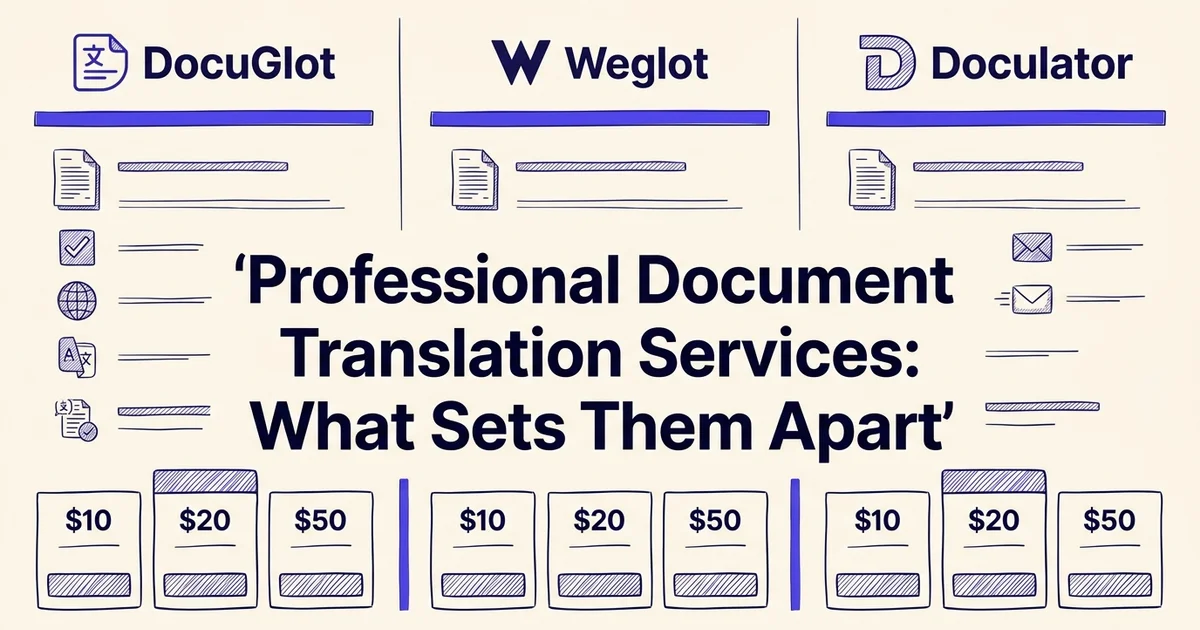
At a glance, DocuGlot, Weglot, and Doculator each take a different approach to document translation. The table below maps the most important decision factors side by side, so you can quickly identify which service aligns with your budget, file types, and formatting requirements.
| Feature | DocuGlot | Weglot | Doculator |
|---|---|---|---|
| Primary Use Case | Document translation with formatting preservation | Website localization and multilingual content | Pay-per-use document translation |
| Pricing Model | Subscription-based | Monthly subscription ($17–$87/month) | Credit-based (pay-per-use) |
| Cost Per Word | $0.004–$0.010 | Varies by plan; ~$0.0017–$0.0087 per word | $0.004–$0.010 |
| Format Fidelity | Preserves original layout and formatting | Web-focused; limited document formatting | Good formatting preservation |
| Best For | Business documents, PDFs, reports | Website owners, digital marketers | Freelancers, variable workloads |
| Setup Complexity | Low; direct file upload | Requires CMS/website builder integration | Low; straightforward interface |
| Language Coverage | 50+ languages | 100+ languages | 40+ languages |
Feature matrix
| Feature | DocuGlot | Weglot | Doculator |
|---|---|---|---|
| Starting price | Pay-per-use (Basic plan) | $17/month (Starter) | $4.99 for 50 credits |
| Languages supported | 100+ | Varies by plan | Not independently verified |
| PDF support | ✅ | ❌ (website-focused) | ✅ |
| DOCX support | ✅ | ❌ | ✅ |
| TXT / Markdown | ✅ | ❌ | Not confirmed |
| Formatting preservation | ✅ Headers, tables, fonts, colors | N/A | Limited data available |
| Unlimited document size | ✅ | N/A | ❌ (credit-capped) |
| Encrypted transfer | ✅ | Not confirmed | Not confirmed |
| Auto file deletion | ✅ (24 hours) | N/A | Not confirmed |
| No subscription required | ✅ | ❌ | ✅ (credits model) |
Pricing snapshot
- DocuGlot Basic: pay-per-use, up to ~100k words, no recurring commitment. A strong fit for users who prefer no subscription document translation.
- Weglot: starts at $17/month (Starter, 10,000 words, one language), scaling to $32/month (Business) and $87/month (Pro). Designed primarily for website content rather than standalone documents.
- Doculator: $4.99 for 50 credits, $49.99 for 750 credits, or $99.99/month for a Pro subscription.
Formatting preservation at a glance
Formatting fidelity is where services diverge most sharply. DocuGlot is built specifically to retain headers, footers, tables, lists, fonts, and colors across PDF and DOCX files. Weglot operates at the website layer, making it less relevant for offline document workflows. Doculator handles documents but has limited publicly available data on its formatting depth. 📄
Overview of DocuGlot: AI-powered document translation with formatting fidelity
DocuGlot is a specialized document translation platform built around one core promise: your translated file should look exactly like the original. Unlike general-purpose translation tools that strip out structure and leave you with a wall of plain text, DocuGlot is engineered from the ground up to preserve the visual and structural integrity of business documents.
Core positioning and what makes it different
Most professional translation workflows break down at the formatting stage. Tables collapse, headers disappear, and fonts revert to defaults. DocuGlot addresses this directly by treating document structure as a first-class concern, not an afterthought. The platform supports PDF, DOCX, TXT, and Markdown formats, and covers 100+ languages, making it a practical choice for businesses operating across multiple markets.
Security is also built in: files are encrypted during transfer and storage, and automatically deleted after 24 hours. For teams handling sensitive contracts, legal filings, or financial reports, that matters.
The two-tier model: Basic and Premium
DocuGlot offers two distinct tiers designed for different translation needs.
DocuGlot Basic is suited for shorter, more straightforward documents. It includes up to approximately 100,000 words, operates on a transparent pay-per-use pricing model, and delivers fast turnarounds with email notification when your file is ready. For users who need reliable, formatted output without committing to a subscription, this is a strong entry point. You can explore it at DocuGlot Basic.
DocuGlot Premium steps up for complex, high-stakes translations. It uses an advanced AI model capable of handling nuanced terminology, multi-column layouts, nested tables, and documents where precision is non-negotiable. According to Lokalise (2026), the best AI translation tools now combine RAG-powered AI orchestration with translation memory, glossary enforcement, and workflow automation. DocuGlot Premium is positioned squarely within that generation of tooling.
For a deeper look at how instant AI translation workflows have evolved, The Complete Guide to Instant Document Translation in 2026 is worth reading alongside this comparison.
BookTranslator: a dedicated path for authors
For content creators and authors working with long-form manuscripts, DocuGlot also offers BookTranslator, a specialized product built for EPUB format. Translating a full book introduces unique challenges around chapter structure, dialogue formatting, and stylistic consistency. BookTranslator handles these at scale, making it a practical alternative to expensive literary translation agencies. 📚
Pricing across the platform remains competitive. Research suggests AI translation platforms typically cost between $0.004 and $0.010 per word, and DocuGlot's pay-per-use structure keeps costs predictable without locking users into rigid monthly commitments.
Overview of Weglot: website localization and multilingual content management
Weglot is a website translation and localization platform built primarily for businesses that need to serve multilingual audiences online. It connects directly to website builders and CMS platforms, automating the translation of web content rather than standalone documents. For teams managing a multilingual web presence, it offers genuine utility, but document-heavy workflows sit outside its core design.
What Weglot is built for
Weglot's strength lies in translating and managing website content at scale. It integrates with platforms like WordPress, Shopify, Webflow, and Wix, detecting new content automatically and routing it through machine translation with optional human review. According to Lokalise (2026), Weglot is recognized among the leading AI translation tools for its seamless CMS integration and ease of deployment for web teams.
For businesses expanding into new markets, this approach removes significant technical friction. Rather than exporting, translating, and reimporting content manually, Weglot handles the process in the background, keeping translated pages in sync with the source site.
Pricing tiers and scalability
Weglot structures its pricing around word volume and the number of translated languages, with plans scaling considerably as needs grow:
- Starter: $17/month, includes 10,000 words and one translated language
- Business: $32/month
- Pro: $87/month
- Advanced: $329/month
- Extended: $769/month
This tiered model suits growing businesses that can predict their content volume, but costs can escalate quickly for sites with large or frequently updated content libraries.
Limitations for document workflows
Where Weglot falls short is in translating discrete documents, such as PDFs, DOCX files, or reports, with formatting fidelity intact. Its architecture is optimized for web pages, not file-based content. Businesses that regularly need to translate contracts, technical manuals, or formatted reports will find the platform a poor fit for those tasks.
For document-specific needs, a dedicated professional document translation service handles formatting preservation, file type support, and turnaround time in ways a website localization tool simply cannot match. If you need fast document translation online in minutes, a purpose-built tool is the more practical choice. 🌐
Overview of Doculator: credit-based translation with flexible pricing
For teams and individuals whose translation needs fluctuate month to month, a subscription that charges the same fee regardless of usage rarely makes financial sense. Doculator addresses this with a credit-based, pay-as-you-go model that lets users buy exactly what they need, when they need it, without committing to recurring costs.

How the credit system works
Credits function as a straightforward unit of translation capacity. Doculator offers three tiers to match different usage levels:
- Basic ($4.99): 50 credits, suited to occasional or one-off translation jobs
- Pro+ ($49.99): 750 credits, designed for regular users handling moderate document volumes
- Pro Subscription ($99.99/month): A recurring plan for high-volume users who need consistent throughput
This structure means a freelance translator handling a single contract this quarter pays only $4.99, while a legal team processing dozens of multilingual reports monthly can scale up without overpaying during quieter periods.
Where credit-based pricing excels
Not every professional document translation service charges this way, and the difference matters for specific use cases. Credit-based pricing works particularly well for:
- Project-based work where translation volume spikes around deadlines and drops between them
- Small businesses testing AI-powered translation before committing to an enterprise plan
- Content creators and authors who translate a manuscript or report once rather than continuously
For users who want to find the right AI translation service for their business, the absence of a long-term contract is a genuine advantage. Doculator also supports PDF, DOCX, TXT, and Markdown formats with full formatting preservation, including headers, tables, fonts, and colors, so the credit you spend delivers a document that looks exactly as it should. 📄
Feature-by-feature comparison: what matters for document translation
Choosing a professional document translation service comes down to more than language coverage. The features that separate a frustrating experience from a seamless one include format fidelity, translation accuracy, terminology control, processing speed, and how securely your files are handled. Here is how the leading options stack up across each dimension.
Document format support
Most services handle basic DOCX and TXT files without difficulty. The real differentiator is how well a platform manages complex formats like PDFs with embedded tables, EPUB files for long-form content, and Markdown documents used in technical and developer workflows.
DocuGlot supports PDF, DOCX, TXT, and Markdown natively. Belindoc also advertises PDF, DOCX, and EPUB support. BookTranslator is oriented toward long-form content, making EPUB a natural fit. Services like Numerous.ai and Rankhub.ai tend to focus on shorter content types, with less emphasis on complex document formats.
For anyone regularly working with structured business documents or technical files, format breadth matters from the first upload.
Formatting preservation across complex layouts
This is where many translation tools fall short. A document with nested tables, custom headers and footers, mixed fonts, and inline images can emerge from a translation pipeline looking nothing like the original.
DocuGlot is built specifically to preserve headers, footers, tables, lists, fonts, and colors across all supported formats. According to Better i18n (2026), formatting preservation is one of the most commonly cited failure points in AI document translation, particularly for PDFs with complex layouts. Services that rely on simple text extraction and re-injection tend to produce documents that require significant manual reformatting before they are usable.
Translation quality and AI model sophistication
Translation quality varies considerably depending on the underlying model and how it handles domain-specific language. General-purpose tools often struggle with legal, medical, or technical terminology without additional configuration.
DocuGlot uses AI-powered translation tuned for document-level context rather than sentence-by-sentence processing, which helps maintain consistency across longer texts. According to Lokalise (2026), the best AI translation tools in 2026 distinguish themselves through contextual coherence across paragraphs, not just per-sentence accuracy. This matters especially when translating Italian to English or working with languages that have complex grammatical dependencies.
Glossary enforcement and translation memory
For businesses with brand-specific terminology, the ability to enforce a custom glossary is essential. Inconsistent translation of product names, legal terms, or technical vocabulary can undermine the credibility of a document.
This remains an area where enterprise-focused platforms hold an advantage. Most credit-based or pay-per-use services, including DocuGlot in its current form, prioritize speed and format fidelity over deep glossary customization. Teams with strict terminology requirements should factor this into their evaluation.
Turnaround time and batch processing
Speed is a practical concern for business users working under deadline. DocuGlot delivers translations quickly, with email notification when a document is ready, and supports documents of unlimited size. Batch processing capabilities vary across competitors, with most consumer-oriented tools handling single documents per session.
Privacy and data handling
For confidential business files, data handling is non-negotiable. DocuGlot automatically deletes uploaded files after 24 hours and uses encrypted transfer and storage throughout. This is a meaningful commitment for legal, financial, or HR documents where data retention by a third-party platform creates compliance risk. Not all competitors publish comparable deletion or encryption policies, which makes direct comparison difficult without independent verification. 🔒
Pricing comparison: calculating true cost per document
Understanding the real cost of document translation means looking beyond headline prices. Whether you pay per word, per page, or through a monthly subscription, the true cost depends on your document volume, frequency, and the hidden fees that often appear at checkout.
See how DocuGlot Basic compares when it comes to professional document translation service DocuGlot Basic.
Normalizing cost by unit
Translation pricing is quoted in several different ways, which makes direct comparison tricky. Here is how the main models break down:
- Per word: Professional human translation typically costs between $0.08 and $0.25 per word. For a standard 5,000-word business contract, that is $400 to $1,250 per document.
- Per page: AI-powered platforms often price by page, typically ranging from $0.50 to $3.00 per page depending on formatting complexity.
- Per word (AI): According to Lokalise (2026), AI translation platforms can cost as little as $0.004 to $0.010 per word, a fraction of human rates.
- Monthly subscription: Flat-rate plans suit high-volume users but require careful break-even analysis.
Break-even analysis: subscription vs. pay-as-you-go
For occasional users, pay-as-you-go pricing almost always wins. A business translating two or three documents per month rarely recovers the cost of a monthly subscription. The break-even point typically sits around 8 to 12 documents per month, depending on average document length.
In our experience at DocuGlot, most small business users and individual content creators fall well below that threshold, which is exactly why DocuGlot Basic uses transparent, pay-per-use pricing rather than locking users into recurring fees. You pay for what you translate, with no surprises.
Pricing scenarios by business size
| Business profile | Monthly volume | Best model | Estimated monthly cost |
|---|---|---|---|
| Freelancer / solo creator | 1-3 documents | Pay-as-you-go | $5 to $30 |
| Small business | 5-15 documents | Pay-as-you-go or basic plan | $25 to $120 |
| Mid-size company | 20-50 documents | Subscription tier | $80 to $300 |
| Enterprise | 100+ documents | Custom / volume pricing | Negotiated |
Hidden costs to watch for
Not all pricing is as simple as it appears. Common hidden costs include:
- Format reformatting fees: Some platforms charge extra when your document contains tables, headers, or complex layouts.
- Language pair surcharges: Less common language pairs, including many Asian and African languages, often carry premium rates.
- Revision or quality review fees: Human review add-ons can double the base price.
- Storage and security upgrades: Enterprise-grade encryption is sometimes gated behind higher tiers.
DocuGlot includes format preservation across PDF, DOCX, TXT, and Markdown files at no extra charge, and encrypted transfer and storage is standard across all plans. For users translating documents with intricate layouts, such as multilingual contracts or formatted reports, this can represent meaningful savings compared to platforms that treat formatting as a premium feature. 💡
Who should choose DocuGlot: ideal use cases and user profiles
DocuGlot is best suited for users who need reliable, format-faithful translations at scale, without the overhead of managing a traditional translation agency or piecing together multiple tools. If your work regularly involves structured documents, tight deadlines, or high-volume output, it deserves a close look.
Businesses with frequent document translation needs
Companies producing multilingual contracts, compliance reports, technical manuals, or internal communications face a recurring challenge: formatting rarely survives the translation process intact. DocuGlot addresses this directly by preserving headers, footers, tables, fonts, and colors across PDF and DOCX files as a standard feature, not an add-on.
For teams translating dozens of documents per month, the pay-per-use pricing model also removes the pressure of committing to a seat-based subscription. According to Lokalise (2026), the best AI translation tools now combine RAG-powered AI orchestration with translation memory, glossary enforcement, and workflow automation. DocuGlot's AI-powered pipeline reflects this direction, making it a practical fit for operations teams that need consistent output without post-editing every file manually.
Content creators and authors translating long-form work
Authors working on book translations or long-form content face a specific pain point: document size limits. Many platforms cap file sizes or charge per page, which makes translating a 90,000-word manuscript expensive and fragmented. DocuGlot's support for unlimited document sizes, combined with email notification when a translation is ready, fits naturally into an author's workflow. The BookTranslator use case is a strong example: structured chapters, consistent formatting, and bulk output are all handled without manual reformatting afterward.
Users prioritizing security and simplicity
For professionals handling sensitive documents, such as legal filings or financial reports, encrypted transfer and storage combined with automatic file deletion after 24 hours reduces compliance risk. This is built into every plan, not gated behind an enterprise tier.
If your translation needs involve complex layouts, high word counts, or confidentiality requirements, DocuGlot Basic offers a genuinely cost-effective starting point worth testing before committing to a larger platform. 📄
Who should choose Weglot: ideal use cases and user profiles
Weglot is built for website owners and digital marketers who need to publish multilingual content quickly, without involving a development team at every step. It works by detecting and translating website content automatically, making it a strong fit for businesses that need to scale their language presence without deep technical resources.

Website localization and CMS integration
Weglot's core strength is live website translation. It integrates directly with platforms like WordPress, Shopify, and Webflow, detecting new content automatically as it is published. This means marketing teams can add a new language to their site without rebuilding page templates or managing separate translation files. For businesses running frequent content updates, such as blog posts, product descriptions, or landing pages, this automation removes a significant operational bottleneck.
As buying criteria shift toward workflow automation rather than translation alone, tools like Weglot gain relevance for teams that prioritize speed and consistency across web properties.
Businesses with growing language requirements
Weglot suits companies at an early-to-mid stage of international expansion. If your team is adding two or three new markets and needs a manageable, low-friction setup, Weglot's automatic content detection reduces the manual overhead that typically slows multilingual rollouts. According to Lokalise (2026), ease of integration is one of the most cited factors when businesses evaluate AI translation tools.
Where Weglot falls short
Weglot is not designed for document-heavy workflows. If your translation needs involve PDFs, DOCX files, legal reports, or book-length content, it offers little practical value. For those use cases, a dedicated document translation service is a better fit. Similarly, teams working with specialized terminology, such as technical or regional language pairs, may find that document-focused platforms handle nuance more reliably than a website-first tool.
Who should choose Doculator: ideal use cases and user profiles
Doculator is a strong fit for users who need professional document translation without the overhead of a monthly subscription. Its pay-per-use model makes it especially practical for freelancers, small business owners, and anyone whose translation volume fluctuates month to month.
Freelancers and independent professionals
For solo professionals who translate documents occasionally, committing to a recurring plan rarely makes financial sense. Doculator's approach removes that pressure. You pay for what you use, when you use it, making it a genuinely cost-effective option for low-volume needs. Research suggests AI translation platforms can cost as little as $0.004 to $0.010 per word, and a per-use model lets you stay close to that range without absorbing idle subscription costs.
Small businesses with variable translation needs
Small teams often face unpredictable demand. A marketing agency might need ten documents translated one quarter and none the next. Doculator handles that variability cleanly, supporting PDF, DOCX, TXT, and Markdown formats across 100+ languages, with format preservation that keeps headers, tables, and fonts intact. There is no penalty for going quiet between projects.
Users who prioritize security and simplicity
Doculator also suits users who handle sensitive materials. Encrypted transfer and storage, combined with automatic file deletion after 24 hours, address real concerns around document confidentiality. For a freelancer sending a legal brief or a small business sharing financial reports, that matters.
Where Doculator has limitations
Doculator is not built for enterprise-scale, continuous translation pipelines. Organizations with high daily volumes or complex workflow integrations will likely need a more robust platform. For everyone else, DocuGlot Basic offers a practical, no-commitment entry point into quality document translation. 🎯
The verdict: which professional document translation service wins
After evaluating formatting fidelity, AI sophistication, cost-effectiveness, and workflow fit, one platform stands out as the strongest all-around choice for most business document translation needs. That said, the right pick depends heavily on what you are actually trying to translate.
DocuGlot: the best choice for document-heavy workflows
For professionals who regularly translate PDFs, DOCX files, or complex formatted documents, DocuGlot earns the top recommendation. Its combination of layout preservation, support for 100+ languages, and transparent pay-per-use pricing makes it genuinely practical for business users who cannot afford to reformat a document from scratch after every translation.
What separates DocuGlot from generic alternatives is its attention to the criteria that matter most in document-heavy environments: extraction quality on hard documents, format fidelity across headers, tables, fonts, and lists, and enterprise-grade security with automatic file deletion after 24 hours. For a business professional sending a contract, a financial report, or a technical manual, these are not nice-to-haves. They are requirements.
According to Lokalise (2026), the best AI translation tools are increasingly evaluated not just on linguistic accuracy but on how well they integrate into existing workflows without creating extra manual work. DocuGlot addresses this directly.
When a competitor might serve you better
Not every translation need is document-centric. If your primary goal is localizing a website or a web application at scale, a platform purpose-built for that use case will outperform any document translator. Weglot, for instance, is widely recognized for its strength in website localization and is worth considering for that specific context.
For occasional, low-volume needs where simplicity matters more than features, Doculator remains a reasonable lightweight option.
The decision framework
Use this to guide your choice:
- High-volume business documents with complex formatting: DocuGlot Premium
- Shorter documents or one-off translations: DocuGlot Basic
- Website or app localization: Weglot or a dedicated i18n platform
- Infrequent, simple translations: Doculator or a free tool
For most readers of this article, DocuGlot hits the right balance of quality, security, and value. 🏆
Frequently asked questions
What is the best document translation service?
The best professional document translation service depends on your needs. For business files requiring strict formatting preservation, DocuGlot leads the field. For certified legal or medical translations, a human agency remains the gold standard. For website localization, dedicated platforms like Weglot are purpose-built.
How much does professional document translation cost per word?
According to Rankhub.ai (2025), professional human translation typically costs between $0.08 and $0.25 per word, while AI translation platforms can cost $0.004 to $0.010 per word. That price gap makes AI tools significantly more practical for high-volume business translation.
Can AI translate a document and keep the formatting?
Yes, modern AI translation tools like DocuGlot are specifically engineered to preserve headers, footers, tables, fonts, and colors across PDF and DOCX files. Older or free tools often strip formatting entirely, which creates time-consuming manual cleanup work.
What is the difference between machine translation and professional human translation?
Machine translation uses neural models to produce fast, scalable results at low cost. Human translation adds cultural nuance, subject-matter expertise, and accountability. According to Crowdin, modern Neural Machine Translation produces increasingly natural output, but human review remains valuable for sensitive or legally binding content.
Is Google Translate good for documents?
Google Translate handles short, informal text reasonably well but struggles with complex document layouts, technical terminology, and formatting preservation. For business files, a dedicated professional document translation service will consistently produce more reliable, layout-intact results.
How accurate is AI document translation for business files?
Accuracy varies by tool and language pair. Leading AI platforms now achieve strong results for common language combinations, especially with structured business content. Accuracy drops for rare languages, heavily technical jargon, or documents with dense visual layouts.
Which document translation software is best for PDFs and DOCX files?
DocuGlot supports both PDF and DOCX natively, along with TXT and Markdown, making it a strong all-around choice. DocuGlot Basic is particularly well-suited for shorter, one-off documents where formatting fidelity matters.
How do I translate a document without losing tables and headers?
Choose a tool built with layout extraction at its core. DocuGlot uses format-aware AI that maps document structure before translating, so tables, headers, and lists remain intact in the output. Avoid copy-pasting text into generic translation boxes, as that approach discards all structural information immediately
Tags
Ready to translate your documents?
DocuGlot uses advanced AI to translate your documents while preserving formatting perfectly.
Start Translating