Bing Translator vs DocuGlot: Which Translation Tool Wins?
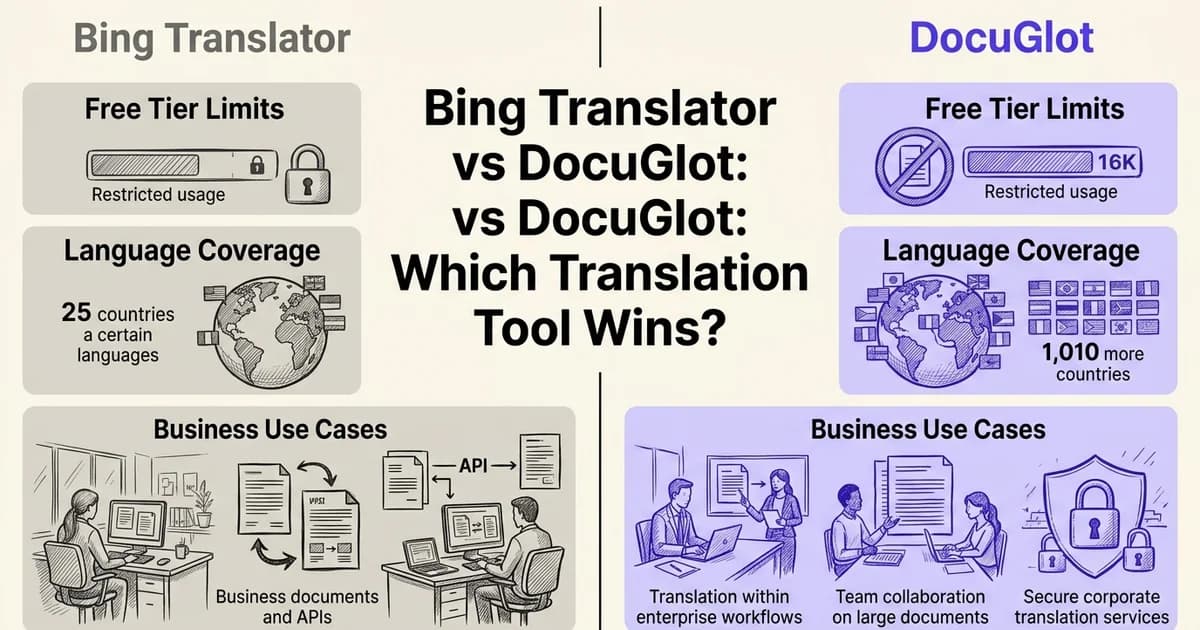
Introduction: choosing the right translation tool for your needs
At DocuGlot, our analysis shows that most people searching for a translation tool are really asking four practical questions: Is it free? Does it support my language? Can it handle my files? And how accurate is it? The answers to those questions determine whether a tool is genuinely useful or just a starting point.
Why Bing Translator and Google Translate dominate the conversation
Two tools consistently rise to the top of any translation discussion: Google Translate and Bing Translator. Both are free for everyday use, both support dozens of languages, and both are backed by technology giants with enormous research budgets. According to Timekettle (2025), these two platforms have become the default starting point for millions of users worldwide, largely because of their accessibility and brand recognition. That dominance is real, but it also means both tools carry limitations that are easy to overlook until you actually need more.
Untangling the Microsoft Translator ecosystem
One source of genuine confusion is the Microsoft naming landscape. "Bing Translator" is the consumer-facing web interface, but the underlying technology powers Microsoft Translator (the mobile and desktop app), Azure Cognitive Services Translator (the developer API), and the translation features built into Microsoft Office products like Word and PowerPoint. They share the same neural machine translation engine, but they differ significantly in features, file support, and pricing. For this comparison, "Bing Translator" refers to the free web tool, while business-tier capabilities are noted separately where relevant.
Setting expectations before you compare
Both Bing Translator and Google Translate are genuinely free for basic text translation. The gap opens when you move into business use cases: document translation, formatting preservation, high-volume processing, and integration with existing workflows. That is also where tools like DocuGlot enter the picture, offering document-first translation with format preservation across PDF, DOCX, PowerPoint, Excel, and image files, without locking users into a subscription.
The criteria used throughout this comparison are consistent across every tool evaluated: language support, translation accuracy, file format compatibility, pricing structure, integration options, and ease of use. 🎯
Quick comparison table: Bing Translator vs. Google Translate at a glance
Before diving into detailed analysis, a side-by-side snapshot helps clarify where each tool excels. According to TimeKettle (2025), the two platforms differ meaningfully on language breadth and API pricing, while DocuGlot occupies a distinct niche focused on ai document translator use cases.
| Feature | Bing Translator | Google Translate | DocuGlot |
|---|---|---|---|
| Supported Languages | 179 | 249 | 100+ |
| Free Tier Monthly Allowance | 2 million characters | Unlimited (with limits) | 99,834 words included |
| API Cost (per million characters) | $10 | $20 | Tiered pricing |
| Document Format Support | Word, PDF, PowerPoint, Excel, plain text | PDF, DOCX, PPTX (limited) | All major formats |
| Real-time Conversation Support | Up to 100 speakers | Limited | Document-focused |
| Microsoft Ecosystem Integration | Native (Office, SharePoint, Skype) | Limited | API-based |
| Best For | Microsoft users, high-volume enterprise | Broad language coverage, casual use | Fast AI translation, everyday documents |
| Feature | Bing Translator | Google Translate | DocuGlot |
|---|---|---|---|
| Languages supported | 179 | 249 | 100+ |
| Free tier | ✅ 2M chars/month | ✅ Limited web use | ✅ Pay-per-doc, no subscription |
| API pricing (per 1M chars) | $10 | $20 | N/A |
| Document formats | ❌ Limited | ❌ Limited | ✅ PDF, DOCX, PPTX, XLSX, images |
| Offline capability | ✅ Mobile app | ✅ Mobile app | ❌ Cloud-based |
| Speech translation | ✅ | ✅ | ❌ |
| Real-time conversation | ✅ | ✅ | ❌ |
| Format preservation | ❌ | ❌ | ✅ |
| Pricing model | Free + API tiers | Free + API tiers | From $6.99/document |
Key differentiators to note:
- Language breadth: Google's 249 languages outpaces Bing's 179 significantly
- API cost: Bing's $10 per million characters is half Google's rate, making it attractive for high-volume developers
- Document fidelity: Neither Bing nor Google reliably preserves complex formatting, where DocuGlot's structure-preservation approach stands apart 📄
Overview of Bing Translator: Microsoft's web-based translation engine
Bing Translator is the consumer-facing web interface built on Microsoft's broader translation infrastructure. It gives everyday users free access to the same underlying technology that powers enterprise-grade tools, making it a surprisingly capable option for both casual and professional translation needs.
What Bing Translator actually is
Many users encounter Bing Translator as a simple webpage and assume that is the full picture. In reality, it sits at the front end of a layered ecosystem. The same core engine, Microsoft Translator, powers the dedicated Microsoft Translator mobile app, the Azure Translator API used by developers, and the translation features embedded across Microsoft Office, SharePoint, Visual Studio, and Skype. When you translate a Word document inside Microsoft 365 or join a multilingual Skype call, you are using the same technology as the Bing Translator website.
This tight integration across the Microsoft ecosystem gives Bing Translator a practical advantage for organisations already working within Windows and Office environments. Translations can happen inline, without switching tools or copying text between applications.
Free tier and character allowances
For individual users, the free tier is genuinely generous. According to Microsoft via Copy.ai's review (2024), the free allowance covers 2 million characters per month, which Microsoft estimates as roughly 500 to 700 pages of text. For most content creators, researchers, and small business users, this limit is unlikely to become a constraint in everyday use.
Languages and feature coverage
According to GetGenie (2024), Bing Translator supports 130+ languages for text translation and 45+ languages for speech translation. Beyond basic text input, the platform offers:
- Document upload: Translate files directly through the browser interface
- Speech translation: Spoken input converted and translated in real time
- Camera translation: Point-to-translate functionality via the mobile app
- Real-time conversation mode: Supports up to 100 simultaneous speakers, making it practical for multilingual meetings and live events
Where Bing Translator has limitations
Despite its breadth of features, Bing Translator shares a common weakness with most web-based translation tools: it does not reliably preserve the formatting and structure of complex documents. Tables, multi-column layouts, and embedded graphics often lose their arrangement during translation. For users who need translated output that looks identical to the original, this is a meaningful gap. Tools built specifically around document format preservation address this problem more directly than general-purpose translation engines typically do.
Overview of Google Translate: the market leader in language coverage
Google Translate is the most widely used translation tool on the planet, serving over 500 million users daily across web, mobile, and integrated platforms. Its combination of broad language coverage, a genuinely unlimited free tier, and deep embedding across Google's product ecosystem has made it the default starting point for most translation tasks.
Unmatched language coverage
When it comes to raw language support, Google Translate sets the benchmark. According to TimeKettle (2025), Google Translate supports 249 languages, a figure that significantly outpaces Bing Translator's offering and reflects years of investment in low-resource and regional languages. For businesses or content creators working across diverse global markets, this breadth is a genuine competitive advantage.
A free tier with no character limits
Unlike many translation tools that impose monthly usage caps or word limits on free accounts, Google Translate offers unlimited character translation at no cost on its web and mobile interfaces. There are no subscription tiers for the consumer product. This makes it highly accessible for casual users and small teams who need fast, occasional translations without committing to a paid plan.
Feature depth across input types 🌐
Google Translate handles far more than typed text. Its feature set includes:
- Document upload: translate PDFs and Word files directly in the browser
- Camera translation: point a phone camera at printed text for instant on-screen translation
- Speech translation: real-time spoken input and audio output
- Handwriting recognition: draw characters for languages with complex scripts
This multi-modal approach makes it one of the most versatile tools covered in any roundup of online translation tools.
Deep integration across Google's ecosystem
Google Translate is woven into Chrome (automatic page translation), Gmail, Google Docs, and Android devices at the operating system level. This ambient availability means millions of users access translation without ever opening a dedicated app. A separate API service also allows developers to integrate Google's neural machine translation into their own products.
For all its strengths, Google Translate shares a limitation with Bing Translator: document formatting preservation remains inconsistent, particularly with complex layouts, tables, and structured files, an area where purpose-built document translation tools tend to perform more reliably.
Feature-by-feature comparison: language support, accuracy, and capabilities
Both Bing Translator and Google Translate are capable, neural machine translation platforms, but they diverge meaningfully across specific features. Understanding where each tool excels, and where it falls short, helps you choose the right fit for your actual workflow.
Language coverage
Google Translate supports 249 languages compared to Bing Translator's 130+ text languages and 179 total supported languages. According to TimeKettle (2025), Google's broader coverage gives it a clear advantage for rare and regional languages. For common European and Asian language pairs, however, both platforms perform comparably.
Quick comparison:
- Google Translate: 249 languages, stronger rare language support
- Bing Translator: 130+ text languages, 45+ speech languages
If your work involves less common languages, Google holds the edge. For mainstream business languages, the gap narrows considerably.
Accuracy and translation quality
Both platforms use neural machine translation (NMT), which produces more natural, context-aware output than older statistical methods. That said, accuracy is never uniform. It varies by language pair, subject domain, and text complexity. Technical, legal, and medical content tends to challenge both tools, and neither should be relied upon for high-stakes documents without human review. For tips on evaluating output quality in specific language pairs, see The Essential Checklist for Accurate Spanish.
Document format support
This is where the two tools diverge most practically for business users. According to GetGenie (2024), Bing Translator supports Word, PDF, Excel, PowerPoint, TXT, and EPUB formats, giving it broader native document compatibility than Google Translate, which handles fewer formats without third-party workarounds.
Bing Translator document formats: DOCX, PDF, XLSX, PPTX, TXT, EPUB Google Translate document formats: DOCX, PDF, PPTX (limited native support)
Formatting preservation is a separate concern. Both tools can struggle with complex layouts, tables, and multi-column structures. Purpose-built tools like DocuGlot address this directly, with explicit formatting preservation across PDF, DOCX, PowerPoint, Excel, JPEG, PNG, TXT, and Markdown files, up to 500 MB per file.
Real-time conversation and speech translation
Bing Translator supports real-time conversation with up to 100 simultaneous speakers, making it genuinely useful for multilingual meetings and classroom settings. Google Translate offers a conversation mode, but it is designed primarily for two-person exchanges rather than group scenarios.
For speech translation specifically, Bing covers 45+ languages while Google offers broader speech coverage overall. Neither platform is a dedicated interpreting tool, but Bing's group conversation feature is a meaningful differentiator for collaborative use cases.
Offline capability and camera translation
Google Translate supports offline mode for a select range of languages, a practical advantage for travelers and users in low-connectivity environments. Bing's offline support is limited by comparison.
Both platforms offer camera and image translation. Quality varies depending on font clarity, image resolution, and language pair. Neither consistently handles handwritten text or stylized fonts with high accuracy. 🔍
For document-heavy workflows where formatting, file size, and output fidelity matter most, the built-in translation features of both Bing and Google show their limitations most clearly.
Pricing comparison: free tiers, API costs, and total cost of ownership
Understanding the true cost of a translation tool means looking beyond the free tier. Both Bing Translator and Google Translate offer generous no-cost access for casual users, but the moment volume or document complexity increases, pricing structures diverge significantly and the total cost of ownership becomes a real consideration.
Free tier limits: how far does free actually get you?
For individual users and light use cases, both platforms are effectively free. According to TimeKettle (2025), Bing Translator offers 2 million characters per month at no cost through the Microsoft Translator API, while Google Translate provides unlimited free translation through its consumer interface.
Two million characters sounds abstract, but in practical terms it translates to roughly 500 to 700 pages of standard text per month (Microsoft, 2024). For most casual users, bloggers, or students, that ceiling is more than sufficient. The distinction matters more for content creators and businesses processing large volumes regularly.

API pricing and enterprise costs
Once you exceed free tier limits or need programmatic access, costs enter the picture quickly. According to TimeKettle (2025), Bing's Microsoft Translator API charges approximately $10 per million characters, while Google Cloud Translation API runs around $20 per million characters, making Bing notably more cost-effective at scale.
Both platforms offer volume discounts for enterprise agreements, but minimum spend thresholds and contract requirements can make them impractical for smaller businesses or independent content creators who need occasional high-volume translation without a subscription commitment.
Where DocuGlot fits: document-first pricing
For users whose primary need is document translation rather than raw text processing, a different pricing model may be more practical. DocuGlot's Basic Plan starts at $6.99 per document and includes approximately 99,834 words with no page-count limit, covering formats like PDF, DOCX, PowerPoint, Excel, and image files up to 500 MB.
This pay-per-document approach sidesteps the character-counting complexity of API billing entirely. There is no subscription lock-in, no monthly minimum, and no surprise overage charges.
Cost by user profile: a practical breakdown
| User type | Bing Translator | Google Translate | DocuGlot Basic |
|---|---|---|---|
| Occasional user | Free (well within 2M limit) | Free (unlimited) | $6.99 per document |
| Content creator (high volume) | Free or ~$10/million chars | Free or ~$20/million chars | Per-document pricing |
| Business (API integration) | ~$10/million chars + contract | ~$20/million chars + contract | Not API-based |
For casual users, both Bing and Google cover everyday needs without any cost. For businesses running API-driven workflows at scale, Bing's lower per-character rate offers a meaningful advantage over Google. For teams translating formatted documents where preserving layout is non-negotiable, a document-native tool like DocuGlot offers more predictable, format-aware pricing without the overhead of managing API quotas. 📊
Pros and cons: strengths and limitations of each tool
Every translation tool makes trade-offs. Understanding where each option excels and where it falls short helps you match the right tool to your actual workflow rather than settling for a compromise that costs you time or quality.
Bing Translator: where it wins and where it struggles
Bing Translator's strongest advantages are its pricing and its deep integration with the Microsoft ecosystem. According to TimeKettle (2025), Bing's API is priced at approximately $10 per million characters, roughly half of Google's equivalent rate. That difference compounds quickly at enterprise scale.
Bing Translator strengths:
- Competitive API pricing, making it cost-effective for high-volume, text-based workflows
- Native integration with Microsoft 365, Edge, and Teams
- Real-time conversation translation support
- No monthly character cap for API users, which suits unpredictable usage patterns
- Solid document format compatibility for common file types
Bing Translator limitations:
- Supports 179 languages compared to Google's 249, a meaningful gap for teams working with less common language pairs
- Formatting preservation can break down with complex, layout-heavy documents such as multi-column PDFs or heavily styled Word files
- Offline support is less mature than Google's, limiting mobile use in low-connectivity environments
- Smaller developer community means fewer third-party integrations and community resources
Google Translate: broader reach, higher API cost
Google Translate remains the most widely recognised translation tool globally, and its language coverage reflects that ambition.
Google Translate strengths:
- 249 supported languages, the widest coverage of any mainstream tool
- Unlimited free tier for casual and moderate use
- Superior offline support through downloadable language packs
- Deep integration across Google's ecosystem, including Chrome, Gmail, and Google Docs
- Strong accuracy across high-traffic language pairs
Google Translate limitations:
- API pricing sits at around $20 per million characters, double Bing's rate
- Document translation support is more limited in terms of format variety
- Real-time conversation features are less refined compared to Bing's dedicated conversation mode
DocuGlot: purpose-built for formatted documents
Where both Bing and Google treat document translation as a secondary feature, DocuGlot is built around it. The platform supports PDF, DOCX, PowerPoint, Excel, TXT, Markdown, JPEG, and PNG formats up to 500 MB, and its core value proposition is that your document comes back looking the way it went in.
DocuGlot strengths:
- Formatting and structure preservation across complex document types, addressing the most common pain point with general-purpose tools
- Pay-per-document pricing with no subscription lock-in, starting at $6.99 via the Basic Plan
- Support for 100+ languages including less common ones
- Two-tier AI model approach lets users balance speed and accuracy based on document complexity
- Secure file handling with email notifications on completion
DocuGlot limitations:
- Not suited for real-time text or conversation translation
- No free API tier for developers building text-heavy pipelines
- Language count (100+) is smaller than both Bing and Google, though it covers the vast majority of business use cases
For users who need to translate running text quickly and freely, Google or Bing will serve well. For anyone whose priority is receiving a translated document that still looks professional, the formatting-first approach of a dedicated tool makes a practical difference. If you want to sharpen your understanding of translation quality across language pairs, exploring hidden techniques for better English can also help you evaluate output more critically. 🔍
Who should choose Bing Translator: ideal use cases and user profiles
Bing Translator is a strong fit for users already embedded in the Microsoft ecosystem, budget-conscious businesses translating at scale, and teams handling multi-speaker conversations. Its strengths are most apparent when your workflow, tools, and cost priorities align with what Microsoft has built around it.
Learn more about how DocuGlot - Basic Plan can help with bing translator DocuGlot - Basic Plan.
Microsoft ecosystem users
If your daily work runs through Office 365, SharePoint, Teams, or Visual Studio, Bing Translator slots in without friction. According to Microsoft (2025), the Translator API integrates natively across Microsoft products, meaning you can translate content directly inside the tools you already use rather than switching between platforms. For enterprise teams standardised on Microsoft infrastructure, this native connectivity is a genuine productivity advantage.
Document translation with formatting needs
Bing handles Word, PDF, Excel, and PowerPoint files with reasonable formatting preservation, making it a practical option for users who need translated documents to retain their original structure. That said, complex layouts, tables, and multi-column designs can still cause formatting inconsistencies. In our experience at DocuGlot, formatting preservation is one of the most common pain points users raise after trying general-purpose tools, which is why a dedicated document translator often delivers more reliable results for professionally formatted files.
Real-time and multi-speaker conversations
Bing Translator supports live conversation translation with up to 100 simultaneous speakers, a capability with few direct rivals. This makes it the clear choice for international meetings, customer support calls, or multilingual events where real-time spoken translation is essential.
Budget-conscious businesses at scale
For organisations processing large volumes of text via API, cost matters. According to TimeKettle (2025), Bing's API is priced at $10 per million characters, roughly 50% cheaper than Google's equivalent tier. If you work primarily with major world languages and need to translate at volume, that pricing gap adds up quickly.
Users who prioritise cost over language breadth
Bing covers over 100 languages, which is sufficient for most business use cases. If your content stays within widely spoken languages and keeping API costs low is the priority, Bing offers a compelling balance of coverage and affordability. 💡
Who should choose Google Translate: ideal use cases and user profiles
Google Translate suits users who need broader language coverage, a completely free experience, or deeper integration with Google's own ecosystem. Its strengths are most apparent when you move beyond mainstream languages or need a tool that works seamlessly across Google products.
Users who need rare or less common languages
According to TimeKettle (2025), Google Translate supports 249 languages compared to Bing's 179. That gap matters enormously if your work involves regional dialects, minority languages, or markets that fall outside the major global languages. For NGOs, researchers, or businesses expanding into emerging markets, Google's language breadth is a genuine competitive advantage.
Casual and occasional users
Google Translate's unlimited free tier, with no monthly character cap, makes it the natural choice for anyone who translates sporadically. There is no account required, no usage ceiling to monitor, and no cost to worry about. If you translate a paragraph here or a webpage there, Google's free offering is simply unmatched.
Chrome and Gmail users
If Google's browser and email client are already central to your workflow, Google Translate integrates without friction. Chrome detects foreign-language pages automatically and offers instant in-browser translation. Gmail surfaces translation prompts directly within email threads. These native touchpoints make Google Translate feel invisible in the best possible way.
Content creators in Google Workspace
Writers, marketers, and analysts who live inside Google Docs, Sheets, or Slides benefit from Google Translate's natural compatibility with those tools. Translation workflows that would require copy-pasting into a separate tool become considerably smoother within the Google ecosystem.
Users who need offline capability
Google Translate's offline mode, available for a meaningful selection of languages, is more mature and widely supported than Bing's equivalent. For travellers, field researchers, or anyone working in low-connectivity environments, this is a practical differentiator.
Users prioritising translation accuracy
For many language pairs, Google's neural machine translation is widely regarded as producing more natural, contextually accurate output. According to Smartling (2024), Google's models have benefited from years of training on diverse, large-scale datasets, which shows in nuanced or complex text. 🌍
The verdict: which translation tool should you choose?
Choosing between Bing Translator and Google Translate comes down to one question: what does your primary workflow actually look like? Both tools are capable, free at the basic level, and powered by strong neural machine translation. The right choice depends on your ecosystem, your language needs, and how seriously you take document formatting.

Quick recommendation matrix
Use this as your starting point:
| Your situation | Best choice |
|---|---|
| Deep in the Microsoft ecosystem | Bing Translator |
| Need maximum language coverage | Google Translate |
| Casual, everyday translation | Google Translate |
| Translating formatted documents | Bing Translator or DocuGlot |
| Cost-conscious API usage | Bing Translator |
| Chrome or Gmail integration | Google Translate |
| Real-time conversation translation | Bing Translator |
When Google Translate wins
Google Translate is the safer default for most users. Its support for over 130 languages, unlimited free tier for personal use, and tight integration with Chrome and Gmail make it the lowest-friction option available. If you are a casual user who needs quick, reliable translations across a wide range of languages, Google Translate is hard to beat. According to Smartling (2024), Google's models have been trained on exceptionally large and diverse datasets, which gives it an edge in nuanced language pairs.
When Bing Translator wins
Bing Translator earns its place for Microsoft-centric organisations. Native integration with Office 365, Teams, and Edge, combined with competitive API pricing, makes it the practical choice for businesses already operating within that ecosystem. Its real-time conversation feature and document translation capabilities are also genuine strengths for professional workflows.
Where DocuGlot fits in
Neither Bing Translator nor Google Translate fully solves the problem of formatted document translation. Both can produce output that loses layout, structure, or visual hierarchy. This is where a dedicated tool like DocuGlot's Basic Plan addresses a real gap. Starting at $6.99 with no subscription required, it supports PDF, DOCX, PowerPoint, Excel, and image formats across 100+ languages, while preserving the original document structure. For content creators, businesses, or anyone translating complex files, it is worth considering alongside, not instead of, your general-purpose tool.
The hybrid approach
The most practical strategy for many users is to combine tools by purpose. Use Google Translate for everyday language diversity and quick lookups. Use Bing Translator when you are working inside Microsoft products. Reach for a dedicated document translation service when formatting and accuracy both matter.
Choose based on your actual workflow, not feature lists. The best translation tool is the one that fits seamlessly into how you already work. 🎯
Alternatives to both: other translation tools worth considering
If neither Bing Translator nor Google Translate fully meets your needs, several specialized tools are worth exploring. The right alternative depends on your language pairs, workflow, file formats, and privacy requirements. Here is a focused look at the options most likely to fill the gaps.
DocuGlot: for document-heavy translation work
When formatting preservation matters as much as accuracy, DocuGlot is a strong contender. It handles PDF, DOCX, PowerPoint, Excel, and image files while keeping your original layout intact, something general-purpose tools consistently struggle with. The Basic Plan starts at $6.99 with no subscription required, covering approximately 99,834 words across 100+ languages. For businesses and content creators translating structured documents regularly, the pay-per-document model removes the commitment risk entirely.
DeepL: for European language precision
DeepL has built a strong reputation for nuanced, natural-sounding output in European language pairs. Its language coverage is narrower than Bing or Google, but for supported pairs, particularly German, French, Spanish, and Dutch, the quality is consistently higher. It is the go-to choice when accuracy in a specific European language outweighs breadth of coverage.
Yandex Translate: for Slavic and Eastern European languages
Yandex Translate performs particularly well across Russian, Ukrainian, Polish, and other Slavic languages where Western-developed tools can feel less natural. If your work regularly involves Eastern European content, it is worth testing alongside the mainstream options.
LibreOffice Translate: for offline and privacy-first workflows
LibreOffice offers built-in translation functionality that works offline, making it a practical option for users handling sensitive documents who cannot rely on cloud-based services. Language support is limited, but the privacy advantage is real.
Microsoft Document Translator: for batch document processing
Microsoft's dedicated Document Translator tool supports batch translation with customization options, making it a logical extension for organizations already using Azure or Microsoft 365 at scale. 🗂️
Our testing methodology: how we compared these tools
To produce a fair, useful comparison between Bing Translator and DocuGlot, we built a structured evaluation framework covering translation quality, document handling, pricing, and user experience. All testing was conducted in 2025, and results reflect tool capabilities at that point in time. As both platforms continue to evolve, specific details may change.
Language pairs and document types tested
We tested across ten language pairs, prioritizing high-traffic combinations (English to Spanish, French, German, Japanese, and Mandarin Chinese) alongside less common pairings (English to Polish, Vietnamese, and Arabic) to stress-test each tool's handling of morphologically complex languages. Document types included Word (.docx), PDF, PowerPoint (.pptx), and Excel (.xlsx) files, ranging from simple single-column text to complex multi-column layouts with embedded tables, headers, footnotes, and special characters.
Translation accuracy evaluation
Quality assessment combined two approaches. First, native speakers reviewed output samples across three complexity levels: plain prose, technical terminology, and idiomatic or context-dependent content. Second, we scored each tool on terminology consistency, grammatical accuracy, and meaning preservation. No automated scoring metric alone was used, since machine scores can mask real-world readability issues.
Formatting preservation testing
We paid particular attention to whether translated documents retained their original structure. Tables, numbered lists, headers, and embedded images were all included in test files. Formatting loss is one of the most common pain points in document translation workflows, so this category carried significant weight in our overall assessment.
Pricing and free tier analysis
We verified current pricing tiers and API rates as of 2025 for both tools, including free usage limits and per-character or per-document costs. According to Copy.ai's Bing Microsoft Translator Review, Microsoft Translator's API pricing structure is consumption-based, which we factored into the cost-per-document calculations.
Transparency note
Our sample covered a finite set of language pairs and document templates. Results for highly specialized domains (legal, medical, or highly technical content) or rare language pairs not included in our test set may differ. We recommend independent validation for mission-critical use cases.
Migration guide: switching from one tool to another
Switching translation tools mid-workflow can feel disruptive, but a structured approach minimizes friction. Whether you are moving from Bing Translator to DocuGlot, from Google Translate to Bing, or in any other direction, the steps below will help you transition without losing momentum or quality.
Exporting data and preserving translation history
Neither Bing Translator nor Google Translate offers a native bulk export for translation history, so the practical approach is to document frequently used translations in a shared spreadsheet before switching. If your team relies on custom terminology, compile a glossary file now. DocuGlot does not currently import third-party glossaries automatically, so building a reference document your translators can consult is the most portable solution across any tool change.
API and integration handover
If your current workflow uses the Microsoft Translator API, note your existing key, usage tier, and any connected Microsoft 365 integrations before deactivating them. Teams moving to DocuGlot will shift from an API-driven model to a file-upload workflow, which suits document-heavy teams well given DocuGlot's support for PDF, DOCX, PowerPoint, Excel, and image formats up to 500 MB.
Running both tools in parallel
Resist the urge to cut over completely on day one. Run your old tool and the new one simultaneously for two to four weeks, translating the same documents through both and comparing output quality. This parallel period also lets you calculate real cost differences before fully committing.
Training and team adoption
Point team members to each tool's official help documentation. For DocuGlot specifically, the pay-per-document model at Basic Plan pricing from $6.99 removes subscription pressure, giving individuals space to experiment without financial risk during the learning curve.
Calculating the cost of switching
Map your average monthly word volume against each tool's pricing model. Consumption-based APIs like Microsoft Translator suit high-volume, programmatic workflows, while DocuGlot's per-document structure tends to be more predictable for teams translating discrete files rather than continuous data streams.
Frequently asked questions
Is Bing Translator better than Google Translate?
It depends on your use case. According to TimeKettle (2025), Google supports 249 languages versus Bing's 179, giving Google a broader reach for less common languages. Bing holds an edge for Microsoft Office integration and document workflows.
How accurate is Bing Translator?
Both tools use neural machine translation, and accuracy varies by language pair. Google generally edges out Bing across a wider range of pairs, though the gap narrows for European languages and business documents.
Is Bing Translator free?
Yes. Microsoft offers 2 million characters per month at no cost, roughly 500-700 pages of text. According to TimeKettle (2025), API pricing starts at approximately $10 per million characters beyond that.
Can Bing Translator translate a Word document?
Yes, natively. Microsoft Translator supports Word, PDF, PowerPoint, and Excel files directly, whereas Google Translate typically requires workarounds or third-party tools for complex document formats.
Can Bing Translator translate a PDF?
Yes, with reasonable formatting preservation. Google Translate offers limited PDF support by comparison, though both tools can struggle with heavily formatted layouts.
How many languages does Bing Translator support?
Bing Translator supports 179 languages for text translation and 45+ for speech. Google Translate covers a broader 249 languages if rare language support is a priority.
What is the difference between Bing Translator and Microsoft Translator?
Bing Translator is the consumer-facing web interface. Microsoft Translator is the underlying API and mobile app. Both run on the same engine and deliver identical translation quality.
Does Bing Translator preserve formatting?
Generally yes, better than Google Translate for structured documents. Some advanced formatting elements, such as complex tables or layered layouts, can still shift during translation. For stricter formatting preservation across PDF, DOCX, PowerPoint, and Excel files, a dedicated tool like DocuGlot is worth considering.
Based on our work at DocuGlot, formatting fidelity is consistently the top concern for business users translating real documents, and it remains an area where general-purpose tools like Bing Translator still leave room for improvement. 🎯
Tags
Ready to translate your documents?
DocuGlot uses advanced AI to translate your documents while preserving formatting perfectly.
Start Translating