A Guide to Flawless PDF Translation
Let's be honest: translating a PDF can be a nightmare. You've probably been there yourself. You find what looks like a simple document, copy the text into an online translator, and get back a chaotic jumble of broken sentences and mangled tables.
It’s a frustrating experience that can turn a five-minute task into a multi-hour headache of manual reformatting. But the problem isn't the translation itself—it’s the PDF format.
The Real Reason Your PDF Translations Break
Think of a PDF as a digital snapshot. Its whole purpose is to lock in the visual layout—fonts, images, spacing, everything—so it looks the same on any screen, anywhere. It was never designed to be edited.
Unlike a Word document where text flows freely, a PDF often breaks down sentences into individual lines or even single characters, each placed at a specific coordinate on the page. It's built for display, not for easy extraction.
The Pitfalls of Old-School Methods
When you try to copy and paste text from a PDF, you're yanking that content out of its carefully structured home. The translation tool gets a disorganized mess of text fragments, completely detached from the original formatting.
This is why you run into those all-too-common issues:
- Layouts Get Wrecked: Headers, footers, and columns get scattered across the page, making the document completely unreadable.
- Tables Turn to Gibberish: Data from neat, organized tables gets flattened into a single, nonsensical paragraph.
- Fonts and Styles Go Haywire: Special characters and unique fonts often get lost in translation, resulting in garbled text.
This forces you to spend hours manually rebuilding the entire document. It’s tedious work that often requires specialized skills in desktop publishing (DTP) just to make the file usable again.
The Modern Fix: Structure-Aware AI
The need for a better solution is huge. The global translation services market, where PDF translation is a daily reality, was valued at USD 956.81 billion in 2025 and is expected to climb to USD 1.18 trillion by 2035. That growth is pushing technology to finally solve the PDF problem for good.
Modern AI-powered services like DocuGlot tackle this completely differently. They don't just rip the text out. Instead, they intelligently analyze the PDF's underlying structure, identifying every element—from tables and columns to headers and images. Only then do they translate the content and meticulously reconstruct the document, preserving the original layout in the new language.
The difference between the old manual methods and new AI-powered tools is night and day.
Comparing PDF Translation Methods
| Feature | Manual Copy & Paste Method | AI-Powered Service (e.g., DocuGlot) |
|---|---|---|
| Formatting | Completely lost. Requires full manual rebuild. | Preserved. Reconstructs original layout. |
| Speed | Extremely slow. Hours or days of rework. | Fast. Minutes for most documents. |
| Cost | Low upfront cost, but high in time/labor. | Low per-page cost, saving hours of work. |
| Accuracy | Prone to copy-paste errors and lost context. | High translation accuracy and structural integrity. |
Ultimately, while the old copy-paste trick might seem free, the hidden cost of your time and effort makes it far from a bargain. Modern AI tools deliver a clean, formatted translation in a fraction of the time, letting you focus on the content, not the cleanup.
Picking the Right PDF Translation Workflow
Deciding how to translate a PDF isn't a one-size-fits-all situation. The best approach really hinges on what you’re trying to do with the document. A quick internal memo just needs a fast, understandable translation, while a legal contract for a global partner demands absolute precision.
Think about it this way: a purely machine-driven translation is perfect when you just need to get the gist of something fast. Let's say you're analyzing a competitor's research paper or scanning a foreign news article for a daily update. In these cases, speed and low cost are what matter most, and a few slightly off-key phrases aren't a dealbreaker.
Then you have the other end of the spectrum: a fully human translation. This is the top-tier, gold-standard service you need for high-stakes documents where there's zero room for error. We're talking about things like legal contracts, medical device manuals, and polished marketing brochures aimed at a new audience. A professional human translator brings the cultural nuance and industry-specific jargon that machines can still struggle with.
The Hybrid Approach: A Smart Middle Ground
So, what if you need something that's professional but you can't wait weeks for it? That’s where the hybrid model shines. It's a clever blend of AI speed and human expertise.
First, an AI tool does the heavy lifting, translating the entire PDF and, crucially, keeping the original layout intact. Then, a professional human translator comes in to review and polish the text. They'll smooth out any clunky sentences, fix contextual mistakes, and make sure everything reads perfectly naturally.
This method is fantastic for important business proposals, technical guides, or any document that needs to look professional without taking forever. It strikes a great balance between quality, speed, and cost. If you’re exploring options, it helps to understand what makes for good translation software that can fit into this kind of workflow.
My Takeaway: Be strategic. Match your translation method to the document's importance. Use quick AI for low-risk internal documents, but always invest in a human touch for anything that your clients, partners, or legal team will see.
This decision-making process can feel complicated, but a simple flowchart can help clear things up.
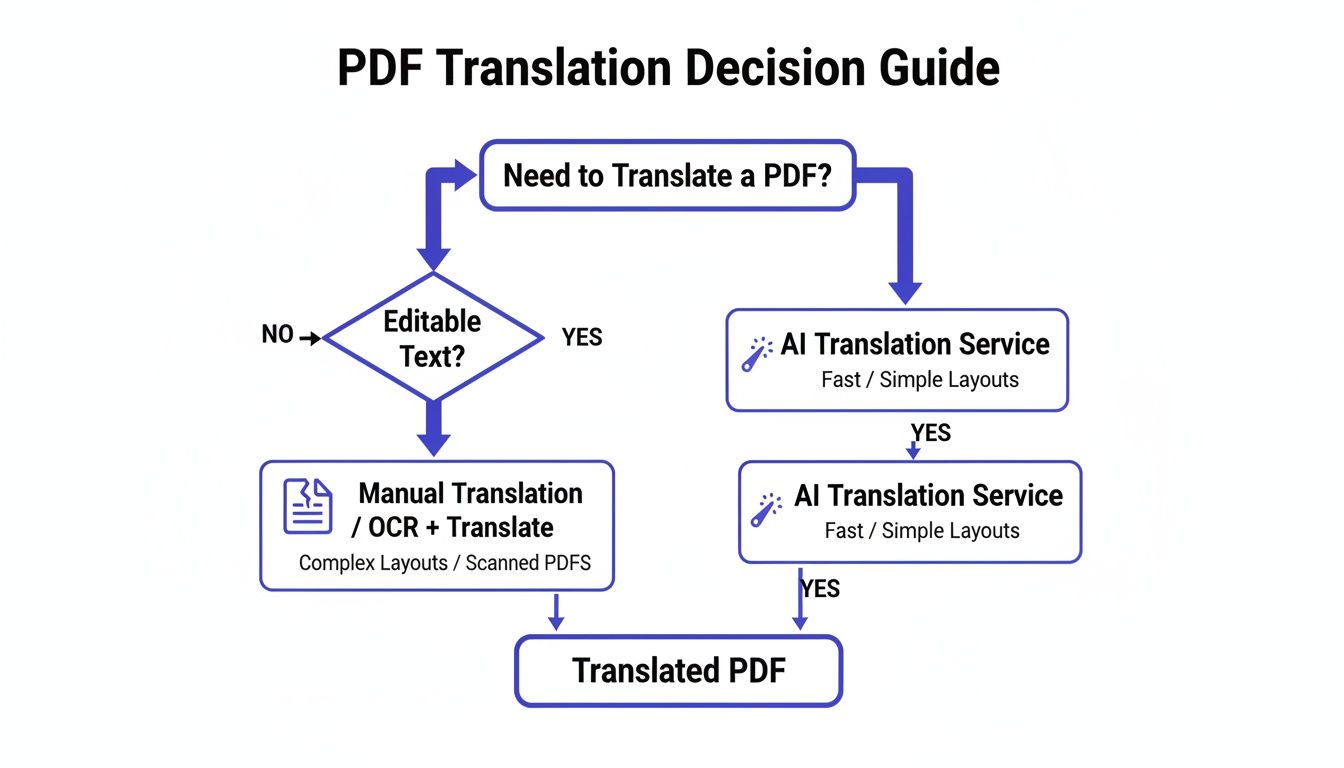
As you can see, while manual options are always there, AI-powered services offer a much more direct route for most standard documents, especially when you need to get things done efficiently.
Beyond the Workflow: Key Details That Matter
Choosing your method is just the start. A few other critical details can make or break your translation project.
Language vs. Dialect: Simply asking for "Spanish" is too vague. Are you targeting a client in Madrid (Castilian Spanish) or a potential partner in Mexico City (Latin American Spanish)? Getting the dialect right is fundamental for clear and respectful communication.
Handling Scanned Documents: If your PDF is just a scan of a paper document, it's essentially an image. Most translation tools can't read it. You'll need a service with built-in Optical Character Recognition (OCR) technology. OCR is what turns that flat image of text back into selectable, editable words that the translation engine can actually process.
Getting familiar with how modern tools handle these challenges is a huge advantage. Learning about different AI Powered Study Tools can give you a better sense of how technology is making complex document tasks, like PDF translation, much more manageable.
How to Translate PDFs and Preserve Formatting
Alright, let's get practical. Imagine you’ve just finalized a beautiful, 15-page business proposal. It’s a PDF packed with custom fonts, your company logo on every page, and a tricky pricing table on page seven. Now, you need to get it into German for a big potential client in Berlin—and it has to look just as sharp as the original.
This is exactly where modern AI translation platforms that understand document structure come in. Forget the nightmare of copying and pasting text into a machine translator and then spending hours trying to fix the formatting. The whole process is now a clean workflow designed to respect and replicate your original layout.
Prepping Your File for the Best Results
Before you even think about uploading, a little prep work can make a huge difference. While the best services can handle a lot, you'll get a much better result by starting with a clean source file.
First, check if your PDF is text-based or just a scanned image. A quick test: can you click and highlight the text? If not, you’re dealing with an image, and you'll need a tool with Optical Character Recognition (OCR) to make the text readable. For flawless formatting preservation, it's always best to generate a fresh, high-quality PDF from the original source file, like a Word doc or an InDesign file. This gives the translation software clean text and layout data to work with.
Another thing to watch for is text embedded directly into images, like JPEGs or PNGs. Most AI tools can’t “see” this text. If you can, it’s best to recreate these graphics with the text as a separate layer. If not, just be ready to manually swap out those images after the translation is done.
The Upload and Translation Process
With your file ready to go, the next part is incredibly simple. Most modern platforms have a drag-and-drop interface that makes uploading a breeze.
This is a good visual of how a cloud-based PDF translation service works behind the scenes.
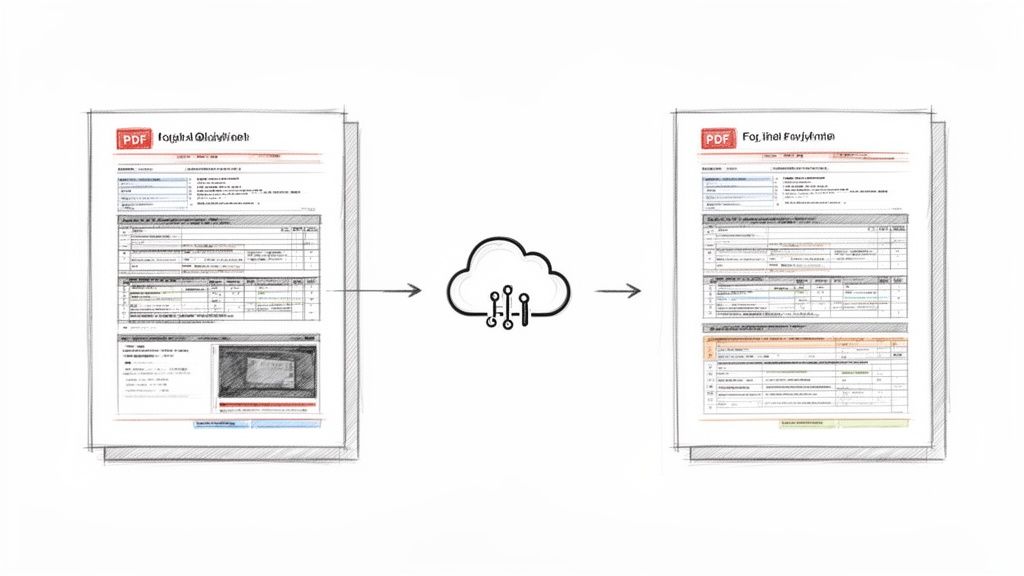
The idea is to keep it simple: you send your original file into the cloud for processing and get back a fully translated version, ready to go.
Once your PDF is uploaded, you’ll be prompted to set up the translation. This is where you make a few important choices:
- Source and Target Languages: Pretty straightforward—select English as the original and German as the target. If you need a specific dialect, now's the time to choose it.
- Quality Tier: Many services, like DocuGlot, offer different levels of translation. A "Basic" option might be fine for a quick internal review, but for a client-facing proposal, you'll want a "Premium" tier. These use more sophisticated AI models that capture nuance and context far better.
- Glossary Upload: Do you have a list of specific company terms, product names, or industry jargon? Some platforms let you upload a glossary file. This is a game-changer for ensuring brand consistency.
After you confirm your settings, the AI takes over. It scans the document, analyzes the layout, translates the text, and then carefully rebuilds the file in the new language, element by element.
Pro Tip: Always take a minute to double-check complex tables or charts in the final document. Today's AI is remarkably good, but things like text expansion (German words are often longer than English ones) can sometimes cause minor alignment issues in dense data visualizations.
Downloading Your Perfectly Formatted PDF
The final step is the most satisfying: downloading the finished product. Instead of a messy wall of text, you get a completely new, perfectly formatted PDF. The headers are there, the images are in place, and that complicated pricing table on page seven is now in German, looking just right.
It’s this seamless experience that has industries like IT, telecom, and life sciences—all heavy users of formatted documents—flocking to these tools. In fact, these services accounted for 47% of the language services market, which hit USD 73.52 billion in 2025. IT and telecom were the largest slice of that pie with a 24.5% share, largely driven by the need to localize software manuals and user guides in PDF format for global product launches. You can find more details in this language service market trends report from GlobeNewswire.
What once could have easily eaten up a full day of frustrating manual work now takes just a few clicks. That leaves you free to focus on what actually matters: winning that new client.
Protecting Your Data During Translation
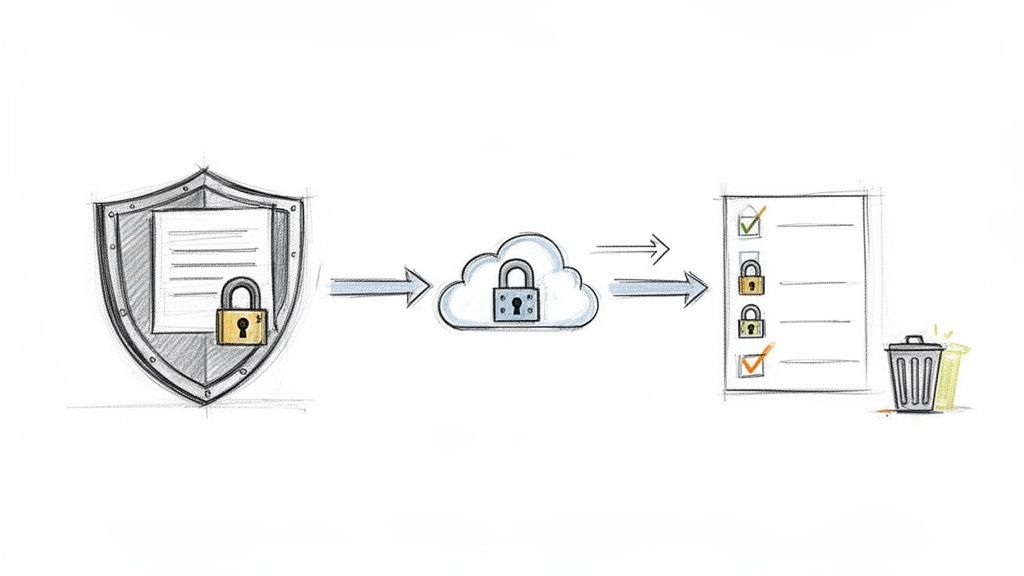
When you send a document out for PDF translation, you're doing more than just moving words from one language to another—you're handing over your information. It’s an act of trust. That document could be anything from a sensitive client contract to confidential patient records or proprietary R&D data.
The security of that information has to be your top priority. Using a free, unsecured online tool is a bit like shouting your secrets in a crowded room. You have no idea who’s listening or what they'll do with what they hear. This is why a professional, secure service is non-negotiable for any serious work.
Non-Negotiable Security Features
When you're vetting a translation service for important PDFs, don't just skim the features list. Look for concrete security measures. These aren't just nice-to-haves; they are essential protections.
- End-to-End Encryption: Your document should be unreadable from the moment it leaves your computer until it's safely on the translation server, and again on its way back to you. This protects your data both in transit and at rest.
- Automatic File Deletion: A trustworthy service won't hang onto your files indefinitely. They should have a clear, strict data retention policy. For instance, some platforms automatically and permanently delete all uploaded files after 24 hours, which drastically minimizes the window of exposure.
- No Third-Party Data Sharing: Your documents should never be used to train third-party AI models or get sold off to data brokers. The service's privacy policy needs to state, in no uncertain terms, that your content is yours alone and is never shared.
Always read the fine print. Many free tools are "free" because they subsidize the service by using your data. A professional platform's business model, on the other hand, depends entirely on earning and keeping your trust.
Compliance in High-Stakes Industries
For industries like healthcare, law, and finance, strong security isn't just a good practice—it's a legal and ethical mandate. Take the healthcare industry. Medical translation is the fastest-growing segment in the language services market, with a projected 5.8% CAGR. This boom is fueled by the need for precise, structure-preserving translations of incredibly sensitive documents, like prescriptions and patient records.
This is where a secure platform with features like auto-deletion becomes absolutely critical. It provides the encryption and data controls needed to stay on the right side of compliance. For a deeper dive into these market trends, you can find more information in this detailed report on the language service market.
Ultimately, picking a service with transparent and robust security protocols gives you peace of mind. It means you can get your PDF translation done efficiently without gambling with your most confidential information. To see how we handle it, you can read our detailed privacy policy and security commitments.
Mastering Post-Translation Quality Checks
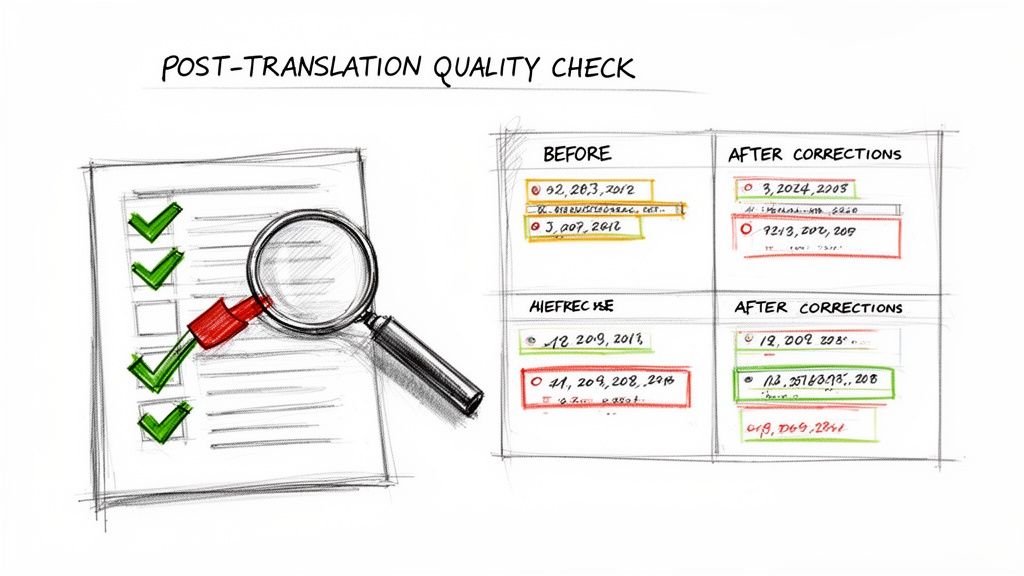
So, your translated PDF is back. It's so tempting to just fire it off and mark the task as done, right? I've been there. But hold on for a few minutes—a quick quality assurance (QA) check can save you from a world of professional embarrassment.
Even the best AI can stumble on nuances. This final once-over is a non-negotiable step in the PDF translation process. You’re not trying to re-translate the document yourself. Think of it as a final polish to make sure everything looks and sounds just right, both linguistically and visually.
The Essential QA Checklist
First thing's first: just give the document a quick scan. You’d be surprised how many obvious errors you can catch with a simple read-through. Once you've done that, it's time to get a little more granular.
Here’s a practical checklist I use to guide my own reviews:
- Linguistic Spot-Check: Don't read the whole thing word-for-word. Instead, pick a few key paragraphs and see if they flow naturally. I always pay extra attention to industry-specific jargon or branded terms. If you didn't use a glossary, this is where you'll catch any awkward translations.
- Numerical and Date Accuracy: This is a classic trip-up. Double-check all numbers, currencies, and dates. Remember,
December 5, 2025in the US becomes5 December 2025in the UK. Make sure currency symbols like$have been changed to€or£where they need to be. - Formatting Integrity: Take a look at the headers, footers, and page numbers. Are they still where they should be? Check your tables and charts to see if the structure is intact and all the data is aligned. Keep an eye out for text expansion—when the translated text runs longer than the original—as it can cause words to spill out of their designated boxes.
The real goal of a solid post-translation check is to make sure the final document feels like it was made for its new audience. It's more than just words; it’s about making sure the cultural and contextual details are right.
Knowing When to Call in an Expert
Look, for most internal documents or casual communications, your own QA check will probably do the trick. You can spot the most common mistakes and ensure the document is clear enough for its purpose.
But for the really important stuff? Think legal contracts, complex technical manuals, or a big-splash marketing campaign. For those, it’s a smart move to bring in a native speaker for a final review. They’ll catch subtle cultural missteps or clunky phrasing that an automated tool—and honestly, even a non-native speaker like me—would almost certainly miss.
This human touch is what elevates a good PDF translation to a great one. It’s this level of detail that makes a difference in a global market. In fact, the language services market is expected to hit USD 147.48 billion by 2034, and it’s this focus on quality localization that's driving the growth. You can dive deeper into this growing market on Fortune Business Insights.
Common Questions About PDF Translation
Even with the best tools at your fingertips, a few practical questions always seem to pop up when you're about to translate a PDF. Let's walk through some of the most common ones I hear from clients and colleagues.
Can I Translate a Scanned PDF?
Yes, you can, but there’s a catch. A standard translation tool sees a scanned PDF as one giant picture, not as text it can actually read. This is where Optical Character Recognition (OCR) comes into play.
Think of OCR as a necessary first step that scans the "image" of your document and converts it into real, editable text. Only after that conversion can the text be fed into a translation engine. Just keep in mind, the quality of your translation is directly tied to the quality of the original scan—a blurry or low-res document will never give you perfect results.
Will My Images and Charts Be Translated?
This is a really common point of confusion. The short answer is that AI translation tools generally won't translate text that's part of an image file itself, like a JPEG embedded in your PDF. For the AI to work its magic, the text needs to be a selectable layer within the document.
But here’s the good news: the layout itself is safe.
- Image Placement: Your charts, graphs, and photos will stay exactly where they belong.
- Captions and Labels: Any text around the images, like captions or figure labels, will get translated just like the rest of the content.
How Can I Ensure Accuracy for My Industry?
When you’re dealing with documents full of technical jargon, a generic translation just won't cut it. You might get the general idea, but you'll lose the critical nuance required for legal, medical, or engineering content.
The best approach I've found for highly specialized documents is a hybrid one. Start with a sophisticated AI tool to handle the heavy lifting and preserve your formatting. Then, bring in a human subject matter expert to review the output and fix any issues with context or terminology.
This is a huge challenge, especially in places with a lot of cross-border business. For example, Europe held a massive 42.27% of the language services market share in 2025, largely because of its linguistic diversity. That demand drives home the need for technical precision, which is exactly what modern, format-preserving technology is built to address. You can dig into these market dynamics from Fortune Business Insights if you're curious.
For post-translation quality checks, using tools like AI for non-English document review can make a world of difference. Another pro tip? Give your translation service a glossary of key terms beforehand. It dramatically improves consistency and ensures your industry-specific language is always on point.
Ready to translate your PDFs without losing a single table or header? With DocuGlot, you can upload your document, choose from over 100 languages, and get a perfectly formatted translation back in minutes. Try DocuGlot today and see how simple flawless translation can be.
Tags
Ready to translate your documents?
DocuGlot uses advanced AI to translate your documents while preserving formatting perfectly.
Start Translating