How Document Translator Software Preserves Your Formatting
Document translator software is a specialized tool that does one thing exceptionally well: it translates entire files while keeping the original formatting perfectly intact. It’s built to handle the complex layouts in documents like PDFs, PowerPoint presentations, and Word files, making sure that your tables, headers, and images look exactly the same after translation.
This isn't just a nice-to-have feature; it's essential for creating professional, ready-to-use documents for a global audience.
What Is Document Translator Software
Think about the last time you spent hours creating a 50-page report, complete with detailed charts and carefully arranged tables. Now, imagine trying to translate it by copying and pasting the text into a basic online tool. The result would be a mess of broken layouts and jumbled text.
Document translator software is designed to prevent that exact nightmare. It works by intelligently separating your document's text from its visual structure—the headers, footers, tables, images, and fonts. It then translates the text using advanced AI and meticulously rebuilds the file in the new language, preserving every last detail of the original layout.
More Than Just Word-for-Word Translation
This is where document translator software really shines compared to the free, text-only tools many of us are used to. Instead of just giving you a block of translated text, it delivers a complete, professionally formatted file.
What really sets this technology apart?
- Speed: You can translate a document with hundreds of pages in just a few minutes, not hours or days. This is a game-changer for businesses and researchers working on tight deadlines.
- Accuracy: These tools are powered by the latest Neural Machine Translation (NMT) engines. They understand context and subtle nuances far better than older translation models, which means fewer awkward phrases and less time spent editing.
- Cost Savings: By automating both the translation and the formatting, you dramatically cut down on the costs of hiring human translators and graphic designers to rebuild your documents from scratch.
- Consistency: Maintaining a consistent look and feel across all language versions of a document is crucial for brand identity. This software ensures your brochures, reports, and manuals always look professional, no matter the language.
For a deeper dive into the mechanics, check out our comprehensive guide on document translation software for more details.
The Big Idea: The real magic of document translator software lies in its ability to deconstruct a file, translate the text, and then perfectly put it all back together. It’s this preservation of professional formatting that simple copy-paste methods just can't match.
Before we go further, here's a quick overview of what you can expect from a modern document translation platform.
Document Translator Software At a Glance
This table breaks down the core features and shows why they matter for anyone producing multilingual documents.
| Feature | Description | Primary Benefit |
|---|---|---|
| Format Preservation | Maintains the original layout, including tables, images, fonts, headers, and footers, after translation. | Delivers professional, ready-to-use documents without needing manual redesign. |
| Broad Language Support | Often supports 100+ languages, from common global languages to more niche regional dialects. | Enables communication with diverse international audiences from a single platform. |
| AI-Powered Translation | Utilizes advanced Neural Machine Translation (NMT) for contextual accuracy and natural-sounding text. | Produces higher-quality translations that require significantly less human editing. |
| Intelligent Chunking | Breaks down large, complex documents into smaller segments for more efficient and accurate processing. | Improves translation quality and speed, especially for files with intricate layouts. |
| Robust Security | Employs file encryption and strict data privacy policies to protect sensitive information during translation. | Ensures that confidential business or personal documents remain secure. |
| Flexible Pricing | Offers various models like pay-as-you-go, subscriptions, and API access to suit different needs. | Provides a cost-effective solution for both occasional users and large enterprises. |
This combination of features is what makes these tools so powerful.
Whether you're a business translating marketing materials without a costly redesign, a legal firm processing international contracts, or an academic sharing research globally, the benefits are clear. This technology makes high-quality, multilingual communication faster, cheaper, and more accessible than ever before.
How Modern Translation Software Actually Works
Ever wondered what's happening under the hood of a modern document translator? It’s not just a simple word-for-word swap. Think of it more like a digital restoration artist meticulously taking apart a complex painting, cleaning each piece, and putting it back together perfectly. The entire process is designed to protect one crucial thing: your document's original formatting.
This journey from your source file to a flawlessly translated version unfolds in three key stages: deconstruction, translation, and reconstruction. By tackling text, images, and layout as separate components, these tools ensure nothing gets jumbled or lost along the way. It's this capability that has made them the powerhouse of the translation industry.
The market numbers tell the story. The language translation software market was already valued at USD 10.1 billion in 2023 and is on track to hit USD 16.2 billion by 2032. This incredible growth is fueled by AI breakthroughs that finally allow us to translate complex files—think PDFs, slide decks, and design files—without sacrificing the layout.
Deconstruction: The Intelligent Parsing Stage
The moment you upload a document, the software gets to work. It doesn't just "see" the words; it performs a deep analysis called intelligent parsing. It carefully breaks down the file into its core elements:
- Text Segments: All the written content is neatly extracted and organized into logical pieces, like sentences or paragraphs.
- Layout Blueprint: The software essentially creates a map of your document’s architecture, noting the precise location of every header, table, column, and image.
- Formatting Rules: It also logs all the styling details—font sizes, bolding, colors, and italics.
This first step is the secret sauce. Many of these tools use technology similar to what you’d find in intelligent document processing (IDP) systems, which are built to understand document structures with AI. By separating the words from their visual container, the software can focus on translation without breaking the design.
Translation: The Neural Machine Translation Core
With the text isolated, it’s sent to the translation engine. This is where powerful Neural Machine Translation (NMT) models take over. Forget the clunky, word-for-word translations of the past. NMT looks at entire sentences to grasp context, grammar, and subtle nuances.
This contextual awareness is what allows the AI to produce translations that sound far more human. It can tell the difference between "book a flight" and "read a book," choosing the right words based on what's around them. For highly specialized documents, some platforms even offer premium AI models trained on specific jargon for industries like law or medicine, giving you an even more precise result.
This flowchart shows the difference between a tool that ignores formatting and one that preserves it.
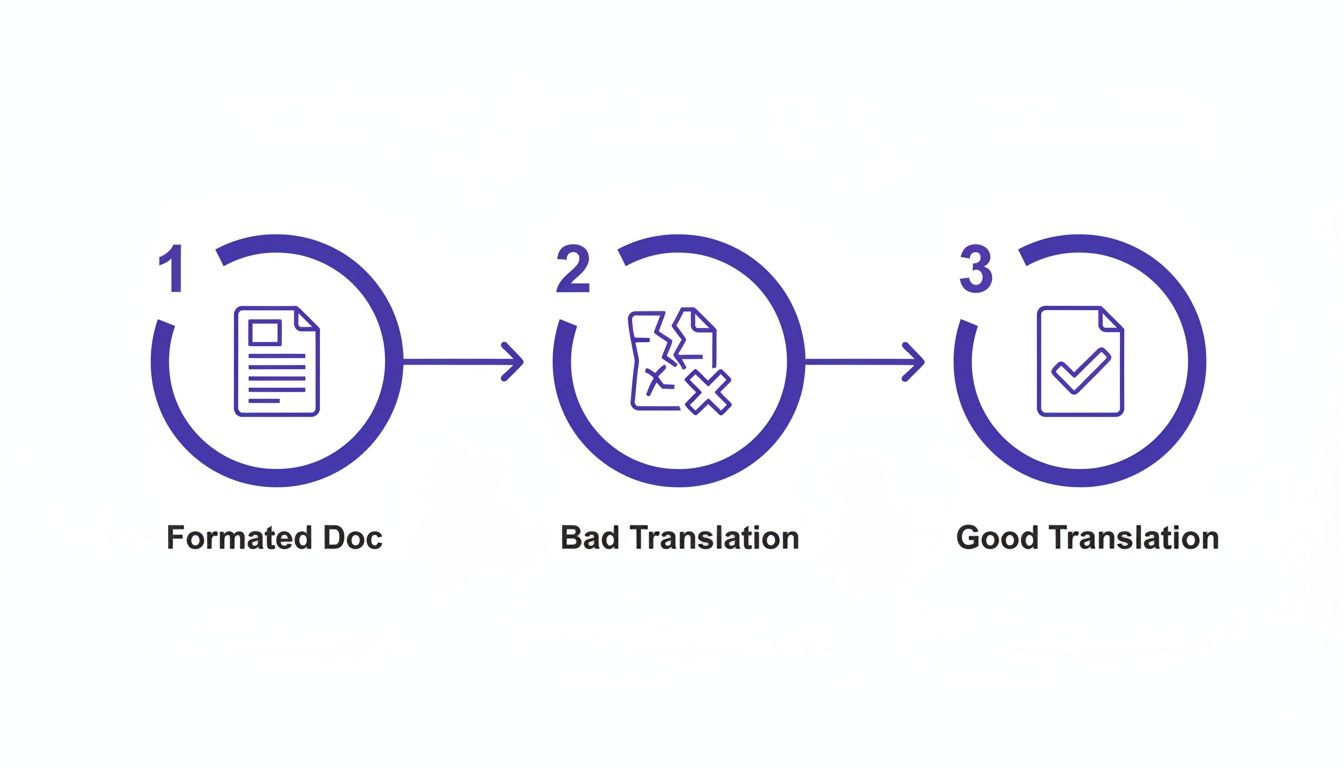
As you can see, a format-aware process gives you a professional, usable document right out of the gate, saving you from the headache of fixing broken layouts.
Reconstruction: The Final Assembly
This last step is where the magic comes together. Using the "layout blueprint" it created at the start, the software meticulously reassembles your document. It puts the newly translated text back exactly where it belongs, reapplying all the original formatting rules.
- Translated paragraphs flow perfectly back into their original text boxes.
- Table cells are filled with their translated counterparts, and columns automatically resize to fit.
- Headers, footers, and captions are all put back in their proper places.
The system essentially rebuilds your document from scratch, but with the new language. What you get is a file that not only reads perfectly but looks identical to the original. It’s a brilliant blend of linguistic AI and automated design, delivering a polished, professional document every single time.
What to Look For in Document Translator Software
When you're shopping for a document translator, it’s easy to get lost in a sea of technical jargon and flashy promises. To find a tool that actually works for you, it's best to cut through the noise and focus on the features that truly matter. These are the pillars that support fast, accurate, and reliable translations—the ones that keep your documents looking professional.
Get these features right, and you'll have a tool that saves you time and headaches. Get them wrong, and you could end up with a garbled mess, inaccurate translations, or worse, a security nightmare. Let's walk through the five non-negotiable features you need to look for.

1. It Keeps Your Formatting Intact
This is the big one. The single most crucial feature of any professional document translator is its ability to preserve your original layout.
Imagine spending hours perfecting a PDF report or a PowerPoint deck, only to have it turn into a chaotic jumble of text and misplaced images after translation. A top-notch tool works meticulously to prevent this, analyzing everything from headers and tables to charts and font styles, then rebuilding the document perfectly in the target language.
This saves you from the painstaking (and often expensive) task of manually fixing everything, a process known in the industry as desktop publishing. If you've ever had to do it, you know the pain. You can learn more about this in our guide on what is desktop publishing (DTP).
2. It Speaks the Languages You Need
Your ability to connect with a global audience is only as strong as the languages your software supports. Look for a platform with a wide range of options, and don't forget to check for critical regional dialects.
For instance, translating into "Spanish" isn't specific enough. You might need Castilian Spanish for an audience in Spain or Latin American Spanish for a client in Mexico. The best tools offer over 100 languages, giving you the flexibility to communicate with just about anyone, anywhere.
3. It Offers Different AI Quality Levels
Here’s a secret: not all AI translation is the same. Most professional platforms offer different tiers of quality, usually a "Basic" and a "Premium" option. Knowing when to use each is key to getting the right results without overspending.
- Basic AI: This is your standard, workhorse machine translation. It's fast, affordable, and perfect for internal documents, getting the gist of a competitor's report, or other low-stakes tasks.
- Premium AI: This is the high-performance engine. It uses more advanced models to understand complex sentence structures, industry-specific jargon, and cultural nuances. You'll want to use this for any client-facing materials, like marketing brochures, legal contracts, or technical manuals where every word counts.
Think of it like this: you wouldn't use a regular wrench on a delicate piece of machinery. For high-stakes documents, using a basic AI model when you need premium precision is a recipe for costly mistakes.
4. It Takes Security Seriously
When you upload a document, you're placing your trust in the provider. For anything confidential—financial reports, legal contracts, medical records—security is an absolute deal-breaker.
A trustworthy service will have robust security measures baked in. Here’s what to look for:
- End-to-End Encryption: Your files must be encrypted during upload, download, and while stored on their servers.
- Automatic File Deletion: A great security practice is automatically deleting user files from the servers after a short period, often 24 hours, to minimize exposure.
- A Rock-Solid Privacy Policy: The provider should state, in no uncertain terms, that your data and documents will never be shared with anyone else.
5. It Has Clear, Upfront Pricing
No one likes hidden fees or confusing credit systems. A good document translator service should be completely transparent about its pricing, giving you an exact cost before you hit the "translate" button.
The global market for document translation services, where these tools are a major player, hit $34,496.3 million in 2021 and is on track to reach $44,562 million by 2025. This growth is fueled by businesses that need efficient, cost-effective solutions they can rely on. Transparent pricing is a huge part of that trust.
To make your evaluation process easier, here's a quick checklist of what to look for when comparing different software options.
Feature Checklist for Document Translator Software
This table breaks down the core features into "must-haves" for any serious user and "nice-to-haves" that indicate a more advanced, mature platform.
| Feature Category | Essential (Must-Have) | Advanced (Nice-to-Have) |
|---|---|---|
| Format Preservation | Handles common formats (PDF, DOCX, PPTX) without breaking layout. | Supports complex layouts, scanned documents (OCR), and InDesign files. |
| Language Support | Covers all major global languages and your specific target languages. | Includes regional dialects and less common language pairs. |
| AI Quality | Offers at least two quality tiers (e.g., Basic and Premium). | Provides industry-specific AI models (e.g., for legal or medical text). |
| Security | End-to-end encryption and a clear data privacy policy. | Automatic file deletion, compliance certifications (e.g., ISO 27001). |
| Usability & Pricing | Upfront, transparent pricing and a simple user interface. | API access, team collaboration features, and volume-based discounts. |
By using this checklist and focusing on these five key areas, you can confidently choose a tool that delivers high-quality, secure, and professionally formatted translations every single time.
Real-World Use Cases Across Industries
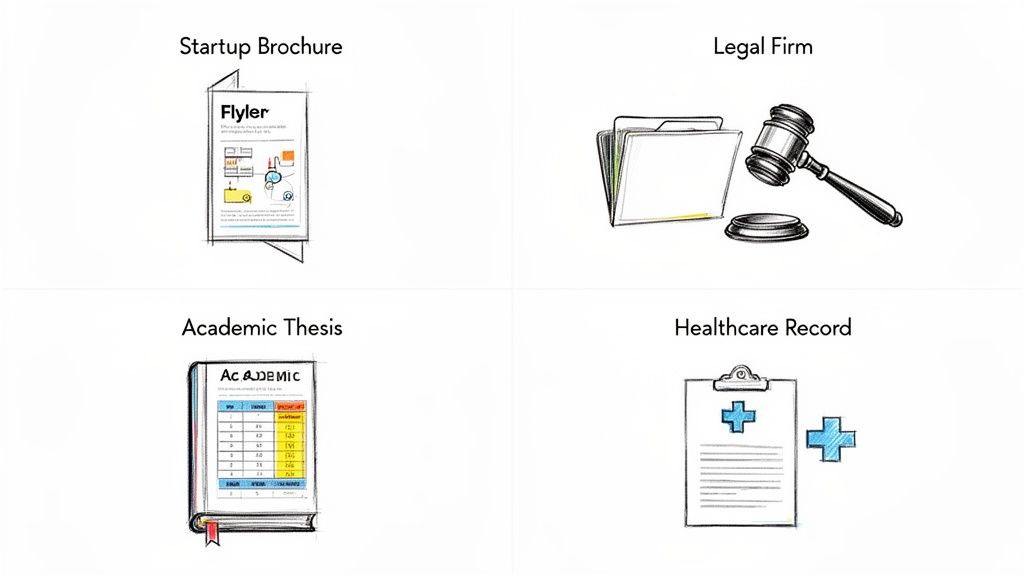
It’s one thing to talk about the features of document translator software, but seeing it in action is where you grasp its real power. This isn't just abstract technology; it's a practical tool solving real-world headaches for professionals every single day. From a startup trying to go global to a law firm navigating a high-stakes international case, the ability to translate a file without wrecking its layout is a genuine game-changer.
Let's walk through four scenarios where this software isn't just helpful—it's essential. Each example shows how specific features solve unique industry problems, turning what used to be a complicated, manual slog into a fast, simple process. These aren't just theories; they're how people are already using these tools to tear down language barriers.
Expanding a Startup’s Global Reach
Imagine a tech startup that’s finally ready to take its product to five new countries. Their marketing team poured months into creating a set of gorgeous, on-brand brochures, spec sheets, and user guides. The problem? They're all PDFs, and the design is critical to their brand identity. How do they get these translated without butchering the layout?
With document translator software, they can:
- Batch process everything at once, uploading the entire marketing collection and translating it into all five languages simultaneously.
- Keep the brand looking sharp, as the software ensures logos, color palettes, and layouts stay exactly where they should be.
- Get to market way faster, turning weeks of back-and-forth with designers into a job that’s done in hours. This means they can start selling to new customers almost immediately.
The software basically acts as both a translator and a digital typesetter, saving them a small fortune on design agencies that would otherwise have to rebuild every document from the ground up.
Supporting International Legal Cases
A law firm is in the middle of a messy international lawsuit. They’ve just been handed hundreds of pages of evidence—contracts, emails, official reports—all in a foreign language. These documents are full of complex tables and numbered paragraphs where the exact formatting is legally significant. There is zero room for error.
This is where document translator software becomes a secure and precise ally:
- It preserves the integrity of evidence. The software translates the text but leaves the structure of tables, headers, and page numbers untouched, which is crucial for referencing in court.
- It guarantees confidentiality. With features like end-to-end encryption and automatic file deletion, sensitive client data never gets exposed.
- It plows through high volumes of documents quickly, letting the legal team get to the core of the information without sacrificing translation quality.
This lets the firm’s lawyers focus on building their case instead of getting bogged down in the logistics of managing multilingual files.
Publishing Academic Research Globally
An academic researcher has just finished their 300-page thesis. It’s packed with dense data tables, charts, and hundreds of bibliographic citations. To make an impact, they need to share it with colleagues around the world. But manually translating and reformatting a document that complex is a recipe for disaster. If you've ever dealt with tricky file types, you know the pain. Our guide on how to translate a PDF actually dives deeper into this.
The software makes this manageable by:
- Handling huge, complex files without choking, processing the entire thesis in one go.
- Translating technical jargon correctly by using premium AI models trained on specialized academic language.
- Keeping citations and tables perfectly aligned, so all the data and references are still easy to read and verify in the translated version.
By automating the tedious work of reformatting, the researcher can disseminate their work broadly, fostering international collaboration and advancing their field without delay.
Improving Patient Care in Healthcare
Finally, think about a doctor treating a patient who speaks a different language. They need to understand the patient's medical history right now, which is a stack of formatted reports from other clinics. In healthcare, clear communication can be the difference between a correct diagnosis and a serious mistake.
In this high-stakes setting, document translator software delivers:
- Unwavering clarity when translating medical terms, so symptoms and treatment instructions are perfectly understood.
- A reliable format where a doctor can easily glance between the original and the translation to confirm no data was lost or misinterpreted.
- A fast turnaround when every second counts, providing translated records in minutes to help inform urgent medical decisions.
Choosing the Right Translation Workflow
Getting the most out of document translator software isn't just about hitting "translate." It's about building a smart workflow—a strategy that gets you the right level of quality for the right price. When you know when to use a basic AI, when to step up to a premium one, and when to bring in a human expert, the software becomes a powerful asset.
Think of it like choosing the right tool for a home improvement project. You wouldn't use a sledgehammer on a delicate picture frame, and you wouldn't try to knock down a wall with a tiny screwdriver. The same logic applies here. Matching the translation method to the document's purpose is how you get fast, affordable, and accurate results every time.
When to Use Basic vs. Premium AI Tiers
Most professional document translation platforms offer different tiers of AI quality, usually a 'Basic' and a 'Premium' option. Knowing the difference is the first step to building a workflow that doesn't waste money on overkill or, worse, cut corners on something important.
A Basic AI model is your workhorse. It’s fast, cheap, and perfect for when you just need to get the general idea.
- Internal Drafts: Need a quick translation of a document for your team to look over? Basic is perfect.
- Grasping the Gist: It's ideal for quickly understanding what a competitor's report or a foreign-language article is all about.
- Low-Stakes Communication: Think quick, informal translations for internal memos or casual emails.
On the other hand, a Premium AI model is your precision instrument. It relies on more advanced neural networks that have been trained to pick up on nuance, context, and even industry-specific jargon. You'll want to use this for any document that will be seen by customers, partners, or the public.
- Client-Facing Materials: Marketing brochures, product manuals, and business proposals absolutely demand the professional tone and accuracy of a premium model.
- Complex or Nuanced Content: Any text full of creative language, subtle branding, or technical terms needs a more powerful AI to get it right.
- High-Stakes Business Documents: While a final human review is often the best call, a premium AI gives you a much stronger starting point for contracts or financial reports.
The Hybrid Approach: When Human Review Is Essential
As good as AI has gotten, it's not perfect. For documents where a single mistake could have serious legal, financial, or safety consequences, the best approach is a hybrid one: AI speed plus human expertise. This is where you bring in a professional human translator for a final review.
This "human-in-the-loop" process is non-negotiable for certain documents:
- Legal Contracts: Any ambiguity in a legal document can lead to incredibly costly disputes. A human expert ensures every clause is translated with absolute legal precision.
- Medical Records: Patient safety depends on the flawless translation of diagnoses, prescriptions, and medical histories. There's zero room for error.
- Financial Reports: A single misplaced decimal or a misunderstood term can have massive financial blowback.
By using the software to generate a fast, format-preserving first draft, you free up a human translator to focus on what they do best: refining the text for accuracy and cultural nuance, instead of wasting time rebuilding the layout from scratch. This hybrid workflow is the gold standard for critical documents.
Practical Tips for Preparing Your Documents
Finally, remember that the quality you get out is directly related to the quality you put in. A few simple prep steps before you upload a file can make a huge difference in the final result from your document translator software.
- Simplify Complex Sentences: AI models work best with clear, direct language. Try breaking down long, winding sentences into shorter, simpler ones.
- Check for Consistency: Make sure you're using key terms consistently throughout the original document. This helps the AI learn and apply the correct terminology.
- Proofread for Errors: Typos and grammar mistakes in the source text can easily confuse the AI and lead to translation errors. A quick proofread goes a long way.
- Handle Idioms Carefully: If your text is peppered with idioms or culturally specific phrases, consider rephrasing them with more literal language to help the AI produce a more accurate translation.
This entire ecosystem of tools is growing fast. The market for translation management software, which goes hand-in-hand with document translators, is projected to grow by USD 2.33 billion by 2028. This boom is fueled by the need for tools that can churn through high volumes of documents while keeping formatting intact, especially in major markets like the US and Europe. You can find more insights on this expanding market and its drivers on Technavio.com.
Frequently Asked Questions
When you're looking into document translator software, a lot of questions pop up. It's natural to wonder about file security, how well the AI actually works, or if it can really handle tricky layouts. Getting straight answers is key to feeling confident about the tool you choose.
Let's dive into some of the most common questions and clear things up.
Can This Software Handle Complex PDFs With Images and Tables?
Yes, that’s precisely what this kind of software is built for. It’s the main reason people choose it over simpler text-only translators. Think of it as a smart deconstruction and reconstruction tool, not just a word swapper.
Here's how it works: the software first scans your document to create a "map" of everything—where every table, image, chart, and column sits. Once the text is translated, it uses that map as a blueprint to put everything back together. The result is a new document with the translated text perfectly slotted into the original design. This is absolutely essential for things like company reports, marketing brochures, and technical manuals where the look and feel can't be compromised.
How Secure Is My Data When I Upload a Document?
This is a big one, and any reputable service takes it very seriously. They build multiple layers of security into their platforms to keep your information safe.
From the second you hit "upload," your files are protected. Here’s what’s happening behind the scenes:
- End-to-End Encryption: Your documents are encrypted while they're being uploaded and downloaded (in transit) and while they're being processed on the server (at rest). This scrambling makes the data unreadable to anyone without the right key.
- Automatic File Deletion: Most leading services don't hang onto your files. Once your translation is done, they automatically and permanently delete your documents from their servers, often within 24 hours.
This two-pronged approach ensures your sensitive business plans, legal agreements, or personal files stay completely private.
Is AI Translation Accurate Enough for Business Use?
For most day-to-day business needs, absolutely. Modern AI translation is surprisingly good, especially the premium models. It's more than capable of handling internal memos, getting the gist of a competitor's report, or creating a solid first draft of marketing copy. These advanced AIs are getting much better at picking up on context and industry-specific terms.
That said, for critical documents where a single mistake could be costly—like legal contracts, official financial reports, or medical instructions—it's always best to have a human expert in the loop. The smart workflow is to use the software to get a fast, perfectly formatted translation first, then have a professional human translator review and polish it.
This hybrid approach gives you the best of both worlds: the incredible speed of AI and the nuanced judgment of a human expert.
What Is the Difference Between Basic and Premium AI Translation?
The main difference comes down to the power of the AI engine running the translation. It’s like the difference between a standard car engine and a high-performance one. Both will get you from A to B, but the performance and refinement are on totally different levels.
A 'Basic' translation uses a solid, efficient AI model. It’s quick and gets the job done, making it ideal when you just need to understand the main points of a document without worrying too much about perfect prose.
A 'Premium' translation, however, taps into a much larger, more sophisticated AI model. This model has been trained on a vast ocean of data, which helps it better understand:
- Complex sentence structures
- Subtle cultural nuances and idioms
- Highly specialized industry jargon
This makes the premium option the right choice for any document that will be seen by clients or the public, where tone, style, and accuracy are paramount. You want to make a professional impression, and premium AI helps you do that.
Ready to translate your documents without losing the formatting? At DocuGlot, we offer an AI-powered service that keeps your original layouts perfectly intact. Experience fast, accurate, and secure translations for PDFs, DOCX files, and more. Visit us at https://docuglot.com to get started.
Tags
Ready to translate your documents?
DocuGlot uses advanced AI to translate your documents while preserving formatting perfectly.
Start Translating