The 12 Best Korean to English Translator Tools for 2026
Choosing the right Korean to English translator is not a one-size-fits-all decision. The best tool depends entirely on your specific task. A quick text message exchange requires a different solution than translating a 100-page business proposal where preserving the original formatting is non-negotiable. Whether you are a student trying to understand a complex research paper, a business professional localizing marketing materials, or a developer integrating translation capabilities into an application, the ideal service will vary significantly.
This guide is designed to cut through the noise. We provide a detailed, comparative analysis of 12 top-tier options, covering everything from free instant translation apps and advanced AI document services to platforms connecting you with professional human translators. For those who want to better evaluate the nuances of translated text, gaining a basic understanding of Korean Hangul characters can be incredibly beneficial, helping you spot subtle inaccuracies that automated tools might miss.
Inside, we break down each Korean to English translator with a focus on practical application. You will find:
- Best-Use Scenarios: Clear recommendations for when to use each tool.
- Honest Pros & Cons: A balanced look at strengths and limitations.
- Key Feature Analysis: Deep dives into what makes each service unique.
- Practical Considerations: Notes on pricing, privacy, and performance.
Each entry includes screenshots and direct links, making it easy for you to test and select the perfect tool to bridge the language gap accurately and efficiently. Let's find the right translator for your needs.
1. DocuGlot
DocuGlot emerges as a powerful and sophisticated korean to english translator designed specifically for document-centric workflows. It solves one of the most persistent frustrations in digital translation: preserving the original file's layout and formatting. Instead of delivering a plain text output that requires extensive rework, DocuGlot maintains the structural integrity of your documents, making it an exceptional tool for professional and academic use cases where presentation is as important as accuracy.
The platform’s core strength lies in its end-to-end format preservation. When you upload a DOCX, PDF, or Markdown file containing tables, headers, footers, and specific font styles, the translated English version is returned with those elements intact and ready for immediate use. This feature alone provides a significant productivity boost for businesses localizing user manuals, legal teams translating contracts, or researchers preparing academic papers for international review. Explore the platform's dedicated capabilities for Korean to English document translation on Docuglot.com.
Key Features & User Experience
DocuGlot’s design prioritizes efficiency and security for professional users. Its intelligent chunking technology removes practical limits on document length, capably handling everything from a single-page memo to a multi-hundred-page manuscript without issue. Users can also select between two quality tiers: Basic for speed and cost-efficiency on standard texts, and Premium for enhanced contextual understanding of complex or nuanced material.
The process is straightforward: upload your file, receive a transparent, upfront price quote, and proceed. Turnaround is typically minutes to a few hours for larger files, with an email notification upon completion. Security is a cornerstone of the service, featuring encryption both in transit and at rest, and an automatic 24-hour file deletion policy ensures user data is never retained unnecessarily.
- Best For: Businesses, legal departments, academics, and agencies needing high-fidelity document translations without post-processing.
- Pricing: Per-job pricing is calculated and displayed before you commit; a low minimum fee applies. No public pricing table is available.
- Limitations: While highly accurate, the AI is not a substitute for certified human translation in critical legal or medical scenarios. Human review is recommended for such documents. The site also lacks public testimonials or third-party certifications.
- Website: https://docuglot.com
2. Google Translate
As the most ubiquitous Korean to English translator available, Google Translate serves as an indispensable tool for immediate, everyday language needs. Its strength lies in its sheer accessibility and breadth of features, offered completely free of charge. From translating text snippets on its website to using the mobile app’s camera for instant sign translation in Seoul, it provides a powerful, multi-modal experience.
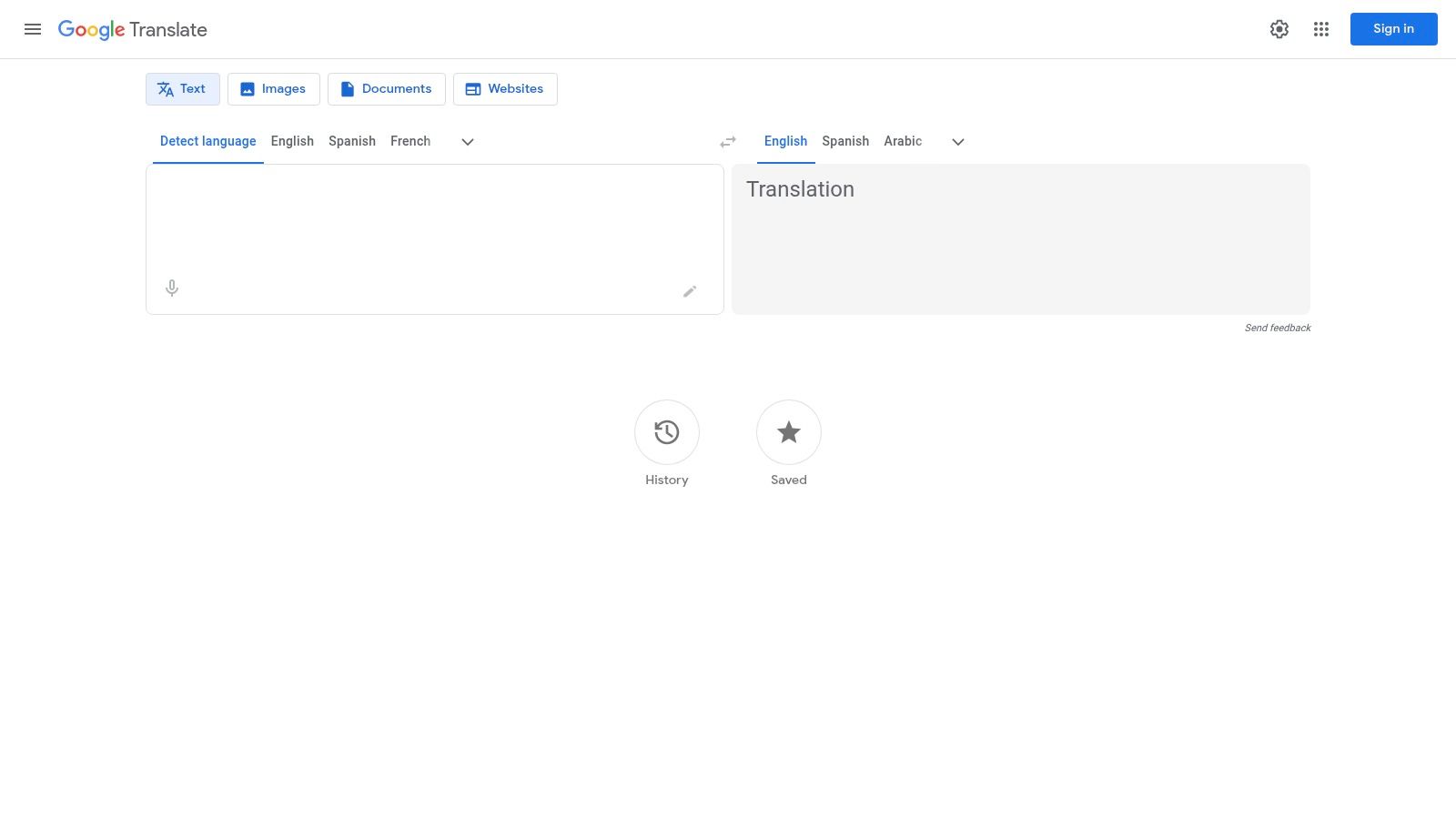
The platform is deeply integrated into the Android and iOS ecosystems, making on-the-fly translations seamless. Recent updates, such as live speech translation with compatible earbuds and enhanced OS-level integration, demonstrate Google's commitment to making the tool even more intuitive. While it handles casual conversations and simple text well, its machine learning model can sometimes struggle with the nuances of formal or technical Korean, occasionally producing translations that are grammatically correct but contextually awkward.
Core Features and Usage
| Feature | Best For | Platform |
|---|---|---|
| Text Translation | Quick chats, social media, emails | Web, Mobile |
| Camera Translation | Signs, menus, product labels | Mobile (iOS/Android) |
| Conversation Mode | Live, spoken dialogue | Mobile (iOS/Android) |
| Offline Packs | Use without an internet connection | Mobile (iOS/Android) |
Pro Tip: For better accuracy with Korean, try translating shorter, simpler sentences. Breaking down complex ideas can help the algorithm produce a more reliable English equivalent. As with many AI tools, the quality of your input directly impacts the output; find out more about what makes for good translation software here.
- Pros: Completely free and incredibly fast; excellent integration across mobile devices and web browsers.
- Cons: Translation quality can be inconsistent, especially with formal or context-heavy Korean; some features may have regional limitations.
- Website: https://translate.google.com
3. DeepL Translator
Renowned for its sophisticated neural machine translation, DeepL Translator has quickly become a top choice for users who prioritize nuance and natural-sounding output. As a high-accuracy Korean to English translator, it often excels where others might falter, particularly with formal business documents, academic papers, or complex sentence structures. Its ability to produce more fluent and contextually aware English translations makes it a powerful alternative to more general-purpose tools.
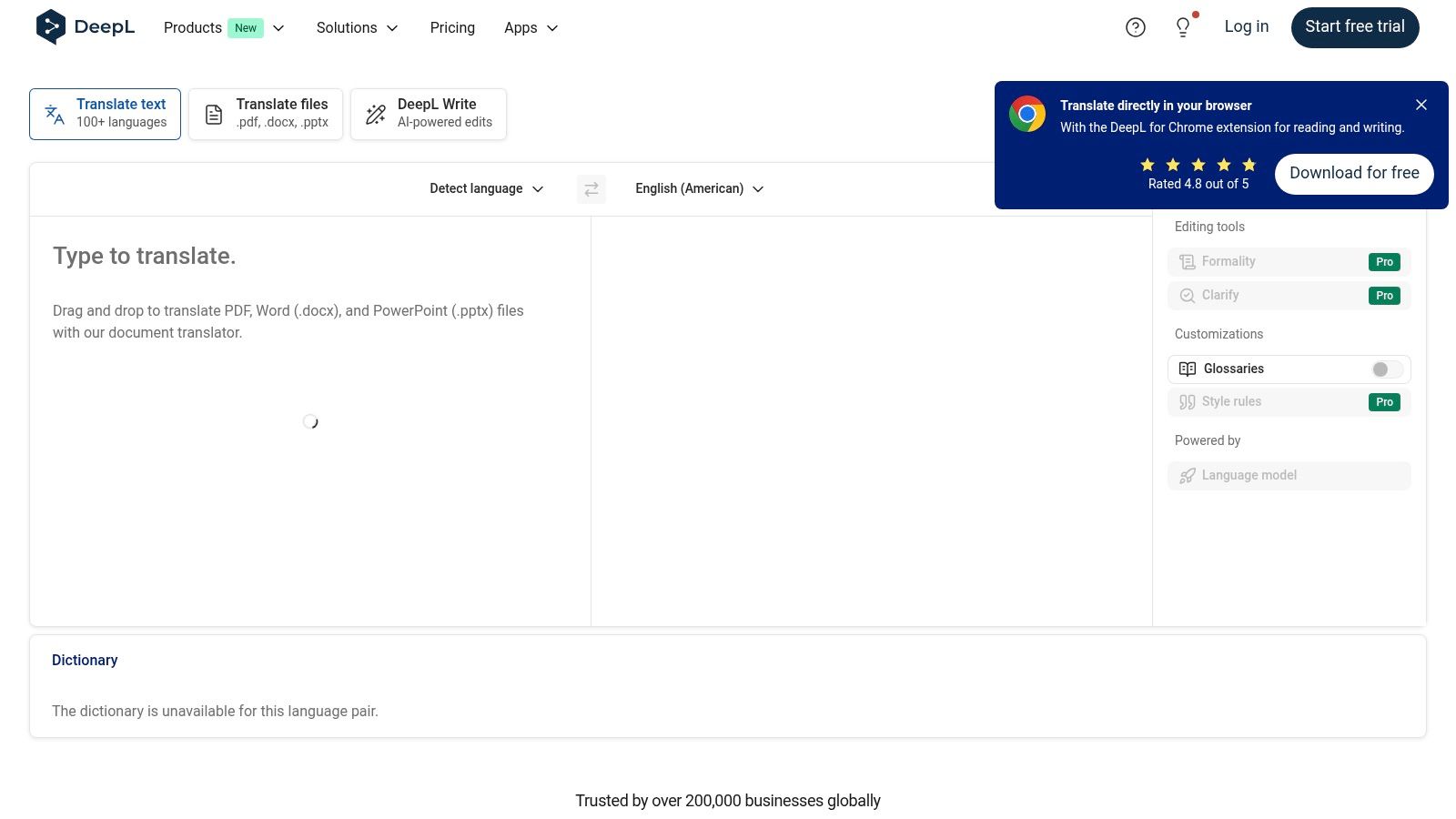
While the free version is highly capable for text snippets, DeepL's true strength is unlocked with its Pro plans, which offer enhanced privacy, unlimited text translation, and advanced document handling. The platform's clean interface and focus on quality over a vast array of features appeal to professionals and businesses that need reliable, polished translations without extensive post-editing. Its glossary feature is particularly useful for maintaining terminological consistency across multiple documents.
Core Features and Usage
| Feature | Best For | Platform |
|---|---|---|
| Text & Document Translation | Formal emails, reports, articles | Web, Desktop App |
| Glossary Feature | Consistent brand/technical terms | Web, Desktop App |
| API Access | Integrating high-quality translation | Pro Plans |
| Enhanced Security | Translating sensitive information | Pro Plans |
Pro Tip: Use the Glossary feature to define how specific Korean names or technical terms should be translated into English. This ensures consistency and accuracy, which is especially critical for business or academic documents.
- Pros: Often produces more natural and fluent English for complex Korean; strong document translation capabilities and privacy controls in paid plans.
- Cons: Free version has character limits; advanced features and higher usage volumes require a paid subscription.
- Website: https://www.deepl.com/translator
4. Naver Papago
Often considered South Korea's answer to Google Translate, Naver Papago is a powerful and widely used Korean to English translator developed by Naver Corporation. Its name, "Papago," is Esperanto for "parrot," reflecting its proficiency in language mimicry. The service leverages its own advanced Neural Machine Translation (NMT) technology, which many users find produces more natural and contextually aware translations for Korean than its global competitors, especially for informal and conversational language.
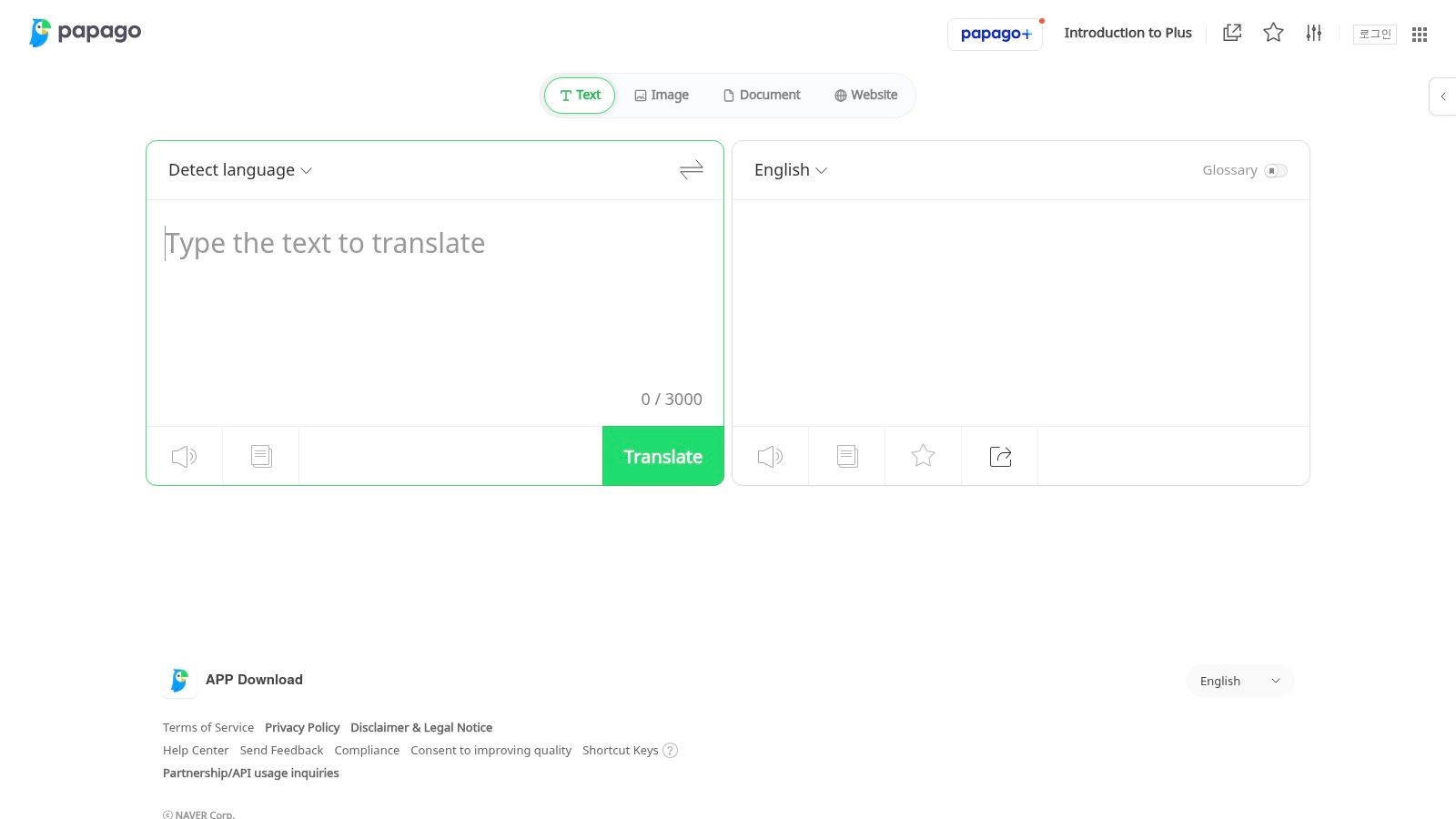
Available as a free web service and a highly-rated mobile app, Papago offers a comprehensive suite of features that make it an excellent choice for travelers, students, and anyone engaging with everyday Korean content. Its clean interface and direct integration with Naver's dictionary provide an intuitive user experience. While it excels at casual dialogue, its performance can sometimes be less consistent with highly technical or formal business documents compared to more specialized services.
Core Features and Usage
| Feature | Best For | Platform |
|---|---|---|
| Text & Voice Translation | Conversations, messages, articles | Web, Mobile |
| Image Translation | Menus, street signs, packaging | Mobile (iOS/Android) |
| Handwriting Input | Translating characters you can't type | Mobile (iOS/Android) |
| Website Translation | Browsing Korean websites directly | Web |
Pro Tip: Use Papago's honorifics feature when you need to switch between formal and informal tones. This can be incredibly useful for ensuring your Korean output is appropriately respectful for business emails or casual chats with friends.
- Pros: Strong performance for casual and conversational Korean use cases; free app with multiple input modes (photo, voice, handwriting).
- Cons: Occasional service hiccups reported by users; fewer enterprise controls and integrations than major cloud providers.
- Website: https://papago.naver.com
5. Microsoft Translator / Azure AI Translator
Microsoft offers a powerful two-pronged approach to Korean translation, catering to both casual users and large-scale enterprises. The consumer-facing Microsoft Translator app provides a familiar suite of tools for everyday needs, while the backend Azure AI Translator API delivers a robust, scalable solution for businesses. This dual offering makes it a versatile Korean to English translator that can grow with a user's needs, from simple text lookups to complex, integrated document translation workflows within enterprise applications.
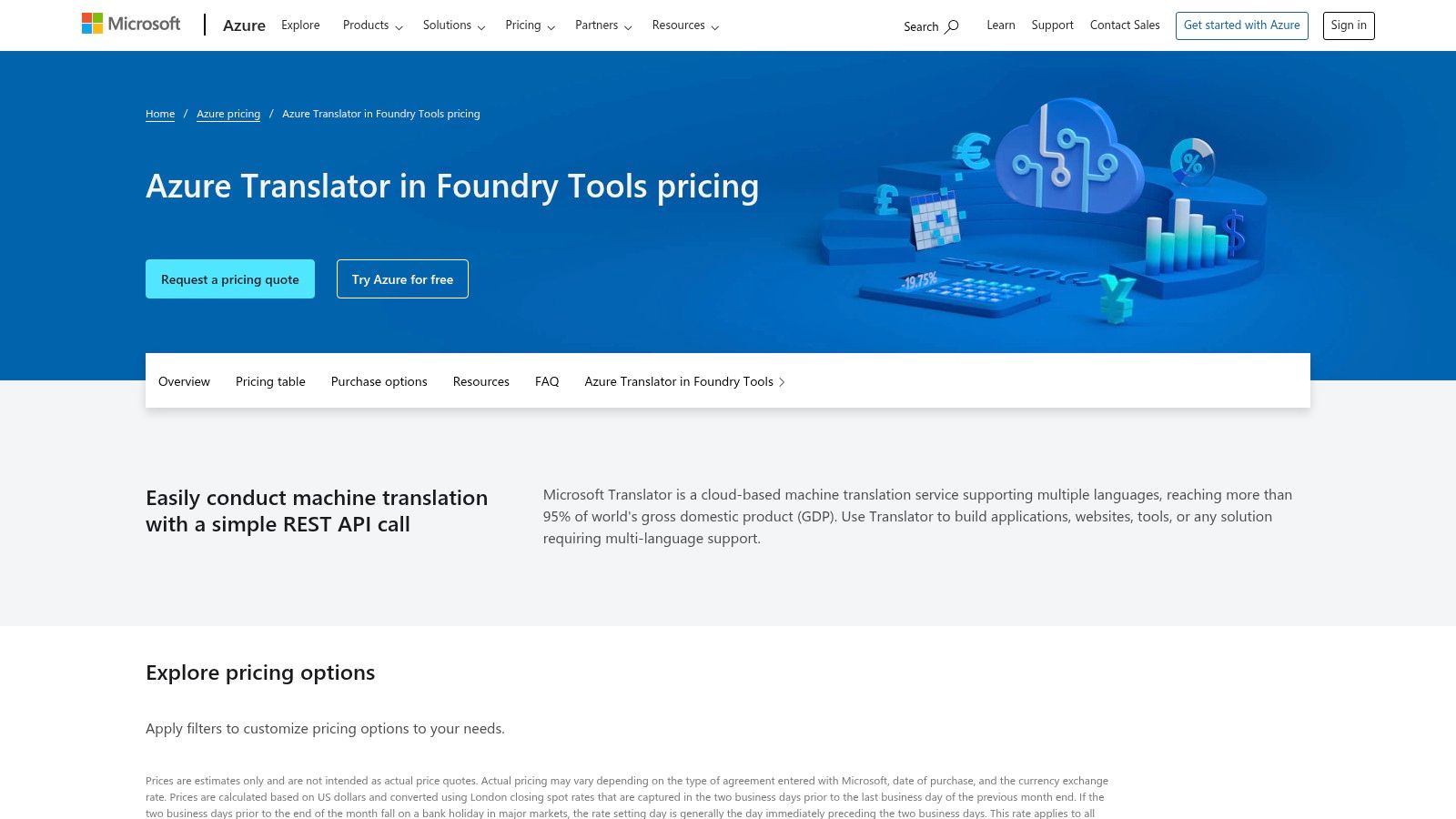
The platform distinguishes itself with its deep integration into the Microsoft ecosystem (e.g., Office, Teams, Bing) and its enterprise-grade security and compliance features available through Azure. While the consumer app is a solid alternative to competitors, the Azure AI Translator is where Microsoft truly shines, offering custom model training and even containerized deployment for on-premises use. This makes it a go-to for organizations handling sensitive data or requiring specialized terminology.
Core Features and Usage
| Feature | Best For | Platform |
|---|---|---|
| Consumer App | Text, voice, and image translation | Web, Mobile (iOS/Android) |
| Multi-Person Conversation | Live, translated group chats | Mobile (iOS/Android) |
| Azure API | Integrating translation into apps/services | Cloud API |
| Document Translation | Batch processing of files (PDF, DOCX) | Cloud API |
| Custom Models | Training for specific industry jargon | Cloud API |
Pro Tip: For business users, leveraging the Azure free tier (which includes 2 million characters per month) is a great way to pilot a translation project without initial investment. Test with a variety of document types to see how it handles your specific formatting and terminology before committing to a paid plan.
- Pros: Mature enterprise stack with SLA and compliance options; strong integration across the Microsoft ecosystem.
- Cons: API pricing matrix can be complex to estimate for new users; consumer app UI and features can differ across platforms.
- Website: https://azure.microsoft.com/en-us/pricing/details/cognitive-services/translator
6. Google Cloud Translation
For businesses and developers needing to integrate a powerful Korean to English translator directly into their applications, Google Cloud Translation offers an enterprise-grade API. This is the same underlying technology that powers the consumer-facing Google Translate but is packaged for production environments. It provides a scalable, secure, and highly customizable solution for high-volume translation needs, from localizing software interfaces to processing large batches of user-generated content.
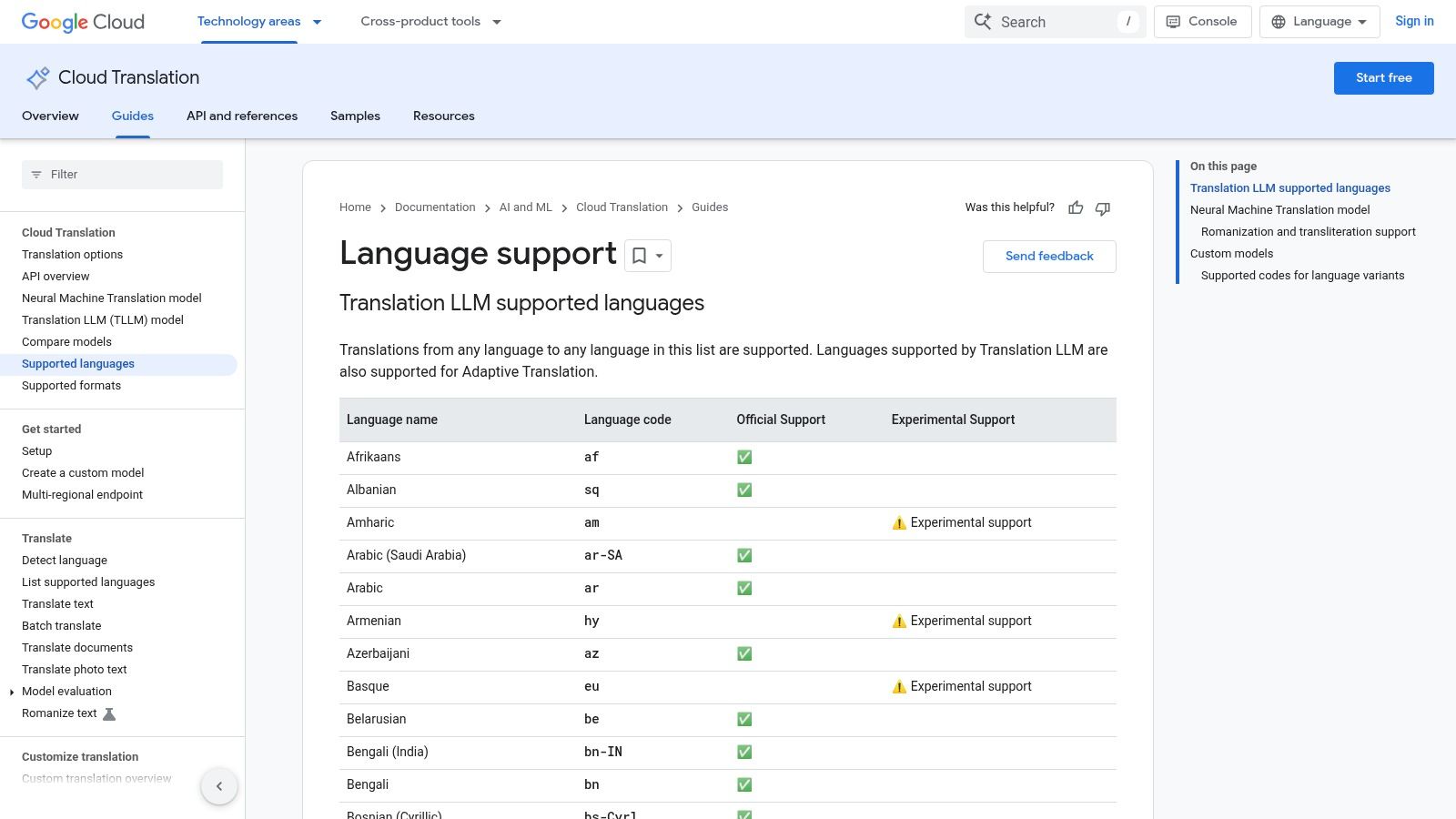
Unlike its free counterpart, the Cloud Translation API is built for developers and comes with extensive documentation, security controls, and the ability to handle billions of characters. Its strength lies in automation and integration, allowing companies to build multilingual features without managing translation infrastructure. While not a tool for the average user, it is the backbone for countless apps that require reliable, real-time language conversion. The pricing is usage-based, which can become costly at a massive scale without proper optimization.
Core Features and Usage
| Feature | Best For | Platform |
|---|---|---|
| Translation API | App localization, workflow automation | Developer Integration |
| Document Translation | High-volume PDF, DOCX file processing | API |
| Custom Models | Industry-specific terminology | API (AutoML) |
| Security Controls | Enterprise data privacy and compliance | Google Cloud Platform |
Pro Tip: Use the glossary feature to define specific Korean terms (like brand names or technical jargon) to ensure they are translated consistently and correctly across all your applications, improving brand voice and technical accuracy.
- Pros: Scales to extremely high volumes with robust tooling and documentation; reliable Korean language support with continuous updates.
- Cons: Requires developer integration and is not a simple consumer app; per-character costs can accumulate quickly without careful management.
- Website: https://cloud.google.com/translate/docs/languages
7. Gengo
When machine translation doesn't meet the required standard for accuracy and nuance, Gengo provides a scalable solution for human-powered Korean to English translator services. It operates as a global marketplace, connecting users with thousands of vetted, native-speaking translators through a streamlined online platform. This model is ideal for projects where contextual understanding, brand voice, and cultural appropriateness are critical, such as marketing copy, business communications, or user interface text.
Gengo’s strength lies in its balance of human quality with platform efficiency. Users can get an instant quote and estimated turnaround time simply by pasting text or uploading a file, making the process much faster than traditional agencies. It offers different quality tiers to match various budgets and needs, from standard translations for general content to business-level services for more formal or specialized material. The platform also features an API for developers looking to integrate human translation workflows directly into their applications or content management systems.
Core Features and Usage
| Feature | Best For | Platform |
|---|---|---|
| Standard Translation | General business content, blog posts, product descriptions | Web, API |
| Business Translation | Formal documents, presentations, marketing materials | Web, API |
| Instant Quote Tool | Quick budget and timeline estimates before ordering | Web |
| Translation API | Automating translation orders within apps and CMS | API |
Pro Tip: For the best results on Gengo, provide as much context as possible. Include a style guide, glossaries, or notes for the translator about your target audience and desired tone. Clear instructions help the linguist deliver a translation that aligns perfectly with your expectations. You can find out more about how human translation is typically priced by reading about document translation costs here.
- Pros: Transparent, upfront per-word pricing and delivery estimates; much faster than traditional translation agencies; API allows for programmatic integration.
- Cons: Quality can vary depending on the individual translator assigned; not ideal for highly specialized or technical fields that may require a boutique agency.
- Website: https://gengo.com
8. ProZ.com
When machine translation isn't sufficient, ProZ.com stands as the definitive professional network for sourcing a human Korean to English translator. As the world's largest directory of translators and translation agencies, it connects users directly with vetted professionals for projects requiring nuance, subject-matter expertise, and publishable quality. This is the ideal platform for finding specialists in niche fields like legal, medical, or technical documentation.
Unlike automated tools, ProZ.com is a marketplace. It provides an extensive database of freelancers and agencies, complete with profiles detailing their experience, certifications, and client feedback. You can post a job and receive quotes or browse the directory to find the perfect expert for your needs, whether it's for a single complex document or establishing a long-term translation partnership. While it requires more hands-on management, the potential for high-quality, context-aware translation is unparalleled.
Core Features and Usage
| Feature | Best For | Platform |
|---|---|---|
| Translator Directory | Finding specialists by expertise (legal, medical) | Web |
| Job Posting System | Receiving quotes from multiple translators | Web |
| Community Feedback | Vetting professionals via reputation and reviews | Web |
| Agency Listings | Sourcing established translation companies | Web |
Pro Tip: Use the "Certified PRO Network" filter to quickly identify translators who have been rigorously vetted by the platform for their credentials and skills. Clearly define your project scope, including subject matter and desired tone, to attract the most suitable candidates.
- Pros: Direct access to a massive pool of specialized, professional translators; community reputation and feedback systems aid in vetting.
- Cons: No instant translation; pricing and turnaround times vary and require direct negotiation; user must perform due diligence to select the right provider.
- Website: https://www.proz.com/korean-to-english-translation-services
9. Upwork
When machine translation isn't sufficient, hiring a human Korean to English translator is the next logical step, and Upwork is a leading freelance marketplace for just that. The platform connects you with a vast global talent pool, allowing you to find professionals for both short-term gigs and long-term projects. You can browse translator profiles, review their work history, and check client feedback to make an informed hiring decision.
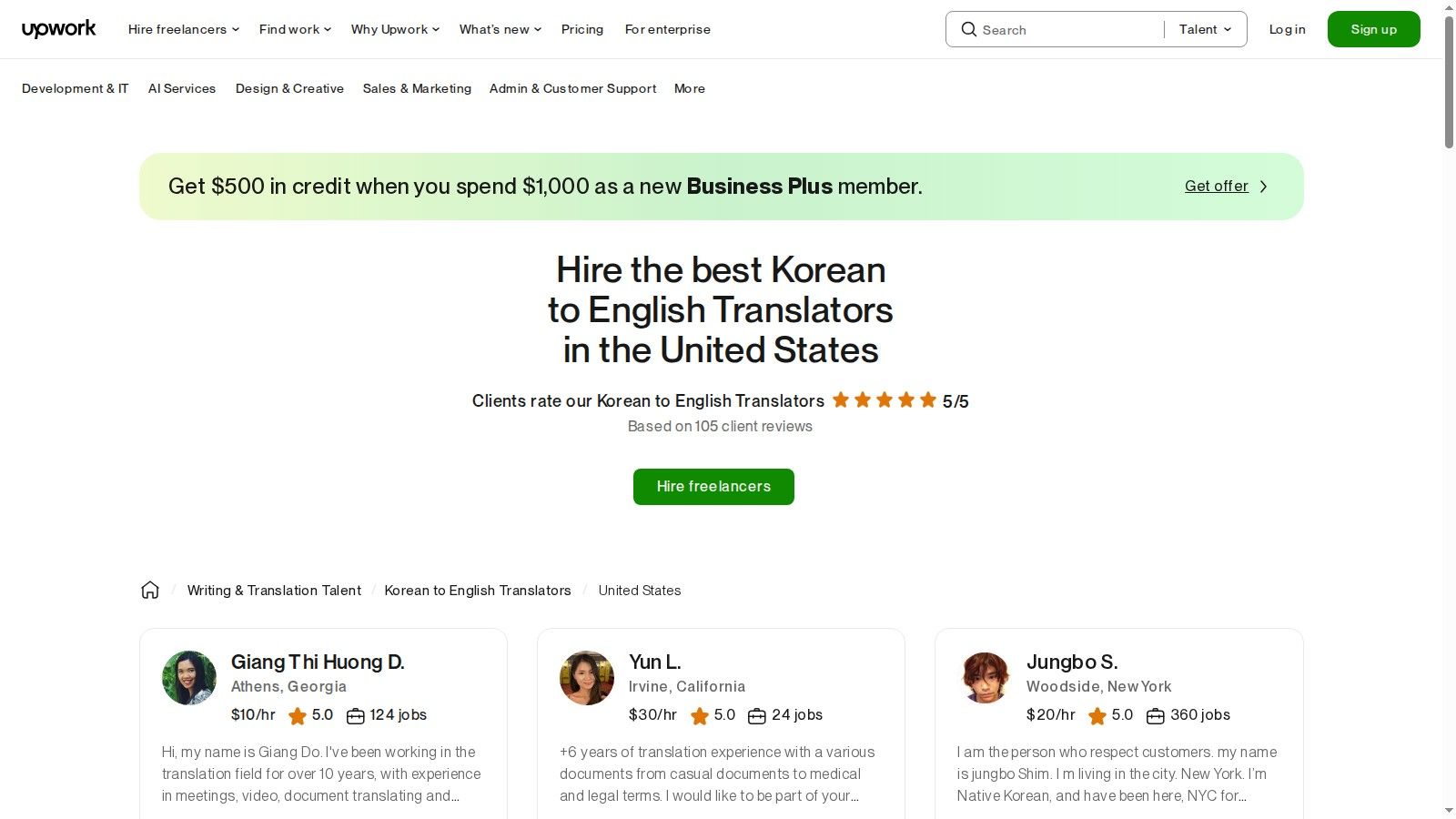
Upwork stands out by providing a secure and structured environment for collaboration. Features like escrow, project milestones, and built-in communication tools protect both clients and freelancers, ensuring payments are only released upon satisfactory completion of work. This model is ideal for business documents, creative content, or technical materials where nuance and accuracy are paramount, and AI tools fall short.
Core Features and Usage
| Feature | Best For | Platform |
|---|---|---|
| Talent Search | Finding translators with specific industry expertise | Web |
| Project Posting | Receiving proposals from multiple freelancers | Web |
| Escrow & Milestones | Securely funding and managing large projects | Web |
| Work Diary | Tracking progress on hourly-paid contracts | Web, Desktop |
Pro Tip: Be extremely clear in your job posting. Specify the subject matter, desired tone, and deadline. Providing a short, paid test translation is an excellent way to vet potential candidates before committing to a larger project. Always verify a translator's portfolio and past client reviews.
- Pros: Access to a huge pool of professional translators with verifiable ratings; platform protections like escrow and dispute resolution minimize risk.
- Cons: Quality and pricing vary significantly between freelancers, requiring careful vetting; beware of potential scams or requests to communicate off-platform.
- Website: https://www.upwork.com/hire/korean-to-english-translators/us/
10. Pocketalk
Moving beyond software-only solutions, Pocketalk offers a dedicated hardware approach to language barriers. As a purpose-built Korean to English translator, this handheld device is designed for seamless, two-way voice conversations. It excels in environments where pulling out a phone is impractical or unprofessional, such as in clinics, at hotel front desks, or during business meetings on the go. Its main advantage is its specialized hardware, featuring noise-canceling microphones and loud speakers for clarity in noisy settings.
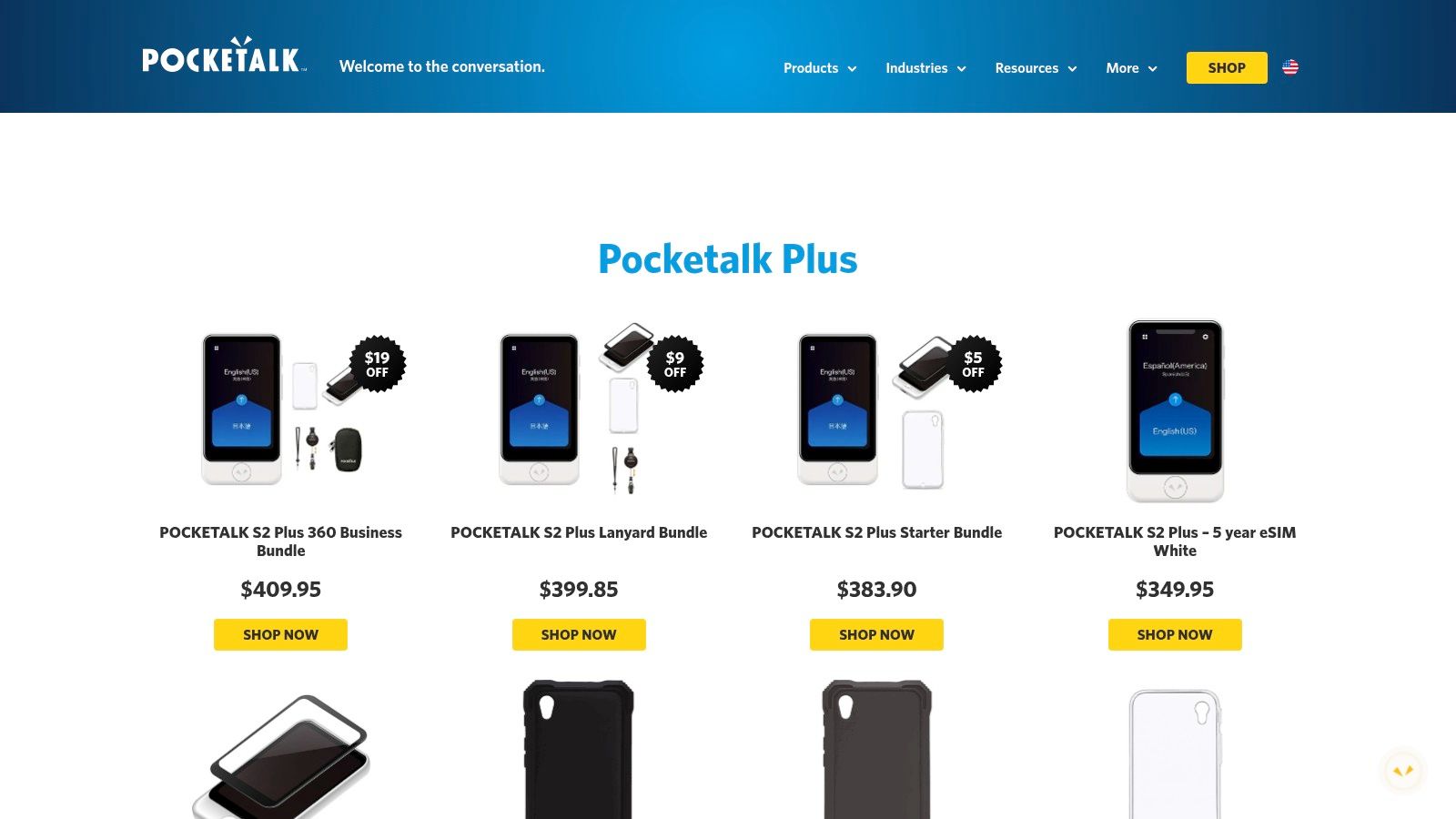
The device functions as a standalone unit, often bundled with multi-year global data plans via an onboard eSIM, eliminating the need to rely on a phone's internet connection. While it offers a premium, focused experience for live speech translation, it is a significant investment and requires carrying an extra piece of equipment. It is not intended for document translation or nuanced text work but is unparalleled for its specific use case: instant, clear, and reliable spoken communication.
Core Features and Usage
| Feature | Best For | Platform |
|---|---|---|
| Two-Way Voice Translation | In-person conversations, travel, customer service | Dedicated Hardware |
| Camera Translation | Reading signs and simple text on the go | Dedicated Hardware |
| Built-in Data Plan | International travel without Wi-Fi or phone data | Dedicated Hardware |
| Corporate Device Management | Deploying translators across field or service teams | Web Dashboard |
Pro Tip: Before a trip or important meeting, practice speaking clearly and in short, direct sentences into the device. The hardware is excellent, but minimizing slang and complex clauses will yield the most accurate and immediate translations from Korean to English.
- Pros: Superior audio quality with noise-canceling mics; self-contained with its own data plan, making it ideal for travel.
- Cons: Requires purchasing and carrying separate hardware; involves an upfront cost plus potential data plan renewals.
- Website: https://pocketalk.com/en/products
11. B&H Photo (Pocketalk retailer)
For those seeking a dedicated hardware solution, B&H Photo Video is a reliable US-based retailer for the Pocketalk series, a powerful handheld Korean to English translator. Purchasing through an established electronics vendor like B&H provides benefits such as fast US shipping, transparent pricing, and the option to add protection plans. This makes it an excellent choice for businesses needing to procure devices for employees or individuals who prefer the security of a US warranty and customer support.
Unlike software-only solutions, Pocketalk devices are built specifically for two-way conversation, featuring noise-canceling microphones and a simple interface designed for quick interactions. B&H lists detailed specifications, in-stock availability, and business checkout options, simplifying the procurement process. While you are limited to the models they carry, the platform offers a dependable way to acquire a physical translator without navigating international shipping or lesser-known sellers.
Core Features and Usage
| Feature | Best For | Platform |
|---|---|---|
| Pocketalk Device Sales | Individuals and businesses needing a physical translator | Web (Retailer) |
| Business Checkout | Companies purchasing hardware for teams | Web (Retailer) |
| Warranty & Protection Plans | Securing hardware investment | Web (Retailer) |
| Detailed Specifications | Comparing device models before purchase | Web (Retailer) |
Pro Tip: When purchasing for a team, use B&H's business checkout options for streamlined invoicing and procurement. Also, check the specific Pocketalk model's product page for details on the included data plan, as this is crucial for its functionality on the go.
- Pros: Reliable US fulfillment and customer support; transparent pricing and optional protection plans; ideal for business purchases.
- Cons: Limited to the device models stocked by the retailer; pricing and inventory can fluctuate.
- Website: https://www.bhphotovideo.com/c/product/1878470-REG/pocketalk_p000710350_pocketalk_s2_voice_translator.html
12. Cambridge Korean–English Translator
For language learners seeking more than just a direct translation, the Cambridge Korean to English translator offers a unique, education-focused approach. Backed by the authority of the Cambridge Dictionary, this free web tool not only provides translations but also directly links key terms to their comprehensive dictionary entries. This integration makes it an exceptional resource for students who want to understand the nuances of vocabulary, check example sentences, and deepen their linguistic knowledge while translating.
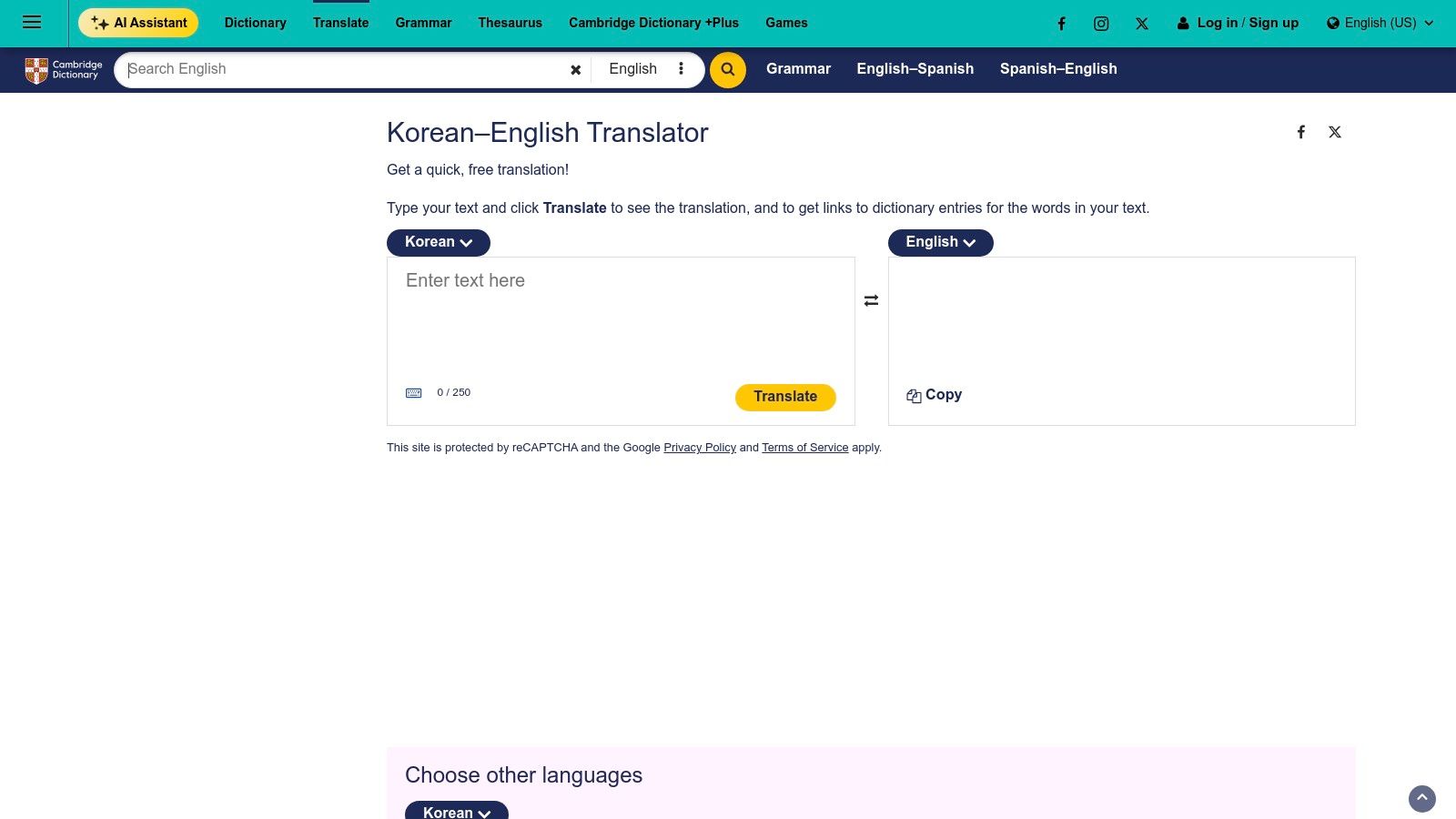
The platform is designed for simplicity and educational value rather than feature-rich complexity. It focuses entirely on text translation within a clean, browser-based interface, forgoing the camera, voice, or document features found in more comprehensive apps. While its free service imposes character limits, it provides a valuable bridge between a quick translation tool and a detailed learning dictionary, making it ideal for homework, study, and vocabulary building.
Core Features and Usage
| Feature | Best For | Platform |
|---|---|---|
| Text Translation | Learners, students, checking vocabulary | Web |
| Dictionary Links | Understanding word meanings in context | Web |
| No-Install Access | Quick translations on any device | Web |
Pro Tip: Use this translator when you encounter a new Korean word or phrase in your studies. The ability to instantly click through to a full dictionary definition with usage examples is its strongest feature and helps reinforce learning far better than a simple translation alone.
- Pros: Integrated with a highly reputable dictionary for deeper learning; completely free and easy to access from any web browser.
- Cons: Has a daily character cap on the free service; lacks advanced features like conversation, camera, or document translation.
- Website: https://dictionary.cambridge.org/us/translate/korean-english/
Top 12 Korean-to-English Translators: Quick Comparison
| Product | Core features ✨ | Quality ★ | Pricing 💰 | Best for 👥 |
|---|---|---|---|---|
| 🏆 DocuGlot | ✨ Format-preserving (PDF/DOCX/MD), 100+ langs, intelligent chunking, Basic/Premium | ★★★★☆ — enterprise-grade; human review for critical legal/medical | 💰 Transparent per-job pricing, low minimum, exact cost shown upfront | 👥 Businesses, academics, agencies, document-heavy workflows |
| Google Translate | ✨ Text/voice/image/docs, offline packs, live speech, web integration | ★★★☆☆ — fast for casual use; variable on formal text | 💰 Free | 👥 Travelers, casual users, on-the-go lookups |
| DeepL Translator | ✨ Neural MT with glossaries, style controls; drag‑drop DOCX/PDF | ★★★★☆ — often produces natural, fluent English | 💰 Free tier; Pro & API paid plans | 👥 Professionals, writers, localization teams |
| Naver Papago | ✨ Text/image/voice, offline, dictionary tie‑ins, handwriting input | ★★★☆☆ — strong for casual/conversational Korean | 💰 Free (app) | 👥 Korean speakers, casual/conversational use |
| Microsoft Translator / Azure AI | ✨ Consumer app + Azure API, custom models, container deployment | ★★★★☆ — mature enterprise stack with SLA options | 💰 Free tier; paid per-character on Azure | 👥 Enterprises, developers, MS ecosystem users |
| Google Cloud Translation | ✨ Production-grade API, adaptive/customization, scalable infra | ★★★★☆ — reliable for high-volume Korean↔English | 💰 Paid per-character; scales to very high volumes | 👥 Developers, large-scale production apps |
| Gengo | ✨ Human translation marketplace, instant quoting, API | ★★★★☆ — human accuracy; quality varies by linguist | 💰 Per-word pricing with upfront quotes | 👥 Businesses needing human-reviewed accuracy |
| ProZ.com | ✨ Directory/job board, filters by specialization and certifications | ★★★☆☆ — depends on selected freelancer/agency | 💰 Negotiated pricing; variable | 👥 Project managers sourcing niche domain experts |
| Upwork | ✨ Large freelancer pool, escrow/milestones, ratings & reviews | ★★★☆☆ — quality varies by contractor | 💰 Hourly or project rates; platform fees apply | 👥 Short-term hires, startups, contractors |
| Pocketalk (brand) | ✨ Two-way speech device, camera translation, eSIM/data bundles | ★★★☆☆ — purpose-built device for noisy environments | 💰 Device purchase + recurring connectivity/data plans | 👥 Travelers, front desks, clinics, field teams |
| B&H Photo (Pocketalk retailer) | ✨ Retail fulfillment: listed prices, warranties, business checkout | ★★★☆☆ — reliable US fulfillment & support | 💰 Listed device prices; protection plans available | 👥 US buyers, procurement teams |
| Cambridge Korean–English Translator | ✨ Dictionary-backed translations with links to learner entries | ★★★☆☆ — useful for vocabulary & learner context | 💰 Free (daily caps; optional account to raise limits) | 👥 Language learners, students |
Your Final Checklist for Choosing a Translator
Navigating the landscape of Korean to English translation tools can feel overwhelming, but the journey ends with a powerful realization: there is no single "best" translator, only the one that is best for your specific task. We've explored everything from instant text translators and sophisticated APIs to format-preserving document services and human expert platforms. The key is to move beyond a one-size-fits-all approach and adopt a purpose-driven selection strategy.
The ideal korean to english translator is not just a piece of software; it's a solution tailored to your unique combination of needs. Your choice hinges on a few critical questions about your project's priorities. By consciously evaluating these factors, you can confidently select the right tool every time, ensuring your message lands with clarity and impact.
Recapping Your Top Options
Let's quickly revisit the core strengths of the platforms we discussed. For casual, on-the-fly text snippets and conversational understanding, Google Translate and Naver Papago offer unparalleled speed and convenience. Papago often has a slight edge with Korean-specific nuances, making it a favorite for informal communication.
When contextual accuracy and a more natural-sounding output are essential for professional emails or important messages, DeepL frequently delivers superior results. For businesses integrating translation into their own applications, APIs from Google Cloud Translation and Azure AI Translator provide the robust, scalable infrastructure needed for enterprise-level demands. And for tasks requiring absolute precision, cultural adaptation, and creative judgment, human-powered platforms like Gengo and ProZ.com remain the gold standard.
A Decision-Making Framework for Your Translation Needs
To make your final decision, consider your project through the lens of these four critical pillars. This checklist will guide you to the most effective and efficient korean to english translator for your specific scenario.
What is your primary goal?
- Quick Understanding: Are you just trying to get the gist of an email or a social media post? An instant tool like Papago or Google Translate is perfect.
- Professional Communication: Do you need to draft a clear, accurate business proposal or internal memo? A more nuanced engine like DeepL is a better starting point.
- Publishable Quality: Is this content for a public-facing website, marketing materials, or legal documentation? Start with a high-quality machine translation and finalize with a human expert from a platform like Gengo.
What is the format of your content?
- Simple Text: For plain text, any of the top online translators will work seamlessly.
- Complex Documents (PDF, DOCX, etc.): Is preserving the original layout, including tables, images, and formatting, non-negotiable? This is the specific challenge that a specialized service like DocuGlot is designed to solve, saving you hours of manual reformatting.
- Real-Time Conversation: Are you traveling or in a live meeting? A dedicated hardware device like Pocketalk is the most practical solution.
What are your budget and time constraints?
- Free and Instant: For immediate, no-cost translations, the major online tools are unbeatable.
- Moderate Investment for Quality: If you have a budget and need high-quality, professional results, investing in a human translator from a marketplace like Upwork or ProZ.com is wise.
- Efficiency at Scale: For businesses, the cost of an API or a document translation service is offset by the immense time savings and reduction in manual labor, making it a high-ROI investment.
Choosing the right korean to english translator is about matching the tool to the task at hand. By assessing your needs against these criteria, you can avoid the frustration of using a simple tool for a complex job or overpaying for a solution you don't need. The right choice empowers you to bridge the language gap confidently, ensuring your Korean content is understood perfectly in English, every single time.
Ready to translate your complex documents without losing a single element of your original formatting? DocuGlot provides a powerful, dedicated korean to english translator designed specifically to preserve the layout of your PDF, DOCX, and other file types. Stop wasting time manually fixing broken layouts and try the smarter solution at DocuGlot today.
Tags
Ready to translate your documents?
DocuGlot uses advanced AI to translate your documents while preserving formatting perfectly.
Start Translating