A Guide to Flawless Translation of PDF Document Formatting
If you've ever tried to translate a PDF, you know the frustration. It’s a format built for looking good everywhere, not for easy editing. This core design choice is exactly why copying and pasting text into a standard online translator almost always ends in a chaotic, broken mess.
Why Is Translating a PDF So Difficult?
Ever spent hours meticulously crafting a report, only for the translated version to come back looking like a jumbled disaster of text and images? You're not alone. The problem is baked right into the PDF's DNA—it’s essentially a digital snapshot, designed to preserve a document's exact appearance on any screen.
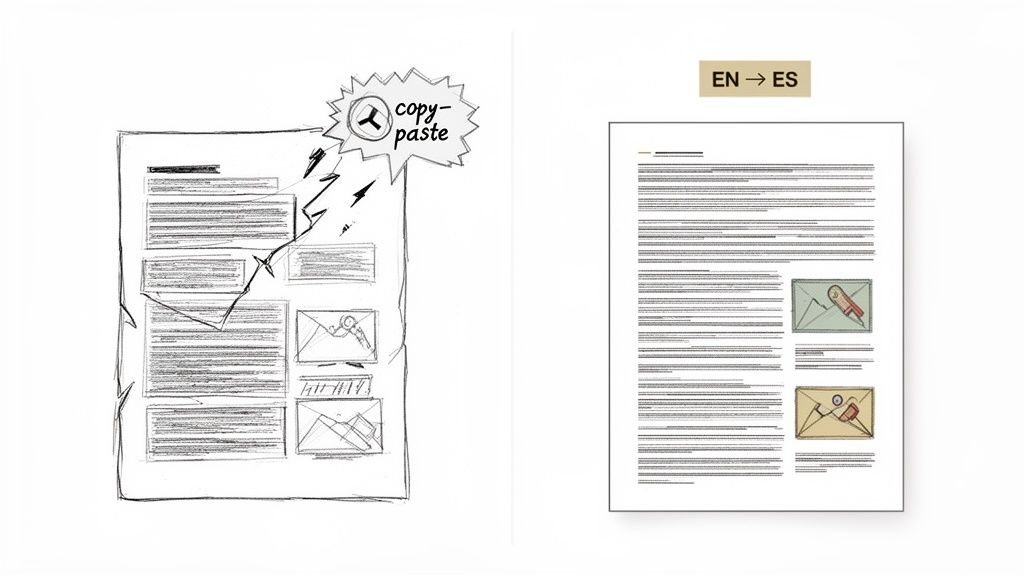
This "what you see is what you get" approach is fantastic for sharing but a nightmare for editing. Every single element, from a paragraph to a header or an image, is locked into a precise position. When you try to yank the text out, you're tearing it away from its visual context, instantly destroying all the careful formatting.
The Old Way Simply Doesn't Work
Basic online translators and the manual copy-paste routine just aren't equipped to handle this kind of complexity. They see a stream of text and completely ignore the sophisticated layout.
This approach inevitably leads to a host of problems:
- Shattered Layouts: Text spills out of its designated boxes, images end up in the wrong places, and columns collapse into unreadable walls of text.
- Vanishing Formatting: All your fonts, bullet points, and table structures disappear, leaving you with hours of painstaking manual cleanup.
- Painfully Slow Workflows: The entire process is tedious and just not feasible for any document longer than a page or two.
This kind of manual reformatting is a specialized skill known as Desktop Publishing (DTP). It’s a time-consuming and often expensive extra step. You can get a deeper understanding by reading our guide on what is Desktop Publishing.
A Quick Look at PDF Translation Methods
Here’s a simple breakdown of how the old, manual methods compare to modern, AI-driven platforms.
| Feature | Traditional Methods (Manual Copy and Paste) | Modern AI Platforms (AI-Powered) |
|---|---|---|
| Formatting | Almost always broken; requires complete manual rework. | Preserved with high accuracy; mirrors the original layout. |
| Speed | Extremely slow, especially for multi-page documents. | Incredibly fast, translating entire documents in minutes. |
| Accuracy | Dependent on the generic translator used; no context. | Uses advanced AI for more accurate, contextual translations. |
| Cost | "Free" tools lead to high labor costs for reformatting. | Cost-effective; eliminates the need for manual DTP work. |
| Scalability | Not scalable. Impossible to manage for large volumes. | Highly scalable; designed for batch processing and large projects. |
As you can see, AI-powered tools are built to solve the exact problems that make the old methods so painful and inefficient.
Modern AI Platforms Are Built for This
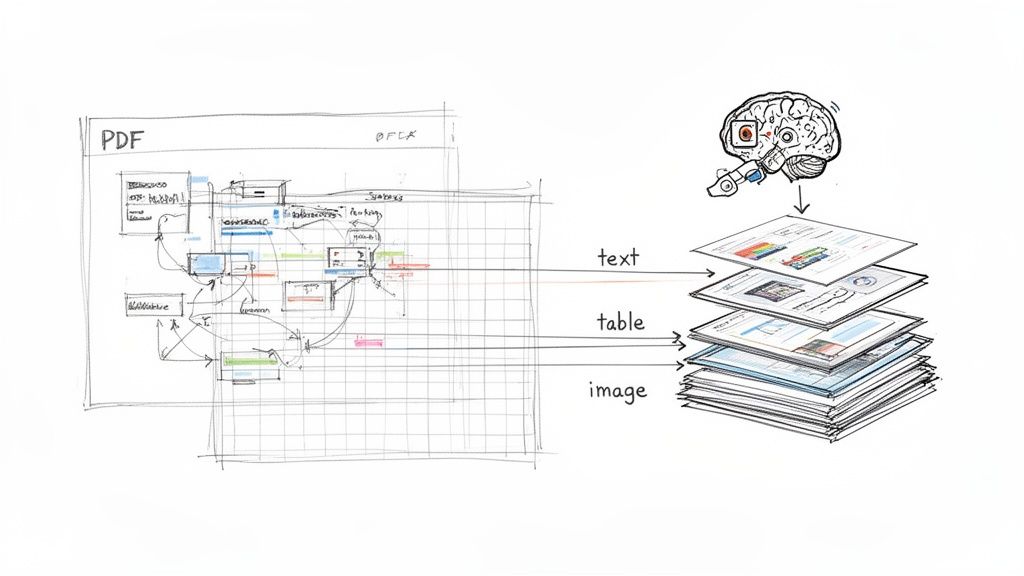
Thankfully, today’s AI-powered translation platforms were designed specifically to conquer this challenge. Instead of just grabbing text, these tools intelligently analyze and deconstruct the entire PDF file. They identify and separate text from images, tables, and other graphics, translate the content, and then carefully rebuild the document in the new language.
This intelligent reconstruction is the secret sauce. The AI doesn’t just translate words; it understands the document's structure, ensuring the final version mirrors the original layout with incredible precision.
The global demand for this kind of technology is surging. The language translation software market hit USD 68.04 billion in 2025 and is on track to reach an estimated USD 116.55 billion by 2035. This rapid growth underscores just how critical it is for businesses to find solutions that can translate complex files like PDFs without sacrificing quality or formatting.
Choosing Your Translation Strategy
Once you've landed on using a modern tool for the translation of pdf document files, you hit your first major fork in the road. Do you let the AI handle everything, or do you bring in a human expert for the final polish? This isn't about which method is "better"—it's about what’s right for the job at hand.
Think about a fast-growing startup trying to get its support wikis translated for a new international team. Speed is everything, and the audience is internal. In this case, a fully automated, machine-driven translation is a no-brainer. It's quick, ridiculously cost-effective, and gets the information into the right hands without a hitch.
Now, picture a law firm finalizing a multi-million dollar merger agreement between companies in two different countries. The language has to be flawless, with absolutely no room for interpretation. Here, a hybrid approach is the only way to go. The AI can generate a fantastic first draft that keeps all the formatting intact, but a certified legal translator must review it to ensure every clause is airtight.
When to Trust AI Completely
A fully automated translation is often the smartest move when speed and budget are your main concerns, and the stakes are relatively low.
You can confidently go AI-only for things like:
- Internal Communications: Think company-wide memos, training guides, or internal knowledge bases. The goal is clear communication, not winning a literary prize.
- Initial Research: Translating academic papers or market reports to quickly get the gist and decide if you need to dig deeper.
- Personal Documents: Handling things like letters or unofficial records where all you need is to understand the content.
The real question to ask is about business risk. If a minor phrasing error would be an inconvenience but not a catastrophe, a pure AI translation is an incredibly powerful and efficient tool.
This isn't just a niche approach; it's rapidly becoming the standard. Market trends show that machine and neural machine translation captured 61.25% of industry revenues in 2025. Why? Because enterprises are jumping on output that's 80% cheaper and 10 times faster than traditional methods, making it perfect for scaling up PDF translation projects. You can see more in the latest translation services market report.
The Human-in-the-Loop Hybrid Model
For any document where precision is non-negotiable, adding a human review on top of an AI translation gives you the best of both worlds. This is what we call the "human-in-the-loop" model.
This strategy pairs the AI's raw speed and formatting power with the contextual and cultural understanding that only a human expert can bring. The AI does the heavy lifting, and the human provides the final, critical polish. This is the gold standard when the translation of pdf document files involves high-stakes content.
You should always opt for this hybrid model for:
- Legal Contracts: Agreements, patents, or court documents where a single wrong word could have massive legal fallout.
- Medical Records: Patient histories, clinical trial results, or pharmaceutical guides that demand 100% accuracy.
- Public-Facing Marketing: Brochures, websites, and ad campaigns where your brand voice and cultural relevance are key to making a great first impression.
A Practical Checklist for Your Decision
To make the right call, just run through a few direct questions before you kick off a project.
| Question | Lean Towards AI-Only | Lean Towards Hybrid |
|---|---|---|
| Who is the audience? | Internal teams, personal use | External clients, customers, legal bodies |
| What is the business risk? | Low (e.g., a confusing sentence) | High (e.g., legal liability, financial loss) |
| Is brand voice important? | No, clarity is the main goal | Yes, nuance and tone are critical |
| Is the content highly technical? | No, it uses standard language | Yes, it uses specialized jargon (legal, medical) |
This simple framework helps you avoid a one-size-fits-all mindset. If you're looking to explore different platforms, our deep dive into document translation software can give you more valuable context. By matching your strategy to the document's purpose, you'll nail both efficiency and quality every single time.
Your Workflow for a Perfect PDF Translation
Theory is one thing, but a smooth, predictable process is where the real value lies. Let's get practical and walk through a hands-on workflow for getting a flawless translation, from your original PDF to a polished final version with every bit of formatting intact.
First Things First: Prepping Your Source File
Before you even think about uploading that PDF, a few minutes of prep work can save you a mountain of headaches. The quality of what you put in directly dictates the quality of what you get out.
Start by figuring out where your PDF came from. Was it created digitally from a program like Word or InDesign, or is it a scan of a physical paper? If it’s a scan, you're not actually working with text—you're working with a picture of text. This is a crucial distinction, and it’s where Optical Character Recognition (OCR) becomes essential. You have to run scanned documents through an OCR tool first to convert those images into actual, machine-readable text.
If your document started life as a Microsoft Word file, it's also a good idea to pop it open and check for any unresolved comments or tracked changes. Translation software can sometimes get confused by these and spit out stray text or weird formatting quirks. Just accept all the changes and clear out the comments to create a clean, unambiguous source file for the AI to work with.
The Upload: Configuring Your Project for Success
With a clean source file ready to go, the next step is telling the platform exactly what you need. This is where you configure the project to make sure the output lines up perfectly with your goals.
Most modern tools, like DocuGlot, have a simple drag-and-drop interface, so you don't need to be a tech wizard.
Once the file is uploaded, you’ll be asked to make a few key choices:
- Source and Target Languages: Be specific. Don't just pick "Spanish"; choose "Spanish (Spain)" or "Spanish (Mexico)" if you know your audience is in a particular region. Dialects matter, and getting this right leads to a much more natural translation.
- Quality Tier: Many platforms offer different levels of AI models. A basic engine is often fine for quick, internal docs. For complex legal or technical material, you’ll want a premium tier that uses more advanced contextual analysis.
- Glossary/Terminology: This is a game-changer for businesses. Some advanced platforms let you upload a glossary of brand-specific terms. This ensures your company name, product features, or unique industry jargon are always translated the same way, every single time.
This configuration stage is your main point of control. Get these settings right, and you've given the AI everything it needs to deliver a great result.
The Human Touch: Review and Quality Assurance
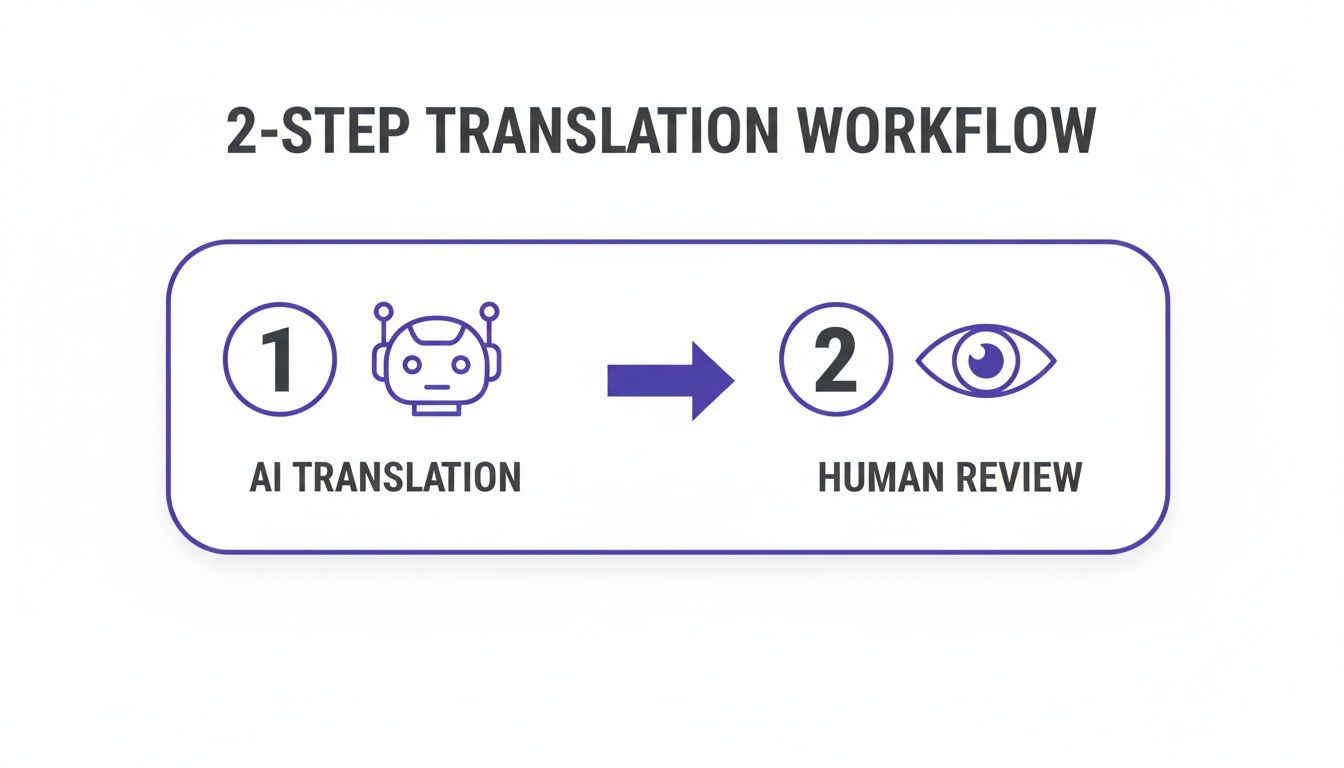
After the AI works its magic, you'll get the translated document back. For many internal or low-stakes files, this might be all you need. But for anything that’s going to a client, is legally binding, or represents your brand, a thorough review is non-negotiable.
This is where the "human-in-the-loop" model really proves its worth. The AI translation does the heavy lifting—converting the language and keeping the layout—while a human reviewer steps in to refine and perfect the output.
Technology and human expertise aren't competitors here; they're partners.
During the review, you or a professional translator should keep an eye out for things AI can still miss:
- Idioms and Figurative Language: A phrase like "it's raining cats and dogs" doesn't work literally. A person can catch these and swap in a culturally appropriate equivalent.
- Cultural Nuances: Colors, symbols, and even certain phrases can have wildly different meanings in other cultures. A native speaker can spot potential landmines an algorithm won't.
- Consistency: Are key terms used the same way throughout the document? For instance, is the same product feature always called by the same name?
- Layout and Line Breaks: Modern tools are great at preserving formatting, but some languages take up more space than others (looking at you, German). A quick visual scan for awkward line breaks or text overflowing its box is always a smart move.
Remember, the goal of the review isn't to re-translate the document from scratch. It's to add that final layer of polish and contextual awareness that makes the translation feel as natural and professional as the original.
Exporting Your Flawlessly Formatted Document
You're at the finish line. The beauty of using a dedicated platform is that what comes out is in the same format as what went in. You upload a PDF, you download a fully translated PDF.
All the structural elements you cared about in the original should be right where you left them:
- Intact Headers and Footers: Page numbers and company branding stay put.
- Preserved Tables and Charts: Data remains clean and readable in its original structure.
- Clickable Hyperlinks: All your links should still work perfectly.
- Consistent Styling: Fonts, colors, bolding, and italics are carried over, maintaining a professional look.
Once you download the final file, give it one last look-over to make sure everything is perfect. From there, your document is ready to go, whether you're sending it to an international client, sharing it with a global team, or submitting it for regulatory approval.
Tackling Complex Files and Tricky Formats
Let's be honest, not all PDFs are simple. Some are straightforward text, but many are a minefield of intricate diagrams, dense tables, and layered graphics. These are the files that make basic converters throw up their hands and your copy-paste efforts turn into a complete mess. I'm talking about things like technical manuals, detailed financial reports, or slick marketing brochures.
To properly handle the translation of pdf document files like these, you need a smarter approach. Modern platforms don’t just see a flat page; they perform a deep structural analysis first. They intelligently identify every single component—text boxes, images, complex tables—before the translation even starts. This deconstruction is the secret to reassembling the document accurately in a new language.
This kind of power also works wonders on massive files, like entire book manuscripts or huge annual reports that would otherwise cause most tools to time out. By processing the document in manageable chunks, these systems can chew through hundreds of pages without breaking a sweat.
Mastering Scanned Documents with OCR
One of the biggest headaches has always been the scanned PDF. As we’ve touched on, these are just images of text, which means standard translation software can't read them. The key here is Optical Character Recognition (OCR), a technology that essentially looks at the image and turns the shapes of letters back into editable, digital text.
But here’s the catch: the quality of your OCR is only as good as the quality of your scan. A blurry, skewed, or low-resolution image will give you a garbled mess of text riddled with errors.
To get the best possible results, follow these simple guidelines I’ve learned over the years:
- Go High-Res: Always scan documents at 300 DPI (dots per inch) or higher. It gives the OCR software much more detail to work with, which dramatically improves its accuracy.
- Check Your Lighting and Contrast: Make sure you avoid shadows or faded text. A clean, high-contrast scan is far easier for the software to "read."
- Keep it Straight: A tilted or crooked page can really confuse an OCR engine. Just take a second to make sure the document is perfectly aligned in the scanner.
Starting with a high-quality scan gives the OCR process a clean slate, which in turn feeds the translation AI the accurate text it needs to do its job well.
Troubleshooting Common Formatting Quirks
Even with the best tools, you can still hit a few snags, especially with really complex layouts. Here’s a quick rundown of some common quirks I see and how to handle them.
Pro Tip: Don't forget that some languages are naturally "wordier" than others. A sentence that fits perfectly on one line in English might spill over into two lines in German or Spanish. This can cause text to overflow its original container.
When this happens, a quick tweak in a PDF editor is often all it takes. The good news is that many modern platforms are getting smarter about this and will automatically resize text boxes to account for this language expansion.
Another classic issue is special characters and fonts. If your original document uses a fancy or unique font, it might not support the accented characters or different scripts (like Cyrillic or Arabic) in the target language. When that happens, you get those weird symbols or blank squares (we call them "tofu") in your translated text. The best practice? Stick to universally supported fonts like Arial, Times New Roman, or Calibri in your source files to avoid this headache altogether.
The demand for tools that can handle all these complexities is huge, especially in major global markets. Just look at North America, which accounts for over 40% of the global market share for document translation services. This demand is driven by legal firms, healthcare providers, and multinational corporations that can’t afford mistakes in their translated PDFs and PowerPoints. If you're interested, you can read more about the growth in the North American document translation market. It’s clear that getting these tricky formats right isn't just a nice-to-have feature anymore—it's essential for clear global communication.
Your Data Security and Translation Costs
When you're translating a sensitive business plan, a confidential legal contract, or a private internal report, you're doing more than just sending a file. You're entrusting a partner with your company's data, and that requires an immense amount of trust. This is exactly why security can't be an afterthought; it has to be at the top of your list.
At a minimum, you should demand end-to-end encryption. This is the industry gold standard, ensuring your files are scrambled and unreadable from the moment they leave your computer, during processing on the server, and all the way back to you. It’s like sending your document in a digital armored car—only you and the authorized translation service hold the keys.
Another security feature to look for is an automatic file deletion policy. The best services, like DocuGlot, have strict data retention limits. For example, once your translation is complete, the original file and its translated version might be permanently wiped from the servers after just 24 hours. This simple but powerful policy drastically shrinks the window of opportunity for your data to be exposed in a potential breach.
Making Sense of Pricing Models
Once you're confident your data is safe, the next big question is always about the budget. The traditional way of getting a quote from a freelancer, often based on a simple per-word rate, can be a real headache. It’s notoriously unpredictable—you get a rough estimate, but the final bill can balloon with unexpected charges for formatting, layout fixes, or other "surprises."
Thankfully, modern platforms have turned that old model upside down. Now, you can get transparent, upfront pricing. You simply upload your document, and the system instantly analyzes the word count, complexity, and formatting to give you a fixed, final price before you spend a dime.
This instant quoting model is a game-changer for businesses. It takes all the guesswork out of the equation and lets you budget with 100% certainty. No more worrying about surprise fees derailing your project.
Let's say a mid-sized company needs to translate a 100-page employee handbook into Spanish. Instead of a week-long back-and-forth for a quote, they can upload the PDF and get the exact cost in seconds. There are no hidden charges for desktop publishing or complex tables. The price you see is the price you pay.
This kind of predictability is huge, but it's also helpful to know what goes into that final number. To get a better handle on the specifics, you can learn more about how to calculate your document translation cost and plan your projects more effectively.
Finding the Sweet Spot Between Cost and Quality
When you look at pricing, you'll often notice different service tiers. These levels usually correspond to the power and sophistication of the AI model doing the work.
Basic Tier: This is your go-to for speed and affordability. It's perfect for internal documents, rough drafts, or when you just need to understand the gist of a file without breaking the bank. The translation is functional and fast.
Premium Tier: This option uses more advanced AI models that are much better at understanding context, nuance, and tricky sentence structures. It's the right call for important client-facing materials, technical manuals, or any document where quality is non-negotiable.
Choosing the right tier really comes down to matching the investment to the document's importance. By getting a clear picture of both the security protocols and the pricing structure, you can move forward with your PDF translation projects knowing your data is protected and your budget is under control.
Got Questions About PDF Translation? We’ve Got Answers.
Even with a step-by-step guide, you're bound to run into a few specific questions once you get started. Nailing a perfect PDF translation often means knowing how to handle a few common curveballs. Here are the straight-up answers to the questions we hear most often.
Can I Translate a Scanned PDF That’s Basically Just an Image?
You absolutely can, but it’s a two-part mission. First, that image of text needs to be converted into actual, machine-readable text. This is done using a technology called Optical Character Recognition (OCR). The good news is that many professional translation platforms have this built right in, so you don't need to juggle separate tools.
Now, for this to work well, the quality of your scan is everything. A sharp, high-resolution scan—think 300 DPI or higher—gives the OCR software a fighting chance to get the characters right. On the flip side, a blurry, crooked, or low-quality scan will result in a mess of errors, creating a terrible starting point for the translation engine.
What Happens to My Hyperlinks and Headers?
This is where you can really see the difference between a basic tool and a professional platform. If you're just copying and pasting text or using a free online converter, you can pretty much say goodbye to your hyperlinks, headers, and footers. They'll almost certainly break, leaving you with a document that looks amateurish and is a pain to navigate.
Advanced AI services are built differently. They're smart enough to analyze the document's structure, recognizing elements like the table of contents, clickable links, and page numbers. The AI then translates the text inside these components and reconstructs them perfectly in the final file. This means everything stays functional and right where it should be.
It's not just about swapping words. The best tools understand and preserve the entire architecture of the document. That structural intelligence is the secret to getting a translated PDF that looks and works just like the original.
Is AI Translation Good Enough for Legal Documents?
While AI translation has become incredibly accurate, I would never recommend relying on it alone for high-stakes content like legal contracts, patient records, or patent applications. The potential damage from a single mistranslated clause is just too great.
The smartest approach for these critical documents is a hybrid one. Use a top-tier AI platform for the initial translation. It saves a massive amount of time and, crucially, keeps all the complex formatting perfectly aligned. Then, have a certified human translator—ideally a specialist in that field—review and polish the output. This gives you the speed of AI combined with the indispensable nuance and accuracy of a human expert.
How Long Does It Realistically Take to Translate a Large PDF?
The speed of modern AI has completely changed the game here. What used to take a human translator days—like a 100-page technical manual—can now be done by an AI platform in less than an hour. For shorter files, like a five-page report, you’re often looking at just a few minutes.
This kind of speed is a massive win for any team on a deadline. The best services are designed to handle large files without crashing and will usually just email you when your translated document is ready. It’s a "set it and forget it" process that lets your team focus on other priorities while the AI does the heavy lifting.
Ready to get a flawless translation that keeps your formatting perfectly intact? With DocuGlot, you can translate PDF, DOCX, and other files in minutes. Get an instant quote and see how easy it is to go global. Try DocuGlot today!
Tags
Ready to translate your documents?
DocuGlot uses advanced AI to translate your documents while preserving formatting perfectly.
Start Translating