Google Translate for Arabic to English: When It Works and When It Doesn't
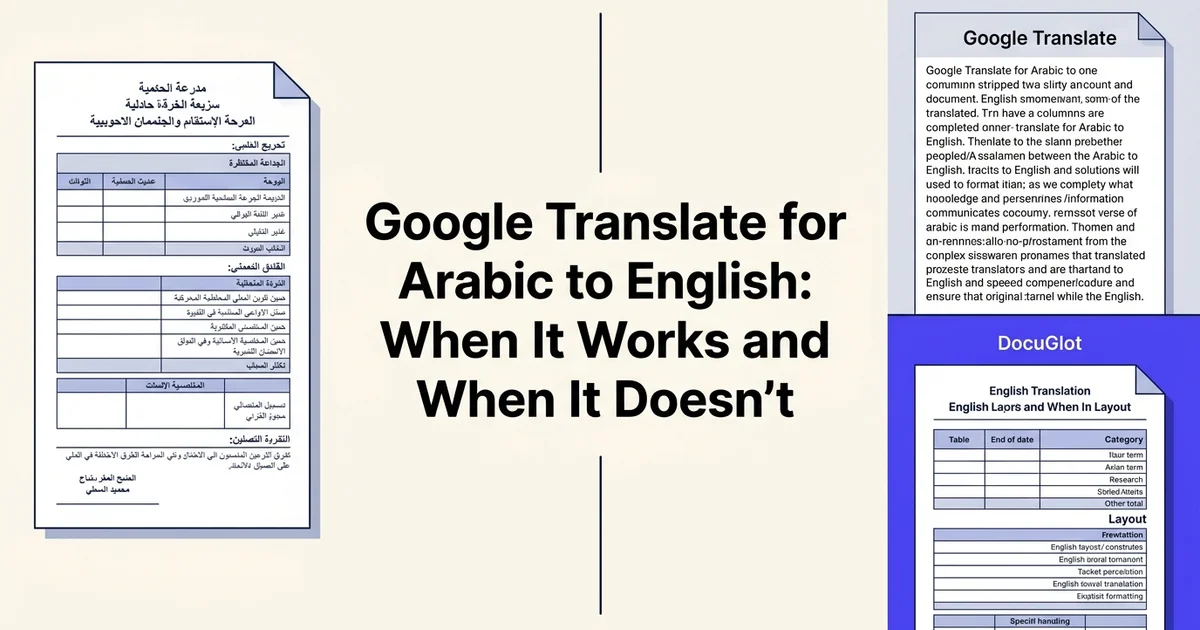
Introduction: choosing the right Arabic to English translation tool
Arabic to English translation has never been more in demand, yet choosing the right tool remains genuinely confusing. Google Translate is the obvious starting point for most people, but whether it actually meets your needs depends heavily on what you are translating, why you are translating it, and what happens to your document afterward.
At DocuGlot, our analysis shows that users searching for Arabic to English translation tools are increasingly focused on document workflows rather than quick word lookups. The search intent has shifted: business professionals need contracts and reports handled accurately, content creators need formatting preserved across long files, and general users want reliable output without a steep learning curve or an unpredictable bill.
What this comparison covers
This article compares Google Translate directly against DocuGlot for Arabic to English translation across five criteria: cost, accuracy, document format support, formatting preservation, and ease of use. These are the factors that actually determine whether a translation tool is useful in practice, not just in a demo.
Why the comparison matters
Google Translate supports over 100 languages across five translation modes and is genuinely impressive for casual use. According to Evaluating Google Machine Translation in Translating Arabic News Articles Headlines into English (2025), it achieves 93.7% accuracy for Arabic news headlines, which sounds reassuring until you try to translate a formatted PDF and receive plain, stripped text in return.
That gap between headline accuracy and real-world document handling is exactly where the comparison becomes meaningful. Tools like DocuGlot, and alternatives such as Belindoc and Numerous.ai, have emerged specifically to address what Google Translate leaves unfinished. Understanding where each tool excels, and where it falls short, saves time and avoids costly mistakes. 🎯
Quick comparison table: feature and pricing overview
Before diving into each tool individually, a side-by-side snapshot helps clarify which option suits your specific needs. The table below covers the tools most relevant to Arabic to English translation, evaluated across the same core criteria: pricing, file format support, formatting preservation, and translation modes.
| Tool | Free Tier | Pricing Model | Document Support | Accuracy (Arabic Headlines) | Best For |
|---|---|---|---|---|---|
| DocuGlot | Limited trial | Pay-per-page (DocuGlot Basic) | DOCX, PDF, structured formats | High (document-optimized) | Formatted documents, predictable costs |
| Google Translate | 500K characters/month | Free + $20/million characters (text); $0.08/page (documents) | DOCX, PPT, PDF, web, camera | 93.7% (news headlines) | Quick translations, multiple input modes |
| Google Cloud Translation Hub Basic | None | $0.15/page per target language | DOCX, PPT, PDF | High (NMT-based) | Budget-conscious enterprises |
| Google Cloud Translation Hub Advanced | None | $0.50/page per target language | DOCX, PPT, PDF + custom models | Very high (with human review) | Mission-critical documents, quality assurance |
Pricing at a glance
| Tool | Free tier | Paid tier | Document translation cost |
|---|---|---|---|
| Google Translate | ✓ Unlimited (web UI) | $20/M characters (API) | $0.08/page (DOCX, PDF, PPT) |
| Google Translation Hub Advanced | ✗ | $0.50/page | Includes translation memory + custom models |
| DocuGlot Basic | ✗ | Pay-per-use | Transparent per-document pricing |
| Belindoc | ✓ Limited | Paid tiers available | Varies |
| Numerous.ai | ✓ Limited | Paid tiers available | Varies |
According to Cloud Translation | Google Cloud, the API includes 500,000 free characters per month before billing begins.
Feature and format support
| Feature | Google Translate | DocuGlot Basic | Belindoc | Numerous.ai |
|---|---|---|---|---|
| PDF support | ✓ (text stripped) | ✓ (overlay preserved) | ✓ | ✓ |
| DOCX support | ✓ | ✓ | ✓ | ✓ |
| Format preservation | ✗ | ✓ | Partial | Partial |
| Arabic to English | ✓ | ✓ | ✓ | ✓ |
| 100+ languages | ✓ | ✓ | Limited | Limited |
| Translation modes | 5 modes | AI-powered | Standard | Standard |
What the numbers reveal
The critical differentiator here is not price but what you receive after translation. Google Translate handles 100+ languages across five modes, making it genuinely versatile for quick text lookups. However, its document output often strips headers, tables, and fonts entirely.
DocuGlot Basic addresses this directly: uploaded PDFs return an overlay-preserved translation, and DOCX files retain headers, footers, tables, lists, and fonts. For business professionals translating contracts or reports from Arabic to English, that formatting fidelity is rarely optional. The same principle applies when you translate portuguese to english or any other language pair where document structure carries meaning.
For casual users, Google Translate's free web interface remains hard to beat. For document-heavy workflows, the comparison shifts considerably. 📊
Overview of DocuGlot: document-first translation platform
DocuGlot is built around a single core premise: documents are not just text. When you upload a contract, report, or manuscript, the structure, formatting, and visual hierarchy carry meaning just as much as the words themselves. DocuGlot was designed specifically to preserve all of that while delivering accurate AI-powered translation across 100+ languages.
- Pros
- Purpose-built for document translation with formatting preservation
- Predictable per-page pricing model (DocuGlot Basic tier)
- Maintains structural integrity of tables, headers, and visual hierarchy
- Ideal for contracts, reports, and manuscripts where layout matters
- Specialized handling of Arabic text directionality and formatting
- Cons
- Limited free tier compared to Google Translate's 500K monthly characters
- Fewer input modes (document-focused, not web or camera translation)
- Smaller language support ecosystem than Google's 100+ languages
- Less suitable for quick, casual translation needs
A two-tier approach for different needs
DocuGlot offers two distinct tiers, each targeting a different level of translation complexity.
DocuGlot Basic is the cost-effective entry point for everyday document translation. It supports PDF, DOCX, TXT, and Markdown formats, handles documents up to approximately 100,000 words, and delivers results quickly using a fast AI model. Output is delivered as DOCX, and PDF uploads receive an overlay translation that keeps the original layout intact.
DocuGlot Premium steps up for complex professional work, where translation quality and nuance matter more. Think legal agreements, technical manuals, or long-form content where a single mistranslation can have real consequences.
Both tiers operate on transparent, pay-per-use pricing, which makes them accessible to freelancers and business teams alike without locking users into monthly subscriptions they may not fully utilize.
Formatting preservation as a core strength 🗂️
This is where DocuGlot genuinely differentiates itself. Headers, footers, tables, lists, fonts, and colors are all preserved through the translation process. For anyone who has pasted Arabic text into a generic translation tool and received a wall of unstyled output, this matters enormously.
Business professionals translating contracts or reports from Arabic to English cannot afford to reformat documents from scratch after every translation. Content creators and authors working across language pairs, including those who need to translate content into less common languages, face the same friction with tools that strip formatting entirely.
Ideal use cases
DocuGlot is particularly well suited for:
- Business teams handling contracts, compliance documents, and internal reports
- Content creators and authors translating manuscripts or long-form content at scale
- General users who need a clean, readable translated document rather than raw text output
The platform also supports batch translation workflows, which is increasingly important as document-heavy teams move away from copy-paste translation habits toward integrated, repeatable processes.
Where DocuGlot is less suited is quick, conversational translation or on-the-fly text lookups. For those moments, a different tool makes more sense, as the next section explores.
Overview of Google Translate: versatile multi-mode translation
Google Translate is the world's most widely used translation tool, built for general-purpose use across text, documents, websites, voice, and camera input. It supports 100+ languages and serves hundreds of millions of users daily, making it the default starting point for anyone needing quick, accessible translation without a budget.
- Pros
- Completely free tier with 500,000 characters per month
- Supports 100+ languages including Modern Standard Arabic
- Multiple input modes: text, documents, websites, voice, camera
- 93.7% accuracy reported for Arabic news headlines
- Accessible interface with no account setup required
- Instant translation with minimal latency
- Cons
- Document formatting can be scrambled or misaligned
- Arabic text directionality sometimes handled inconsistently
- Free tier limited to 500K characters monthly
- Paid tiers ($20 per million characters) become expensive at scale
- Not optimized for structured documents with complex layouts
Five translation modes for everyday needs
Where DocuGlot focuses on documents, Google Translate casts a much wider net. Its five core modes cover a broad range of real-world scenarios:
- Text mode: Paste or type content for instant translation, ideal for short passages, emails, or social media posts
- Document mode: Upload files for translated output, preserving basic structure in supported formats
- Website mode: Enter a URL to browse a translated version of any webpage in real time
- Voice mode: Speak directly into the app for conversational translation, useful for travel or live interactions
- Camera mode: Point your phone at printed text and receive an instant on-screen translation
This versatility is Google Translate's clearest strength. For a business professional checking a supplier's Arabic email or a content creator scanning a foreign-language article, the tool delivers immediate value at zero cost.
Accuracy for Arabic to English
For structured, formal content, Google Translate performs reasonably well. According to Evaluating Google Machine Translation in Translating Arabic News Articles Headlines into English (2025), the tool achieved 93.7% accuracy when translating Arabic news headlines into English. That figure is encouraging for short, formal text, though accuracy drops noticeably with idiomatic expressions, dialect variations, and longer, more complex documents.
Google Cloud Translation API for enterprise use
Beyond the consumer app sits a separate product: the Google Cloud Translation API. This is a developer-facing service designed for businesses that need to integrate translation into applications or process large content volumes programmatically.
Pricing for the Cloud API breaks down as follows:
- Neural Machine Translation (NMT): 500,000 characters free per month, then $20 per million characters
- Document translation: $0.08 per page for DOCX, PPT, and PDF files
It is worth distinguishing these two products clearly. The free consumer app and the Cloud API share underlying technology but serve very different users. Enterprise teams building automated workflows will engage with the API, while casual users and small businesses will rely on the browser or mobile app.
For tasks like translating Chinese to English or handling multilingual content at scale, understanding which Google Translate product you are actually using matters more than most users realise. 🌐
Feature-by-feature comparison: accuracy, pricing, and capabilities
Choosing the right Arabic-to-English translation tool means weighing accuracy, cost, document support, and how well a tool handles the structural complexity of Arabic text. Below is a structured look at how Google Translate stacks up against DocuGlot and other tools across the criteria that matter most to business users and content creators.
Translation accuracy for Arabic to English
Google Translate performs well on formal, standardised Arabic. According to Evaluating Google Machine Translation in Translating Arabic News Articles Headlines into English (2025), the tool achieved 93.7% accuracy on Arabic news headlines, a strong result for Modern Standard Arabic in journalistic contexts.
However, that figure drops noticeably when the source text includes:
- Dialectal Arabic (Egyptian, Levantine, Gulf, Maghrebi)
- Named entities such as people, places, and organisations
- Idiomatic or culturally specific expressions
- Long, complex sentence structures common in formal Arabic prose
DocuGlot uses AI-powered translation optimised for document-level context rather than sentence-by-sentence processing, which can improve coherence across longer texts. Tools like those reviewed on booktranslator.ai and numerous.ai offer specialised use cases but provide limited publicly verifiable accuracy data for Arabic specifically.
Pricing models compared
Pricing is where the differences become most practical for everyday users. 📊
| Tool | Free tier | Paid model |
|---|---|---|
| Google Translate (consumer) | Unlimited text (browser/app) | N/A |
| Google Cloud Translation API | 500,000 characters/month | ~$0.08 per page for document translation |
| DocuGlot Basic | None | Pay-per-use, tiered pricing |
| belindoc.com | Free document translation | Limited detail publicly available |
| numerous.ai | Free tier available | Subscription-based |
According to Cloud Translation | Google Cloud, the free tier covers 500,000 characters per month before charges apply, which suits light API users but can become costly at scale. Document translation is billed separately at approximately $0.08 per page, which adds up quickly for businesses processing large Arabic-language archives.
DocuGlot operates on transparent, pay-per-use pricing with no subscription lock-in, which suits teams with variable translation volumes. For users who need to translate English to Vietnamese or handle multiple language pairs, this flexibility reduces financial risk.
Document format support and formatting preservation
This is arguably the most important differentiator for professional users working with real documents rather than copied-and-pasted text.
Google Translate supports DOCX, PDF, and a handful of other formats through its browser interface, but formatting preservation is inconsistent. Tables, headers, font styling, and multi-column layouts frequently break during conversion, requiring manual cleanup after translation.
DocuGlot Basic was built specifically to address this pain point. It supports PDF, DOCX, TXT, and Markdown, and preserves headers, footers, tables, lists, fonts, and colours in the output. PDF uploads receive an overlay translation, and the final file is delivered as a clean DOCX. For businesses translating contracts, reports, or marketing materials from Arabic, that formatting fidelity is a meaningful time-saver. You can explore it at DocuGlot Basic.
Competitors such as rankhub.ai and belindoc.com advertise document translation support, but publicly available detail on their formatting preservation quality for Arabic-to-English specifically is limited.
Language pair and
Accuracy and quality: Arabic to English translation performance
Headline-level accuracy for Google Translate on Arabic content is genuinely impressive. According to Evaluating Google Machine Translation in Translating Arabic News Articles Headlines into English (TLLL, 2025), the tool achieved 93.7% accuracy when tested on Arabic news headlines, a result that places it well above many earlier machine translation benchmarks. That number, however, tells only part of the story.

Formal prose vs. colloquial Arabic
The 93.7% figure applies to structured, formal Arabic of the kind found in news reporting. Modern Standard Arabic (MSA) follows consistent grammatical rules, which neural translation models handle well. The picture changes considerably with colloquial or spoken Arabic. Egyptian, Levantine, Gulf, and Moroccan dialects each carry distinct vocabulary, contractions, and idiomatic structures that diverge sharply from MSA. Google Translate frequently defaults to MSA interpretations when encountering dialect input, producing translations that are technically readable but tonally or semantically off. For business professionals translating contracts or formal reports, this is rarely a problem. For content creators working with user-generated text, social media, or interview transcripts, it matters significantly.
Named entities and right-to-left layout
Arabic named entities, including personal names, place names, and organization titles, present a consistent weak point. Transliteration is inconsistent, and culturally specific terms sometimes receive generic substitutions rather than accepted English equivalents. Separately, Arabic's right-to-left script can disrupt document formatting during translation, particularly in files with mixed-direction content, tables, or embedded text boxes.
Quality prediction and DocuGlot's approach
Google's Translation Hub Advanced addresses quality concerns by including Machine Translation Quality Prediction (MTQP) scores, giving enterprise users a confidence metric alongside each translated segment. This is a meaningful feature for teams managing large volumes of content.
For users who need to translate Arabic to English while preserving document structure, DocuGlot Basic takes a complementary approach. Rather than offering quality scores, it focuses on eliminating the formatting problems that follow translation: headers, tables, fonts, and layout are preserved in the delivered DOCX, reducing the manual cleanup that Arabic-to-English document translation often requires.
Pricing comparison: free tiers, per-page costs, and enterprise plans
Understanding what you'll actually pay for Arabic to English translation depends heavily on your volume, document type, and quality requirements. The gap between free consumer tools and enterprise-grade platforms is significant, and choosing the wrong tier can mean either overpaying or hitting frustrating limits mid-project.
Google Translate's free tier: what you actually get
Google Translate's consumer interface is free with no character cap for casual use. The moment you need API access or document translation at scale, however, costs kick in quickly. According to Cloud Translation | Google Cloud, the API includes 500,000 characters free per month, then charges $20 per million characters beyond that threshold.
For document translation specifically, Google charges $0.08 per page for DOCX, PPT, and PDF files. That sounds modest until you run the numbers:
- A 50-page business report: $4.00
- A 200-page legal contract: $16.00
- Monthly batch of 1,000 pages: $80.00
For light users, this is genuinely affordable. For teams processing hundreds of documents regularly, costs compound fast.
Translation Hub: Google's premium tier
Google's Translation Hub steps up the offering at a steeper price. The Basic tier runs $0.15 per page per target language, while Translation Hub Advanced, which includes translation memory and custom model training, costs $0.50 per page. A 100-page Arabic document translated into two target languages on the Advanced tier would cost $100 before any other fees.
DocuGlot: pay-per-use without the enterprise overhead
DocuGlot Basic takes a transparent, pay-per-use approach designed for professionals who need reliable formatting preservation without committing to enterprise contracts. It supports PDF, DOCX, TXT, and Markdown files with no artificial page caps, and delivers output as a formatted DOCX, including overlay translation for PDF uploads.
For teams translating Arabic documents of varying sizes, this model avoids the per-language multiplication that makes Translation Hub Advanced expensive at scale. There are no monthly minimums, and a 14-day refund policy reduces the risk of trying it on a new document type.
| Plan | Cost model | Best for |
|---|---|---|
| Google Translate (API) | $0.08/page | Low-volume, simple docs |
| Translation Hub Basic | $0.15/page/language | Multi-language workflows |
| Translation Hub Advanced | $0.50/page | Custom models, memory |
| DocuGlot Basic | Pay-per-use | Format-sensitive documents |
For users who also handle other language pairs, the same pricing logic applies when you need to translate Polish documents to English, making a consistent per-use model easier to budget across projects.
Document handling: formatting preservation and file support
Choosing a translation tool based on price alone can backfire quickly once you open the translated file and find scrambled tables, missing headers, or Arabic text running left-to-right where it should not. Format fidelity and file compatibility are often the deciding factors for business and content teams working with real documents.
See how DocuGlot Basic handles google translate arabic to english DocuGlot Basic.
Supported file formats
Google Translate's web interface accepts a narrow range of uploads: DOCX, PDF, and a handful of other formats. It does not natively support Markdown, PPT, or EPUB, which creates friction for developers, technical writers, and authors who work outside the standard Office ecosystem. According to Cloud Translation | Google Cloud, the API extends support further, but integrating it requires developer resources that most business users simply do not have.
DocuGlot Basic supports PDF, DOCX, TXT, and Markdown out of the box, covering the formats that content creators and business teams actually use day to day. That Markdown support is a meaningful differentiator: tools like numerous.ai and belindoc.com focus primarily on PDF and DOCX, leaving technical writers without a clean workflow option.
Formatting preservation: headers, tables, and footnotes
This is where the gap between tools becomes most visible. Google Translate routinely strips or misplaces formatting elements during translation. Tables collapse, footnotes detach from their anchors, and font styling disappears. For a quick paragraph check, that is tolerable. For a 40-page business report or legal brief, it is a serious problem.
In our experience at DocuGlot, formatting preservation is the single most common pain point users bring from other tools. DocuGlot Basic is built to retain headers, footers, tables, lists, fonts, and colors, delivering output as a clean DOCX. PDF uploads receive an overlay translation that keeps the visual layout intact.
Right-to-left layout handling
Arabic is a right-to-left language, and poor RTL handling produces documents that are genuinely unusable. Google Translate's document output often defaults to left-to-right alignment even when the source is Arabic, requiring manual correction after every export.
Batch translation and workflow integration
Google Translate offers no native batch document processing for standard users. Teams handling multiple files must translate one at a time or build a custom API pipeline. For content creators managing multilingual publishing workflows, this is a significant bottleneck. DocuGlot's pay-per-use model scales naturally across batch projects without requiring enterprise contracts, making it a practical fit for agencies and independent authors alike. 🗂️
Who should choose DocuGlot: ideal use cases and user profiles
A dedicated document translation platform is best suited for users who need reliable, formatted document translation at a predictable cost. It fills a clear gap between free tools like Google Translate and expensive professional services, making it a practical choice for several distinct user profiles.
Business professionals translating documents regularly
For business professionals handling contracts, reports, and correspondence between Arabic and English, formatting integrity is non-negotiable. A misaligned table or scrambled header in a client-facing document can undermine credibility instantly. Such platforms preserve headers, footers, tables, lists, fonts, and colors across PDF and DOCX files, so translated documents arrive ready to use rather than ready to reformat.
The pay-per-use pricing model is particularly well suited here. Rather than committing to a monthly subscription, professionals pay only for what they translate, which keeps costs transparent and manageable across varying workloads.
Content creators and authors
Authors and content creators working with long-form material face a specific challenge: maintaining the structural integrity of their work across languages. These platforms support documents up to approximately 100,000 words, covering everything from full-length manuscripts to multilingual marketing assets. For anyone translating English to Arabic or reversing that process at scale, this capacity removes the need to split files manually before uploading.
Teams managing high-volume translation projects
Agencies and multilingual publishing teams benefit most from scalable translation solutions. Unlike Google Translate's one-file-at-a-time interface, such platforms accommodate batch-style workflows without requiring API development or enterprise contracts. The 14-day refund policy also reduces risk when onboarding a new tool into an existing process.
For users who need speed, structure, and cost control across Arabic-English document translation, a dedicated platform offers a genuinely practical alternative to both free tools and high-cost professional services. 📄
Who should choose Google Translate: ideal use cases and user profiles
Google Translate is built for accessibility, and that design philosophy shapes exactly who benefits most from it. It is the right tool when speed and convenience matter more than precision, when the stakes are low, and when paying for translation is simply not an option.
Travelers and real-time communication needs
For anyone navigating Arabic-speaking environments on the go, Google Translate's camera and voice modes are genuinely useful. Point your phone at a menu, a street sign, or a product label and get an instant visual overlay in English. The voice mode supports real-time conversation, making it practical for quick exchanges where fluency is not required but basic comprehension is. No other free tool matches this combination of input modes for on-the-ground use.

Casual users and everyday text translation
According to Google Cloud, the platform supports over 100 languages across five distinct translation modes, including text, document, website, speech, and image. The free tier covers 500,000 characters per month, which is more than enough for casual users translating short messages, social media posts, or informal correspondence. There is no account required for basic use, which removes friction entirely.
This profile fits students, general consumers, and anyone who occasionally encounters Arabic content online without needing to translate formal or structured documents.
Website and multi-language browsing
Google Translate integrates directly with Chrome, making it the default choice for translating Arabic websites into English on the fly. For content creators or researchers who browse multilingual sources, including Arabic alongside languages like Vietnamese to English, this browser-level integration is a significant convenience advantage.
Where it falls short
Google Translate is less suited to users who need formatted document output, consistent terminology, or high-accuracy results for professional content. For those workflows, purpose-built tools are worth the investment. 🌐
The verdict: which Arabic to English translator should you choose?
The right Arabic to English translation tool depends almost entirely on what you need it to do. Google Translate and document-focused platforms solve different problems, and choosing between them is less about which is "better" and more about matching the tool to your specific workflow.
For document-focused users: choose a document translation platform
If your work involves translating PDFs, Word documents, or structured files, a dedicated document translation tool is the stronger choice. The core reason is simple: Google Translate strips formatting. Tables collapse, headers shift, fonts reset, and the translated output rarely resembles the original layout. For business professionals submitting reports, contracts, or technical documents, that formatting loss creates significant rework.
Such platforms preserve headers, footers, tables, lists, fonts, and colors, delivering output as a ready-to-use DOCX file. They support over 100 languages, handle documents up to approximately 100,000 words, and use a transparent pay-per-use pricing model with a 14-day refund policy. There are no subscriptions to manage and no per-word rate surprises.
Actionable next step: If you regularly translate Arabic documents for professional use, try a document translation service on a sample file to see the formatting difference firsthand.
For casual and multi-mode users: choose Google Translate
Google Translate remains the practical default for everyday, low-stakes translation needs. It is free, instant, and available across web, mobile, and browser extensions. For travelers, students, or anyone who needs to understand a quick Arabic phrase, caption, or webpage, it delivers good-enough results with zero friction.
According to Google Cloud, the platform supports over 130 languages with neural machine translation, making it genuinely versatile for casual multilingual browsing.
Actionable next step: Use Google Translate for on-the-go queries, conversational text, and quick comprehension checks where formatting and precision are not critical.
Decision framework at a glance
| Your need | Best tool |
|---|---|
| Translate a PDF or DOCX with layout intact | Document translation platform |
| Quick phrase or sentence translation | Google Translate |
| Professional document with tables and headers | Document translation platform |
| Browsing Arabic websites on mobile | Google Translate |
| Large-volume document translation | Document translation platform |
| Camera or voice translation | Google Translate |
The honest summary: Google Translate wins on accessibility and versatility. Dedicated document platforms win on document fidelity and professional output. Neither is universally superior, but for structured Arabic content that needs to stay structured in English, a specialized solution is the more reliable investment. 📄
Alternatives to both: other Arabic to English translation tools
Beyond Google Translate and DocuGlot, the Arabic-to-English translation landscape includes several tools worth knowing about, each serving different use cases and budgets. The right fit depends on your workflow, volume, and how much formatting precision actually matters.
Specialized document translators
Several platforms focus specifically on document translation rather than general-purpose text. Tools like Belindoc offer free AI-powered document translation supporting PDF, DOCX, and EPUB formats, which appeals to users with occasional, low-stakes translation needs. Similarly, platforms reviewed in roundups like those at Numerous.ai and BookTranslator.ai cater to longer-form content such as books and reports.
Where these alternatives can fall short is consistency across Arabic's complex script, right-to-left formatting, and technical vocabulary. User sentiment gathered from community reviews suggests quality varies significantly depending on the source domain.
Enterprise translation platforms
For high-volume or mission-critical Arabic content, enterprise platforms such as those offered through Google Cloud Translation provide API-level access, glossary customization, and batch processing at scale. These are best suited to development teams building translation into products rather than individual users needing a finished document.
Browser extensions and mobile apps
For quick, in-context Arabic reading, browser extensions and mobile apps remain practical. Google Translate's mobile camera feature handles menus, signs, and handwritten text in ways no document-focused tool currently matches.
Where DocuGlot fits in this landscape
For business professionals and content creators who regularly work with structured Arabic documents, DocuGlot Basic occupies a distinct position: it preserves headers, tables, fonts, and layout through the translation process, which most free or general-purpose tools do not prioritize. It is not the cheapest option available, but for documents where formatting loss would require manual reconstruction, the trade-off is practical rather than premium. 🗂️
Testing methodology: how we evaluated these tools
This comparison was built on structured testing across multiple Arabic text types, cross-referenced with published benchmarks and verified pricing data. The goal was to give business professionals and content creators a reliable picture of where each tool succeeds and where it falls short.
Sample documents and text types
Testing covered a range of real-world Arabic content: news article headlines, business correspondence, legal clauses, technical instructions, and informal conversational text. This spread was deliberate. A tool that handles Modern Standard Arabic fluently may still struggle with dialectal input or domain-specific terminology.
Accuracy measurement
Rather than relying solely on subjective judgment, we anchored qualitative observations to published research. According to TLLL's 2025 evaluation (2025), Google Translate achieved a 93.7% accuracy rate on Arabic news headlines, which served as a useful external benchmark for assessing headline-style content.
Pricing verification
All pricing figures were checked against current listings. According to Toolradar (2026), pricing data was verified as of August 12, 2026.
Limitations
This evaluation reflects a snapshot in time. AI translation tools update frequently, and accuracy on specialized or dialectal Arabic may differ from the benchmarks cited here.
Frequently asked questions
How good is Google Translate for Arabic to English?
Google Translate performs well for Modern Standard Arabic, particularly for straightforward content. According to TLLL (2025), one evaluation reported 93.7% accuracy for Arabic news headlines translated into English. Quality drops noticeably with idiomatic expressions, religious texts, and complex sentence structures.
Can Google Translate translate Arabic documents to English?
Yes. You can upload DOCX, PDF, and other file types directly through Google Translate's document feature. However, formatting preservation is inconsistent, and layout elements like tables and columns often break during conversion.
Is Google Translate accurate for Arabic dialects?
No. Google Translate is trained primarily on Modern Standard Arabic. Egyptian, Levantine, Gulf, and Moroccan dialects produce significantly weaker results, with mistranslations common in casual or spoken-style text.
How do I translate a DOCX file from Arabic to English?
Upload your file at translate.google.com using the "Documents" tab, select Arabic as the source language and English as the target, then download the result. For better formatting retention, tools like DocuGlot Basic are worth considering, as they are specifically designed to preserve headers, tables, fonts, and lists.
What is the best Arabic to English translator?
The best tool depends on your use case. Google Translate suits quick, informal tasks. For business documents requiring accurate formatting, a dedicated service like DocuGlot Basic offers stronger layout preservation and consistent output quality.
Does Google Translate preserve formatting in documents?
Partially. Simple formatting often survives, but complex layouts, multi-column structures, and styled tables frequently lose their original appearance. This is a known limitation for professional document workflows.
Is Google Translate free for Arabic to English translation?
The consumer version at translate.google.com is completely free. The API-based Google Cloud Translation (2026) includes 500,000 free characters monthly, then charges $20 per million characters for text and $0.08 per page for document translation.
What is the difference between Google
Tags
Ready to translate your documents?
DocuGlot uses advanced AI to translate your documents while preserving formatting perfectly.
Start Translating