Common French to English Translation Mistakes—And How to Avoid Them
Introduction: Why translating French to English matters (and why it's harder than you think)
You've found a French contract, a product description, or a research document you urgently need in English. You paste it into a free tool, get something back, and then spend the next hour wondering whether what you're reading actually means what it says. Sound familiar?
For business professionals, content creators, and anyone working across language barriers, the stakes of a poor translation are real: missed contract clauses, confused customers, or a brand voice that lands completely flat.
The accuracy gap is wider than most people expect
Translation quality is not consistent. It varies dramatically depending on the tool you use, the type of content you're translating, and the specific language pair involved. According to Smartling, Google Translate accuracy ranges from roughly 55% to 94% depending on language pair and content type. AI translation tools generally land between 60% and 85% accuracy in production environments, while professional human localization consistently exceeds 95%.
That gap matters enormously when a single mistranslated sentence can change the meaning of a legal clause or undermine a marketing campaign.
What this article will actually help you do
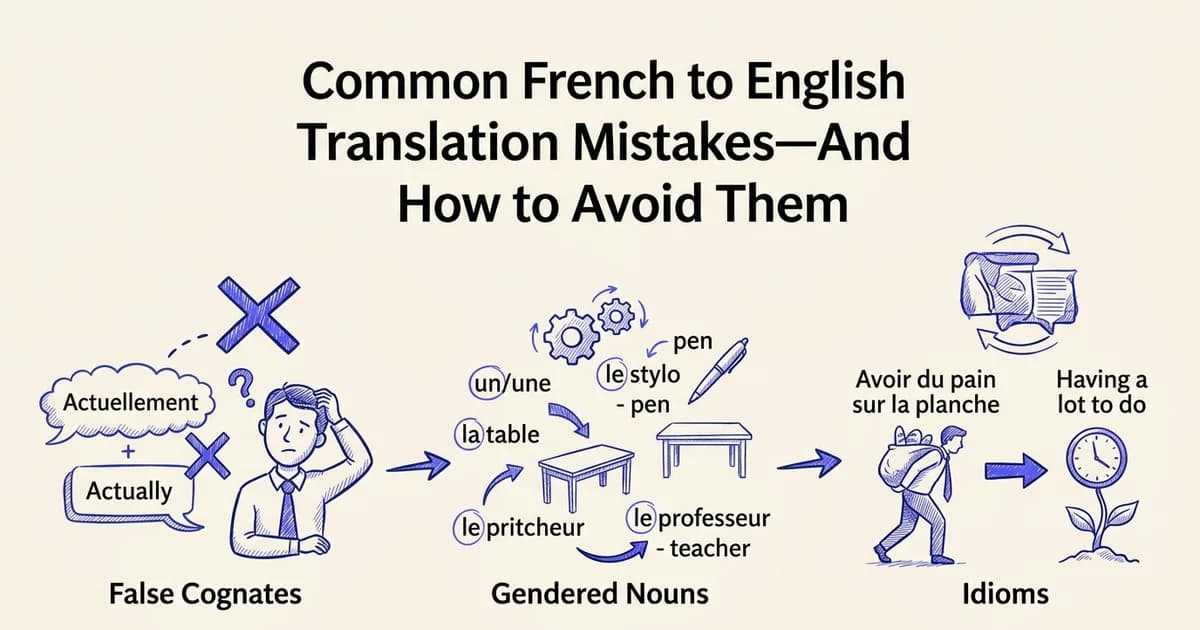
At DocuGlot, our analysis shows that French-to-English translation fails most often at predictable points: false cognates, gendered nouns, idiomatic expressions, and formatting loss in complex documents. 🎯
This guide walks through those failure points one by one, with practical fixes ranked from the simplest quick wins to more comprehensive approaches. Free tools work well enough for casual reading. But for business-critical documents, contracts, or published content, you need a method that holds up under scrutiny.
Quick fix: The fastest way to translate French to English right now
If you need to translate French to English in the next two minutes, open Google Translate, paste your text, and you have a working result. For casual reading, informal messages, or getting the gist of a webpage, this is genuinely good enough.
Open Google Translate
Go to translate.google.com in your browser. No account or installation required.
Paste your French text
Copy and paste the French content into the left text box. Google Translate automatically detects the source language.
Review the English output
The English translation appears instantly on the right side. For casual content, this is often sufficient for understanding.
Copy or download the result
Select the translated text, copy it to your clipboard, or download it as a document if needed.
When Google Translate works well
According to Smartling, Google Translate accuracy ranges from roughly 55% to 94% depending on language pair and content type. French scores toward the higher end of that range, making it a reasonable choice for:
- Short, straightforward sentences with no technical jargon
- Personal emails where tone matters less than meaning
- Quick research to decide whether a document is worth translating properly
When you need something better
The quick fix breaks down fast with formatted documents. Paste a PDF or a table-heavy report into Google Translate and the structure collapses entirely. For business contracts, client-facing content, or anything you plan to publish, a tool that preserves formatting alongside translation accuracy is worth the extra step.
DocuGlot Basic handles PDF, DOCX, and other common formats while keeping headers, tables, and fonts intact. It is a practical middle ground between a free paste-and-go tool and expensive professional services.
Why translation accuracy varies: Understanding the root causes
Translation quality is not a fixed number. It shifts depending on which languages are involved, what kind of content you are translating, and whether the tool understands context or simply swaps words. Knowing why accuracy varies helps you choose the right approach before problems appear.
Language pair complexity
Some language pairs are simply easier for AI to handle than others. French and English share significant vocabulary, similar sentence structures, and a long history of cross-linguistic documentation. According to Smartling (2024), Google Translate accuracy ranges from 55% to 94% depending on language pair and content type, with French grouped among the higher-performing European pairs. Compare that to languages with different scripts or grammatical structures, where performance drops considerably. If you are also working with less common language pairs, the gap becomes even more apparent, as explored in our guide to Google Translate English to Myanmar.
Content type matters more than most people expect
Even within French-to-English translation, accuracy is not uniform. Technical content, with its precise, repeatable terminology, tends to translate well. Marketing copy is a different story. Research suggests English-to-French benchmarks reach around 90% accuracy for technical content but drop to roughly 75% for marketing material, where tone, rhythm, and cultural nuance carry as much meaning as the words themselves. Casual conversation sits somewhere in between.
Word-for-word versus meaning-preserving translation
The most common source of translation errors is not vocabulary. It is structure. A word-for-word approach produces technically correct sentences that read awkwardly or change the intended meaning entirely. French uses inverted phrasing, gendered nouns, and idiomatic expressions that have no direct English equivalent. Meaning-preserving translation, which is what quality AI tools aim for, prioritises how something should read in the target language, not just what each word literally says.
Why formatting and document context matter
Context shapes meaning. A word translated in isolation can mean something entirely different when it appears inside a legal clause, a product description, or a casual email. Document structure, including headings, tables, and section hierarchy, also carries information. When formatting collapses during translation, that contextual scaffolding disappears with it, making the output harder to use and easier to misread.
Solution 1: Google Translate for quick, free translations
Google Translate is the most accessible starting point for anyone needing a fast French to English conversion. It's free, requires no account, and handles everything from a single sentence to an entire webpage in seconds. For low-stakes content, it genuinely gets the job done.
How to translate text, documents, and web pages
Getting started takes less than a minute:
- Text translation: Go to translate.google.com, select French as the source language and English as the target, then paste your text. Results appear instantly.
- Document upload: Click the "Documents" tab, upload a PDF or DOCX file, and Google Translate will return a translated version that attempts to preserve basic formatting. This works well for simple layouts.
- Web page translation: Paste a URL directly into the text box, or use the Chrome browser extension to translate entire pages in place with a single click.
What accuracy to realistically expect
According to Smartling, Google Translate accuracy ranges from roughly 55% to 94%, depending heavily on the content type and language pair. French to English sits toward the higher end of that range because both are well-resourced languages with enormous training data behind them.
That said, the gap between 55% and 94% is significant. Accuracy drops noticeably when content involves:
- Idiomatic expressions ("avoir le cafard" is not about cockroaches)
- Specialized terminology in legal, medical, or technical documents
- Ambiguous sentence structures where context determines meaning
When Google Translate is the right choice
Use it confidently for casual reading, quick reference checks, informal emails, and getting the gist of a webpage. Avoid relying on it for contracts, published content, or anything where a mistranslation carries real consequences.
For documents where formatting matters, the upload feature helps, but results can still be inconsistent with complex layouts. If you regularly translate structured documents and need the headers, tables, and fonts to survive intact, a dedicated tool like DocuGlot Basic is worth considering. It's built specifically to preserve document structure across 100+ languages, including French to English, without the manual cleanup that Google Translate often leaves behind. 📄
Solution 2: ChatGPT and AI assistants for context-aware translation
Where Google Translate excels at speed, ChatGPT and similar AI assistants bring something different to the table: genuine context awareness. Rather than translating sentence by sentence, these tools can interpret tone, register, and intent across a full passage, making them a strong choice when nuance matters more than raw speed.

How to prompt for better results
The quality of your translation depends heavily on how you frame your request. A vague prompt like "translate this to English" gives you a generic output. A specific prompt gives you something far more usable. Here are examples tailored to different content types:
- Business communication: "Translate this French email into professional British English, preserving a formal tone and keeping the original paragraph structure."
- Marketing copy: "Translate this French tagline into English. Keep it punchy and idiomatic. The audience is young professionals in the US."
- Technical content: "Translate this French product specification into English. Use precise, neutral language and keep all measurements and units unchanged."
Framing your prompt with audience, tone, and purpose consistently produces more accurate, natural-sounding results.
Advantages over basic machine translation
According to AI Translation Accuracy: What to Expect in Production (2026), GPT-based models reached at least 90% accuracy at the sentence level, comparable to Google Translate for many language pairs. Where they pull ahead is in handling idioms, cultural references, and tonal shifts that literal translation tools tend to flatten.
When to use AI assistants
ChatGPT works best for:
- Marketing and creative copy where voice and rhythm matter
- Nuanced business communication such as proposals, pitches, or client-facing emails
- Short to medium-length content where you can review the output carefully
For longer or more complex content, like a full French contract or a formatted report, consistency can slip across sections. In those cases, a dedicated document translation tool handles structure and scale more reliably. If you also work across other language pairs, the same prompting principles apply whether you need to translate English to Vietnamese or tackle any other combination. 🤖
Solution 3: DocuGlot for professional document translation with formatting preserved
When you need to translate French to English across a full document, preserving every table, heading, footer, and font style, a dedicated document translation tool closes the gap that general-purpose AI leaves open. DocuGlot is built specifically for this workflow, shifting the focus from sentence-level output to document-level fidelity.
What DocuGlot actually does differently
Most translation tools treat your document as raw text. They strip the structure, translate the words, and hand back something you have to reformat from scratch. DocuGlot preserves the original layout throughout the process: headers, footers, tables, lists, fonts, and colors all remain intact in the delivered file. For a French contract or a technical manual, that is not a minor convenience. It is the difference between a usable document and an hour of cleanup work.
The shift toward document-level translation workflows matters for accuracy too. According to AI Productivity (2026), document-level translation benchmarks show meaningful improvements in terminology consistency compared to segment-by-segment approaches, because the model maintains context across the entire file rather than treating each sentence in isolation.
DocuGlot Basic vs. DocuGlot Premium
DocuGlot Basic is the practical starting point for most business users:
- Supports PDF, DOCX, TXT, and Markdown formats
- Handles documents up to approximately 100,000 words
- Covers 100+ languages, including French to English
- Delivers output as a formatted DOCX file (PDF uploads receive an overlay translation)
- Uses a fast AI model with transparent, pay-per-use pricing and a 14-day refund policy
DocuGlot Premium steps up the processing power and accuracy ceiling for larger or more complex documents, making it the better fit for lengthy compliance materials or multi-section technical manuals.
How to translate a document step by step
- Go to DocuGlot Basic
- Upload your French document (PDF or DOCX)
- Select English as the target language
- Review the preview and confirm
- Download your fully formatted English document 📄
When to reach for DocuGlot
This tool earns its place for:
- Business reports and proposals where layout signals professionalism
- Contracts and legal documents requiring consistent terminology throughout
- Technical manuals with structured tables and numbered procedures
- Compliance materials where formatting errors create real risk
If you regularly work across multiple language pairs, the same document-level approach applies whether you are handling French content or need to translate Arabic to English with the same structural precision.
Solution 4: Professional human translation for mission-critical content
Professional human translation remains the gold standard when the stakes are simply too high for errors. For legal contracts, medical records, marketing campaigns, and regulated technical content, the cost of a mistranslation can far exceed the cost of hiring a specialist. This is where human expertise delivers irreplaceable value.
See how DocuGlot Basic handles translate french to english DocuGlot Basic.
When human translation is worth the investment
Not every document needs a human translator, but some genuinely do. The clearest candidates include:
- Legal documents: contracts, court filings, intellectual property agreements
- Medical and clinical content: patient records, drug labeling, informed consent forms
- Brand messaging and marketing campaigns: tone, humor, and cultural nuance require human judgment
- Technical documentation: safety-critical manuals where a misread instruction has real consequences
Research supports this caution. According to PMC / NCBI (2025), translation accuracy in a medical context reached 94% only when extractors had strong confidence, dropping to 76% with moderate confidence and 67% with little confidence. In high-stakes settings, that gap matters enormously.
Accuracy benchmarks and what they mean in practice
Professional human localization consistently exceeds 95% accuracy across domains, making it the benchmark other approaches are measured against. That extra margin is not a luxury in regulated industries. It is a compliance requirement.
The process: sourcing, review cycles, and turnaround
A reliable human translation workflow typically involves:
- Sourcing a specialist with domain expertise in your subject area
- First draft translation by the primary translator
- Independent review by a second linguist
- Client review cycle for terminology and brand alignment
- Final proofreading before delivery
Expect turnaround times of several days to weeks depending on document length, and costs that reflect that thoroughness.
Cost vs. risk: a practical comparison
In our experience at DocuGlot, most business professionals do not need full human translation for every document. The majority of everyday translation tasks, such as internal reports, correspondence, and reference materials, can be handled accurately and affordably with AI-powered tools. Reserving human translation for genuinely mission-critical content is the smarter allocation of budget.
For documents that sit between routine and critical, the next approach offers a practical middle ground. 🔍
Solution 5: Hybrid approach—AI translation plus human review
The hybrid model has become one of the fastest-growing workflows for businesses that translate French to English at scale. It combines the speed and cost-efficiency of AI with the judgment of a human editor, delivering results that sit comfortably between the two extremes in both price and quality.
How the workflow works
The process is straightforward: an AI tool produces a full draft translation, then a human editor reviews and refines it. The editor is not translating from scratch. They are correcting, polishing, and aligning the output with your specific needs. This typically cuts turnaround times significantly compared to pure human translation, while addressing the accuracy gap that pure AI leaves behind.
According to AI Translation Accuracy: What to Expect in Production (2026), AI translation tools achieve roughly 60% to 85% accuracy depending on content type. A skilled human reviewer can close that gap to professional-grade quality without the full cost of a traditional translation service.
What to prioritize in human review
Not every sentence needs equal attention. Direct your reviewer toward the elements most likely to cause problems:
- Tone and register: Does the translation sound too formal, too casual, or off-brand?
- Idioms and cultural references: These are where AI most frequently stumbles
- Brand voice: Terminology, product names, and messaging consistency
- Calls to action: These carry commercial weight and must land precisely
When to use this approach
The hybrid model works best for marketing content, customer-facing materials, and long-form business documents where pure AI output carries reputational risk but a full human translation budget is not justified.
Tools like DocuGlot Basic fit naturally into this workflow. The AI handles the heavy lifting across PDFs, DOCX files, and other formats while preserving your original layout, giving a human reviewer a clean, structured draft to work from rather than a formatting mess to untangle. 🛠️
Solution 6: BookTranslator for translating French books and long-form content
Translating a single page is one challenge. Translating an entire French novel, technical manual, or multi-chapter knowledge base is another problem entirely. Long-form content demands consistency across hundreds of pages, preserved structure, and terminology that stays uniform from chapter one to the final appendix.
Why standard tools fail with book-length content
Most general translation tools treat every document as an isolated unit. Paste in chapter three, and the tool has no memory of how it handled chapter one. Character names get transliterated differently. Technical terms shift meaning mid-document. Headers lose their hierarchy. For authors, publishers, and businesses producing multi-part guides, these inconsistencies are not minor annoyances. They undermine the credibility of the entire work.

How BookTranslator handles EPUB and multi-chapter documents
BookTranslator is purpose-built for this scale. It processes EPUB files and long-form documents while preserving the original chapter structure, metadata, and formatting throughout. Key capabilities include:
- Chapter-aware translation: Each chapter is processed in context, not isolation
- Metadata preservation: Title, author, and chapter labels carry through intact
- Terminology consistency: Repeated terms and proper nouns stay uniform across the entire document
- Format fidelity: Headers, lists, and layout survive the translation process
When to use BookTranslator
This tool is the right choice for:
- Publishing: Translating French novels, essays, or non-fiction for English-speaking markets
- Technical manuals: Multi-part product documentation where precision matters
- Knowledge bases: Internal wikis or help centers with dozens of interconnected articles
- Multi-part guides: Training materials or course content spread across chapters
The workflow is straightforward. Upload your EPUB or long document, select French to English, and BookTranslator processes the full file while keeping structure intact. The output arrives ready for review rather than requiring manual reassembly.
For teams already using DocuGlot Basic for everyday PDFs and DOCX files, BookTranslator extends that same format-preservation philosophy to the most demanding content types. 📚
Prevention: How to set up your workflow to avoid translation problems
A reactive approach to translation quality costs far more time than a proactive one. Building checkpoints into your process before you translate a single sentence eliminates most common French to English mistakes before they reach your audience.
Define your accuracy threshold upfront
Decide whether your content needs 60% accuracy (casual reading), 85% accuracy (business communication), or 95%+ (legal/medical). This determines which tools and review processes you'll use.
Create a source document checklist
Before translating, verify that your French source is clear, free of typos, and uses standard terminology. Poor source quality cascades into poor translations.
Assign a review step based on content type
Casual content: quick skim. Business documents: AI review + one human pass. Legal/medical: full professional translation with certification.
Build a terminology glossary
For recurring French-to-English translations, maintain a glossary of industry terms, brand names, and context-specific phrases. Feed this into your translation tool or share it with human reviewers.
Test your workflow on low-stakes content first
Run a pilot translation on a non-critical document using your chosen tool and review process. Measure the time and quality output before scaling to mission-critical content.
Establish quality standards and a terminology glossary
Define what "good enough" means for your specific content. A legal contract demands near-perfect accuracy; an internal memo tolerates more flexibility. Once you know your threshold, build a terminology glossary for recurring technical terms, brand names, and industry phrases. Consistent vocabulary across documents signals professionalism and prevents confusing variation between sections.
Break large documents into reviewable chunks
Long documents amplify small errors. Splitting a 50-page report into logical sections lets reviewers focus deeply rather than skim. It also makes it easier to assign different sections to subject-matter experts when specialized terminology is involved.
Test with native speakers before publishing
Machine translation has improved dramatically, but according to Smartling accuracy still varies significantly by content type and domain. A native English speaker reviewing even a short sample will catch tone mismatches and awkward phrasing that automated tools miss entirely.
Match your tool to your content type
Everyday PDFs and DOCX files suit a straightforward tool like DocuGlot Basic, which preserves formatting, headers, and tables automatically. This matters because a translation that arrives with scrambled layout creates its own review burden. The same format-preservation logic applies whether you are translating French business reports or, say, working across other language pairs like Vietnamese to English.
Build your review checkpoint at the output stage, not as an afterthought, and your translation workflow becomes a reliable system rather than a recurring source of stress. 🗂️
When to seek professional help: Escalation guide
Even the best AI tools and careful workflows have limits. Certain content categories carry enough legal, medical, or reputational risk that professional human translators are not a luxury but a necessity. Knowing where that line sits saves you from costly corrections later.
Legal and compliance documents
Contracts, court filings, immigration paperwork, and regulatory submissions require certified translators. A mistranslated liability clause or compliance term is not just embarrassing. It can expose your organization to legal action. Budget for professional services here before errors force you to.
Medical, technical, and scientific content
Terminology precision is non-negotiable in clinical, pharmaceutical, and engineering contexts. Subject-matter expertise matters as much as language fluency. A general translator working outside their domain introduces risk that no review checklist fully catches.
Brand messaging and marketing copy
Literal translation rarely works for taglines, campaigns, or tone-sensitive content. This is localization territory, where cultural nuance shapes every word choice.
When DIY costs more than professional fees
For everyday business documents, reports, and structured files, a tool like DocuGlot Basic handles format-preserving translation at a fraction of professional rates. Reserve human specialists for high-stakes content, and let reliable AI handle the rest. 📋
Conclusion: Choosing the right French-to-English translation method for your needs
The right approach to translate French to English depends on three factors: your content type, your accuracy requirements, and what's at stake if something goes wrong. No single tool wins every scenario.
Match your method to your material
Free tools like Google Translate handle casual, low-stakes content well. For structured business documents, format-preserving AI like DocuGlot Basic delivers speed, layout integrity, and quality without the professional price tag. For legal, medical, or culturally sensitive content, human specialists remain the gold standard.
Your next step
Start by honestly assessing your use case. Test two or three tools on a sample of your actual content before committing. What works for a product description may fall short for a contract.
The best translation method is the one that fits your content, your audience, and your deadline. 🎯
Frequently asked questions
How do I translate French to English accurately?
Start with a quality AI tool for speed, then review the output for tone, idioms, and context. For formal documents, pair AI translation with human proofreading. Accuracy improves significantly when you choose a tool matched to your content type.
What is the best app to translate French to English?
It depends on your content. For documents requiring preserved formatting, DocuGlot Basic handles PDFs, DOCX, and more while keeping your layout intact. For quick text snippets, DeepL or Google Translate work well.
Is Google Translate accurate for French to English?
According to Smartling (2024), Google Translate accuracy ranges from 55% to 94% depending on language pair and content type, with French among the stronger performers. It is reliable for general use but less suited to technical or legal material.
Can ChatGPT translate French to English?
Yes, ChatGPT handles conversational and general content reasonably well. However, it does not preserve document formatting and can struggle with specialized terminology. It works best as a supplementary review tool rather than a primary translation solution.
How do I translate a French document to English?
Upload your file to a document-focused translation tool. Avoid copying text into a chat interface, as this strips formatting. Tools like DocuGlot Basic accept PDF and DOCX files and return a translated document with headers, tables, and fonts intact.
How do I translate a French PDF to English without losing formatting?
This is where most free tools fall short. According to Bluente (2024), AI translation tools typically achieve 60% to 85% accuracy depending on content type. DocuGlot Basic specifically addresses formatting loss by delivering an overlay translation that mirrors your original layout.
What is the difference between translation and localization for French to English?
Translation converts words. Localization adapts meaning, tone, cultural references, and context for a target audience. For
Tags
Ready to translate your documents?
DocuGlot uses advanced AI to translate your documents while preserving formatting perfectly.
Start Translating