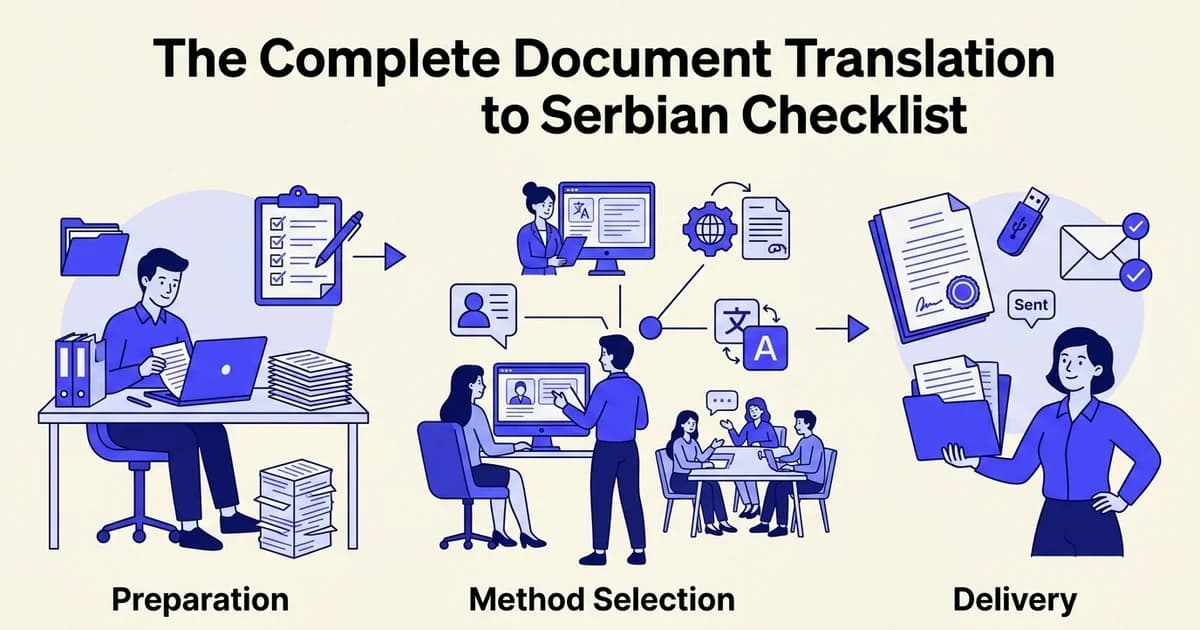
The Complete Document Translation to Serbian Checklist
- Access to a document in English or another source language
- A computer or mobile device with internet access
- Basic familiarity with file uploads and downloads
- Understanding of your document's purpose and target audience
Introduction: When to use this checklist
Whether you are expanding a business into the Western Balkans, submitting legal paperwork to Serbian authorities, or localizing content for Serbian-speaking audiences, knowing exactly how to translate documents to Serbian saves time and prevents costly mistakes. This checklist walks you through every stage of the process.
Who needs this checklist
This guide is built for three types of users:
- Business professionals preparing contracts, HR documents, or marketing materials for the Serbian market
- Content creators and authors translating books, guides, or digital content
- General users handling personal documents like certificates, applications, or correspondence
Why Serbian translation is more achievable than ever
At DocuGlot, our analysis shows that the combination of modern AI models and format-preserving tools has made high-quality Serbian translation accessible without enterprise budgets or long agency turnarounds. According to Machine Translate (2024), 28 machine translation APIs now support Serbian, reflecting just how mature the tooling ecosystem has become.
According to How AI Performs in Translation Across European Languages (2024), models like Gemini 2.5 Pro and GPT-4.1 now score above human reference levels for English to Serbian translation, making AI a genuinely reliable choice for most document projects.
What to expect from this checklist
Each phase below covers a specific stage: preparation, tool selection, formatting, review, and delivery. You will find clear actions, confirmation steps, and recommendations for tools like DocuGlot Basic where they solve a specific problem.
Phase 1: Prepare your document before translation
Before you upload anything, take five minutes to audit your source document. A clean, well-structured file produces a significantly better translation output, reduces formatting errors, and saves time during review. This phase covers everything you need to confirm before the translation process begins.
- Check for consistent formatting (fonts, sizes, spacing)
- Verify all text is properly spelled and grammatically correct in source language
- Remove unnecessary comments, tracked changes, or hidden text
- Ensure tables are properly structured with clear headers
- Confirm all images have descriptive alt text if needed for context
- Check that lists use consistent bullet points or numbering
- Verify currency symbols and date formats are clearly marked
- Remove any placeholder text or incomplete sentences
- Save the document in a standard format (DOCX, PDF, or ODT)
- Create a backup copy of the original document
Identify your file format
Check which format your document is in. The most common formats for business and personal translation projects are:
- DOCX (Microsoft Word)
- PDF (scanned or text-based)
- PPTX (PowerPoint presentations)
- TXT or Markdown (plain text files)
- Google Docs (export as DOCX before uploading)
DocuGlot Basic supports PDF, DOCX, TXT, and Markdown natively, processing each through a fast AI model that preserves your original formatting including headers, tables, fonts, and colors. If your file is a Google Doc, export it first: File > Download > Microsoft Word (.docx).
What you should see: A single, clearly named file ready to upload, with no password protection or corrupted pages.
Clean and review your source document
Run a quick quality check before translation:
- Correct spelling and grammar errors in the source. Errors carry over and compound in translation.
- Remove redundant formatting such as double spaces, inconsistent fonts, or empty pages.
- Confirm all text is selectable in PDFs. Scanned image-based PDFs may require OCR processing first.
Gather your terminology resources
If you are translating a legal contract, technical manual, or medical document, collect any existing glossaries or industry-specific terminology lists. According to Machine Translate (2024), Serbian has two official scripts (Cyrillic and Latin) and distinct regional variants, so noting your preferred script and dialect upfront avoids inconsistency across the final document.
Keep these resources alongside your file so you can reference them during the review phase.
Phase 2: Choose your translation method
With your document prepared, the next decision is how you will actually translate it. Your three core options are AI-only translation, AI translation with human review, and fully professional human translation. Each involves real trade-offs across speed, cost, and accuracy that directly affect your outcome.
Understand the quality landscape for Serbian
Serbian is a lower-resource language, meaning fewer training examples exist for AI models compared to languages like Spanish or French. According to Machine Translate (2024), Serbian represents roughly 0.2% of global web content, which makes specialized tools more valuable than general-purpose ones. That said, AI quality for English-to-Serbian Cyrillic has improved significantly, with leading models now benchmarking above many human reference scores. The gap between a good AI tool and a professional translator has narrowed for standard content but remains meaningful for complex or sensitive documents.
Match your method to your document type
Use this as your decision guide:
- Everyday documents (internal reports, product descriptions, general correspondence): AI-only translation is fast, affordable, and accurate enough for most purposes. DocuGlot Basic handles PDF, DOCX, TXT, and Markdown formats with full formatting preservation, making it a practical starting point.
- Client-facing or published content (marketing materials, website copy, books): Choose AI translation followed by a native Serbian speaker review to catch subtle phrasing issues.
- Legal, medical, or certified documents (contracts, clinical records, court filings): Require professional human translation. AI output can serve as a first draft to reduce translator time, but a qualified human must review and sign off.
Consider sensitivity and liability
If your document contains personal data, binding legal language, or medical instructions, human expertise is not optional. AI tools, including the best-performing models, can produce plausible-sounding errors in lower-resource languages that are difficult to spot without subject-matter knowledge. For everything else, a well-chosen AI tool gets you most of the way there quickly.
Phase 3: Execute the translation using your chosen method
With your method selected, the actual translation process is straightforward. Most modern tools follow the same core workflow: upload your file, configure your language settings, and initiate the translation. Done correctly, this phase takes minutes rather than hours.
Upload your document
- Open your translation tool. For AI-powered document translation, navigate to DocuGlot Basic, which accepts PDF, DOCX, TXT, and Markdown files.
- Upload your file. Drag and drop your document or use the file browser. DocuGlot supports documents up to approximately 100,000 words, so even lengthy reports or manuals upload without issue.
- What you should see: A file preview or confirmation that your document has been received and is ready to configure.
Select your language pair
- Set the source language to English. If your tool offers auto-detect, verify it has correctly identified the language before proceeding.
- Set the target language to Serbian. Serbian is supported across major platforms. According to Machine Translate, Serbian is covered by most leading machine translation engines, reflecting its growing importance as a target language.
- Choose your script if prompted. Serbian is written in both Cyrillic and Latin scripts. Select the script your audience expects. Business and government documents typically use Cyrillic; digital content often appears in Latin.
Configure formatting and initiate translation
- Enable format preservation if your tool offers it. DocuGlot retains headers, footers, tables, fonts, and colors automatically, so your translated file mirrors the structure of the original.
- Start the translation. Click translate and monitor the progress indicator.
- Download your output. DocuGlot delivers results as a DOCX file, with PDF uploads receiving an overlay translation. The entire process typically completes in seconds for standard documents.
🗂️ Keep your original file open alongside the translated output. You will need both for the quality check in the next phase.
Phase 4: Review and quality check your translated document
Every translation needs a human eye before it goes anywhere official. Open your translated DOCX alongside the original and work through each checkpoint below systematically. Serbian is a morphologically rich language, and even strong AI tools can introduce subtle errors that only become obvious when you read the output carefully.
- Compare header and footer translations against originals
- Check all proper nouns are correctly preserved or localized
- Verify case endings match Serbian grammar rules throughout
- Scan for word-for-word translations that sound unnatural
- Confirm prepositions are correctly used (not omitted or auto-translated)
- Check gender agreement in adjectives and articles
- Verify technical terminology is consistent throughout the document
- Review register and tone match the original intent
- Confirm all numbers, dates, and currency are correctly formatted
- Check that formatting (bold, italics, lists) is preserved
Check for untranslated text
Scan every part of the document, not just the body copy. Headers, footers, captions, table cells, and text boxes are common places where source language text survives the translation process.
- What you should see: Every visible string of text is in Serbian, with no English (or other source language) words remaining except intentional proper nouns or brand names.
- Scroll through the document at 100% zoom so nothing is hidden by layout compression.

Verify formatting and layout integrity
According to Machine Translate (2024), Serbian text can expand or contract relative to English, which sometimes shifts tables, bullet lists, and column widths. DocuGlot Basic preserves headers, footers, fonts, and colors automatically, but it is still worth confirming nothing has shifted after translation.
- Check that numbered lists remain sequential and bullet hierarchies are intact.
- Confirm that tables have not gained or lost columns.
- Verify that font sizes and bold or italic emphasis match the original.
Review for Serbian-specific language errors
This is the most important step when you translate documents to Serbian. According to How AI Performs in Translation Across European Languages (2024), AI can produce subtle errors in cases, syntax, terminology, and register for lower-resource languages like Serbian.
Focus your review on these four problem areas:
- Case endings. Serbian uses seven grammatical cases. Read each sentence aloud and check that nouns, adjectives, and pronouns decline correctly for their role in the sentence.
- Prepositions. Prepositions in Serbian are frequently omitted or mistranslated by automated tools, creating grammatical errors that sound unnatural to native readers.
- Register. Confirm the formality level is consistent throughout. Business documents should use formal "Vi" forms rather than the informal "ti."
- Gender agreement. Serbian assigns grammatical gender to nouns, and adjectives must agree. Watch for mismatches, especially around job titles and roles.
Confirm technical terms and proper nouns
- Verify that industry-specific terminology has been translated using accepted Serbian equivalents, not literal word-for-word substitutions.
- Proper nouns such as company names, product names, and place names should either remain in their original form or follow established Serbian transliteration conventions.
- If your document contains legal or medical terms, cross-reference against a subject-matter glossary before signing off.
✅ Once every item above is confirmed, your document is ready to move into final formatting and saving.
Phase 5: Finalize and save your Serbian document
With your quality check complete, the last phase is about getting your document into the right format, stored safely, and delivered to the right people. These steps take only a few minutes but protect all the work you have done so far.
Get started with DocuGlot Basic for translate documents to serbian DocuGlot Basic.
Export in the correct file format
- Download your translated document in the format your recipient or platform requires: PDF, DOCX, or TXT are the most common.
- If you used DocuGlot, your Serbian translation is delivered as a DOCX file with full formatting preserved, including headers, tables, fonts, and colors. PDF uploads receive an overlay translation, so the visual layout stays intact.
- Confirm the exported file renders correctly by opening it before sharing.
✅ You should see a clean, fully formatted Serbian document with no missing characters or broken layouts.
Name and version your file clearly
- Use a consistent naming convention that identifies the language and version at a glance. For example: ProjectBrief_SR_v1.docx
- Include the date if the document is likely to be revised. For example: ProjectBrief_SR_2025-06.docx
- Avoid generic names like translation_final_FINAL.docx, which create confusion when multiple versions exist.
In our experience at DocuGlot, a clear file name is one of the most overlooked steps, yet it saves significant time when managing multilingual document libraries across teams.
Back up both source and translated versions
- Store the original source document and the Serbian translation together in the same project folder.
- Use cloud storage such as Google Drive, OneDrive, or Dropbox so both versions are accessible and recoverable.
- Keep at least one offline or secondary backup, especially for legal, medical, or contractual documents.
✅ Both files should be accessible, clearly labeled, and stored in at least two locations.
Share or publish your document
- Send the document to stakeholders, clients, or collaborators using your usual workflow.
- If you are publishing digital content, note that Serbian accounts for the vast majority of online language use in Serbia, making proper localization essential for reaching your audience effectively.
- For documents that will be signed or submitted officially, confirm with the recipient
Common mistakes to avoid when translating documents to Serbian
Even a well-planned workflow can produce poor results if common pitfalls are overlooked. Serbian has specific grammatical demands that trip up both automated tools and inexperienced translators. Knowing what to watch for saves you time, rework, and potential embarrassment with professional recipients.
Translating word for word instead of meaning for meaning
Literal translation produces awkward, unnatural Serbian. The language uses a complex case system where noun endings shift depending on grammatical role, so a direct word-for-word approach creates sentences that are technically readable but structurally wrong. Always prioritize meaning and natural phrasing over surface-level equivalence.
Ignoring case endings, prepositions, and register
Serbian prepositions are frequently mistranslated or dropped entirely in automated workflows, which changes the meaning of a sentence significantly. Register mismatches, using informal phrasing in a formal legal document, for example, are equally damaging. According to Serbian: Machine Translate, these morphological features remain a consistent challenge for machine translation systems.
Skipping formatting verification
Never bypass the formatting check step, especially for DOCX or PDF files with tables, headers, or multi-column layouts. Tools like DocuGlot preserve original formatting automatically, but you should still visually confirm the output matches your source structure before distribution.
Relying on AI alone for high-stakes documents
According to How AI Performs in Translation Across European Languages, AI translation quality varies considerably by domain. Legal, medical, and technical documents always require human review before use. 🔍 Treat AI output as a strong first draft, not a finished product.
Tools you will need for Serbian document translation
Having the right tools assembled before you start saves time and reduces errors. This section lists the core categories you need to cover: a reliable translation platform, file conversion utilities, Serbian-specific quality checks, and a system for managing consistent terminology across your document.

AI document translation platforms
Start here. Your translation platform does the heavy lifting, so choose one that preserves your document's original formatting.
- DocuGlot: Handles PDF, DOCX, TXT, and Markdown files with full format preservation, including headers, tables, fonts, and colors. Upload your file, select Serbian, and receive a ready-to-use DOCX output.
- Google Translate Documents: Useful for quick checks on shorter files, though formatting retention is inconsistent on complex layouts.
- Microsoft Translator in Word: Convenient if your workflow is already Word-based, with inline translation directly inside the document.
According to Serbian – Machine Translate (2024), 28 machine translation APIs support Serbian, giving you solid options across different platforms and use cases.
File conversion tools
If your source document is in a format your translation platform does not accept natively, convert it first.
- PDF to DOCX converters: Tools like Adobe Acrobat or Smallpdf extract editable text before translation.
- Format validators: Confirm the converted file retains its structure before uploading, especially for multi-column layouts or scanned documents.
Quality assurance tools for Serbian
After translation, run a dedicated check before distributing anything.
- Serbian spell-checkers: LibreOffice supports Serbian (both Cyrillic and Latin scripts) and catches basic orthographic errors.
- Grammar review: A bilingual reviewer or proofreader familiar with Serbian grammar cases adds a critical layer of accuracy for formal documents
Quick reference summary: Serbian document translation checklist
Use this condensed checklist as a quick-reference guide during every Serbian translation project. Print it out, pin it to your desk, or keep it open in a browser tab to track your progress phase by phase. ✅
- PREPARE: Audit source document for formatting and completeness
- CHOOSE: Select translation method (AI-only, AI+review, or professional)
- EXECUTE: Upload file and configure language settings to Serbian
- REVIEW: Check case endings, prepositions, terminology, and tone
- FINALIZE: Convert to required format and store securely
- AVOID: Word-for-word translation, omitted prepositions, inconsistent terminology
- VERIFY: All proper nouns, numbers, and dates are correct
- DELIVER: Send to intended recipients with version control
Phase 1: Preparation
- Identify the target script (Cyrillic or Latin) based on your audience and context
- Confirm the official purpose of the document (legal, medical, business, personal)
- Check whether a certified human translator is required for submission
- Gather all source files and verify they are in a supported format (PDF, DOCX, TXT)
- Remove or redact sensitive personal data before uploading
Phase 2: Translation
- Upload your document to DocuGlot Basic
- Select Serbian as the target language and confirm script preference
- Verify that formatting elements (tables, headers, fonts) are preserved in the output
- Download the translated DOCX file and open it immediately to spot any rendering issues
Phase 3: Review and quality assurance
- Run a Serbian spell-check using LibreOffice (Cyrillic or Latin dictionary as appropriate)
- Review grammatical case usage, especially in formal or legal phrasing
- Have a bilingual reviewer check terminology for technical or specialised documents
- Confirm the final script matches your intended audience before distribution
Frequently asked questions
How can I translate a Word (DOCX) document to Serbian while keeping the formatting?
Upload your DOCX file directly to a format-preserving tool like DocuGlot Basic, which retains headers, tables, fonts, and lists throughout the translation process. Avoid copy-pasting text into browser-based translators, as this strips all formatting before you even begin.
What is the easiest way to translate an entire PDF file into Serbian?
DocuGlot Basic accepts PDF uploads and delivers an overlay translation as a DOCX file, preserving the original layout. This avoids the common problem of receiving a plain-text output with no structural resemblance to your source document.
Can Google Translate convert full documents to Serbian, and which file types does it support?
Google Translate's document upload feature supports DOCX, PDF, PPTX, and XLSX files. Results are generally adequate for understanding content quickly, but formatting fidelity and grammatical accuracy, particularly for complex Serbian case endings, can be inconsistent.
How do I use Microsoft Word's built-in translator to translate a document into Serbian?
Open your document in Word, navigate to Review, then Translate, and select "Translate Document." According to Microsoft Translator for Word, this creates a new translated copy in a separate window. Serbian (Latin and Cyrillic) is supported, though technical terminology may need manual review afterward.
Is AI translation accurate enough for legal or business documents in Serbian, or do I need a human translator?
AI tools have improved significantly. According to Aikwit (2026), leading AI models now outperform human reference scores for English to Serbian Cyrillic in benchmark testing. However, for certified legal documents or high-stakes contracts, pairing AI output with a professional bilingual reviewer remains best practice.
How do I translate a Google Docs document into Serbian and save
Tags
Ready to translate your documents?
DocuGlot uses advanced AI to translate your documents while preserving formatting perfectly.
Start Translating