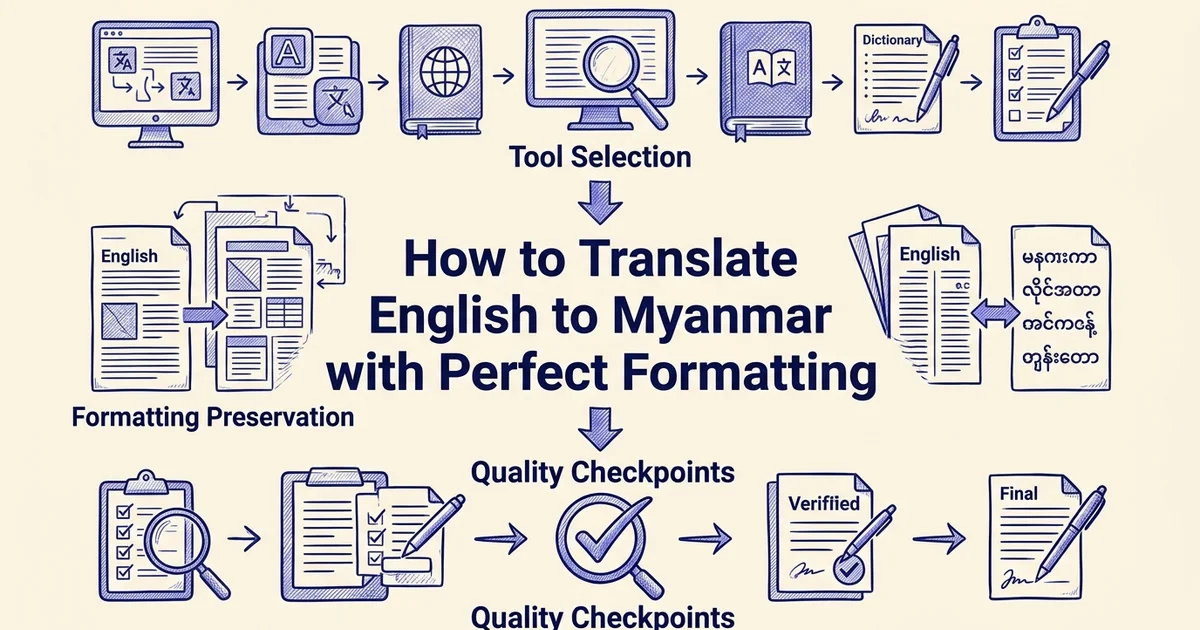
How to Translate English to Myanmar with Perfect Formatting
- Basic understanding of English language
- Access to the internet and a web browser or mobile device
- Familiarity with copying and pasting text
Introduction: why English to Myanmar translation matters
Translating between English and Myanmar (Burmese) has never been more important, or more achievable. Whether you are coordinating humanitarian aid, expanding a business into Southeast Asia, or simply communicating across language barriers, accurate English-to-Myanmar translation is a practical necessity in 2025.
The growing demand for English-Myanmar translation
Myanmar's formal translation market is estimated at MMK 15–25 billion, roughly USD 7–12 million, and the demand is concentrated where it matters most. International development and humanitarian organizations account for approximately 60–70% of that formal translation demand, covering everything from policy documents and health guidelines to legal agreements and field reports. Beyond the humanitarian sector, businesses entering Myanmar's evolving economy increasingly need translated contracts, marketing materials, and technical documentation to operate effectively.
How AI tools are changing accessibility in 2025
The good news is that the tools available today are significantly more capable than those from just a few years ago. Google Translate now supports Myanmar (Burmese) as part of its live translation rollout across more than 70 languages, making quick, on-the-go translation more accessible than ever.
For professionals working with structured documents, however, quick text translation is rarely enough. Formatting, layout, and document integrity matter just as much as the words themselves. This is where a tool like DocuGlot becomes genuinely useful: it translates PDF, Word, PowerPoint, Excel, and image files into Myanmar while preserving the original formatting and structure, removing one of the most frustrating friction points in document translation workflows.
What this guide covers
This guide walks you through the full process: choosing the right digital tools, translating documents of various formats, and applying quality assurance steps to ensure your output is accurate and professional. By the end, you will have a clear, repeatable workflow for English-to-Myanmar translation that holds up in real-world business and organizational contexts. 🌏
What you'll need: prerequisites and tools
Before diving into the step-by-step process, gather the right tools and set realistic expectations. Having everything in place upfront saves time and prevents mid-workflow frustration.
Essential tools
Your choice of tool depends on what you are translating:
- For quick text snippets: Google Translate supports Myanmar (Burmese) as part of its 70+ language roster, making it a solid starting point for short passages
- For documents with formatting: DocuGlot translates PDF, Word, PowerPoint, Excel, TXT, Markdown, JPEG, and PNG files while preserving your original layout and structure
- For mobile use: Dedicated apps such as the English-Myanmar Translator on Android handle on-the-go translation needs
System requirements
You need only the basics:
- A stable internet connection
- A modern web browser or mobile device
Content types you can translate
- Plain text and web copy
- Formatted documents (reports, contracts, presentations, spreadsheets)
- Images containing text (JPEG, PNG)
A note on accuracy
AI translation handles everyday and business content well, but legal, medical, or highly technical documents benefit from human review after machine translation. Build that review step into your workflow wherever precision is non-negotiable. 📋
Step 1: choose the right translation method for your content
Matching your content type to the right tool saves time and prevents formatting headaches. Free online tools handle quick text snippets well, while structured documents with tables, headers, and layouts need a solution that preserves that structure during translation.
Assess your content type
Determine whether you're working with plain text, formatted documents, or real-time conversation. Plain text (emails, chat messages, social media) works well with quick online tools. Formatted documents (PDFs, Word files, spreadsheets) require tools that preserve structure. Real-time communication needs voice translation capabilities.
Evaluate formatting requirements
Check if your content includes tables, headers, columns, images, or special formatting. If formatting is critical to your message, avoid copy-paste methods that strip styling. Instead, use document-specific translation tools designed to maintain layout and structure.
Consider accuracy needs
Quick text snippets and informal communication can tolerate minor translation variations. Business documents, legal content, and official communications require higher accuracy. Match your tool choice to your accuracy threshold—free tools for casual use, premium services for critical content.
Select your primary tool
Choose between Google Translate for quick text, DocuGlot for formatted documents, or voice translation apps for real-time conversation. Your choice depends on content type, formatting needs, and accuracy requirements identified in the previous steps.
Identify your content type first
Before opening any tool, classify what you are working with:
- Plain text or short phrases: A few sentences, a quick message, or a website snippet. Free tools work perfectly here.
- Formatted documents: Reports, contracts, presentations, or spreadsheets where layout matters as much as the words themselves.
- Image-based content: Scanned pages or screenshots where text is embedded in a JPEG or PNG file.
- Voice input: Spoken words you want transcribed and translated on the fly.
Your content type determines everything that follows.
When to use free online tools
Free tools like Google Translate are ideal for:
- Single sentences or short paragraphs
- Casual communication and quick lookups
- Situations where speed outweighs precision
The trade-off is clear: speed is high, but formatting and nuance are often lost. Paste a formatted Word document into a free text box and you will get translated words back with no structure preserved.
When to use a document translation service
For formatted documents, the stakes are higher. Modern AI-powered tools increasingly combine machine translation with layout-preservation features, keeping your headings, columns, and styling intact.
If you are translating a PDF, Word file, PowerPoint deck, or spreadsheet, DocuGlot handles the file directly without requiring you to copy and paste content manually. Upload your document, select Myanmar as the target language, and the translated output retains the original formatting and structure. This matters especially for business documents where a misaligned table or missing header can undermine the entire file. 📄
Quick decision guide:
| Content type | Recommended approach |
|---|---|
| Short text or phrases | Free online translator |
| Formatted documents | DocuGlot or equivalent document tool |
| Images with embedded text | Tool supporting JPEG/PNG input |
| High-stakes legal or medical content | Machine translation plus human review |
Choose your method before you start, and the steps ahead will move much faster.
Step 2: translate simple text using Google Translate
Google Translate is the fastest option for short phrases, quick lookups, and informal text. It supports Myanmar (Burmese) as both a source and target language, making it a practical starting point for straightforward english to myanmar translate tasks that don't involve complex formatting.
Open Google Translate
Navigate to Google Translate in your browser, or open the mobile app on iOS or Android. The interface loads with two side-by-side language panels.
Set your language pair
- Set the source language to English using the dropdown on the left panel.
- Set the target language to Myanmar (Burmese) on the right panel.
- Confirm the language codes show EN → MY before typing anything.
Enter and review your text
Type or paste your English text into the left field. Translation appears in the right panel in real time, rendered in Myanmar script (also called Burmese script). Read through the output carefully, as Google Translate performs best with clear, simple sentences.
Copy or share the result
Click the copy icon beneath the translated text to copy it to your clipboard, or use the share button on mobile to send it directly.
💡 Keep in mind: Google Translate works well for plain text. If your content lives inside a Word document, PDF, or spreadsheet, move to the next step, where formatting preservation becomes the priority.
Step 3: translate formatted documents while preserving structure
When your content lives inside a formatted file, copy-paste translation quickly breaks down. Pasting a PDF or Word document into Google Translate strips out tables, headings, columns, and font styles, leaving you with raw text that needs to be manually reformatted before it is usable. For business professionals working with reports, contracts, or presentations, that extra work can be significant.
Prepare your document
Ensure your file is in a supported format (PDF, DOCX, TXT, PPTX, XLSX, JPEG, or PNG). Check that the file size is under 500 MB. Review the document for any special characters or Myanmar-specific formatting that might affect translation quality.
Upload to your translation service
Use a document translation platform like DocuGlot that preserves formatting. Upload your file directly rather than copying and pasting content. Select Myanmar (Burmese) as your target language and choose your translation tier (Basic or Premium) based on accuracy needs.
Review the translated output
Once translation completes, download your file in the editable output format (typically DOCX). Check that all tables, headers, images, and formatting remain intact. Verify that the Myanmar text reads naturally and conveys your original meaning accurately.
Make final edits if needed
Use the editable output format to refine any translations that don't sound natural in Myanmar. Correct any terminology that doesn't match your industry or organizational standards. Save your final version and prepare for distribution.
Why copy-paste fails for complex documents
The core problem is that translation tools designed for plain text have no awareness of document structure. A spreadsheet with merged cells, a PowerPoint slide with layered text boxes, or a PDF with multi-column layout all become unreadable blocks of text once pasted into a basic translator. Modern document translation tools increasingly solve this by combining machine translation with layout-preservation technology, keeping your original structure intact while replacing the language.
Upload your document to DocuGlot
DocuGlot is built specifically for this scenario. It supports PDF, Word (DOCX), TXT, Markdown, PowerPoint (PPTX), Excel (XLSX), JPEG, and PNG files, and translates them into Myanmar (Burmese) while keeping the original formatting in place.
Follow these steps:
- Go to docuglot.com/translate and upload your file. The size limit is up to 500 MB.
- Select English as the source language and Myanmar as the target language from the language selector.
- Choose your translation tier. Basic suits everyday documents; Premium is better suited to technical or nuanced content.
- Review the pricing shown before confirming. DocuGlot displays the cost transparently before any payment is taken.
- Submit the translation. You will receive an email notification when your file is ready.
Verify formatting and download your result
Once the translation is complete, open the output file and check that headings, tables, bullet points, and layout elements match the original. 📄 For most formats, DocuGlot delivers an editable DOCX file, making any final adjustments straightforward. If something looks off, the 14-day refund policy gives you a safety net.
This workflow is equally useful if you regularly translate English to Vietnamese or work across multiple language pairs in the same project.
Step 4: use voice and real-time conversation translation
Voice translation bridges the gap when there is no time to type. For live conversations, customer interactions, or field communication, real-time speech translation lets you speak naturally and hear an immediate Myanmar (Burmese) response, removing the friction of written back-and-forth.

Enable microphone access and select your language pair
Open Google Translate on your mobile device or browser. Set the source language to English and the target language to Myanmar (Burmese). Tap the microphone icon and, when prompted, grant microphone permissions. You should see a pulsing animation confirming the app is listening.
For two-way conversation mode, tap the Conversation button. This allows both speakers to contribute in their own language, with the app detecting who is speaking and translating in both directions automatically.
Speak clearly and confirm the output
Speak at a measured pace and avoid background noise where possible. After each phrase, the translated Myanmar text appears on screen and is read aloud. Check the displayed text to confirm accuracy before the conversation continues.
When voice translation is most useful
Real-time voice translation is particularly valuable in:
- Business meetings with Myanmar-speaking partners or clients
- Customer service interactions requiring immediate, accurate responses
- Humanitarian and community settings where written literacy may vary
Google has rolled out live translation across 70+ languages, including Myanmar, making this feature increasingly reliable for professional use. For document-heavy workflows alongside these conversations, tools like DocuGlot handle the written side, ensuring your formal materials stay formatted and accurate while voice handles the live exchange. 🎙️
Step 5: review and quality-check your translation
Even the most capable AI translation tools benefit from a human eye before your content reaches its final audience. For everyday communication, a quick read-through is usually enough. For anything with real consequences, a structured review process is essential.
Discover how DocuGlot Document Translation Service approaches english to myanmar translate DocuGlot Document Translation Service.
Read the translation aloud
Hearing the Myanmar text helps you catch awkward phrasing and unnatural word choices that your eyes might miss. This is especially important for customer-facing content, marketing materials, or any text that will be read by native speakers.
Check context-specific terminology
Verify that industry-specific terms, brand names, and organizational language are translated consistently. Myanmar has regional variations and formal/informal registers—ensure your terminology matches your audience and purpose.
Validate formatting and structure
Confirm that all tables, lists, headers, and images appear correctly in the translated version. Check that line breaks, spacing, and layout match your original document. Formatting errors can confuse readers and undermine credibility.
Have a native speaker review critical content
For business documents, legal content, or anything high-stakes, ask a native Myanmar speaker to review the translation. Even advanced AI tools benefit from human verification, especially for nuanced communication or specialized terminology.
Know when machine translation needs human review
Not every translation carries the same risk. For casual messages or general information, AI output is often sufficient. However, certain document types demand closer scrutiny:
- Legal documents: contracts, agreements, and compliance materials where mistranslated terms can alter meaning or enforceability
- Medical content: patient instructions, clinical notes, or pharmaceutical information where errors can affect health outcomes
- Humanitarian materials: aid coordination documents, community notices, or crisis communications where clarity is critical
- Technical documentation: manuals, specifications, or safety guides where precision is non-negotiable
For these categories, treat machine translation as a first draft, not a finished product.
Use a quality-assurance checklist
Before approving any English to Myanmar translate output, run through these checks:
- Terminology accuracy: confirm that domain-specific terms are rendered correctly in Burmese script
- Tone and register: verify the formality level matches your audience (formal Burmese differs significantly from conversational usage)
- Cultural context: check that idioms, honorifics, and culturally sensitive references have been adapted appropriately
- Formatting integrity: ensure headings, lists, and numbered sequences have survived the translation process intact. DocuGlot's document translation preserves the original structure of PDF, Word, PowerPoint, and Excel files, which reduces the formatting checks you need to perform manually
- Back-translation spot check: translate a few key sentences back to English to catch meaning drift
Consult native speakers and professional translators
For high-stakes content, native speaker review is not optional. Research suggests Myanmar had an estimated professional translator and interpreter workforce of 2,000 to 3,000 people before 2021, representing a skilled community you can engage for sensitive projects. Professional translators bring cultural fluency that no automated tool currently replicates, particularly for legal or medical content where nuance matters most. 🔍
Common mistakes to avoid when translating to Myanmar
Even with a solid workflow in place, certain missteps can undermine the quality of your English to Myanmar translate output. Recognizing these pitfalls before they occur saves time, protects your reputation, and ensures your message lands as intended.
Translating word-for-word without cultural context
Myanmar (Burmese) has its own grammatical logic, honorifics, and cultural references that do not map directly onto English sentence structures. A literal translation may be technically readable but feel unnatural or even offensive to native speakers. Always prioritize meaning over mechanical word substitution.
Ignoring formatting when working with complex documents
Formatting loss is one of the most common and costly oversights. Tables, headers, and numbered lists carry structural meaning, especially in business or legal documents. Tools like DocuGlot are specifically designed to preserve document structure across formats including PDF, Word, and PowerPoint, so your layout survives the translation process intact.
Accepting machine output for technical or specialized terms
Research into low-resource languages like Burmese is still developing, meaning automated tools may struggle with industry-specific terminology. Always review machine-generated translations for medical, legal, or technical content before use.
Assuming all translation tools are equally reliable
Not every tool handles Myanmar script with the same accuracy. Quality varies significantly across platforms, so test outputs critically rather than accepting them at face value.
Skipping professional review for sensitive content ⚠️
Legal agreements, medical instructions, and politically sensitive materials carry real-world consequences if mistranslated. Professional review is essential for these document types, regardless of how confident you feel in the automated output.
Why this method works: understanding translation accuracy
Modern AI translation has improved dramatically for languages like Myanmar (Burmese), which were historically underserved by translation technology. Understanding why current methods work helps you use them more confidently and know when to apply extra scrutiny.
AI advances for low-resource languages
Myanmar belongs to a category linguists call "low-resource languages," meaning less training data exists compared to widely spoken languages like Spanish or French. Recent research has changed how systems approach this challenge. A 2025 Myanmar XNLI study found that translate-test approaches, where text is first translated into a high-resource language before processing, outperformed direct cross-lingual transfer for Myanmar, Swahili, and Urdu. This finding validates the pipeline that most modern translation tools now use.
Continuous platform improvements
Google Translate has expanded its AI-powered live conversation translation to include Myanmar (Burmese) among its supported languages, reflecting ongoing investment in the language's accuracy and fluency. These updates happen continuously, meaning the quality you experience today is meaningfully better than even a year ago.
Why human review still matters
Machine translation handles everyday content well, but accuracy alone does not guarantee suitability. For critical documents, combining AI output with human review remains the most reliable approach. AI handles speed and scale; human reviewers catch nuance, cultural context, and terminology that automated systems occasionally miss. 🔍
Alternative methods for English to Myanmar translation
Not every translation project calls for the same approach. Depending on your volume, budget, and accuracy requirements, several alternatives exist alongside AI-powered document tools. Understanding each option helps you choose the right method for your specific situation.

Hiring professional translators
Myanmar's professional translation community is smaller than many expect. Before 2021, the estimated professional translator and interpreter workforce numbered between 2,000 and 3,000 people, making skilled specialists relatively scarce. For legally sensitive documents, certified contracts, or culturally nuanced content, a qualified human translator remains the gold standard. Expect longer turnaround times and higher costs compared to automated solutions.
Crowdsourced translation platforms
For large-scale projects with tighter budgets, crowdsourced platforms distribute translation tasks across contributor networks. This approach works well for software localization or community-driven content but introduces inconsistency in tone and terminology across contributors.
Mobile apps vs. desktop solutions
Mobile apps like the English-Myanmar Translator suit quick, on-the-go lookups. Desktop solutions, including Google Translate and document-focused tools like DocuGlot, handle longer texts and preserve formatting across file types including PDF, Word, PowerPoint, and Excel, making them far more practical for professional documents.
Specialized translation software
Industry-specific tools prioritize terminology accuracy in fields like legal, medical, or technical content. For document-heavy workflows, DocuGlot's batch translation feature lets you process up to 10 files simultaneously across 100+ languages, reducing manual effort considerably.
Real-world example: translating a business document to Myanmar
Walking through a concrete scenario makes the process far easier to follow. Imagine an NGO needs to translate a staff announcement, a 3-page Word document with headers, a formatted table of key dates, and a bulleted list of action items, into Myanmar for distribution to field teams.
Setting up the document in DocuGlot
Start by visiting DocuGlot and uploading the .docx file directly. Select English as the source language and Myanmar (Burmese) as the target. Before confirming, choose your translation tier: Basic for straightforward announcements, or Premium for documents with nuanced organizational language.
What you should see: a pricing summary displayed before any payment is taken, so there are no surprises.
DocuGlot processes the file while preserving the original structure, meaning headers stay as headers, the table retains its rows and columns, and bullet points remain intact in the output .docx file.
Quality-checking the translated output
Once the translated file arrives by email notification, open it alongside the original. Check these elements systematically:
- Headings: Confirm each section title appears in Myanmar script at the correct hierarchy level
- Tables: Verify that no cell content has spilled or merged incorrectly
- Bullet lists: Ensure all action items are present and none were dropped during processing
For any flagged phrases, cross-reference with a quick lookup using a dedicated tool to confirm terminology.
Why humanitarian organizations rely on this workflow
Research suggests international development and humanitarian organizations account for approximately 60 to 70% of Myanmar's formal translation demand. For these teams, consistency and formatting accuracy in public information materials are non-negotiable. A misaligned table or dropped bullet point in a health guidance document can create genuine confusion in the field. Using a document-native tool like DocuGlot, rather than copy-pasting text into a browser translator, keeps the final output ready to distribute without manual reformatting. 🗂️
Time and cost breakdown for translation projects
Understanding how long and how much an English to Myanmar translate project will take helps you plan resources effectively, whether you are a solo content creator or a business team managing multiple documents.
Time estimates by project type
Translation timelines vary significantly based on the tool and content complexity:
- Simple text snippets (a sentence, a product label, a short message): Google Translate returns results instantly, making it practical for quick lookups
- Single-page documents: expect 15 to 20 minutes when using a document-native tool, including upload, review, and download
- Multi-page reports or presentations: 20 to 30 minutes depending on length, formatting complexity, and file format
Cost comparison across tools
| Tool | Cost | Best for |
|---|---|---|
| Google Translate | Free | Short, informal text |
| DocuGlot Basic tier | Pay per file, no subscription | Formatted documents, standard accuracy |
| DocuGlot Premium tier | Pay per file, no subscription | Technical or business-critical content |
| Professional human translator | Highest cost | Legal, certified, or sensitive materials |
DocuGlot shows transparent pricing before you commit to payment, which removes the guesswork from budgeting translation projects.
ROI for businesses targeting Myanmar
Myanmar's formal translation market is estimated at MMK 15 to 25 billion, roughly USD 7 to 12 million. For businesses entering this market, investing in accurate, well-formatted translations is not an overhead cost. It is a direct enabler of market access. Poorly formatted or mistranslated materials risk credibility with local partners and customers, making quality tooling a measurable business advantage. 📊
Frequently asked questions
How do I translate English to Myanmar language?
Use an online tool like Google Translate for quick text snippets, or upload your document directly to DocuGlot for a formatted file translation that preserves your original layout.
Is Burmese and Myanmar the same language?
Yes. "Burmese" and "Myanmar" refer to the same language. The two names reflect different romanization conventions, but both describe the official language spoken by approximately two-thirds of Myanmar's population.
How do I preserve formatting when translating a DOCX file from English to Myanmar Burmese?
Standard copy-paste tools strip formatting entirely. DocuGlot accepts DOCX files and returns an editable DOCX output with your original structure intact, including headings, tables, and spacing.
Can I translate English to Myanmar offline?
Some mobile apps offer limited offline support. For full document translation with formatting preservation, an internet connection is required.
How accurate is English-to-Myanmar translation?
Accuracy varies by tool and content complexity. AI-powered services handle general business content well, but technical or legal documents benefit from post-editing by a professional translator.
Tags
Ready to translate your documents?
DocuGlot uses advanced AI to translate your documents while preserving formatting perfectly.
Start Translating