How to Translate English to Haitian Creole Accurately
- Access to an English document or text you want to translate
- Basic familiarity with uploading files or copying text into online tools
- Understanding of whether your translation needs to be certified or official
Introduction: why translating to Haitian Creole matters
Haitian Creole is a living, widely spoken language with millions of speakers across the globe. Whether you need to translate a legal document, a healthcare form, or a business communication, understanding how to do it accurately can make a real difference for the people receiving that information.
A language with serious reach
According to MotaWord (2025), Haitian Creole is spoken by over 12 million people worldwide, making it one of the most widely spoken Caribbean languages. Within the United States alone, Boostlingo (2024) estimates roughly 900,000 speakers, concentrated largely in Florida, New York, and Massachusetts. These communities rely on accurate translations to access healthcare, legal services, education, and government resources. Getting the translation right is not just a courtesy. It is often a necessity.
Why translation method matters
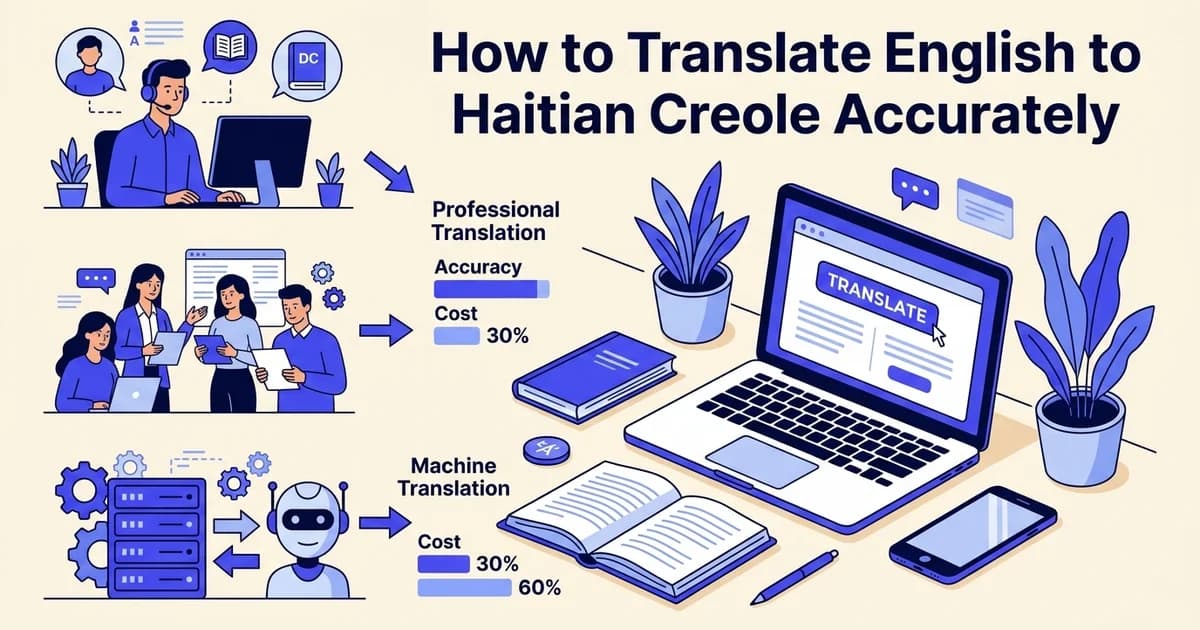
Not all translation approaches deliver the same results. Your options range from free online tools and AI-powered document services to certified human translators, and each comes with different trade-offs in accuracy, speed, cost, and suitability.
- AI tools work well for general content, informal communication, and fast turnarounds
- Professional human translators are better suited for certified, legal, or highly sensitive documents
- AI-powered document services like DocuGlot sit in a practical middle ground, translating formatted files such as PDFs, Word documents, and PowerPoint presentations while preserving their original layout
Choosing the right method depends on your document type, your deadline, and the level of accuracy your situation demands. This guide walks you through each approach so you can make a confident, informed decision. 🎯
What you'll need: prerequisites and preparation
Before you begin translating, a few minutes of preparation will save you significant time and help you avoid costly errors. Gathering the right materials and clarifying your goals upfront ensures you choose the correct method and get results you can actually use.
Identify your source document
Start by locating and organizing your English content:
- Digital files: PDFs, Word documents (.docx), PowerPoint presentations, Excel spreadsheets, plain text, or Markdown files
- Images containing text: JPEG or PNG scans of printed documents
- Plain text: Copied content from emails, websites, or messaging apps
Knowing your file format matters because some tools handle formatted documents far better than others. DocuGlot, for example, accepts all of the formats listed above and preserves your original layout during translation.
Determine document type and accuracy requirements
Not all translations carry the same stakes. Classify your document before proceeding:
- Casual or informal: Social media posts, personal messages, general content
- Professional or business: Marketing materials, reports, correspondence
- High-stakes: Legal contracts, medical records, certified documents requiring human review
Gather context and specialized terminology
Collect any glossaries, brand names, acronyms, or field-specific terms relevant to your content. Technical vocabulary in medical, legal, or financial documents can significantly affect translation quality if left unaddressed.
Decide on your translation approach
According to the 2024 State of Translation Report (2024), AI-human translation workflows accounted for nearly 40% of translations, reflecting a growing preference for blended approaches. Your urgency, budget, and accuracy requirements should guide this decision. 🗂️
Step 1: choose your translation method based on document type
Matching your translation method to your document type is the single most important decision in this process. The wrong choice can cost you time, money, or credibility. Use the criteria below to identify the right approach before you upload or send a single word.
Assess your document type
Identify whether you're translating a simple text file, a formatted document (PDF, Word, PowerPoint), or an image-based file (JPEG, PNG). This determines whether a basic text translator or a document translation service is appropriate.
Evaluate formatting requirements
Consider whether your document contains complex formatting, tables, headers, footers, or multi-column layouts. If yes, use a document translation service that preserves structure. If it's plain text, a basic AI translator may suffice.
Determine your accuracy needs
Ask yourself: Is this for internal use, public-facing content, or legal/medical purposes? Internal drafts can use AI tools alone. Public or high-stakes documents require professional review or certified translation.
Check file size and batch requirements
If you have multiple files to translate, confirm your tool supports batch processing. DocuGlot, for example, handles up to 10 files and 10 target languages in a single batch, saving time on repetitive projects.
Machine translation: best for drafts and casual content
AI-powered tools deliver fast, affordable results for low-stakes content. Use machine translation when you need to:
- Translate informal messages, social media posts, or internal drafts
- Produce a working version of a document for review purposes
- Handle high volumes of content quickly and cost-effectively
DocuGlot fits naturally here. Its Basic and Premium AI tiers let you translate PDF, Word, PowerPoint, Excel, and image files while preserving your original formatting, so a newsletter or product brochure arrives in Haitian Creole looking exactly as it did in English.
Human translation: essential for official and sensitive documents
Certified human translation is non-negotiable for legal contracts, immigration forms, medical records, and any document requiring official recognition. Errors in these contexts carry real consequences. If your document will be submitted to a government agency, court, or healthcare provider, engage a professional linguist or a certified translation service.
Hybrid approaches: balancing speed with accuracy
Providers increasingly segment use cases by risk, using AI for drafts and routing certified legal work to professional linguists. This blended model keeps costs manageable without sacrificing quality where it matters most. DocuGlot's two-tier model supports this workflow: use Basic for rapid drafts, then upgrade to Premium for documents requiring higher accuracy before a human reviewer makes final edits.
Quick decision checklist
| Document type | Recommended method |
|---|---|
| Casual messages, drafts | Machine translation |
| Marketing content, reports | AI with human review |
| Legal, medical, immigration | Certified human translation |
Consider your turnaround time alongside accuracy needs before moving to the next step. ✅
Step 2: prepare your English text for translation
Before you translate English to Haitian Creole, the quality of your source document directly shapes the quality of your output. A clean, well-organized English file reduces errors, preserves meaning, and saves you significant editing time on the other side.
Clean up formatting and structure
Remove extra spaces, inconsistent line breaks, and formatting errors. Ensure headings, bullet points, and numbered lists are properly formatted. Consistent structure helps AI tools maintain accuracy and makes human review easier.
Clarify ambiguous language
Review your English text for unclear phrasing, jargon, or context-dependent terms. Add brief clarifications in brackets if needed. For example, 'the system' might need to be 'the billing system' to avoid confusion in translation.
Standardize terminology
Create a simple glossary of key terms, especially for industry-specific language. Consistent terminology across your document ensures the translation uses the same Haitian Creole equivalents throughout.
Proofread for spelling and grammar
Fix typos, grammatical errors, and punctuation issues in your English source. Translation tools work best with clean input—errors in the original often propagate into the translated version.
Back up your original document first
Save a copy of your original file before making any changes. This protects you if edits introduce errors or if you need to restart with a fresh source. Store the backup in a separate folder with a clear label such as "original_EN."
Clean up formatting and spacing
Remove unnecessary line breaks, double spaces, and inconsistent indentation. Fragmented text can confuse translation tools and produce disjointed Haitian Creole output. Standardize your headings, paragraph spacing, and list styles so the document reads as a coherent whole.
Flag specialized terminology and brand names
Highlight any technical terms, product names, or brand-specific language that should remain unchanged or follow a specific convention. Add a short reference note or glossary alongside your document so you can verify these terms after translation.
Identify cultural references and idioms
Note any English idioms, humor, or culturally specific phrases. These rarely translate literally and may need manual adjustment after your initial translation is complete.
Separate complex formatting elements
If your document contains embedded images, tables, or charts, note their positions. DocuGlot preserves formatting and structure across formats including PDF, DOCX, PPTX, and XLSX, but knowing where complex elements sit helps you review the output efficiently. 📋
With a clean, annotated source file ready, you can move confidently into the translation stage.
Step 3: use an AI translation tool for quick results
AI translation tools give you fast, accessible results for English to Haitian Creole without requiring linguistic expertise. For drafts, internal communications, and social media content, they offer a practical starting point that saves significant time compared to manual translation from scratch.
Choose the right AI tool for your content type
Google Translate supports Haitian Creole and handles short text snippets well. Paste your prepared English content directly into the interface and select Haitian Creole as the target language. You should see a translation appear within seconds.
For document-based workflows, tools like DocuGlot go further. Upload a PDF, Word file, JPEG, or PNG directly, and the platform translates the content while preserving your original formatting and structure. This matters when your document has headers, tables, or branded layouts that need to remain intact after translation. DocuGlot supports over 100 languages and handles file sizes up to 500 MB, making it practical for longer or more complex files.
Review the output critically
Once your translation appears, read through it carefully. Look for:
- Awkward phrasing that sounds unnatural in Haitian Creole
- Mistranslated terms, especially technical, legal, or medical vocabulary
- Missing cultural context, such as idioms that translated too literally
According to the 2024 State of Translation Report (2024), machine translation quality has improved significantly but still requires human review for accuracy-sensitive content.
Know when AI translation is enough
AI tools work well for:
- Social media posts and informal announcements
- Internal drafts shared with bilingual reviewers
- Quick reference documents not intended for public distribution
For anything client-facing, legal, or medical, treat the AI output as a draft only. 🔍
Step 4: leverage document translation services for complex files
When you need to translate English to Haitian Creole within an actual document, basic text translators fall short. Document translation services preserve your original formatting, fonts, and layout so the translated file looks professional and ready to use, not like a copy-pasted mess.

This approach is especially valuable for business documents, government forms, multi-page reports, and presentations where structure matters as much as the words themselves.
Choose the right file format support
DocuGlot supports PDF, Word (DOCX), Excel (XLSX), PowerPoint (PPTX), TXT, Markdown, JPEG, and PNG files. That range covers most professional use cases, including scanned image files where text needs to be extracted before translation. Competing services in this space also advertise OCR (optical character recognition) capabilities for scanned documents and support for 100-plus languages, so verify that your chosen tool handles your specific file type before uploading.
Upload your document and select Haitian Creole
Follow these steps to translate a document using DocuGlot:
- Go to DocuGlot and click the upload area.
- Select your file. Files up to 500 MB are accepted.
- Choose Haitian Creole as the target language from the language selector.
- Pick a translation tier. Basic suits general content; Premium is better for technical or client-facing documents.
- Review the price shown before payment. No subscription is required.
- Submit your file. You will receive an email notification when the translated document is ready.
What you should see: a downloadable file in its original format, with translated text sitting exactly where the source text appeared. Tables, headers, and visual elements remain intact. 🗂️
When to use document translation over text tools
Document translation services handle complexity that copy-paste translation simply cannot. If your file contains columns, embedded images with captions, or branded templates, a dedicated service protects that structure. This method is the practical choice for any multi-page or formatted file you plan to share externally.
Step 5: review and verify translation accuracy
Once your translated document is ready, resist the urge to use it immediately. Verification is a distinct step, not an afterthought. Even strong AI translation can miss nuances, produce awkward phrasing, or leave edge cases unresolved. A structured review catches these issues before they reach your audience.
Read the translation aloud
Hearing the Haitian Creole text helps you catch awkward phrasing, unnatural word order, or missed nuances that silent reading might miss. This is especially important for customer-facing or formal documents.
Check for untranslated or garbled text
Scan the entire document for words that weren't translated, placeholder text, or corrupted characters. These are red flags that indicate a problem with the source file or the translation process.
Verify proper nouns and brand names
Ensure names, company titles, product names, and place names are handled correctly. Most should remain unchanged, but some may need localization. Confirm these match your original intent.
Compare key sections side-by-side
For critical passages, place the English and Haitian Creole versions next to each other. Check that meaning, tone, and intent are preserved. This catches subtle errors that affect document credibility.
Compare the translation against the original
Read both texts side by side, paragraph by paragraph. Check that every sentence has a corresponding translation and that no content has been dropped, duplicated, or replaced with placeholder text. Pay close attention to numbers, dates, proper names, and brand terminology. These elements should appear exactly as they do in the source.
Check for formatting and untranslated fragments
Scan the output for any English words that passed through untranslated. This often happens with technical jargon or acronyms that the translation engine did not recognize. Formatting errors, such as broken bullet points or misaligned table cells, are also worth flagging at this stage.
Read the Haitian Creole text aloud
Reading aloud surfaces unnatural phrasing that silent reading misses. Haitian Creole has distinct rhythmic patterns, and a sentence that looks correct on screen can still sound stilted to a native speaker.
Spot-check with a second tool or bilingual speaker
According to the 2024 State of Translation Report (2024), human review remains a critical quality layer even when AI translation is the primary method. Run critical sections through a second translation tool, or ask a bilingual speaker to confirm that meaning and tone are preserved. 🔍
Step 6: engage professional translation for high-stakes documents
For legal documents, immigration forms, medical records, and official paperwork, automated tools are not enough. Professional translators provide certified, legally valid translations with accuracy guarantees that no AI tool can match. When the stakes are high, human expertise is the right investment.
Discover how DocuGlot Document Translation Service approaches translate english to haitian creole DocuGlot Document Translation Service.
Identify documents that require certified translation
Not every document needs professional handling, but some always do. Prioritize hiring a certified Haitian Creole translator for:
- Immigration forms and visa applications where errors can cause rejections or delays
- Legal contracts and court documents requiring notarized or certified translations
- Medical records and informed consent forms where mistranslation can affect patient safety
- Official government paperwork submitted to agencies or institutions
Match translator expertise to your document type
Request a translator with subject-matter expertise that aligns with your content. A legal translator understands jurisdiction-specific terminology. A medical translator knows clinical language conventions. General fluency alone is not sufficient for specialized documents.
Plan for higher costs and longer timelines
Professional translation costs more than automated methods, and rightly so. Budget accordingly and allow several business days, or longer for complex documents. According to the 2024 State of Translation Report (2024), workflows combining human expertise with machine translation grew from 14% in 2021 to 25% in 2024, reflecting how professionals increasingly use AI as a drafting aid while retaining final authority over accuracy.
For non-certified documents that still require clean, well-formatted output, DocuGlot supports over 100 languages and preserves your original document structure across formats including PDF, DOCX, and PowerPoint, giving professionals a reliable starting draft to review and refine. 📄
Common mistakes to avoid when translating to Haitian Creole
Even with the right tools and workflow in place, certain missteps can quietly undermine translation quality. Knowing what to watch for before you submit or publish a translation saves time, protects your credibility, and ensures Haitian Creole speakers actually receive the message you intended.
Relying on machine translation alone for high-stakes documents
Automated tools produce useful drafts, but they miss nuance, context, and legal precision. For immigration forms, medical consent documents, or contracts, always pair machine output with qualified human review. A translation error in these contexts can have serious real-world consequences.
Ignoring idioms and cultural context
Haitian Creole carries its own idiomatic expressions that have no direct English equivalent, and vice versa. Translating idioms word-for-word produces awkward or misleading text. Always check figurative language and culturally specific references against native speaker input or a trusted glossary.
Assuming French terminology will be understood
Haitian Creole shares vocabulary roots with French, but the two languages are distinct. Formal or French-influenced variants may confuse everyday Haitian Creole speakers, particularly those from rural communities. Write for your actual audience, not for linguistic proximity.
Losing formatting and document structure
Pasting text between tools often strips headers, tables, bullet points, and special characters. Tools like DocuGlot are specifically designed to preserve your original document structure across formats including PDF, DOCX, and PowerPoint, which matters especially when layout carries meaning.
Skipping proofreading before submission
According to the 2024 State of Translation Report (2024), translation quality remains a top concern for organizations scaling multilingual content. A final read-through by a fluent speaker catches errors that even strong AI tools miss. Never skip this step. 🔍
Using outdated or low-quality translation tools
Older tools trained on limited datasets handle Haitian Creole poorly. Choose modern, actively maintained AI-powered services and verify their language support explicitly before committing to a workflow.
Why this method works: understanding English-to-Haitian-Creole translation
Understanding why a structured, hybrid approach to translation works starts with the language itself. Haitian Creole is not a dialect or simplified version of another language. It is a fully developed linguistic system with its own rules, and treating it otherwise leads to poor results.
Haitian Creole is a distinct language
Haitian Creole developed from contact between French colonizers and enslaved Africans in the 17th and 18th centuries, drawing vocabulary primarily from French but building an entirely independent grammatical structure. Its verb tense markers, noun phrases, and syntax operate differently from French in fundamental ways. A speaker of French cannot simply read Haitian Creole fluently, and a translation tool optimized for French will not serve a Haitian Creole audience well. Research suggests that more than 12 million people speak Haitian Creole in Haiti and Haitian diaspora communities worldwide, making accurate translation a meaningful professional and humanitarian concern.

Why modern AI models perform better
Contemporary AI translation models have been trained on millions of English-to-Haitian-Creole text pairs, including legal documents, health materials, and news content. This volume of training data has significantly improved output quality compared to older rule-based systems. According to the 2024 State of Translation Report (2024), 75% of companies surveyed planned to adopt generative AI for translation workflows, reflecting growing confidence in AI accuracy across less commonly supported languages.
Why the hybrid workflow reflects best practice
Combining AI translation with human review captures the speed and cost advantages of automation while adding the contextual judgment that fluent speakers provide. Document-preservation technology, as offered by tools like DocuGlot, ensures that formatting, layout, and structure survive the translation process intact. This matters especially for official paperwork, where a misaligned table or lost heading can create compliance problems. The hybrid model is not a workaround. It is the approach that professional translation teams increasingly rely on to deliver consistent, scalable results. 🧩
Alternative methods: other ways to translate English to Haitian Creole
Not every project calls for the same approach. Depending on your budget, timeline, and content type, several alternatives exist for translating English to Haitian Creole, each with distinct trade-offs worth understanding before you commit.
Manual translation by bilingual speakers
Hire a fluent bilingual professional when accuracy and cultural nuance are non-negotiable. This method offers maximum control over tone and terminology but requires significant time and expertise. It works best for legal contracts, medical records, or sensitive community communications where a single mistranslation carries real consequences.
Community and freelance platforms
Platforms connecting you with volunteer or freelance Haitian Creole speakers can reduce costs considerably. Quality varies, so always request samples and verify credentials before assigning critical documents.
Specialized translation agencies
Some agencies focus exclusively on Haitian Creole and related Caribbean languages. They combine human expertise with quality assurance workflows, making them a reliable choice for large-scale or ongoing projects.
Real-time interpretation services
Spoken communication and live events require immediate translation. Real-time interpretation services, delivered remotely or in person, handle conferences, medical appointments, and community meetings where written tools simply cannot keep up.
Multi-model AI comparison tools
For document-heavy workflows, AI comparison platforms can test your text across multiple translation engines simultaneously. According to MachineTranslation.com (2025), one competing platform advertises comparison across 22 AI models and support for more than 330 languages. If you also need to translate text captured in images, dedicated tools handle that layer separately before your document enters any translation pipeline.
For formatted files, DocuGlot supports PDF, Word, PowerPoint, Excel, and image formats while preserving the original layout throughout the process. 📄
Real-world example: translating a business document to Haitian Creole
Seeing the process in action makes the steps concrete. Here is how a Miami-based small business translated its customer service guide from English to Haitian Creole, moving from raw document to certified, ready-to-use file in a structured workflow.
The starting point: a formatted Word document
The business had a 12-page customer service guide in DOCX format, complete with headers, numbered procedures, and branded formatting. Recreating that layout manually after translation would have been time-consuming, so they uploaded the file directly to DocuGlot. The platform accepted the Word file, processed it with its AI translation engine, and returned a fully translated DOCX with the original structure intact. Within minutes, the team had a readable Haitian Creole draft that required no reformatting.
Reviewing for cultural fit
The team, which included a Haitian Creole-speaking staff member, read through the output and flagged a handful of phrases that felt too literal for everyday customer interactions. They edited those passages directly in the returned DOCX, adjusting tone and phrasing to match how customers in their community actually speak.
Final certification and deployment
The refined document went to a professional Haitian Creole translator for review and certification. With that sign-off complete, the guide was ready for official use with both customers and employees, combining the speed of AI translation with the accuracy of human expertise. 🎯
Time and cost breakdown: what to expect
Planning your translation project means understanding both the time investment and the likely costs before you start. The right method depends on your deadline, document complexity, and how much accuracy your use case demands.
Machine translation
Tools like free online translators deliver results in 5 to 15 minutes at no cost, or up to around $10 per document for premium tiers. This works well for quick comprehension checks but rarely meets professional standards on its own.
Document translation services
AI-powered document services, including DocuGlot, typically process files in 10 to 30 minutes. Pricing generally ranges from $5 to $50 depending on word count and file complexity, with transparent pricing shown before you commit.
Professional human translation
Expect 2 to 7 business days for a qualified human translator. Rates typically fall between $0.15 and $0.50 per word, or $50 to $200+ per document for standard projects.
Certified legal translation
Legal and official documents require 3 to 10 business days and cost $0.25 to $1.00 per word, plus additional certification fees.
Hybrid approach: AI plus human review
Combining AI translation with professional review balances speed and accuracy, usually taking 1 to 3 business days at a cost of $20 to $100 depending on document length. This is the approach most business professionals find delivers the strongest results. ⏱️
Conclusion: choosing your English-to-Haitian-Creole translation path
Selecting the right approach to translate English to Haitian Creole depends on your content type, timeline, and the stakes involved. No single method fits every situation, but a clear decision framework helps you allocate time and budget wisely.
Match the method to the content
- Drafts and informal content: Start with machine translation to move quickly and keep costs low.
- Business documents with complex formatting: Use a document translation service like DocuGlot, which handles PDF, Word, PowerPoint, Excel, and image files while preserving your original layout.
- Legal, medical, immigration, and official documents: Invest in certified professional translation. Errors in these contexts carry real consequences.
Build hybrid workflows where it makes sense
For most business professionals and content creators, combining AI speed with human review delivers the best balance of accuracy and efficiency. Let AI handle the heavy lifting, then bring in a qualified reviewer for anything client-facing or sensitive.
Always verify before submitting
Regardless of the method you choose, review every translation before sharing or submitting it officially. A final check protects your credibility and ensures your message reaches Haitian Creole speakers clearly and respectfully. ✅
Frequently asked questions
How do I translate English to Haitian Creole?
Use a combination of AI translation tools and human review for best results. For documents, upload your file to a service like DocuGlot, which supports PDF, Word, and other formats while preserving your original layout.
What is the best English to Haitian Creole translator?
No single tool is perfect for every context. AI-powered document translators work well for formatted files, while professional human translators are best for sensitive or high-stakes content.
Can Google Translate translate English to Haitian Creole?
Yes, Google Translate supports Haitian Creole, but accuracy varies. It handles simple phrases reasonably well but struggles with idioms and cultural nuance.
How do you say this in Haitian Creole?
For quick phrases, free tools work fine. For written documents, a dedicated translation service produces more reliable results.
Is Haitian Creole the same as French?
No. Haitian Creole is a distinct language with its own grammar and vocabulary. While it draws heavily from French, the two are not mutually intelligible.
How accurate is English-to-Haitian-Creole translation?
Accuracy depends on the tool and content type. Research suggests AI translation performs best on straightforward text, while technical or culturally specific content benefits from human review.
Can I translate a PDF or Word document into Haitian Creole?
Yes. DocuGlot supports both PDF and DOCX files, translating them into Haitian Creole across 100+ languages while keeping your formatting intact.
What is the difference between Haitian Creole and Haitian French?
Haitian Creole is the native language spoken by virtually all Haitians. Haitian French is a formal register used in government and education, understood by a much smaller portion of the population.
Tags
Ready to translate your documents?
DocuGlot uses advanced AI to translate your documents while preserving formatting perfectly.
Start Translating